1
DMS 700_2_Quad Manual_F031103
21.03.2011
15:12 Uhr
Seite 10
DMS
700 5 Operating Notes
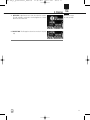
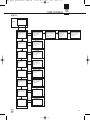
SELECT Control (5) Controls the various operating parameters of the receiver.
The SELECT control has the following functions:
LOCK Mode: • Long push: Unlocks receiver (switches to SETUP mode).
• Short push: Confirms status and warning messages.
• Turn left or right: No function.
SETUP Mode: • Long push: Locks the receiver (switches to LOCK Mode).
• Short push: Calls up the selected menu or confirms a selected setting.
• Turn left or right: Select menus or change the selected setting.
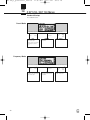
CH1 / CH2 Buttons Depending on the current menu the channel keys have different functions.
(10 / 12)
LOCK Mode: • General View: Call up the channel information window.
SETUP Mode: • General View: Call up the channel information window.
• Quick Setup Menu: From the CHANNEL LIST, you can directly select and synchronize any open
channel.
• Channel Menu: You can directly open a sub-menu (Frequency, Group/Channel, Name…) with
the desired channel. The channel sub-menu lets you select a different channel.
• Audio Menu: From the GAIN, DSP, and ATTENUATION PAD sub-menus, CH1 and CH2 let you select receiver channel CH1 or CH 2.
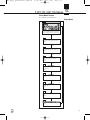
• Rehearsal Menu: Select the displayed graph.
BACK Button (4) A short push will close the current menu and all unconfirmed values are erased.
Holding the BACK key will close all menus, all unconfirmed values are erased and the general window is activated.
DSP Button (2) The DSP button allows you to bypass the LOW CUT filter, EQ, COMPRESSOR, and LIMITER for each
channel individually.
Refer to Section 9. • The DSP sub-menu in the AUDIO menu allows you to adjust all signal processor parameters.
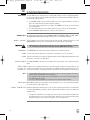
Checking the Audio 1. To monitor the audio signal, connect headphones with a ¼”/6.3mm TRS plug to the headphones
Signal – Headphones CH1
output (7).
and CH2 Buttons (6) 2. To activate the audio output, push the headphones CH1 or CH2 button next to the headphones
socket briefly.
3. To deactivate the audio push the headphones CH1 or CH2 button for more than 1 second.
• You can adjust the headphone volume with the SELECT control directly after pushing the headphones section CH1 or CH2 button.
10