1
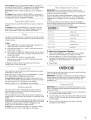
ELECTRONICOVENCONTROL
1
14
1. Sequence Programming
2. Electronic Oven Control Display
3. Oven Light
4. ACCUSIMMER TM Pad
2
13
12
11
5. Stop/Cancel
6. Start
7. Clock Set
3
10
9
8
7
6
4
5
8. Timer Functions
9. Hour/Minute Adjustment
10. Timed Cooking/Timed Cooling
1!. Auto Clean
12. Temperature Adjustment
13. Oven Functions
14. Cool Function
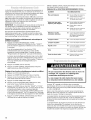
The STOP CANCEL pad stops any function except the Clock,
Timer and Control Lock.
Food Poisoning Hazard
Do not eat food in oven if "PF" shows on the
electronic oven control display.
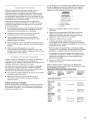
This is a 12-hour clock that shows a.m. and p.m.
Doing so can result in food poisoning or
sickness.
Before setting, make sure the oven and Timer are off.
1. Press CLOCK SET.
To Set:
2.
When "PF" shows on the electronic oven control display, a power
failure has occurred and food in the oven may not be properly
cooled or fully cooked.
3.
Press the HR or MIN "up" or "down"
time of day, including a.m. or p.m.
Press CLOCK SET or START.
arrow pads to set the
In the case of a power failure, do not eat the food in the oven.
Press any pad and reset the Clock if needed.
When power is first supplied to the appliance, "PF" and the
current time will appear on the display. Press any pad to clear
"PF" from the display.
Tones are audible signals, indicating the following:
When the oven is not in use, the display shows the time of day.
•
Valid pad press
When performing a timed cook function, the display will show
either hours and minutes, or minutes and seconds.
•
Oven is preheated (long tone)
•
Function has been entered
One tone
Three tones
The START pad begins any oven function. If not pressed within 5
seconds after pressing a function pad, the "START?" indicator
light will flash as a reminder. On some models, "START?" will
appear on the display.
If not pressed within 5 minutes after pressing a function pad, the
oven display will return to the time of day mode and the
programmed function will be canceled.
•
Invalid pad press
Four tones
• End-of-cycle
•
Reminder, repeating each minute after the end-of-cycle
tones
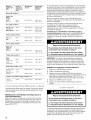
Reminder Tones: Reminder tones may be turned off. Press and
hold STOP TIME for 5 seconds. "rEP OFF" will appear in the
display. Repeat to turn reminder tones back on, and "rEP on" will
appear in the display.
All Tones: All of the above tones are preset on. All except the
end-of-cycle tones can be turned off.