1
Contents
Preparing
Introduction
Setup
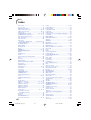
How to Read this Operation Manual .... 3
Contents ............................................... 4
IMPORTANT SAFEGUARDS ............... 6
How to Access the PDF Operation
Manuals ............................................ 10
Accessories ........................................ 11
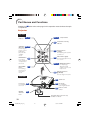
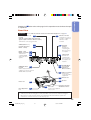
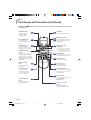
Part Names and Functions ................. 12
Setting up the Projector ...................... 18
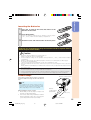
Inserting the Batteries .......................... 15
Usable Range ...................................... 15
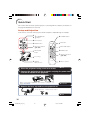
Quick Start
Quick Start .......................................... 16
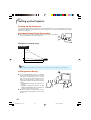
Setting up the Projector ....................... 18
Standard Setup (Front Projection) ....... 18
Ceiling-mount Setup ............................ 18
Projection (PRJ) Mode ......................... 19
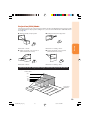
Screen Size and Projection Distance .. 20
Connections
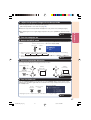
Connections ........................................ 21
Samples of Cables for Connection ..... 22
Connecting to a Computer ................. 23
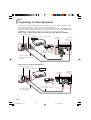
Connecting to Video Equipment ......... 24
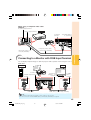
Connecting to a Monitor with RGB Input
Terminal ............................................ 25
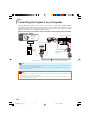
Controlling the Projector by a Computer .. 26
Connecting the Power Cord ............... 27
Using
Basic Operation
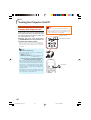
Turning the Projector On/Off .............. 28
Turning the Projector on ....................... 28
Turning the Power off (Putting the
Projector into Standby Mode) ........... 29
Image Projection ................................. 30
About the Setup Guide ........................ 30
Adjusting the Projected Image ............ 30
Switching the Input Mode .................... 32
Adjusting the Volume ........................... 32
Displaying the Black Screen and Turning
off the Sound Temporarily ................. 32
Correcting Trapezoidal Distortion ........ 33
Resize Mode ......................................... 34
Useful Features
Operating with the Remote Control .... 36
Displaying and Setting the Break Timer .... 36
Auto Sync (Auto Sync Adjustment) ..... 36
Freezing a Moving Image .................... 36
Selecting the Picture Mode .................. 36
Menu Items ......................................... 37
Using the Menu Screen ...................... 40
Menu Selections (Adjustments) ........... 40
Picture Adjustment (“Picture” menu) .. 42
Selecting the Picture Mode .................. 42
Adjusting the Image ............................. 43
Adjusting the Color Temperature ......... 43
Progressive ........................................... 43
Lamp Setting ........................................ 43
Adjusting the Projected Image
(“SCR - ADJ” menu) ......................... 44
Setting the Resize Mode ...................... 44
Adjusting the Image Position ............... 44
Keystone Correction ............................ 44
Setting the On-screen Display ............. 45
Selecting the Background Image ........ 45
Selecting the Setup Guide ................... 45
Reversing/Inverting Projected Images ... 45
Selecting the On-screen Display Language ... 45
Adjusting the Projector Function
(“PRJ - ADJ” menu) .......................... 46
Auto Search Function ........................... 46
Auto Sync (Auto Sync Adjustment) ..... 46
Auto Power Off Function ...................... 46
Setting the Confirmation Sound
(System Sound) ................................. 46
Speaker Setting .................................... 46
Selecting the Transmission Speed (RS-232C) ... 47
Fan Mode Setting ................................. 47
Checking the Lamp Life Status ........... 47
System Lock Function .......................... 47
Locking the Operation Buttons on the
Projector (Keylock Function) ............. 48
Setting up the Projector Network
Environment (“Network” menu) ........ 49
Setting a Password .............................. 49
DHCP Client Setting ............................. 50
TCP/IP Setting ...................................... 50
Confirming the Projector Information ... 50
Troubleshooting with the “Help” menu ...... 51
Utilizing the “Help” menu functions ..... 51
4
XG-MB67XL_EN_CD_b
4
06.9.11, 6:43 AM