1
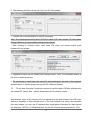
6. Click to Communication / Write Data menu to send the modified settings to receiver.
Note: During data reading (and sending) receiver firmware version can be checked.
5. TROUBLESHOOTING
TROUBLE: Any abnormal operation in functions during the usage of the device.
SOLUTION: Firmware upgrade with the newest firmware file usually solve these kind of
problems (see Firmware update part in manual).
TROUBLE: No connection between monitoring PC and receiver unit.
SOLUTION: Check the cable plugging in PC side and in receiver side as well. In
monitoring PC Control Panel / Hardware / Device Manager application you can check
which COM port appears / disappears in device list during plug / unplug ENIGMA IP2
cable. Please check whether COM port setting is correct in monitoring software. Baud
rate should be set to 57600 in monitoring software settings.
TROUBLE: After proper IP configuration receiver events are not coming through IP.
SOLUTION: Don't forget to allow used ports in rooter (Port forward menu in rooter).
TROUBLE: There are strange internal messages in receiver with 0000 client account.
SOLUTION: It is possible that any of the external device (alarm control panel) has 0000
client account. Never use 0000 client account in alarm control panel side.
TROUBLE: The receiver unit freezes because of any external reason.
SOLUTION: Unplug power supply cable and USB cable at the same time, then plug it
back. It means hardware reset of the receiver.
8