1
Using the directory and lists
Using the directory and lists
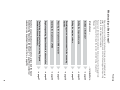
The options are:
u Directory
u Call-by-call list
u Last number redial list
u SMS list
u Calls list
u Answering machine list
(Gigaset E495 only)
You create the directory and call-by-call
list for your own individual handset. You
can also send lists/entries to other handsets (¢ page 27).
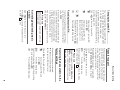
Directory/call-by-call list
You can save a total of 150 entries in the
directory and call-by-call list.
Please note
For quick access to a number from the
directory (shortcut), you can assign
the number to a key.
In the directory you can save numbers
and corresponding names.
the directory by pressing the s key.
¤ With the handset in idle status, open
In the call-by-call list, you can save network provider prefixes ("call-by-call numbers").
by pressing the C key.
¤ Open the call-by-call list in idle status
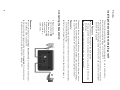
max. 32 digits
max. 16 characters
Length of the entries
Number:
Name:
26
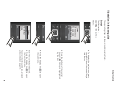
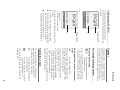
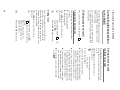
Storing a number in the directory
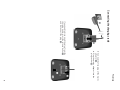
s ¢ New Entry
¤ Change multiple line input:
Number
Enter the number.
Name
Enter name.
Speed Dial
Select key for shortcut.
¤ Save the changes.
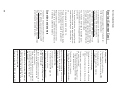
Storing a number in the call-by-call list
C ¢ New Entry
¤ Change multiple line input:
Number
Enter the number.
Name
Enter name.
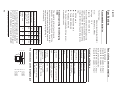
Order of directory entries
The directory entries are usually sorted in
alphabetical order. Spaces and digits take
first priority. The sort order is as follows:
1. Space
2. Digits (0–9)
3. Letters (alphabetical)
4. Other characters
To work round the alphabetical order of
the entries, insert a space or a digit in
front of the name. These entries will then
move to the beginning of the directory.
Selecting entries in the directory and
call-by-call list
s / C Open the directory or call-bycall list.
You have the following options:
u Use s to scroll through the entries
until the required name is selected.
u Enter the first character of the name
and scroll to the entry using s if
required.