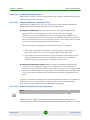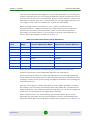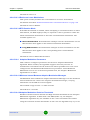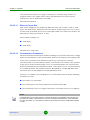
1
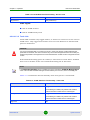
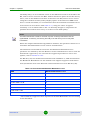
Chapter 4 - Operation Menus and Parameters address of a connected AP client device to facilitate in the future remote management of a WiFi Access Point connected to the RB. The Network Management Parameters menu includes the following options: Access to Network Management Network Management Filtering Set Network Management IP address Delete a Network Management IP Address Delete All Network Management IP Addresses Set/Change Network Management IP Address Ranges SNMP Traps (BU Only) Wi2 IP Address (RB only) 4.2.6.3.1 Access to Network Management The Access to Network Management option defines the port through which the unit can be managed. The following options are available: From Wireless Link Only From Ethernet Only From Both Ethernet and Wireless Link The default selection is From Both Ethernet and Wireless Link. CAUTION Be careful not to block your access to the unit. For example, if you manage an RB via the wireless link, setting the Access to Network Management parameter to From Ethernet Only completely blocks your management access to the unit. In this case, a technician may be required to change the settings at the user's site. 4.2.6.3.2 Network Management Filtering The Network Management Filtering option enables or disables the IP address based management filtering. If management filtering is enabled, the unit can only be managed by stations with IP addresses matching one of the entries in either BreezeNET B 137 System Manual