1
i-on16
Programming
Edit Outputs, and then select the output you wish to
program.
Changing Output Names
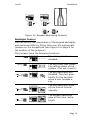
When changing the output name, key in the letters from
the keypad. Each number is associated with a range of
letters in the same way as on many mobile phones.
Figure 23 shows which letters appear on each key.
To delete characters press <. If you wish to move the
insertion point, then press u or n.
Note: If you wish to leave the name unchanged then
press X. The display leaves the name change screen
and restores the name of the output to its previous
value.
Output Types
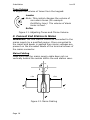
The output types available are:
Not Used:
The control unit will not operate any output assigned
to this type.
Siren
The control unit operates this output during an alarm.
See page 44 to choose the siren duration.
E/E Follow
This output is active when the entry or exit time
starts and deactivates at the end of the entry/exit
time, or if the entry/exit time is terminated. The
output can be used for a separate entry/exit buzzer.
Note that the output does not operate if the exit
mode is silent set or instant set.
Armed
The output is active continuously while the system is
full or part set.
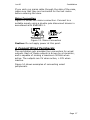
24 Hour Alarm
This output is active when the control unit starts a 24
hour alarm.
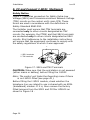
Strobe
The control unit operates this output type during an
alarm. The output remains active until the user
disarms the system.
Page 37