1
NMEA Data Multiplexer - NDC-4-A & NDC-4-A-USB
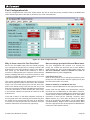
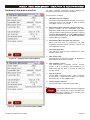
Extra ARL P-codes:
Toggles the enable/disable
state of the extra ARL
P-code sentences on the RS232 port. These P-codes are
used by Control Centre to determine which NDC input
supplied which piece of NMEA data. In this way, Control
Centre can show what data came from channel 1, channel
2, etc. This ability is also open to any other PC program.
For example, an NDC with 4 digital NMEA depth sounders
connected to it could have the 4 individual depth values
shown on a PC screen in representative positions (bow
starboard, bow port, stern starboard and stern port).
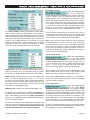
The USB or IN/OUT 0 Baud rate options are 4800, 9600,
19200, 38400, 57600 or 115200 Baud. It is important to
note that setting the USB / RS232 Baud rate to anything
under 19200 Baud may reduce the bandwidth of this output
below that of the total input bandwidth. This could result in
random loss of NMEA sentences. Therefore, for normal
operation, 38400 Baud is ideal, however, for exceptional
requirements were the total input bandwidth is below
100%, any of the available Baud rates can be used.
If in the unlikely event however, the USB / OUT 0 port is
connected to an electronic device (e.g. chart plotter) that
cannot ignore the P-codes (as it should by default), then
these P-codes can be disabled to aid compatibility.
Note: As the Control Centre requires the extra Actisense
P-code sentences to operate correctly, it will temporarily
turn them on when it first connects to the NDC-4. When the
Control Centre software is closed, the NDC-4 will revert
back to the user-stored configuration settings, and the Pcode sentences will stop being transmitted (if configured
as such by the user as disabled).
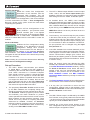
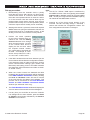
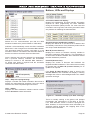
Clone output mode:
Toggles the enable/disable
state of the data Clone
output mode on the USB/OUT 0 port. When output port is
in Clone output mode, the data output will be a clone, or
copy, of the data output from the NMEA Combined output
(OUT 1). That is to say, the data output will have been
filtered just like the NMEA Combined output data is.
NMEA input 1 and the Combined NMEA output are two
sides of the same port, and therefore share the same
Baud rate (with options between 4800 and 57600 Baud).
This is useful if you need to supply an NMEA device with
filtered NMEA data that will only accept RS232 signal
levels on its input, or requires a higher Baud rate.
NMEA inputs 2 and 3 also have the same Baud rate
options of 4800 to 57600 Baud. Inputs 1, 2 and 3 can
be used as hi-speed inputs (ideal for AIS transponders).
Currently, setting the Baud rate to 57600 will restrict all
other NMEA inputs to 4800 Baud - to help keep the total
bandwidth to a manageable level.
When Clone output mode is disabled, the USB/OUT 0
output will contain all data received on all 5/4 of the NMEA
inputs (no filtering applied).
NMEA input 4 is fixed to the standard 4800 Baud rate.
It is worth noting, that the NDC-4 receives and buffers all
the NMEA 0183 sentences from all 5 inputs (4 NMEA 0183,
and 1 USB / RS232), and then as a totally independent
operation, it re-sends the required NMEA 0183 sentences
out its 2 ISO-Drive outputs.
As these two operations are independent, the Baud rates
of all the inputs and outputs can also be independent, that
is to say, different - the inputs and outputs can all have
different Baud rates (with the except of Input 1).
© 2009 Active Research Limited
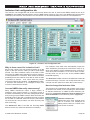
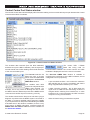
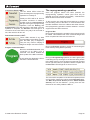
Delete duplicates:
Toggles the enable/disable
state of the useful Delete
duplicates option. When enabled, any duplicate NMEA
sentences found in the receive buffer that are deemed safe
to delete older versions (duplicates) will be deleted. This
intelligently reduces the output data when too much data
is coming through the input channels. For example, if two
depth sentences are in the buffer ready to be transmitted,
there is normally no point in transmitting the older depth
value, as the newer one has replaced all previous ones.
However, for special systems that do not want this feature
(and can guarantee that there will not be more than 100%
total loading), this feature can be disabled.
Page 21