1
Phone/IP Starter Config.
Phone/IP Starter Configuration (continued)
5.
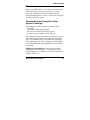
Go to Configuration | Voice/Fax. Select Coder |
“Automatic.” At the right-hand side of the dialog
box, click OK. If you know any specific parameter
values that will apply to your system, enter them.
Click OK to exit from the dialog box.
6.
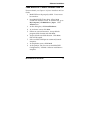
Enter telephone system information.
Go to Configuration | Interface. Enter parameters
obtained from phone company or PBX
administrator.
7.
Go to Configuration | Regional Parameters. Select the
Country/Region that fits your situation. Click OK and
confirm. Click OK to exit from the dialog box.
8.
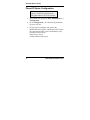
Do you want the phone-call logs produced by the
MultiVOIP to be sent out by email (to your Voip
Administrator or someone else)?
If NO, skip to step 10.
If YES, continue with step 9.
9.
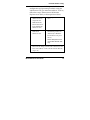
Go to Configuration | SMTP.
SMTP lets you send phone-call log records to the
Voip Administrator by email. Select Enable SMTP.
You should have already obtained an email address
for the MultiVOIP itself (this serves as the
origination email account for email logs that the
MultiVOIP can email out automatically).
MultiVOIP Quick Start Guide
18