1
MOON i-7 Dual-Mono Integrated Amplifier
Front Panel Controls
(continued)
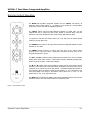
The rotary “volume” control determines the gain setting, which ranges from ‘0.0dB’ (no output) to ’80.0dB’ (full output). This
control does not function like a typical volume: When you rotate the dial, either clockwise to raise the volume or counterclockwise to lower the volume, you are actually engaging a precision optical encoder which selects very high quality metal-film
resistors that the audio signal passes through. The result is a proprietary gain circuit, called M-eVOL that doesn’t degrade
the audio signal regardless of the setting, unlike all potentiometer based circuits. Since this circuitry operates in a fully
balanced differential mode, no noise is introduced to the audio signal. Futhermore, since there are no actual moving parts,
this technology has a minimum life expectancy of one million rotations.
The MOON i-7 integrated amplifier provides a range of one-hundred and thirty (130) unique volume settings. This is
achieved as follows: Within the 0.0dB to 30.0dB range, you can increase and decrease the volume in 1.0dB steps. From the
30.0dB to 80.0dB range, you can increase and decrease the volume by either 0.5dB or 1.0dB steps; By rotating the volume
control slowly, the level will change by 0.5dB increments. A quicker rotation will change the volume in 1.0dB increments.
Note: To change the balance between the left and right channels, please refer to the section “Remote Control Operation”.
The “Input +” and “Input -” buttons allow you to choose which input source you wish to listen to. The MOON i-7 dual-mono
integrated amplifier has a total of five (5) inputs; The first input is fully-balanced and uses XLR connectors labeled B1. The
next four (4) inputs are single-ended and use RCA connectors labeled S1, S2, S3 and S4. Assuming that you’re currently
listening to a source component connected to input B1, the “+” allows to sequentially scroll forward through the available
inputs from S1 to S4. The “-” button allows you to sequentially scroll backwards from S4 to B1. Holding down either the “+”
or “-“ button will allow only a single change of the selected input. You must press the button again to select the next or
previous input.
The “Setup” and “OK” buttons are used for programming the numerous software functions available on this integrated
amplifier. The next section, entitled “Software Setup”, explains their usage in detail.
Software Setup
The MOON i-7 integrated amplifier includes powerful software that allows you to configure it to meet your specific needs.
For each of the five (5) inputs, you can assign a label to replace the factory assigned name (i.e. B1, S1, etc.), assign a
maximum volume level of less than 80.0dB, create an offset volume level ranging from –10.0dB to +10.0dB, bypass the
volume control (to exclusively use the source component’s volume instead) and disable the input completely when it’s not in
use. As well, you can assign any and all inputs to activate the i-7’s 12 Volt trigger. Finally, there’s a facility to reset all
software settings back to their factory defaults. Please refer to the accompanying quick reference diagram for a snapshot of
the entire Setup menu layout.
When you are in Setup mode, there are three (3) front panel items used to program this integrated amplifier; The “Setup”
button for navigating up and down through the various menu levels, the rotary volume control for scrolling through the
available choices within each programmable item, and the “OK” button for confirming and saving your selections.
What follows are step-by-step examples of how to configure an input, assign the 12 Volt trigger and reset the software back
to the factory default.
____________________________________________________________________________________________________
Front Panel Controls / Software Setup
8