1
T22 User Manual
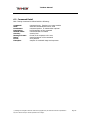
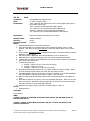
4.3 First Use
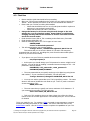
Please read the Quick Start Guide before proceeding.
After your T22 has been installed into the vehicle you are ready to become the
‘Owner’. Owner authority has access to all the T22 commands and features.
• Ensure that your T22 has a working SIM installed.
o Check that the SIM has not run out of credit (test the SIM in a phone to
make sure it can send and receive SMS)
o Check that the SIM Lock code is turned off
• Charge the battery for 3.5 hours using the wall charger or the CLA
adaptor for your car electrical socket. Power light is on solid during
charging but may take several minutes to turn on if the unit has been
stored for several weeks.
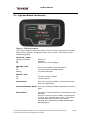
• Check that the Power LED on T22 is emitting a short flash every 5 seconds.
• Check that the GSM LED is off.
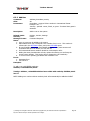
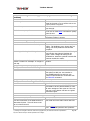
• Send the following SMS to your T22 in upper or lower case:
OWNER,0000
4 zeros is the default password
• T22 will respond with a text message stating:
Tramigo: Owner, +635551234 registered, 09:25 Jan 14
This means that you are now the Owner of T22 and it will accept any
commands that you issue to it, providing they come from the same mobile phone
number as you used for this setup.
•
•
•
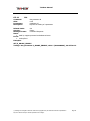
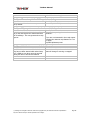
If you plan to use your T22 as a portable device send the command:
set,sleep1repeats,6
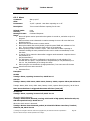
• At this point you should change your T22 password to ensure a high level of
security. You can do this by sending a command via text message to T22 – old
password is 0000 by default:
PASSWORD,<old_password>,<new_password>
PASSWORD,0000,903WOOD
• The new password that you specify can be up to 20 digits long using letters
and numbers. If your command is successful, T22 will reply with:
Tramigo: Password, changed to 903WOOD, 09:25 Jan 14
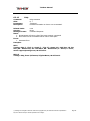
• You may now wish to personalise your T22 by specifying a name. The name
shows in the start of all SMS the unit sends to you. To do so, send a command
via text message to T22:
NAME,Julie’s Car
• The new name that you specify can have a maximum of 15 characters. If
your command is successful, T22 will reply with:
Julie’s Car: Name, OK, 09:25 Jan 14
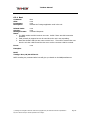
• Take your T22 outside to where you have a clear view of the sky. After a
minute or two the red GPS light will turn off indicating that your T22 now knows
it’s location
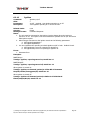
T22 is now ready for use. Try sending a FIND command via text message to receive a
message describing the position of your vehicle. See how to add other users in the
Authorization section. See the Features section to explore the capabilities of your T22.
© Tramigo Ltd. All rights reserved. Under the copyright laws, this manual cannot be reproduced in
any form without the prior written permission of Tramigo.
Page 10