1
Updated 10/24/13
Table of Contents
Important Safety Notes Before You Start .......................................................................2
Warranty Information..............................................................................................................2
Maintenance and Care ............................................................................................................2
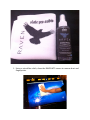
• Cleaning the RAVEN MTi ..................................................................................... 2
• Revitalizing the RAVEN MTi Glass ....................................................................... 2
• System requirements .......................................................................................... 2
• RAVEN MTi Dimensions ...................................................................................... 2
• Attaching The MTi To Its Stand ........................................................................... 2
• Connecting RAVEN MTi to your computer ........................................................... 2
• Software Installation and Touch Calibration ........................................................ 2
• Connecting RAVEN MTi to Pro Tools ................................................................... 2
• Launching RAVEN MTi Software .......................................................................... 2
Review of Touch Calibration ...............................................................................................2
INSTALLING RAVEN MTi: ........................................................................................................2
Setting Up & Aligning Pro Tools With RAVEN ..............................................................2
RAVEN MTi Software Features ............................................................................................2
• The RAVEN Mixer ............................................................................................... 2
• RAVEN Channel Strip .......................................................................................... 2
• Automation Modes ............................................................................................. 2
• Icons .................................................................................................................. 2
• RAVEN Toolbar ................................................................................................... 2
• RAVEN Settings .................................................................................................. 2
• Saving a Pro Tools Session ................................................................................. 2
• Saving a RAVEN Session ..................................................................................... 2
• Restoring to Factory Default ............................................................................... 2
• Edit window ....................................................................................................... 2
Working with Plugins ..............................................................................................................2
• Loading Plugins: ................................................................................................. 2
• Controlling Plugins: ............................................................................................ 2
• Closing a Plugin: ................................................................................................ 2