1
•
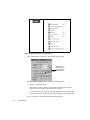
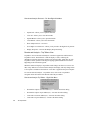
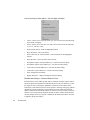
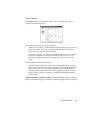
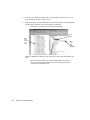
Station1/Port <-> Local network—sends conversation data (by port) for Station1
and all other stations on the local network. The local network is defined in the
“Expert Global Settings” dialog under the “IP Range” tab. See “Expert Global
Settings – IP Range Tab” on page 285.
•
Station1/Port <-> Internet/WAN—sends conversation data (by port) for Station1
and all other stations found from the Internet/WAN. The Internet/WAN network
is defined in the Expert Global Settings dialog. See “Expert Global Settings – IP
Range Tab” on page 285.
•
Station1 <-> Station2—sends conversation data for Station1 and Station2 (all
ports).
•
Station1 <-> Local Network—sends conversation data (all ports) for Station1 and
all other stations on the local network. The local network is defined in the
“Expert Global Settings” dialog under the “IP Range” tab. See “Expert Global
Settings – IP Range Tab” on page 285.
•
Station1 <-> Internet/WAN—sends conversation data (all ports) for Station1 and
all other stations found from the Internet/WAN. The Internet/WAN network is
defined in the “Expert Global Settings” dialog under the “IP Range” tab. See
“Expert Global Settings – IP Range Tab” on page 285.
•
The same descriptions apply for all “Station2” references.
•
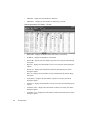
Server Analysis—sends the conversation information to the server display.
•
What-If Analysis—sends the conversation information to the What-If Analysis live
modeling display.
The What-If Analysis is only displayed if there is server delay information
available.
•
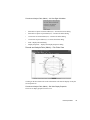
VoIP Analysis—sends the conversation information to the VoIP Analysis display.
•
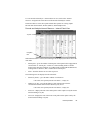
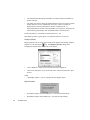
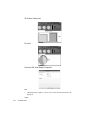
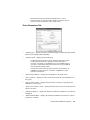
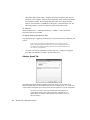
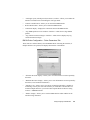
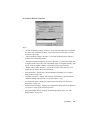
Expert Explanation: TCP Station
Note: Expert Explanation is context-sensitive to the specific column where
you right-click. For example, if you right-click on the “Delay (ms)” column,
you will be offered Expert Explanation on “TCP Delay.” If you right-click on
the “Retrans” column, you will be offered Expert Explanation on “TCP
retransmissions.”
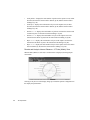
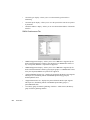
UDP Events
The UDP Events section is identical to the TCP Events section, only it reports on UDP
protocols. See “TCP Events Row Definitions” on page 292.
ICMP Events
294
Real-Time Expert