1
Opermin9
Tips
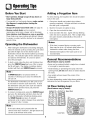
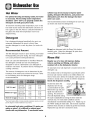
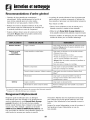
Before You Start
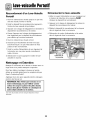
Adding a Forgotten Item
• Don't prerinse. Simply scrape off any bones or
large food particles.
For best cleaning, the forgotten
early in the cycle.
• If connected to a food waste disposer, make certain
the disposer is empty before starting the
dishwasher,
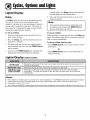
1. Grasp door handle and unlatch door without
opening completely. All lights will flash to indicate
that the cycle is suspended.
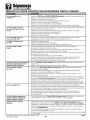
• Scrape off tomato-based
2. Wait for the water circulation
• Remove certain
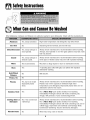
food soils (see page 8).
foods such as mustard,
mayonnaise, lemon juice, vinegar, salt or dressings
from stainless steel flatware as soon as possible.
These foods may cause rusting and pitting if allowed
to remain in contact with the surface for an extended
item should be added
to stop.
3. Open the door and add the item.
4. Close and latch the door. Lights will stop flashing
when the door is properly shut. After a slight delay,
the cycle resumes automatically at the point of
interruption.
period of time.
Notes:
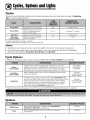
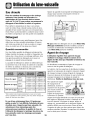
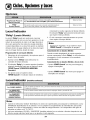
Operating the Dishwasher
1. After loading the dishwasher and adding detergent,
select the desired cycle by pressing the cycle select
pad until the light next to the desired cycle is
illuminated. Choose the desired options by pressing
the pads. The indicator lights for the selected cycle
and options will illuminate. To cancel an option
press the pad again.
2. To start a cycle, close the door until it latches then
press the START/Cancel
pad once. After a pause,
the fill will begin. The display countdown (select
models) will flash until START/Cancel
is pressed.
Note
:
If START/Cancel
is not pressed within 30
seconds of choosing your cycle, the dishwasher
will turn off.
The dishwasher remembers your last cycle so you
do not have to reset the cycle each time. To start
the dishwasher using the same cycle and options
selected on the previous wash, just press the
START/Cancel
pad.
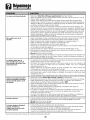
• If the door is opened during a running cycle,
there may be up to a 30 second delay before the
dishwasher
restarts after closing the door.
• Extended interruption
recommended.
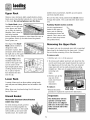
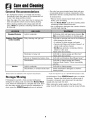
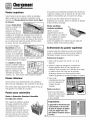
General Recommendations
(Rack features
vary by model)
• Items can be centered behind a single tine or loaded
at an angle to maximize space.
• Avoid blocking or preventing the spray arms from
spinning freely. Do not allow items to extend beyond
the racks.
• Face soiled surfaces toward the center of the
dishwasher.
For best dishwashing results follow these guidelines
determine the best arrangement for your items.
10 Place Setting Load
(Rack features
vary by model)
Upper Rack
To cancel a running cycle, press the START/Cancel
pad once. The dishwasher will drain, then shut off.
To turn the dishwasher off without draining, press
the START/Cancel
pad twice. To prevent
unplanned cycle or option changes, these selections
are "locked in" after 1 minute.
Note
:
If the cycle select pad is pressed after the
controls have been "locked in", the light above the
current cycle will flash three times.
of the wash cycle is not
Lower Rack
to