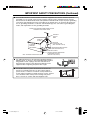
1
CONNECTING WITH EXTERNAL DEVICES (Continued)
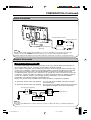
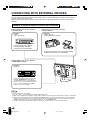
Outputting video and audio (video output)
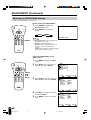
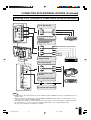
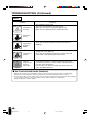
You can output video and audio data from the TV set through the AV output terminals (AV-OUT).
VIDEO
OUT
Connect a VCR,
Audio amplifier,
etc.
AV-IN2/
L
AUDIO
R
ONENT
Y
COMP
CH
MENU TV/VIDEO
MAIN POWER
VOL
PB
PR
L
AUDIO
R
Note
AV2 has 2 OUT modes (see page 24).
When using the S-Video input for AV-IN1, no video output will be made to the AV output terminal, but audio
output will be made for connection to external audio systems.
Note:
● It is impossible for card images to video output.
●
●
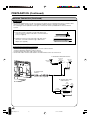
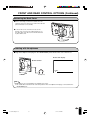
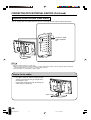
How to fix the cables
CH
MENU TV/VIDEO
• Fix cables and cords with the attached cable
clamps so that they do not get caught when
mounting the cover.
• Connect the cables and cords after fixing the
cable clamps (2 positions).
MAIN POWER
VOL
Cable clamps
50
LC-20B1U-GBpp48-58
50
02.2.21, 4:39 PM