1
1640-EU03.fm Page 19 Thursday, October 5, 2006 3:50 PM
4.0 Additional Features
4.1 Programming Chime Zones
A Chime Enabled zone will advise you every time it is opened
by causing your keypad to beep.
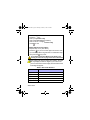
How do I Chime Zones?
1. Press & hold the [9] key for 3 seconds.
2. Enter the two-digit zone number of the desired zone or
use the [s] or [t] buttons to scroll to the desired zone and
press the key. Repeat to unchime the zone. If the zone
number illuminates, the zone is chimed. If the zone
number is extinguished, the zone is unchimed. To
key.
remove chiming from all zones, press the
3. Press the
key to exit.
Each keypad must be Chimed separately.
4.2 Keypad Muting
When muted, the keypad will only emit the confirmation beep,
rejection beep, and beep when a key is pressed. Therefore,
when muted, the keypad will not beep during an alarm or
during the exit delay. Press and hold the
key for 3 seconds
to enable or disable Keypad Muting. If the keypad emits a
confirmation beep, Keypad Muting is enabled for that keypad.
If the keypad emits a rejection beep, the feature is disabled.
1640 Icon LCD Keypad 19