1
Using Built-In Microphone
When recording with the microphone built into the computer, do not plug in any external
microphone or USB audio adapters before starting SoniClear. Sound quality of the builtin microphone is not as high as that provided by an external microphone; however, in
some situations you may find the built-in microphone is adequate. For some
configurations, using the Built-In Microphone will require changes to the SoniClear
preferences configuration.
Using USB Audio Adapters
Portable Recorder can be used with external audio interface plugged into the USB port,
such as the VXI, iMic, or Andrea audio adapters, and the SoniClear Professional Sound
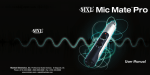
Systems Interface (MXL MicMate). If your system has been configured for using this
type of adapter, here are the steps for use:
•
•
•
•
•
Connect the audio interface cable to the computer while audio interface and
computer are both turned off. Some USB devices are not compatible with USB
3.0 ports (USB 3.0 ports have a blue color jack). Use the USB 2.0 port on the
computer to be sure that there will not be any compatibility problems.
Turn on the audio interface power switch (if any)
Turn on the computer
Log onto user account, if required.
Run the SoniClear application from the desktop icon.
USB audio shutdown steps:
•
•
•
•
•
•
If currently recording, stop recording.
Exit SoniClear.
Select Turn Off Computer from the Start menu.
Select Turn Off.
After computer has turned off, switch off the power to the audio interface (if any).
Disconnect the USB cable that connects the audio interface to the computer.
Play Recordings
Recordings can be played back using the built-in speakers of the computer or
headphones. Any headphone with 1/8” stereo plug can be used by plugging it into the
headphone jack. For playback to a larger room, self-powered computer speakers can be
connected to the headphone jack.
SoniClear Portable Recorder Operation Guide
Pg 6