1
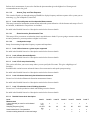
19.8.7Limit curve.........................................................................................................................330
19.8.8Reference measurement routing........................................................................................ 331
19.9Plot Type Settings: Overview................................................................................................... 331
19.10Plot Type Settings: Active Plot............................................................................................... 332
19.11Plot Type Settings: General Frequency Domain Settings.......................................................332
19.11.1Active measurement settings........................................................................................... 332
19.11.2Reference measurement................................................................................................... 333
19.11.3Fourier transform size......................................................................................................334
19.11.4Various (5)....................................................................................................................... 335
19.11.5Averaging, time constant................................................................................................. 336
19.12Plot Type Settings: Time Window..........................................................................................336
19.12.1Measurement name.......................................................................................................... 336
19.12.2Window type....................................................................................................................337
19.12.3Window size.....................................................................................................................337
19.12.4High-frequency window (short).......................................................................................338
19.12.5When new measurement is set as active..........................................................................338
19.12.6Add to window in Time Data plot type........................................................................... 339
19.13Plot Type Settings: Frequency Response/Spectrum............................................................... 340
19.13.1Horizontal axis (6)........................................................................................................... 340
19.13.2Vertical axis..................................................................................................................... 340
19.13.3Compensation of Magnitude (frequency dependent level)..............................................340
19.13.4Shift/Normalization......................................................................................................... 342
19.13.5Type (2)............................................................................................................................343
19.13.6General Frequency Domain Settings (2)......................................................................... 344
19.13.7Harmonic Distortion........................................................................................................ 344
19.13.8Smoothing........................................................................................................................ 346
19.13.9Guidelines........................................................................................................................ 348
19.13.10Values as Marks.............................................................................................................350
19.14Plot Type Settings: Phase Frequency Response/Function...................................................... 350
19.14.1Horizontal axis (46 (2).....................................................................................................351
19.14.2Vertical axis (2)............................................................................................................... 351
19.14.3General Frequency Domain Settings (3) ........................................................................ 351
19.14.4Phase type........................................................................................................................ 351
19.14.5Smoothing (2).................................................................................................................. 352
19.14.6Remove delay in frequency range....................................................................................352
19.14.7Subtract delay...................................................................................................................353
19.15Plot Type Settings: Group Delay............................................................................................ 353
19.15.1Horizontal axis (3)........................................................................................................... 353
19.15.2Vertical axis (3)............................................................................................................... 353
19.15.3General Frequency Domain Settings (4) ....................................................................... 353
19.15.4Type (3)............................................................................................................................354
19.15.5Smoothing (3).................................................................................................................. 354
19.16Plot Type Settings: Waterfall..................................................................................................354
19.16.1Horizontal axis (4)........................................................................................................... 355
19.16.2Vertical axis (4)............................................................................................................... 355
19.16.3Depth axis........................................................................................................................ 355
19.16.4Waterfall layout............................................................................................................... 355
19.16.5ETF parameters................................................................................................................360
19.16.6Mode (3)...........................................................................................................................361
19.16.7Cycles...............................................................................................................................361
19.16.8FFT shift...........................................................................................................................362
19.16.9Floor................................................................................................................................. 362
19.16.10General Frequency Domain Settings (5) ................................................................... 362
19.16.11Smoothing (4)................................................................................................................ 362
19.16.12Waterfall microphone compensation............................................................................. 363
19.16.13Reference to slice...........................................................................................................363