1
Troubleshooting
Legal notices
Problem:
Solution:
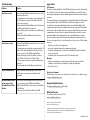
No picture or sound
• Move the Rocketfish Miracast Video Receiver closer to the
Miracast mobile device.
The maximum connection distance is approximately 50 ft.
• Check the wireless connection and make sure that the
devices are connected.
• Make sure that the Rocketfish Miracast Video Receiver and
the Miracast mobile device are turned on.
• Make sure that you have selected the correct HDMI input
on your TV.
• Make sure the Rocketfish Miracast Video Receiver is
receiving power.
Poor picture or sound
• Move the Rocketfish Miracast Video Receiver closer to the
Miracast mobile device.
The maximum connection distance is approximately 50 ft.
• Make sure the Rocketfish Miracast Video Receiver has a
secure connection to the HDMI port and USB port.
• Change the frequency band of your Wi-Fi connection
from 5 GHz to 2.4 GHz or from 2.4 GHz to 5 GHz.
• If you are using a microwave oven in the immediate area,
turn it off.
• Check the battery level of the Miracast mobile device.
Picture or sound cuts out
• Make sure that the streaming signal to your Miracast
mobile device is strong and consistent (three bars
minimum).
My Miracast mobile device
will not connect to the
Rocketfish Miracast Video
Receiver
• Make sure the Rocketfish Miracast Video Receiver has a
secure connection to the HDMI port and USB port.
• Make sure the WPS button has been pressed and the blue
LED is flashing.
• Make sure your mobile device’s Wi-Fi is turned ON.
FCC Statement
This device complies with Part 15 of the FCC Rules. Operation is subject to the following
two conditions: (1) this device may not cause harmful interference, and (2) this device
must accept any interference received, including interference that may cause undesired
operation.
This equipment has been tested and found to comply with the limits for a Class B digital
device, pursuant to Part 15 of the FCC Rules. These limits are designed to provide
reasonable protection against harmful interference in a residential installation. This
equipment generates, uses and can radiate radio frequency energy and, if not installed
and used in accordance with the instructions, may cause harmful interference to radio
communications. However, there is no guarantee that interference will not occur in a
particular installation. If this equipment does cause harmful interference to radio or
television reception, which can be determined by turning the equipment off and on,
the user is encouraged to try to correct the interference by one or more of the following
measures:
• Reorient or relocate the receiving antenna.
• Increase the separation between the equipment and receiver.
• Connect the equipment into an outlet on a circuit different from that to which the
receiver is connected.
• Consult the dealer or an experienced radio/TV technician for help.
Warnings:
• Changes or modifications not expressly approved by the party responsible for
compliance could void the user's authority to operate the equipment.
• Not for outdoor use!
Open Source Statement
For information on the open source software used on this device or to obtain a copy go
to www.rocketfishproducts.com.
One-year limited warranty
Visit www.rocketfishproducts.com for details.
We’re here for you:
For customer service call 1-800-620-2790
www.rocketfishproducts.com
Miracast is a trademark of the Wi-Fi Alliance.
Android is a trademark of Google, Inc.
ROCKETFISH is a registered trademark of BBY Solutions, Inc. Registered in some countries.
Distributed by Best Buy Purchasing, LLC, 7601 Penn Ave South, Richfield, MN 55423 U.S.A.
©2013 BBY Solutions, Inc. All Rights Reserved.
V2 ENGLISH 13-0469