1
Accompli 009 User's Guide_.book Page 90 Wednesday, June 26, 2002 2:56 PM
Chapter 6
L o o k i n g u p C o n ta c t E n t r i e s
To look up contact information:
1
Select the Contacts application from the Home screen.
2
From the Category field, choose the category of the contact or mailing list for whom you
want to look up address information.
TIP Type the first several characters of the contact name to quickly scroll to the names
beginning with those characters.
3
Using the NAVDISK, scroll through the list of contacts and highlight the contact entry you
want to view.
4
Select the View item button from the toolbar.
TIP If this entry contains more contact information than can be displayed on one screen,
press the NAVDISK down to display the remaining information.
5
Select the OK button from the toolbar to return to the main Contacts screen.
To make a phone call or send from the Contacts List:
1
Select the Contacts application from the Home screen.
2
From the Category field, choose the category of the contact or mailing list for whom you
want to look up address information.
3
Using the NAVDISK, scroll through the list of contacts and highlight the contact entry you
want to view.
4
Select the View item button from the toolbar.
5
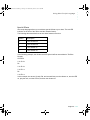
Press the hotkey number on the keypad corresponding to the contact number. One of
the following happens.
•
If the contact information is a telephone number, the Phone application will
automatically dial the number.
•
If the contact information is an email address, the SMS application will open at the
screen were you can compose an SMS message to be sent to the selected email
address in the Contacts List.
90 Accompli 009 User’s Guide