1
Pegasus-E_Copy_Ex.book
87 ページ
2004年9月23日 木曜日 午前11時41分
KEY OPERATOR'S GUIDE
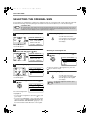
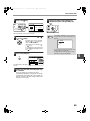
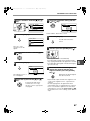
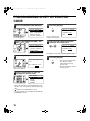
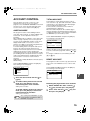
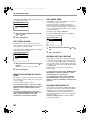
Select "DEFAULT TRAY SET" and press the [OK] key.
The following screen will appear.
DEFAULT TRAY SET
TRAY 1
TRAY 2
TRAY 3
TRAY 4
1
2
Select the tray with the [
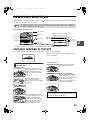
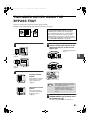
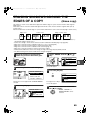
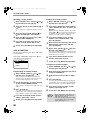
ROTATION COPY
(When the dual function board is installed)
If the orientation of the original does not match that of
the paper, the image can be rotated.
Rotation copy operates when automatic paper
selection or automatic ratio selection operates.
The function is initially enabled (factory default
setting).
] or [
] key.
Note
Press the [OK] key.
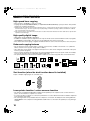
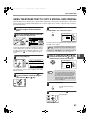
If the image is both rotated and reduced, the
position of the copied image will vary
depending on the orientations of the original
and the paper.
Original
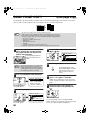
DEFAULT EXPOSURE
Paper
Copy
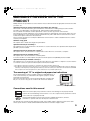
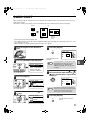
This program is used to select the exposure
mode/level that is initially selected when the
[EXPOSURE] key is pressed.
The factory default setting is "AUTO".
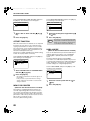
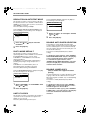
Select "DEFAULT EXPOSURE" and press the [OK]
key. The following screen will appear.
DEFAULT EXPOSURE
AUTO AUTO
TEXT
PHOTO
To enable rotation copy, select "ROTATION COPY"
and press the [OK] key so that a checkmark
appears in the checkbox.
To disable rotation copy, select "ROTATION
COPY" once again and press the [OK] key so that
the checkmark is cleared from the checkbox.
1
Select the exposure mode with the [
[ ] key.
2
If you selected "TEXT" or "PHOTO", set
the exposure level with the [ ] or [ ] key.
3
Press the [OK] key.
] or
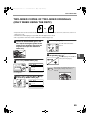
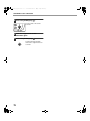
STREAM FEEDING
When stream feeding mode is enabled, additional
originals which are placed in the SPF within 5 seconds
after the previous original was fed will be copied
automatically. (If more than 5 seconds elapse, the
[START] key ( ) must be pressed again.)
This function can be used when scanning originals in
copy and scan modes.
The function is initially disabled (factory default
setting).
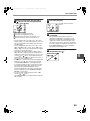
To enable stream feeding, select "STREAM
FEEDING" and press the [OK] key so that a
checkmark appears in the checkbox.
SORT AUTO SELECT
(When the dual function board is installed)
This program is used to select the default output mode
when the SPF is used for copying.
The initial factory setting is "SORT".
7
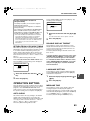
Select "SORT AUTO SELECT" and press the [OK]
key. The following screen will appear.
SORT AUTO SELECT
NO SORT
SORT
1
Select the output mode with the [
key.
2
Press the [OK] key.
] or [
]
To disable stream feeding, select "STREAM
FEEDING" once again and press the [OK] key so
that the checkmark is cleared from the checkbox.
87