1
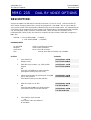
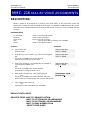
DCS
DIGITAL COMMUNICATION SYSTEM
PROGRAMMING MANUAL
SAMSUNG DCS
TECHNICAL MANUAL
PROGRAMMING
September 1997
PART 1. INTRODUCTION TO PROGRAMMING
1.1 PROGRAMMING OVERVIEW
The SAMSUNG DCS system arrives from the factory with default data. Connect it
to trunk, stations and power, turn the system on and it is fully operational.
The only thing left to do is customize the data to fit the customer’s needs. This
is called programming the system.
MMC stands for Man Machine Code and each program is assigned a different three
three digit code. These MMC codes are used to view, create or change customer
data. Programming is simply deciding what needs to be done and knowing
which MMC is used to do it. For example, use MMC 601 to be create a station
group. System speed dial numbers are entered in MMC 705 and soft keys are
assinged to individual keysets using MMC 722.
System programming may be done from any LCD 12B or 24B keyset. The first
thing you must do is open system programming. As a security measure, a
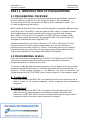
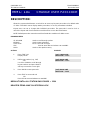
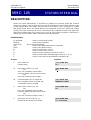
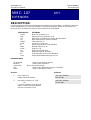
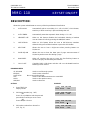
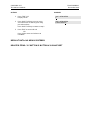
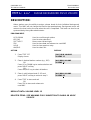
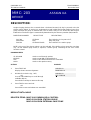
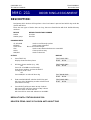
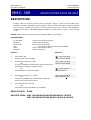
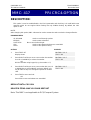
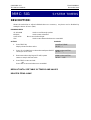
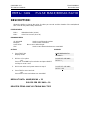
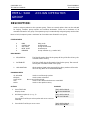
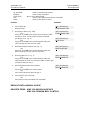
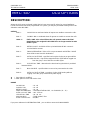
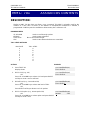
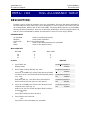
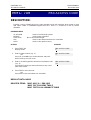
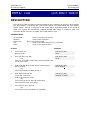
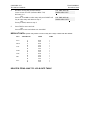
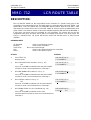
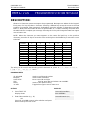
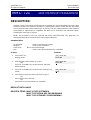
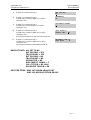
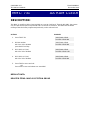
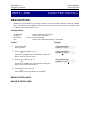
passcode must be known to do this. Figure 1-1 illustrates the keys on a display
keyset that have special functions during programming. When required, these
keys will be referred to by the names described in the diagram.
1.2 PROGRAMMING LEVELS
There are three levels of programming: SYSTEM, CUSTOMER and STATION.
System and customer levels are under passcode protection while station
programming does not require a passcode.
To prevent conflicting data from being entered, only one person at a time can enter
programming with the technician or customer passocde. While programming is in
progress, normal system operation is not affected. For your convenience, the
system display [xxx IN PGM MODE] when another keyset is in the program mode.
A. System level
This level is entered via MMC 800 and requires the technician level passcod. It
allows access to all system programs, station programs and maintenance
programs.
B. System level
This level is entered via MMC 200 and requires the customer passcod. It
allows access to station programs and system programs allowed by the
technician in MMC 802. When using the customer passcode to access station
programs, data for all stations can be viewed or changed.
1-1
SAMSUNG DCS
TECHNICAL MANUAL
PROGRAMMING
September 1997
NOTE: When the system is programmed for multiple tenant use, each tenant
has an individual customer passcode enabled in MMC 201. The
access for tenant passcode is limited to only certain MMCs. See MMC
201 for more details.
After opening programming with the customer passcode, you must press
TRSF to exit. Now press TRSF and the MMC number you wish to access.
C. System level
All keysets can access station programs 102-117 without using a passcod.
Each user can only change station data for his/her own keyset.
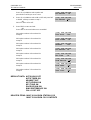
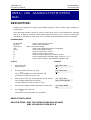
When the LCD 12B or LCD 24B keyset is in programming, the display shows
instructions prompts and choices. Existing data is always displayed before it can
be changed. The keystroke sequence for each MMC is derailed in the following
pages.
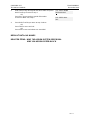
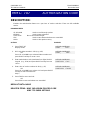
Before you begin entering customer data, follow this important reminder.
IMPORTANT REMINDER
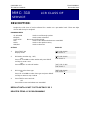
When first installing this system, always use MMC 811 to reset and clear
memory.
This will ensure that you begin with clean default data.
Now begin entering customer data.
1-2
SAMSUNG DCS
TECHNICAL MANUAL
PROGRAMMING
September 1997
Part 2. Programming Procedures
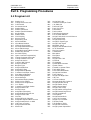
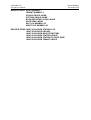
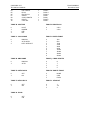
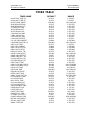
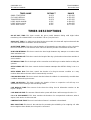
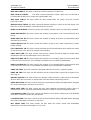
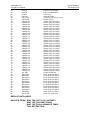
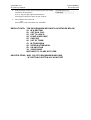
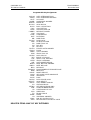
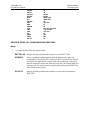
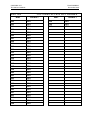
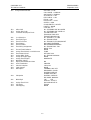
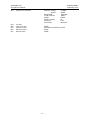
2.1 Program List
100:
101:
102:
103:
104:
105:
106:
107:
108:
109:
110:
111:
112:
113:
114:
115:
116:
117:
118:
119:
200:
201:
202:
203:
204:
205:
206:
207:
208:
209:
210:
211:
212:
213:
214:
215:
216:
217:
300:
301:
302:
303:
304:
305:
306:
307:
308:
309:
310:
311:
312:
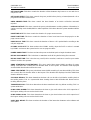
Station Lock
Change User Passcode
Call Forward
Set Answer Mode
Station Name
Station Speed Dial
Station Speed Dial Name
Key Extender
Station Status
Clock Display
Keyset On/Off
Keyset Ring Tone
Alarm Reminder
View Memo Number
Off-Hook Ring Volume
Set Programmed Message
Alarm and Message
Assign Background Music Volume
Station Ring Volume
Set CLIP Display
Open Customer Programming
Change Customer Passcode
Change Feature Passcode
Assign UA Device
Common Bell Control
Assign Loud Bell
Barge-In Type
Assign VM/AA Port
Assign Ring Type
Assign Add-On Module
Customer On/Off per Tenant
Door Ring Assignment
Alarm Ringing Station
Alarm Message
DISA Alarm Ringing Station
Dial by Voice Options
Dial by Voice Assignments
CCC Option
Customer On/Off per Station
Assign Station COS
Pickup Groups
Assign Boss/Secretary
Assign Extension/Trunk Use
Assign Forced Code
Hot Line
Assign Off-Hook Selection
Assign Background Music Source
Assign Station Music on Hold
LCR Class of Service
Assign SIM Parameter
Allow CLIP
313:
400:
401:
402:
403:
404
405:
406:
407:
408
409:
410:
411:
412:
414:
415:
416:
417:
418:
419:
420:
421:
422:
423:
424:
500:
501:
502:
503:
504:
505:
506:
507:
508:
509:
510:
600:
601:
602:
603:
604:
605:
606:
607:
608:
700:
701:
702:
703:
704:
705:
2-1
Assign PIN Code
Customer On/Off per Trunk
C.O./PBX Line
Trunk Dial Type
Trunk Toll Class
Trunk Name
Trunk number
Trunk Ring Assignment
Forced Trunk Release
Assign Trunk Music on Hold Source
Trunk Status Read
Assign DISA Trunk
Assign E1 Signal Type
Assign Trunk Signal
MPD/PRS Signal
Report Trunk Abandon Data
AC15 Translation
PRI CRC4 Option
Card Restart
BRI Option
PRI Option
MSN Digit
Assign Trunk COS
S/T Mode
SO Mapping
System-Wide Counters
System Timers
Forward no Answer Timer
Trunk-Wide Timer
Pulse make/Break Ratio
Assign Data and time
Tone Cadence
Assign Auto Night Time
Call Cost
CO Tone Cadence
Message Wait LED Cadence
Assign Operator Group
Assign Station Group
Station Group Name
Assign Trunk Group
Assign Station to Page Zone
Assign External Page Zone
Assign Speed Block
UCD Options
Assign Review Block
Copy COS Contents
Assign COS Contents
Toll Deny Table
Toll Allowance Table
Assign Wild Character
Assign System Speed Dial
SAMSUNG DCS
TECHNICAL MANUAL
706:
707:
708:
709:
710:
711:
712:
713:
714:
715:
716:
717:
718:
720:
721:
722:
723:
724:
725:
726:
727:
728:
731:
732:
733:
734:
PROGRAMMING
September 1997
System Speed Dial by Name
Authorization Code
Account Code
PBX Access Code
LCR Digit Table
LCR Time Table
LCR Route Table
LCR Modify Digit Table
DID Number and Name Translation
Programmed Station Message
Network Code
PIN Code
MY Area Code
Copy Key Programming
Save Station Key Programming
Station Key Programming
System Key Programming
Dial Numbering Plan
SMDR Options
VM/AA Options
System Version Display
CLIP Translation Table
AA RAM Clear
AA Trans Table
AA Plan Table
AA Msg Match
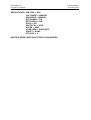
735:
736:
737:
738:
739:
740:
741:
742:
743:
744:
745:
800:
801:
802:
803:
804:
805:
806:
807:
810:
811:
2-2
AA Use Table
Assign AA MOH
DECT System Code
Clear Registration
BSI Download
Station Pair
BSI Card Restart
BSI Status
DBS Status
BSI Registration On/Off
BSI Carrier
Enable Technician Program
Change Technician Passcode
Customer Access MMC Number
Assign Tenant Group
System I/O Parameter
TX Level
Card Pre-Install
Volume Control
Halt Processing
Reset System
SAMSUNG DCS
TECHNICAL MANUAL
PROGRAMMING
December 1996
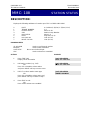
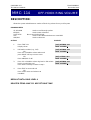
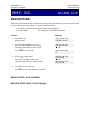
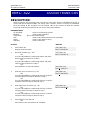
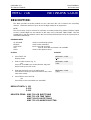
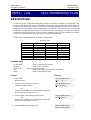
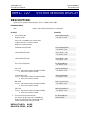
MMC: 100
STATION LOCK
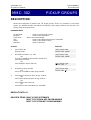
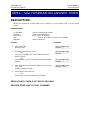
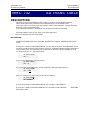
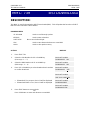
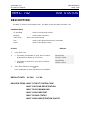
DESCRIPTION:
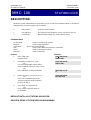
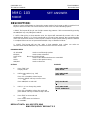
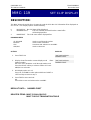
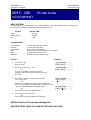
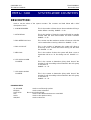
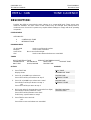
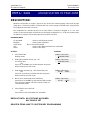
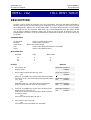
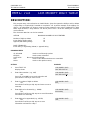
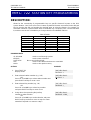
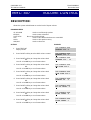
Allows the system administrator or technician to lock or unlock an individual station or all stations
simultaneously. The three options are as follows:
0
UNLOCKED
Unlocks a locked station
1
2
LOCKED OUT
LOCKED ALL
The mode just not allowed to access CO line for dial out
Not allowed to initiate any action with this mode
PROGRAM KEYS
UP & DOWN
KEYPAD
SOFT KEYS
SPK
HOLD
ANS/RLS
Used to scroll through options
Used to enter selections
Move cursor left and right
Used to store data and advance to next MMC
Used to clear previous entry
Used to select ALL
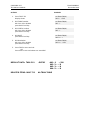
ACTION
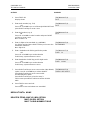
1.
Press TRSF 100
Display shows
2.
DISPLAY
[201] STN LOCK
UNLOCKED
Dial station number (e.g., 205)
OR
Use UP and DOWN to select station
and use RIGHT soft key to move cursor
OR
Press ANS/RLS to select all stations
[205] STN LOCK
UNLOCKED
3.
Enter 0 to unlock or 1 to lock (e.g., 1)
OR
Press UP or DOWN key to make
selection and press RIGHT soft key
to return to step 2
[205] STN LOCK
LOCKED OUT
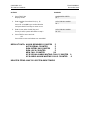
4.
Press TRSF to save and exit
OR
Press SPK to save and advance
to next MMC
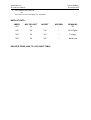
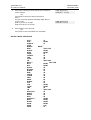
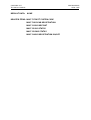
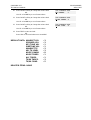
DEFAULT DATA: ALL STATIONS UNLOCKED
RELATED ITEMS: STATION USER PROGRAMMING
[ALL] STN LOCK
??
SAMSUNG DCS
TECHNICAL MANUAL
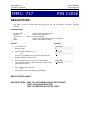
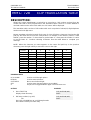
MMC: 101
PROGRAMMING
December 1996
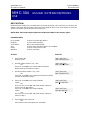
CHANGE USER PASSCODE
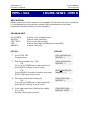
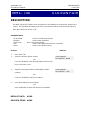
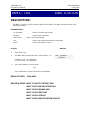
DESCRIPTION:
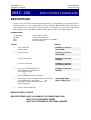
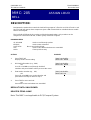
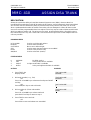
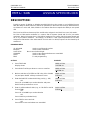
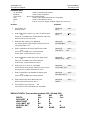
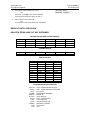
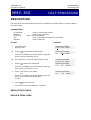
Allows the system administrator or technician to reset any keyset's passcode to its default value
of "1234". This MMC cannot display station passcodes; it can only reset them to default.
Keyset users can set or change their individual passcodes. The passcode is used to lock or
unlock the keyset and for toll restriction override and to access the DISA feature.
NOTE: Default passcodes cannot be used for toll restriction override or for DISA access.
PROGRAM KEYS
UP & DOWN
KEYPAD
SOFT KEYS
SPK
HOLD
Used to scroll through options
Used to enter selections
Move cursor left and right
Used to store data and advance to next MMC
Used to clear previous entry
ACTION
DISPLAY
1.
Press TRSF 101
Display shows
[201] PASSCODE
PASSCODE: Q Q Q Q
2.
Dial keyset number (e.g., 205)
OR
Use UP or DOWN to scroll through
keyset numbers and press RIGHT
soft key to move the cursor right
[205] PASSCODE
PASSCODE: Q Q Q Q
3.
Press HOLD to reset passcode
[205] PASSCODE
PASSCODE : 1234
4.
Press TRSF to store and exit
OR
Press SPK to store and advance to next MMC
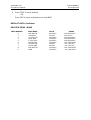
DEFAULT DATA: ALL STATION PASSCODES = 1234
RELATED ITEMS: MMC 100 STATION LOCK
SAMSUNG DCS
TECHNICAL MANUAL
PROGRAMMING
December 1996
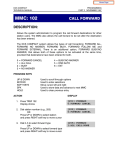
MMC: 102
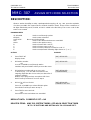
CALL
FORWARD
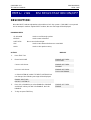
DESCRIPTION:
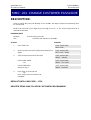
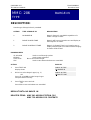
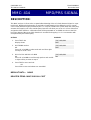
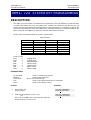
Allows the system administrator to program the call forward destinations for other station users.
The MMC also allows call forward to be set after the destination has been entered.
The DCS system allows five types of call forwarding. FORWARD ALL, FORWARD NO ANSWER,
FORWARD BUSY, FORWARD FOLLOW ME and FORWARD EXTERNAL. There is an additional
option, FORWARD BUSY/NO ANSWER, that allows both of these options to be activated at the
same time, provided that destinations have been entered for both.
0 = FORWARD CANCEL
1 = ALL CALL
2 = BUSY
3 = NO ANSWER
4 = BUSY/NO ANSWER
5 = EXT
PROGRAM KEYS
UP & DOWN
KEYPAD
SOFT KEYS
SPK
HOLD
Used to scroll through options
Used to enter selections
Move cursor left and right
Used to store data and advance to next MMC
Used to clear previous entry
ACTION
DISPLAY
1.
Press TRSF 102
Display shows
[201] FORWARD
0:FORWARD CANCEL
2.
Dial station number (e.g., 205)
OR
Press UP or DOWN to select station
and press RIGHT soft key to move cursor
[205] FORWARD
0:FORWARD CANCEL
3.
Dial 0–5 to select forward type
OR
Press UP or DOWN to select forward type
and press RIGHT soft key to move cursor
[205] FORWARD
1:ALL CALL:NONE
4.
Dial destination number (e.g., 201)
OR
Press UP or DOWN to select destination
and press RIGHT soft key to move cursor
[205] FORWARD
1:ALL CALL:201
5.
Dial 1 for YES, 0 for NO
OR
Press UP or DOWN to select YES or
NO and press RIGHT soft key to
return to step 2
[205] FORWARD
CURENTLY SET :YES
SAMSUNG DCS
TECHNICAL MANUAL
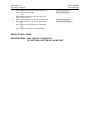
6.
Press TRSF to store and exit
OR
Press SPK to store and advance
to next MMC
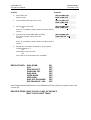
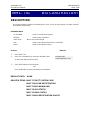
DEFAULT DATA: NONE
RELATED ITEMS: MMC 301 ASSIGN STATION COS
MMC 501 SYSTEM TIMERS
MMC 502 FORWARD NO ANSWER TIMER
MMC 701 ASSIGN COS CONTENTS
MMC 722 STATION KEY PROGRAMMING
MMC 723 SYSTEM KEY PROGRAMMING
PROGRAMMING
December 1996
SAMSUNG DCS
TECHNICAL MANUAL
PROGRAMMING
December 1996
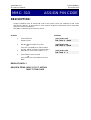
MMC: 103
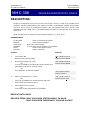
SET ANSWER
MODE
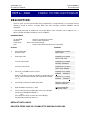
DESCRIPTION:
Allows a system administrator to change the answer mode of any keyset or add-on module. Each
keyset or add-on module can have its answer mode set to one of the following options:
0. RING: The keyset will ring in one of eight custom ring patterns. Calls are answered by pressing
the ANS/RLS key or by lifting the handset.
1. AUTO: After giving a short attention tone, the keyset will automatically answer calls on the
speakerphone. When a C.O. line is transferred to a keyset in Auto Answer, the screened portion
of the call will be Auto Answer, but the keyset or add-on module (AOM) will ring when the transfer
is complete if the user has not pressed the ANS/RLS key or lifted the handset.
2.. VOICE: The keyset will not ring. After a short attention tone, callers can make an
announcement but the ANS/RLS key or handset must be used to answer calls.
PROGRAM KEYS
UP & DOWN
KEYPAD
SOFT KEYS
SPK
HOLD
ANS/RLS
Used to scroll through options
Used to enter selections
Move cursor left and right
Used to store data and advance to next MMC
Used to clear previous entry
Used to select ALL
ACTION
DISPLAY
1.
Press TRSF 103
Display shows
[201] ANS MODE
RING MODE
2.
Dial keyset number (e.g., 205)
OR
Press UP or DOWN to select keyset
and press RIGHT soft key to move cursor
OR
Press ANS/RLS to select All
[205] ANS MODE
RING MODE
3.
Dial 0, 1 or 2 to change ring mode
OR
Press UP or DOWN to select ring mode and
press RIGHT soft key to return to step 2 above
[205] ANS MODE
VOICE ANNOUNCE
4.
Press TRSF to store and exit
OR
Press SPK to store and advance
to next MMC
DEFAULT DATA: ALL KEYSETS RING
RING FREQUENCY DEFAULT IS 5
[ALL] ANS MODE
?
SAMSUNG DCS
TECHNICAL MANUAL
RELATED ITEMS: MMC 111 KEYSET RING TONE
PROGRAMMING
December 1996
SAMSUNG DCS
TECHNICAL MANUAL
PROGRAMMING
December 1996
MMC: 104
STATION NAME
DESCRIPTION:
Allows the system administrator or technician to enter a eleven (11) character name to identify an
individual station.
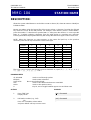
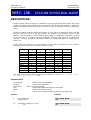
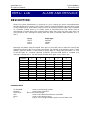
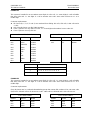
Names are written using the keypad. Each key press selects a character. Pressing the dial pad
key moves the cursor to the next position. For example, if the directory name is “SAM SMITH,”
press the number “7” three times to get the letter “S.” Now press the number “2” once to get the
letter “A.” Continue selecting characters from the table below to complete your message.
Pressing the bottom left programmable key will change the letter from upper case to lower case.
NOTE: When the character you want appears on the same dial pad key as the previous
character, press the UP key to move the cursor to the right.
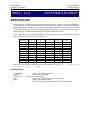
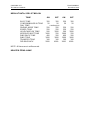
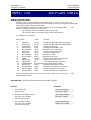
COUNT
DIAL 0
DIAL 1
DIAL 2
DIAL 3
DIAL 4
DIAL 5
DIAL 6
DIAL 7
DIAL 8
DIAL 9
DIAL Q
1
2
3
4
5
Q
space
A
D
G
J
M
P
T
W
:
Z
?
B
E
H
K
N
R
U
X
=
.
,
C
F
I
L
O
S
V
Y
[
)
!
@
#
$
%
^
&
Q
(
]
0
1
2
3
4
5
6
7
8
9
Q
The # key can be used for the following special characters: #, space, &, !, :, ?, ., %, $, -, <, >, /,
=, [, ], @, ^, (, ), _, +, {, }, |, ;, \, " and ~.
PROGRAM KEYS
UP & DOWN
KEYPAD
SOFT KEYS
SPK
HOLD
A
Used to scroll through options
Used to enter selections
Move cursor left and right
Used to store data and advance to next MMC
Used to clear previous entry
Key 19; acts as toggle between upper case and lower case
ACTION
DISPLAY
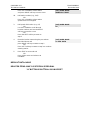
1.
Press TRSF 104
Display shows
[201] STN NAME
2.
Dial station number (e.g., 205)
OR
Press UP or DOWN to select station
and press RIGHT soft key to move cursor
[205] STN NAME
_
SAMSUNG DCS
TECHNICAL MANUAL
3.
Enter the station name using the procedure
described above, press the RIGHT soft
key to return to step 2
4.
Press TRSF to store and exit
OR
Press SPK to store and advance to
next MMC
PROGRAMMING
December 1996
[205] STN NAME
SAM SMITH
DEFAULT DATA: NONE
RELATED ITEMS: “A” BUTTON IS BUTTON #19 ON KEYSET
SAMSUNG DCS
TECHNICAL MANUAL
PROGRAMMING
December 1996
MMC: 105
STATION SPEED DIAL
DESCRIPTION:
Allows the system administrator or technician to program the personal speed dial locations
assigned to a station. This must be done for single line telephones because these stations cannot
access programming. Each station may have up to 50 locations or bins assigned to it in MMC
606 Assign Speed Block. The speed dial bins are numbered 00–49. Each speed dial number
consists of a trunk or trunk group access code followed by a separator and up to 18 digits to be
dialed. These dialed digits may consist of 0–9, [ and #. If the system recognizes a valid trunk or
trunk group access number, it will automatically insert the separator.
PROGRAM KEYS
UP & DOWN
KEYPAD
SOFT KEYS
SPK
HOLD
B
C
D
E
F
Used to scroll through options
Used to enter selections
Move cursor left and right
Used to store data and advance to next MMC
Used to clear previous entry
Used to insert a flash code “F”
Used to insert a pause code “P”
Used to insert a pulse/tone conversion code “C”
Used to mask/unmask following digits (shows as “[” or “]”)
Used to enter name for speed dial bin (see MMC 106)
ACTION
DISPLAY
1.
Press TRSF 105
Display shows
[201] SPEED DIAL
00 :
2a.
Dial station number (e.g. 205)
OR
Press UP or DOWN to select station
and press RIGHT soft key to move cursor
OR
Press LEFT soft key to go to step 4
[205] SPEED DIAL
00 :
2b.
If selected station has no speed dial
bins, the display will be as shown and
a new station may be selected
[205] SPEED DIAL
SPDBLK NOT EXIST
3.
Dial location number (e.g., 05)
OR
Press UP or DOWN to select location
and press RIGHT soft key to move cursor
OR
Press LEFT soft key to return to step 2
[205] SPEED DIAL
05: _
4.
Enter trunk access code (e.g., 9)
followed by the number to be dialed
[205] SPEED DIAL
05 : 9-4264100_
SAMSUNG DCS
TECHNICAL MANUAL
PROGRAMMING
December 1996
(e.g., 4264100)
OR
Press the RIGHT soft key to return to step 2
OR
Press the LEFT soft key to return to step 3
Press HOLD button to clear an entry
If an error is made, use DOWN arrow to step back
5.
Press “F” button to access MMC 106 Station Speed
Dial by Name
OR
Press TRSF to save and exit
OR
Press SPK to save and advance to next MMC
DEFAULT DATA: NONE
RELATED ITEMS: MMC 106 STATION SPEED DIAL NAME
MMC 606 ASSIGN SPEED BLOCK
“A” TO “F” BUTTON ARE BUTTON #24 ON KEYSET
SAMSUNG DCS
TECHNICAL MANUAL
PROGRAMMING
December 1996
MMC: 106
STATION SPEED DIAL NAME
DESCRIPTION:
Allows a eleven character name to be entered for each personal speed dial location. This name
enables the speed dial number to be located when the directory dial feature is used. The
directory dial feature allows the display keyset user to select a speed dial location by viewing its
name.
Names are written using the keypad. Each press of a key selects a character. Pressing the dial
key pad moves the cursor to the next position. For example, if the directory name is “SAM
SMITH,” press the number “7” three times to get the letter “S.” Now press the number “2” once
to get the letter “A.” Continue selecting characters from the table below to complete your
message. Pressing the bottom left programmable key changes the letter from upper case to
lower case.
NOTE: When the character you want appears on the same dial pad key as the previous
character, press the UP key to move the cursor to the right.
COUNT
DIAL 0
DIAL 1
DIAL 2
DIAL 3
DIAL 4
DIAL 5
DIAL 6
DIAL 7
DIAL 8
DIAL 9
DIAL Q
1
2
3
4
5
Q
space
A
D
G
J
M
P
T
W
:
Z
?
B
E
H
K
N
R
U
X
=
.
,
C
F
I
L
O
S
V
Y
[
)
!
@
#
$
%
^
&
Q
(
]
0
1
2
3
4
5
6
7
8
9
Q
The # key can be used for the following special characters: #, space, &, !, :, ?, ., %, $, -, <, >, /,
=, [, ], @, ^, (, ), _, +, {, }, |, ;, \, " and ~.
PROGRAM KEYS
UP & DOWN
KEYPAD
SOFT KEYS
SPK
HOLD
A
Used to scroll through options
Used to enter selections
Move cursor left and right
Used to store data and advance to next MMC
Used to clear previous entry
Key 19, acts as toggle between upper case and lower case
ACTION
DISPLAY
1.
Press TRSF 106
Display shows
[201] SPEED NAME
00:
2a.
Dial station number (e.g., 205)
OR
[205] SPEED NAME
00:
SAMSUNG DCS
TECHNICAL MANUAL
Press UP or DOWN to select station
and press RIGHT soft key to move cursor
PROGRAMMING
December 1996
[305] SPEED NAME
SPDBLK NOT EXIST
2b.
Dial station number (e.g., 305)
OR
Press UP or DOWN to select station
speed blocks not assigned
3.
Dial speed dial location (e.g., 05)
OR
Use UP or DOWN to scroll through
location numbers and use the RIGHT
soft key to move the cursor
OR
Press the LEFT soft key to return to
step 2
[205] SPEED NAME
01:_
4.
Enter the location name using the procedures
described above and
press RIGHT soft key to return to step 2
OR
Press LEFT soft key to return to step 3 to continue
entering entries
[205] SPEED NAME
01:SAM SMITH
5.
Press TRSF to store and exit
OR
Press SPK to store and advance to
next MMC
DEFAULT DATA: NONE
RELATED ITEMS: MMC 105 STATION SPEED DIAL
“A” BUTTON IS BUTTON #19 ON KEYSET
SAMSUNG DCS
TECHNICAL MANUAL
PROGRAMMING
December 1996
MMC: 107
KEY
EXTENDER
DESCRIPTION:
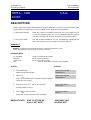
Use this program to view the programmable keys assigned to keyset station. In addition it allows the
system administrator to assign key extenders to some keys making a general access feature key
more specific. The feature keys that can have extenders are listed below.
FEATURE KEY
BOSS
DIR
DP
DS
FWRD
GPIK
IG
MMP
PAGE
SG
SPD
SP
PSM
EXTENDER
Boss and Secretary (1–4)
Directory dial by name type (1–3)
Direct Pick Up (extension or station group number)
Direct Station Select (station number)
Call Forward (0–5)
Group Pick Up (01–20)
In/Out group (Station Group Number)
Meet Me Page (0–9, Q)
Page (0–9, Q)
Station Group (500–529)
Speed Dial (00–49, 500–999)
UCD Supervisor (UCD Group Number)
Programmed Station Message (01–20)
PROGRAM KEYS
UP & DOWN
KEYPAD
SOFT KEYS
SPK
HOLD
Used to scroll through options
Used to enter selections
Move cursor left and right
Used to store data and advance to next MMC
Used to clear previous entry
ACTION
DISPLAY
1.
Press TRSF 107
Display shows first station
[201] KEY EXTEND
01:CALL1è
2.
Dial station number (e.g., 205)
OR
Use UP or DOWN to scroll through
station numbers and press RIGHT
soft key to move the cursor
[205] KEY EXTEND
01:CALL1è
SAMSUNG DCS
TECHNICAL MANUAL
PROGRAMMING
December 1996
3.
Enter key number (e.g., 18)
OR
Use UP and DOWN to scroll through
keys and use RIGHT soft key to
move the cursor
OR
Press the key to be programmed
Dial extender according to above table
System will return to this step
If no more entries, press LEFT soft
key to return to step 2
[205] KEY EXTEND
18:DSè
4.
Press TRSF to store and exit
OR
Press SPK to store and advance
to next MMC
[205] KEY EXTEND
18:DSè 207
DEFAULT DATA: NONE
RELATED ITEMS: MMC 720 COPY KEY PROGRAMMING
MMC 721 SAVE STATION KEY PROGRAMMING
MMC 722 STATION KEY PROGRAMMING
MMC 723 SYSTEM KEY PROGRAMMING
MMC 724 DIAL NUMBERING PLAN
Note: When the RIGHT soft key will not move the cursor to the right, you are
attempting to add an extender to a key that cannot have one.
SAMSUNG DCS
TECHNICAL MANUAL
PROGRAMMING
December 1996
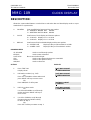
MMC: 108
STATION STATUS
DESCRIPTION:
Displays the following attributes of a station port. This is a READ ONLY MMC.
0
1
2
3
4
5
6
7
PORT
TENANT NUMBER
PICKUP GROUP
SGR
BOSS-SECR
PAGE
DAY COS NO
NIGHT COS NO
#: Cabinet (1–3)/Slot (1–7)/Port (1–16)
1–2
None, 01–30
Station Group Number
None, 1–4
Page Zone (1–4)
COS (01–30)
COS (01–30)
PROGRAM KEYS
UP & DOWN
KEYPAD
SOFT KEYS
SPK
Used to scroll through options
Used to enter selections
Move cursor left and right
Used to advance to next MMC
ACTION
DISPLAY
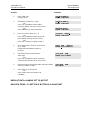
1.
Press TRSF 108
Display shows first station
[201] STN STATUS
PORT #:C1-S3-P01
2.
Dial station number (e.g., 205)
OR
Press UP or DOWN to select station
and press RIGHT soft key to move cursor
[205] STN STATUS
PORT #:C1-S3-P09
3.
Dial 0–7 to select station status type
OR
Press UP or DOWN to select status and
press RIGHT soft key to return to step 2
[205] STN STATUS
TENANT NUMBER:1
4.
Press TRSF to exit
OR
Press SPK to advance to next MMC
SAMSUNG DCS
TECHNICAL MANUAL
DEFAULT DATA: PORT NUMBER: ?
TENANT NUMBER: 1
PICKUP GROUP: NONE
STATION GROUP: NONE
BOSS/SECRETARY PAIRS: NONE
PAGE ZONE: NONE
DAY COS NUMBER: 01
NIGHT COS NUMBER: 01
RELATED ITEMS: MMC 301 ASSIGN STATION COS
MMC 302 PICKUP GROUPS
MMC 303 ASSIGN BOSS/SECRETARY
MMC 601 ASSIGN STATION GROUP
MMC 604 ASSIGN STATION TO PAGE ZONE
MMC 803 ASSIGN TENANT GROUP
PROGRAMMING
December 1996
SAMSUNG DCS
TECHNICAL MANUAL
PROGRAMMING
December 1996
MMC: 109
CLOCK DISPLAY
DESCRIPTION:
Allows the system administrator or technician to select the date and time display mode on a perstation basis or system-wide.
0
COUNTRY
Sets overall display format and has two options
0 = ORIENTAL MM/DD DAY HH:MM
1 = WESTERN DAY DD MON HH:MM
1
CLOCK
Sets format of clock display and has two options
0 = 12 HOUR Displays 1 P.M. as 01:00
1 = 24 HOUR Displays 1 P.M. as 13:00
2
DISPLAY
Sets format of DAY and MON display and has two options
0 = UPPER CASE
Displays Friday as FRI and March as MAR
1 = LOWER CASE
Displays Friday as Fri and March as Mar
PROGRAM KEYS
UP & DOWN
KEYPAD
SOFT KEYS
SPK
HOLD
ANS/RLS
Used to scroll through options
Used to enter selections
Move cursor left and right
Used to store data and advance to next MMC
Used to clear previous entry
Used to select ALL
ACTION
DISPLAY
1.
Press TRSF 109
Display shows
[201] DAY FORMAT
COUNTRY:WESTERN
2.
Dial station number (e.g., 205)
OR
Press UP or DOWN to select station and
press RIGHT soft key to move cursor
OR
Press ANS/RLS for all keysets
[205] DAY FORMAT
C OUNTRY:WESTERN
3.
Dial 0–2 to select mode
OR
Use UP and DOWN to scroll through
modes and press RIGHT soft key to
move cursor
[205] DAY FORMAT
COUNTRY:O RIENTAL
4.
Use UP or DOWN to scroll through
formats and press RIGHT soft key
to return to step 2
OR
Press LEFT soft key to return to step 3
[ALL]DAY FORMAT
C OUNTRY:?
SAMSUNG DCS
TECHNICAL MANUAL
5.
Press TRSF to store and exit
OR
Press SPK to store and advance to
next MMC
DEFAULT DATA: COUNTRY: WESTERN
CLOCK: 12 HOUR CLOCK
DISPLAY: LOWERCASE
RELATED ITEMS: MMC 505 ASSIGN DATE AND TIME
PROGRAMMING
December 1996
SAMSUNG DCS
TECHNICAL MANUAL
PROGRAMMING
December 1996
MMC: 110
KEYSET ON/OFF
DESCRIPTION:
Allows the system administrator to set any of the keyset features listed below.
0.
AUTO HOLD
Automatically places an existing C.O. call on hold if a CALL button,
trunk key or trunk route key is pressed during that call.
1.
AUTO TIMER
Automatically starts the stopwatch timer during a C.O. call.
2.
HEADSET USE
When on, this feature disables the hookswitch allowing a headset
user to answer all calls by pressing the ANS/RLS button.
3.
HOT KEYPAD
When on, this feature allows the user to dial directory numbers
without having to first lift the handset or press the SPK button.
4.
KEY TONE
Allows the user to hear a slight tone when pressing buttons on
his/her set.
5.
PAGE REJOIN
Allows the user to hear the latter part of page announcements if
his/her keyset becomes free during a page.
6.
RING PREF.
When off, requires the user to press the fast flashing button to
answer a ringing call after lifting the handset.
7.
CALL COST.
If enabled (ON), LCD shows real time call cost calculated based on
Metering Pulses arrived.
PROGRAM KEYS
UP & DOWN
KEYPAD
SOFT KEYS
SPK
HOLD
ANS/RLS
Used to scroll through options
Used to enter selections
Move cursor left and right
Used to store data and advance to next MMC
Used to clear previous entry
Used to select ALL
ACTION
DISPLAY
1.
Press TRSF 110
Display shows
[201] STN ON/OFF
AUTO HOLD :OFF
2.
Dial keyset number (e.g., 205)
OR
Press UP or DOWN to select keyset and
press RIGHT soft key to move cursor
OR
Press ANS/RLS for ALL
[205] STN ON/OFF
AUTO HOLD :OFF
Dial option number from above list
(0–5, e.g., 3)
[205] STN ON/OFF
AUTO HOLD :OFF
3.
[ALL] STN ON/OFF
AUTO HOLD :?
SAMSUNG DCS
TECHNICAL MANUAL
OR
Press UP or DOWN to select option and
press RIGHT soft key to move cursor
4.
Press UP or DOWN to select ON or OFF and press left
or RIGHT soft key to return to step 3
OR
Dial 1 for ON or 0 for OFF
5.
Press TRSF to store and exit
OR
Press SPK to store and advance to next MMC
PROGRAMMING
APRIL 1995
[205] STN ON/OFF
HOT KEYPAD : ON
[205] STN ON/OFF
HOT KEYPAD :OFF
Dial option number 0 from above list
at step 3
[205] STN ON/OFF
AUTO HOLD :OFF
Dial option number 1 from above list
at step 3
[201] STN ON/OFF
AUTO TIMER :ON
Dial option number 2 from above list
at step 3
[205] STN ON/OFF
HEADSET
:OFF
Dial option number 3 from above list
at step 3
[205] STN ON/OFF
HOT KEYPAD: ON
Dial option number 4 from above list
at step 3
[205] STN ON/OFF
KEY TONE
:ON
Dial option number 5 from above list
at step 3
[205] STN ON/OFF
PAGE REJOIN :ON
Dial option number 6 from above list
at step 3
[205] STN ON/OFF
RING PREF. :ON
Dial option number 7 from above list
at step 3
[205] STN ON/OFF
CALL COST. :ON
DEFAULT DATA: AUTO HOLD OFF
AUTO TIMER ON
HEADSET OFF
HOT KEYPAD ON
KEY TONE ON
PAGE REJOIN ON
RING PREFERENCE ON
CALL COST OFF
RELATED ITEMS: MMC 301 ASSIGN STATION COS
MMC 701 ASSIGN COS CONTENTS
SAMSUNG DCS
TECHNICAL MANUAL
PROGRAMMING
December 1996
MMC: 111
KEYSET RING
TONE
DESCRIPTION:
Allows the system administrator or technician to select the ring tone heard at each keyset. There
are eight ring tones available at each keyset. A short tone burst of the selection will be heard
when the dial key pad is pressed.
PROGRAM KEYS
UP & DOWN
KEYPAD
SOFT KEYS
SPK
HOLD
ANS/RLS
Used to scroll through options
Used to enter selections
Move cursor left and right
Used to store data and advance to next MMC
Used to clear previous entry
Used to select ALL
ACTION
DISPLAY
1.
Press TRSF 111
Display shows
[201] RING TONE
SELECTION 6
2.
Dial keyset number (e.g., 205)
[205] RING TONE
SELECTION 6
OR
[ALL] RING TONE
SELECTION?
OR
Press UP or DOWN to select station
and press RIGHT soft key to move cursor
OR
Press ANS/RLS to select All
3.
Dial 1 ~ 8 to select ring tone
OR
Press UP or DOWN to select ring tone and
press RIGHT soft key to move cursor and
return to step 2
4.
Press TRSF to store and exit
OR
Press SPK to store and advance to
next MMC
[205] RING TONE
SELECTION 5
OR
[ALL] RING TONE
SELECTION 5
DEFAULT DATA: FREQUENCY 5
RELATED ITEMS: MMC 114 OFF-HOOK RING VOLUME
SAMSUNG DCS
TECHNICAL MANUAL
PROGRAMMING
December 1996
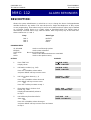
MMC: 112
ALARM REMINDER
DESCRIPTION:
Allows the system administrator or technician to set or change the alarm clock/appointment
reminder feature for any station. This must be done for single line telephones as they cannot
access programming. Three alarms may be set for each station and each alarm may be defined
as a one-time, TODAY alarm or as a DAILY alarm as described below. The TODAY alarm is
automatically canceled after it rings, while the DAILY alarm rings every day at the same time.
Alarm numbers are 1, 2 and 3.
Entry
Alarm Type
DIAL 1
DIAL 2
DIAL 3
NOTSET
TODAY
DAILY
PROGRAM KEYS
UP & DOWN
KEYPAD
SOFT KEYS
SPK
HOLD
Used to scroll through options
Used to enter selections
Move cursor left and right
Used to store data and advance to next MMC
Used to clear previous entry
ACTION
DISPLAY
1.
Press TRSF 112
Display shows
[201]ALM CLK(1)
HHMM: è NOTSET
2.
Dial station number (e.g., 205)
OR
Press UP or DOWN to select station
and press RIGHT soft key to move cursor
[205]ALM CLK(1)
HHMM: è NOTSET
3.
Dial 1–3 to select alarm (e.g., 2)
OR
Press UP or DOWN to select alarm and
press RIGHT soft key to move cursor
OR
Press LEFT soft key to return to step 2
[201]ALM
CLK( 1)
HHMM: è NOTSET
4.
Enter alarm time in 24 hour clock
format, e.g., 1300
Display will automatically advance
to step 5
[205] ALM
CLK (2)
HHMM:1300è NOTSET
5.
Dial valid entry from above list for
alarm type
OR
Press UP or DOWN to select alarm type
and press RIGHT soft key to move cursor and return
to step 2
[205] ALM
CLK
HHMM:1300è DAILY
SAMSUNG DCS
TECHNICAL MANUAL
6.
Press TRSF to store and exit
OR
Press SPK to store and advance to
next MMC
DEFAULT DATA: ALARMS SET TO NOTSET
RELATED ITEMS: NONE
PROGRAMMING
December 1996
SAMSUNG DCS
TECHNICAL MANUAL
PROGRAMMING
December 1996
MMC: 113
VIEW MEMO NUMBER
DESCRIPTION:
Allows a station user the ability to view a memo left by the user. A memo can be left by entering it
via the dial key pad using the table below. MMC 112 Alarm Reminder can be programmed to
remind the user to read the memo. A memo of upto and including 14 characters can be entered.
Using the dial key pad, press "6" two times to enter the letter "N", and press "3" twice for an e.”
Pressing the “A” key will change the letters from upper case to lower case.
NOTE: When the character desired appears on the same dial pad key as the previous character,
press the UP key to move the cursor to the right.
COUNT
DIAL 0
DIAL 1
DIAL 2
DIAL 3
DIAL 4
DIAL 5
DIAL 6
DIAL 7
DIAL 8
DIAL 9
DIAL Q
1
2
3
4
5
Q
space
A
D
G
J
M
P
T
W
:
Z
?
B
E
H
K
N
R
U
X
=
.
,
C
F
I
L
O
S
V
Y
[
)
!
@
#
$
%
^
&
Q
(
]
0
1
2
3
4
5
6
7
8
9
Q
The # key can be used for the following special characters: #, space, &, !, :, ?, ., %, $, -, <, >, /,
=, [, ], @, ^, (, ), _, +, {, }, |, ;, \, " and ~.
PROGRAM KEYS
UP & DOWN
KEYPAD
SOFT KEYS
SPK
HOLD
A
Used to scroll through options
Used to enter selections
Move cursor left and right
Used to store data and advance to next MMC
Used to clear previous entry
Key 19; acts as toggle between upper case and lower case
SAMSUNG DCS
TECHNICAL MANUAL
ACTION
PROGRAMMING
December 1996
DISPLAY
1.
Press TRSF 113
Display shows
[201] VIEW MEMO
1:
2.
Press RIGHT soft key to move cursor
and add memo via dial key pad using
procedure above
Press RIGHT soft key to return to step 2
[201] VIEW MEMO
1:NEED BREAD
3.
Press TRSF to store and exit
OR
Press SPK to store and advance to
next MMC
DEFAULT DATA: NO MEMOS ENTERED
RELATED ITEMS: “A” BUTTON IS BUTTON #19 ON KEYSET
SAMSUNG DCS
TECHNICAL MANUAL
PROGRAMMING
December 1996
MMC: 114
OFF-HOOK RING VOLUME
DESCRIPTION:
Allows the system administrator to set the off-hook ring volume for any or all keysets.
PROGRAM KEYS
UP & DOWN
KEYPAD
SOFT KEYS
SPK
ANS/RLS
Used to scroll through options
Used to enter selections
Move cursor left and right
Used to store data and advance to next MMC
Used to select ALL
ACTION
DISPLAY
1.
Press TRSF 114
Display shows
[201] OFFRNG VOL
RING VOLUME 4
2.
Dial station number (e.g., 205)
OR
Press UP or DOWN to select station and
press RIGHT soft key to move cursor
OR
Press ANS/RLS for All
[205] OFFRNG VOL
RING VOLUME 4
3.
Press UP or DOWN to select ring level or dial volume
level 1–8 on dial key pad
Press RIGHT soft key to return to step 2
[205] OFFRNG VOL
RING VOLUME 3
4.
Press TRSF to store and exit
OR
Press SPK to store and advance to
next MMC
DEFAULT DATA: RING LEVEL 4
RELATED ITEMS: MMC 111 KEYSET RING TONE
[ALL] OFFRNG VOL
RING VOLUME 4
SAMSUNG DCS
TECHNICAL MANUAL
PROGRAMMING
December 1996
MMC: 115 SET PROGRAMMED
MESSAGE
DESCRIPTION:
Allows the system administrator to set a programmed message at any or all keysets. There are 20
messages available. Ten are pre-programmed and ten can be customized in MMC 715
Programmed Message. Programmed station messages are numbered 01–20.
PROGRAM KEYS
UP & DOWN
KEYPAD
SOFT KEYS
SPK
HOLD
ANS/RLS
Used to scroll through options
Used to enter selections
Move cursor left and right
Used to store data and advance to next MMC
Used to clear previous entry
Used to select ALL
ACTION
DISPLAY
1.
Press TRSF 115
Display shows
[201] PGMMSG(00)
CANCEL PGM MSG
2.
Dial station number (e.g., 205)
OR
Press UP or DOWN to select station and
press RIGHT soft key to move cursor
OR
Press ANS/RLS to select All
[205] PGMMSG(00)
CANCEL PGM MSG
3.
Dial 01–20 to select message number,
e.g., 05
OR
Press UP or DOWN to select message
Press RIGHT soft key to return to step 2
[205] PGMMSG(05)
PAGE ME
4.
Press TRSF to store and exit
OR
Press SPK to store and advance to
next MMC
[ALL] PGMMSG(??)
DEFAULT DATA: NO MESSAGES SELECTED
RELATED ITEMS: MMC 715 PROGRAMMED MESSAGE
MMC 722 STATION KEY PROGRAMMING
MMC 723 SYSTEM KEY PROGRAMMING
SAMSUNG DCS
TECHNICAL MANUAL
PROGRAMMING
December 1996
MMC: 116
ALARM AND MESSAGE
DESCRIPTION:
Allows the system administrator or technician to set or change the alarm clock/appointment
reminder feature for any station. This must be done for single line telephone because they cannot
access programming. Three alarms may be set for each station and each alarm may be defined
as a one-time, TODAY alarm or as a DAILY alarm as described below. The TODAY alarm is
automatically canceled after it rings, while the DAILY alarm rings every day at the same time. It is
also possible to set a message to display when the alarm is sounded. Alarm numbers are 1, 2
and 3.
Eynry
Alarm Type
DIAL 1
DIAL 2
DIAL 3
NOTSET
TODAY
DAILY
Messages are written using the keypad. Each press of a key will select a character. Pressing the
dial pad key will move the cursor to the next position. For example, if the directory name is “SAM
SMITH,” press the number “7” three times to get the letter “S.” Now press the number “2” once
to get the letter “A.” Continue selecting characters from the table below to complete your
message. Pressing the “A” key will change the letter from upper case to lower case.
COUNT
DIAL 0
DIAL 1
DIAL 2
DIAL 3
DIAL 4
DIAL 5
DIAL 6
DIAL 7
DIAL 8
DIAL 9
DIAL Q
1
2
3
4
5
Q
space
A
D
G
J
M
P
T
W
:
Z
?
B
E
H
K
N
R
U
X
=
.
,
C
F
I
L
O
S
V
Y
[
)
!
@
#
$
%
^
&
Q
(
]
0
1
2
3
4
5
6
7
8
9
Q
PROGRAM KEYS
UP & DOWN
KEYPAD
SOFT KEYS
SPK
HOLD
A
Used to scroll through options
Used to enter selections
Move cursor left and right
Used to store data and advance to next MMC
Used to clear previous entry
Key 19, acts as toggle between upper case and lower case
SAMSUNG DCS
TECHNICAL MANUAL
ACTION
PROGRAMMING
December 1996
DISPLAY
1.
Press TRSF 116
Display shows
[201]ALM REM(1)
HHMM: è NOTSET
2.
Dial station number (e.g., 205)
OR
Press UP or DOWN to select station
and press RIGHT soft key to move cursor
OR
Press ANS/RLS to select all stations
[205]ALM REM(1)
HHMM: è NOTSET
3.
Dial 1–3 to select alarm (e.g., 2)
OR
Press UP or DOWN to select alarm and
press RIGHT soft key to move cursor
OR
Press LEFT soft key to return to step 2
[201]ALM
REM( 1)
HHMM: è NOTSET
4.
Enter alarm time in 24 hour clock format
(e.g., 1300)
Display will automatically advance
to step 5
[205] ALM
REM (2)
HHMM:1300 è NOTSET
5.
Dial valid entry from above list for
alarm type
OR
Press UP or DOWN to select alarm type
and press RIGHT soft key to move cursor
[205] ALM
REM
HHMM:1300 è DAILY
6.
Enter messages using above table and press RIGHT
soft key to return to step 2
[205] ALM
Sam SMITH
7.
Press TRSF to store and exit
OR
Press SPK to store and advance to
next MMC
[ALL]ALM REM(1)
HHMM: è NOTSET
DEFAULT DATA: ALARMS SET TO NOTSET
RELATED ITEMS: “A” BUTTON IS BUTTON #19 ON KEYSET
REM
SAMSUNG DCS
TECHNICAL MANUAL
MMC: 117
PROGRAMMING
December 1996
ASSIGN BACKGROUND MUSIC VOLUME
DESCRIPTION:
Allows station users the ability to assign volume levels for their individual background
music. This MMC will not change the level for the speakerphone. Background music will
return to the level set by the user when the call is completed. This level can also be set
system-wide by the system administrator.
PROGRAM KEYS
UP & DOWN
KEYPAD
SOFT KEYS
SPK
HOLD
ANS/RLS
Used to scroll through options
Used to enter selections
Move cursor left and right
Used to store data and advance to next MMC
Used to clear previous entry
Used to select ALL
ACTION
DISPLAY
1. Press TRSF 117
Display shows
[201] BGM VOLUME
VOLUME 13
2. Enter in desired station number (e.g., 205)
OR
Press UP or DOWN key to make selection and
press RIGHT soft key
OR
Press ANS/RLS key to select all stations
[ALL] BGM VOLUME
VOLUME ??
3. Enter in valid volume level (1–16) and
press RIGHT soft key to return to step 2
[ALL] BGM VOLUME
VOLUME 06
4. Press TRSF to store and exit
OR
Press SPK to store and advance to
next MMC
DEFAULT DATA: VOLUME LEVEL 13
RELATED ITEMS: SEE WARNING FOR CONNECTION TO RADIO OR MUSIC
SOURCE
SAMSUNG DCS
TECHNICAL MANUAL
PROGRAMMING
December 1996
MMC: 118
STATION RING VOLUME
DESCRIPTION:
Allows the station user the ability to assign a level for his/her station ringer volume. This level can
also be set system-wide by the system administrator. There are eight levels of volume; level 1 is
the lowest and level 8 is the highest.
PROGRAM KEYS
UP & DOWN
KEYPAD
SOFT KEYS
SPK
ANS/RLS
Used to scroll through options
Used to enter selections
Move cursor left and right
Used to store data and advance to next MMC
Used to select ALL
ACTION
DISPLAY
1.
Press TRSF 118
Display shows
[201] RING VOL.
RING VOLUME 1
2.
Dial station number (e.g., 205)
OR
Use UP and DOWN to select station
use RIGHT soft key to move
cursor OR
Press ANS/RLS to select all stations
[205] RING VOL.
RING VOLUME 1
3.
Enter value 1–8 (e.g., 5)
OR
Press UP or DOWN key to make selection press
RIGHT soft key to return to step 2
Note: a short ring burst of selected value
[205] RING VOL.
RING VOLUME 5
4.
Press TRSF to save and exit
OR
Press SPK to save and advance to next MMC
DEFAULT DATA: ALL STATIONS SET TO LEVEL 4
RELATED ITEMS: STATION USER PROGRAMMING
[ALL] RING VOL.
RING VOLUME ?
SAMSUNG DCS
TECHNICAL MANUAL
PROGRAMMING
December 1996
MMC: 119
SET CLIP DISPLAY
DESCRIPTION:
This MMC allows the technician to change the order in which the CLIP information ill be displayed on
an LCD set. CLIP display options are the following:
0
1
NO DISPLAY No CLIP data will be displayed.
NUMBER FIRST
The CLIP number received from the central office
will be displayed first.
NAME FIRST The CLIP name will be displayed first
2
PROGRAM KEYS
UP & DOWN
KEYPAD
SPK
ANS/RLS
Used to scroll through options
Used to enter selections
Save data and advance to next MMC
Used to select ALL
ACTION
DISPLAY
1.
Press TRSF 119
[201]CLIP DISPLAY
NUMBER FIRST
2.
Display shows first station current display mode
Enter
Station number
OR Press UP or DOWN to scroll through stations and
Press the RIGHT soft key to select a station OR Press
ANS/RLS to select ALL
[201]CLIP DISPLAY
NUMBER FIRST
3.
Dial display option 0,1 or 2
Press UP or DOWN to select option abd Press RIGHT or
LEFT soft key to return to step 2
4.
Press TRSF to store and exit
OR
Press SPK to save and advanced to next MMC
DEFAULT DATA :
NUMBER FIRST
RELATED ITEMS: MMC 312 ALLOW CLIP
MMC 728 CLIP TRANSLATION TABLE
SAMSUNG DCS
TECHNICAL MANUAL
PROGRAMMING
December 1996
MMC: 200
OPEN CUSTOMER PROGRAMMING
DESCRIPTION:
Used to open and close customer level programming. If programming is not opened and an
attempt is made to access a system MMC, the error message [NOT PERMIT] will be displayed. A
four digit passcode is required to access this MMC. Each digit can be 0–9. When opened, this
MMC enables access to all MMCs allowed in MMC 802 Customer Access MMC Number.
PROGRAM KEYS
UP & DOWN
KEYPAD
SPK
TRSF
Select open or closed
Used to enter passcode
Save data and advance to next MMC
Exit Programming
ACTION
DISPLAY
1.
Press TRSF 200
Display shows
ENABLE CUS.PROG.
PASSCODE:
2.
Enter passcode
ENABLE CUS.PROG.
PASSCODE:
Correct code shows
ENABLE CUS.PROG.
DISABLE
Incorrect code shows
ENABLE CUS.PROG.
PASSWORD ERROR
3.
Press UP or DOWN arrow key to
select ENABLE or DISABLE and
Press RIGHT soft key
OR
Dial 1 for ENABLE,dial 0 for DISABLE
ENABLE CUS.PROG.
ENABLE
4.
Press SPK to advance to MMC entry level and press
UP or DOWN key to select MMC
OR
Enter MMC number and press RIGHT soft
key to enter MMC.
212:ALARM RING
SELECT PROG. ID
5.
To log out press TRSF key.
DEFAULT DATA: CLOSED
RELATED ITEMS: MMC 201 CHANGE CUSTOMER PASSCODE
MMC 501 SYSTEM-WIDE TIMERS
MMC 802 CUSTOMER ACCESS MMC NUMBER
SAMSUNG DCS
TECHNICAL MANUAL
PROGRAMMING
December 1996
MMC: 201 CHANGE CUSTOMER PASSCODE
DESCRIPTION:
Used to change the passcode allowing access to MMC 200 Open Customer Programming from
its current value.
NOTE: The passcode is four digits long. Each digit can be 0 ~ 9. The current (old) passcode is
required for this MMC.
PROGRAM KEYS
KEYPAD
SPK
Used to enter passcodes
Save data and advance to next MMC
ACTION
DISPLAY
1.
Press TRSF 201
CUST. PASSCODE
NEW CODE:_
2.
Enter new passcode via key dial pad (maximum four
digits)
CUST. PASSCODE
NEW CODE: QQQQ
3.
Verify new passcode via key dial pad
CUST. PASSCODE
VERIFY : QQQQ
PASSCODE verified
OR
CUST. PASSCODE
VERIFY :SUCCESS
PASSCODE failure
Return to step 2
CUST. PASSCODE
VERIFY :FAILURE
4.
Press TRSF to store and exit
OR
Press SPK to store and advance to
next MMC
DEFAULT DATA: PASSCODE = 1234
RELATED ITEMS: MMC 200 OPEN CUSTOMER PROGRAMMING
SAMSUNG DCS
TECHNICAL MANUAL
MMC: 202
PROGRAMMING
JUNE 1997
CHANGE FEATURE PASSCODES
DESCRIPTION:
Used to change the passcodes for several features. These features are the following: DAY/NIGHT,
DISA ALARM, ALARM CLR and AA RECORD.
NOTE: The passcode is four digits long. Each digit can be 0–9. The current (old) passcode is
required for this MMC.
PROGRAM KEYS
KEYPAD
SPK
Used to enter passcodes
Save data and advance to next MMC
ACTION
DISPLAY
1.
Press TRSF 202
Display shows
CHANGE PASSCODE
DAY/NIGHT :0000
2.
Press UP or DOWN key to make selection
Press RIGHT soft key to move cursor to
passcode entry
CHANGE PASSCODE
ALARM CLR :8765
3.
Enter new passcode via digits from
dial key pad
Press RIGHT soft key to return to step 2
Continue to change other passcodes
CHANGE PASSCODE
ALARM CLR :9999
4.
Press TRSF to store and exit
OR
Press SPK to store and advance to
next MMC
DEFAULT DATA: DAY/NIGHT 0000
DISA ALARM 5678
ALARM CLR 8765
AA RECORD 4321
BSI REGISTER 2580
DECT REGISTER 4321
RELATED ITEMS: MMC 212 ALARM RINGING STATION
MMC 410 ASSIGN DISA TRUNK
MMC 507 ASSIGN AUTO NIGHT TIME
MMC 744 BSI REGISTRATION ON/OFF
SAMSUNG DCS
TECHNICAL MANUAL
PROGRAMMING
December 1996
MMC: 203
ASSIGN UA
DEVICE
DESCRIPTION:
Assigns ringing device to be accessed when a Universal Answer (UA) key is pressed or the UA
pickup code is dialed. To assign UA, assignment is made in MMC 601 Assign Station Group for a
group and then the group is entered here. The UA device may be one of the two device types
listed below. The device type is automatically determined by the directory number (DN) entered.
DIRECTORY NUMBER
201–349
3601–3602
500–529
DEVICE TYPE
STATION
ROP
STATION GROUP
DESCRIPTION
The UA device is a keyset or SLT.
Ring over page.
The UA device is a station group.
NOTE: Only one of the above options can be selected. If the ability to ring more than one item
(e.g., all four external page zones) is required, a station group containing all four zone codes
must be created.
PROGRAM KEYS
UP & DOWN
KEYPAD
SPK
HOLD
Used to scroll through options
Used to enter DN of selected device
Used to store data and advance to next MMC
Used to clear previous entry
ACTION
DISPLAY
1.
Press TRSF 203
Display shows current assignment
ASSIGN UA
NONE-NO UA
2.
Dial DN of UA device (e.g., 205)
OR
Use UP and DOWN keys to scroll through
available devices
Press RIGHT soft key to return to this step
ASSIGN UA
205 -STATION
3.
Press TRSF to store and exit
OR
Press SPK to store and advance to next MMC
DEFAULT DATA: NONE
RELATED ITEMS: MMC 204 COMMON BELL CONTROL
MMC 601 ASSIGN STATION GROUP
MMC 605 ASSIGN EXTERNAL PAGE ZONE
SAMSUNG DCS
TECHNICAL MANUAL
PROGRAMMING
December 1996
MMC: 204
COMMON BELL CONTROL
DESCRIPTION:
Determines whether the common bell relay contacts have an interrupted or continuous closure
when activated. If interrupted is chosen, the relay follows an internal C.O. ring pattern of one
second closed followed by three seconds open.
As default, all common bell relay pairs are assigned as 380X.
PROGRAM KEYS
UP & DOWN
KEYPAD
SOFT KEYS
SPK
Used to scroll through options
Used to enter selections
Move cursor
Used to store data and advance to next MMC
ACTION
DISPLAY
1.
Press TRSF 204
Display shows current setting
[3801]COM. BELL
CONTINUOUS
2.
Dial common bell number
OR
Press UP or DOWN key to make selection of
common bell numbers and press RIGHT soft key to
advance cursor
[3802]COM. BELL
CONTINUOUS
3.
Dial 0 for continuous or 1 for interrupted operation
OR
Use UP or DOWN to scroll through options
Press RIGHT soft key to return to step 2 above
[3802]COM. BELL
INTERRUPTED
4.
Press TRSF to store and exit
OR
Press SPK to store and advance to next MMC
DEFAULT DATA: CONTINUOUS
RELATED ITEMS: MMC 203 ASSIGN UA DEVICE
MMC 601 ASSIGN STATION GROUP
SAMSUNG DCS
TECHNICAL MANUAL
PROGRAMMING
December 1996
MMC: 205
ASSIGN LOUD
BELL
DESCRIPTION:
Designates the station that controls the loud bell ring output of a Trunk A card. Each Trunk A card
has one loud bell output; these outputs are given a DN of 3901–3920 as a default value to enable
them to be assigned.
The loud bell will follow the ring cadence of the designated station. Only a station can be
assigned to control the loud bell; a station group cannot be assigned.
PROGRAM KEYS
UP & DOWN
KEYPAD
SOFT KEYS
SPK
HOLD
Used to scroll through options
Used to enter selections
Move cursor left and right
Used to store data and advance to next MMC
Clears previous entry
ACTION
DISPLAY
1.
Press TRSF 205
Display shows current setting
[3901] LOUD BELL
RING PAIR : NONE
2.
Dial loud bell number (e.g., 3902)
OR
Use UP or DOWN to scroll through loud bell
numbers and press RIGHT soft key to move the cursor
[3902] LOUD BELL
RING PAIR : NONE
3.
Enter station number (e.g., 201)
OR
Press UP or DOWN key to make selection and
press RIGHT soft key to return to step 2
[3902] LOUD BELL
RING PAIR :201
4.
Press TRSF to store and exit
OR
Press SPK to store and advance to next MMC
DEFAULT DATA: UNASSIGNED
RELATED ITEMS: NONE
Note: This MMC is not applicable to DCS/Compact System
SAMSUNG DCS
TECHNICAL MANUAL
PROGRAMMING
December 1996
MMC: 206
BARGE-IN
TYPE
DESCRIPTION:
Sets the type of barge-in that is permitted.
OPTION
TYPE OF BARGE IN
DESCRIPTION
0
NO BARGE-IN
Barge-in feature is unavailable regardless of a
station’s barge-in status.
1
BARGE-IN WITH TONE
Barge-in will have an intrusion tone and display at
the barged-in on station.
2
BARGE-IN WITHOUT TONE
Barge-in is allowed. There is no barge-in tone or
display at the barged-in on station and the bargingin station will be muted.
PROGRAM KEYS
UP & DOWN
KEYPAD
SOFT KEYS
SPK
Used to scroll through options
Used to enter selections
Move cursor left and right
Used to store data and advance to next MMC
ACTION
DISPLAY
1.
Press TRSF 206
Display shows
BARGE IN TYPE
NO BARGE IN
2.
Dial 0–2 to select barge-in type (e.g., 2)
OR
Press UP or DOWN to select barge-in type
and press RIGHT soft key
BARGE IN TYPE
WITHOUT TONE
3.
Press TRSF to store and exit
OR
Press SPK to store and advance to next MMC
DEFAULT DATA: NO BARGE -IN
RELATED ITEMS: MMC 301 ASSIGN STATION COS
MMC 701 ASSIGN COS CONTENTS
SAMSUNG DCS
TECHNICAL MANUAL
PROGRAMMING
December 1996
MMC: 207
ASSIGN VM/AA
PORT
DESCRIPTION:
Enables SLI ports to be designated as NORMAL or VMAA. VMAA ports will receive digits
designated in MMC 726 VM/AA Options and will also receive a true disconnect signal upon
completion of a call. Only SLI boards, not key daughterboards, support disconnect signal. Do not
make VMAA ports data; this will return them back to a single line port and stop voice mail
integration. VMAA ports have the equivalent of data protect written in the program and are
protected against tones.
PROGRAM KEYS
UP & DOWN
KEYPAD
SOFT KEYS
SPK
HOLD
ANS/RLS
Used to scroll through options
Used to enter selections
Move cursor left and right
Used to store data and advance to next MMC
Used to clear previous entry
Used to select ALL
ACTION
DISPLAY
1.
Press TRSF 207
Display shows
[209] VMAA PORT
NORMAL PORT
2.
Dial station number (e.g., 205)
OR
Press UP or DOWN to select station
and press RIGHT soft key to move cursor
[205] VMAA PORT
NORMAL PORT
3.
Dial 1 or 0 to select port type, (1=VMAA; 0=NORMAL)
OR
Press UP or DOWN to select option and press
RIGHT soft key
[209] VMAA PORT
VMAA PORT
4.
Press TRSF to store and exit
OR
Press SPK to store and advance to next MMC
DEFAULT DATA: NORMAL PORT
RELATED ITEMS: MMC 726 VM/AA OPTIONS
MMC 601 STATION GROUP
SAMSUNG DCS
TECHNICAL MANUAL
PROGRAMMING
December 1996
MMC: 208
ASSIGN RING
TYPE
DESCRIPTION:
Provides the flexibility to program single lines to have ICM ringing, C.O. ringing and data secure.
With the many types of external ringing devices, all configurations can be met. All devices will
also have a postive disconnect signal. Do not make VMAA ports data; this will return them to a
single line port and stop voice mail integration.
OPTIONS
0
1
2
ICM RING
CO RING
DATA
PROGRAM KEYS
UP & DOWN
KEYPAD
SOFT KEYS
SPK
HOLD
ANS/RLS
Used to scroll through options
Used to enter selections
Move cursor left and right
Used to store data and advance to next MMC
Used to clear previous entry
Used to select ALL
ACTION
DISPLAY
1.
Press TRSF 208
Display shows
[209] RING TYPE
ICM RING
2.
Dial station number (e.g., 205)
OR
Press UP or DOWN to select station and
press right soft key to move cursor
[205] RING TYPE
ICM RING
3.
Dial 1,2 or 0 to select port type
OR
Press UP or DOWN to select option and press
Press LEFTor RIGHT soft key to return to step 2 above
[205]RING TYPE
DATA RING
4.
Press TRSF to store and exit
OR
Press SPK to store and advance to next MMC
DEFAULT DATA: ICM RING
RELATED ITEMS: NONE
SAMSUNG DCS
TECHNICAL MANUAL
PROGRAMMING
December 1996
MMC: 209 ASSIGN ADD-ON MODULE
DESCRIPTION:
Designates to which station an add-on module (AOM) is assigned.
PROGRAM KEYS
UP & DOWN
KEYPAD
SOFT KEYS
RELEASE
HOLD
Used to scroll through options
Used to enter selections
Move cursor left and right
Used to store data and advance to next MMC
Clears previous entry
ACTION
DISPLAY
1.
Press TRSF 209
Display shows first AOM
[301] AOM MASTER
MASTER:NONE
2.
Dial AOM number
OR
Use UP or DOWN to scroll through AOM numbers and
use soft keys to move the
cursor
[301] AOM MASTER
MASTER:NONE
3.
Enter station number, e.g.,( 301)
OR
Use UP or DOWN for selection of station numbers
[301] AOM MASTER
MASTER:201
4.
Press TRSF to store and exit
OR
Press SPK to store and advance to next MMC
DEFAULT DATA: NONE FOR MASTER
RELATED ITEMS: MMC 722 STATION KEY PROGRAMMING
MMC 723 SYSTEM KEY PROGRAMMING
SAMSUNG DCS
TECHNICAL MANUAL
PROGRAMMING
December 1996
MMC: 210
CUSTOMER ON/OFF PER TENANT
DESCRIPTION:
Allows the system administrator to set in the system features on a per-tenant basis listed below.
0.
DISA PSWD
It toggles ON and OFF to decide whether outside customers are
required to enter DISA PASSCODE or not.
1.
LCR ENABLE
This will enable LCR feature to be worked in the system.
2.
PERI UCD SET
Periodic UCD Information provider.
Enables UCD Statistics data on a per UCD group basis to print
out on the IO port which has been set as SMDR or UCD REPT in
real time (every 10 seconds). This allows the information to be
interfaced with an extended manipulation by the external
package Software third-party provided.
3.
SMDI VMS SET
Allows SMDI integration through RS-232 port for the external PCbased VM system.
**4.
DISA MOH
Gives an additional option to be presented to the outside DISA
callers
variable indication provided by MOH source instead of fixed DISA
dial tone.
**5.
SMDR MASK
Introduce a new programmable option to mask the last two digits of
the telephone number dialed on the SMDR printout.
**6.
XFER MOH
Callers who have been transferred from an extension or ACD group
or AA group will hear MOH until answered by the called extension
instead of transfer dial tone.
**7.
DSP SSPDNAME
LCD will display of programmed name of SYSTEM SPEED bin (in
MMC 706) if it has been programmed, otherwise show programmed
digits (in MMC 705) even though this MMC turned to ON.
**8.
DDI FBACK→406
Unanswered DDI call can be routed to an assigned destination in
MMC 406 before dropping out the call.
l
** New option as from SW Version V4.0
PROGRAM KEYS
UP & DOWN
KEYPAD
SOFT KEYS
SPK
Used to scroll through options
Used to enter selections
Move cursor left and right
Used to store data and advance to next MMC
SAMSUNG DCS
TECHNICAL MANUAL
PROGRAMMING
December 1996
ACTION
DISPLAY
1.
Press TRSF 210
Display shows
TEN. ON AND OFF
DISA PSWD :OFF
2.
Press RIGHT soft key to move cursor
TEN. ON AND OFF
DISA PSWD :OFF
3.
Dial 1 for ON or 0 for OFF
OR
Press UP or DOWN to make selection and press RIGHT
soft key
TEN. ON AND OFF
DISA PSWD :ON
4.
If you want to change SMDI VMS SET field
dial option number 2 from above list
at step 2.
TEN. ON AND OFF
SMDI VMS SET :ON
Press UP or DOWN to make selection and press RIGHT
soft key
5.
Repeat step 4 for further changing by varying option
number between 0 - 7.
OR
Press TRSF to store and exit
OR
Press SPK to store and advance to next MMC
DEFAULT DATA:
DISA PSWD
LCR
PERI UCD SET
SMDI VMS SET
DISA MOH
SMDR MASK
XFER MOH
DISP SYS SPD NAME
DDI FALLBACK→406
ON
OFF
OFF
OFF
OFF
OFF
OFF
OFF
OFF
Note: Default values listed above can be different from those that your system have in the
current SW
RELATED ITEMS: MMC 310 LCR CLASS OF SERVICE
MMC 710 LCR DIGIT TABLE
SAMSUNG DCS
TECHNICAL MANUAL
PROGRAMMING
December 1996
MMC: 211
DOOR RING ASSIGNMENT
DESCRIPTION:
Designates which devices will ring when a door box button is pressed and which ring mode the
devices will follow.
There are two types of device that can ring; these are listed below with their default directory
numbers.
DEVICE
DEFAULT DIRECTORY NUMBER
Station
Station group
201–349
500–529
PROGRAM KEYS
UP & DOWN
KEYPAD
SOFT KEYS
SPK
HOLD
ANS/RLS
Used to scroll through options
Used to enter selections
Move cursor left and right
Used to store data and advance to next MMC
Clears previous entry
Used to select ALL
ACTION
DISPLAY
1.
Press TRSF 211
Display shows first door phone
[229] DOOR RING
D:500 N:500
2.
Dial door phone number (e.g., 230)
OR
Press UP or DOWN to scroll through
door phone numbers and use the RIGHT
soft key to move cursor
OR
Press ANS/RLS to select all door ring
[230] DOOR RING
D:500 N:500
3.
Enter new DAY/NIGHT selection via dial key pad
OR Press UP or DOWN key to make selection and
press RIGHT soft key
[250] DOOR RING
D:301 N:500
4.
Press RIGHT soft key to return to step 2 above
OR Press LEFT soft key to return to step 3 above
OR Press TRSF to store and exit
OR Press SPK to store and advance to next MMC
[ALL] DOOR RING
D:500 N:500
DEFAULT DATA: STATION GROUP 500
RELATED ITEMS: MMC 507 ASSIGN AUTO NIGHT TIME
SAMSUNG DCS
TECHNICAL MANUAL
PROGRAMMING
December 1996
MMC: 212
ALARM RINGING STATION
DESCRIPTION:
Used to determine which devices will be alerted when an alarm sensor is activated. The alerted
device can be as follows:
Station
Station group
201–349
500–529
The above devices will ring like a door phone and follow the door ring time-out. When ringing,
display keysets will show the display assigned in MMC 213 Alarm Message. The bottom line of
the keyset display will give an option to clear the alarm. Ringing initiated by an alarm sensor is
answered by going off-hook and on-hook again at a ringing keyset. If a device such as Ring Over
Page or a common bell is the only device assigned to ring, it may be answered by assigning a
direct pickup key with this device as the extender. If the alarm is unanswered by the door ring
time-out, ringing will cease but the display will remain until cleared by dialing the alarm clear
feature code (57) and passcode (default 8765).
PROGRAM KEYS
UP & DOWN
KEYPAD
SOFT KEYS
SPK
HOLD
Used to scroll through options
Used to enter selections
Move cursor left and right
Used to store data and advance to next MMC
Used to clear previous entry
ACTION
DISPLAY
1.
Press TRSF 212
Display shows first sensor
[3501]ALARM RING
D:500
N:500
2.
Dial sensor number (e.g., 3502 )
OR
Use UP or DOWN to scroll through sensor
numbers and press RIGHTsoft key to advance
cursor
[3502]ALARM RING
D:500
N:500
3.
Enter valid ring destination (e.g., 205)
OR
Press UP or DOWN key to make selection
and press RIGHT soft key to advance cursor
to night destination and press RIGHT soft key
[3502]ALARM RING
D:205
N:500
4.
Press TRSF to store and exit
OR
Press SPK to store and advance to next MMC
SAMSUNG DCS
TECHNICAL MANUAL
DEFAULT DATA: ALL SENSORS RING 500 DAY/NIGHT
RELATED ITEMS: MMC 202 CHANGE FEATURE PASCODES
MMC 213 ALARM MESSAGE
MMC 507 ASSIGN AUTO NIGHT TIME
Note: This MMC is not applicable to DCS/Compact System
PROGRAMMING
December 1996
SAMSUNG DCS
TECHNICAL MANUAL
PROGRAMMING
December 1996
MMC: 213
ALARM
MESSAGE
DESCRIPTION:
Allows the assignment of a name to an alarm sensor. Names are written using the dial key pad.
Each press of a key will select a character. Pressing the dial key will move the cursor to the next
position. For example, if the sensor name is “FIRE,” press the number “3” three times to get the
letter “F.” Now press the number “4” three times to get the letter “I.” Continue selecting
characters from the table below to complete your message.
NOTE: When the character you want appears on the same dial pad key as the previous
character, press the UP key to move the cursor to the right or the DOWN key to move the cursor
left. A space can be entered by using these keys. Pressing the “A” key will change the letter from
upper case to lower case.
COUNT
DIAL 0
DIAL 1
DIAL 2
DIAL 3
DIAL 4
DIAL 5
DIAL 6
DIAL 7
DIAL 8
DIAL 9
DIAL Q
1
2
3
4
5
Q
space
A
D
G
J
M
P
T
W
:
Z
?
B
E
H
K
N
R
U
X
=
.
,
C
F
I
L
O
S
V
Y
[
)
!
@
#
$
%
^
&
Q
(
]
0
1
2
3
4
5
6
7
8
9
Q
The # key can be used for the following special characters: #, space, &, !, :, ?, ., %, $,
-, <, >, /, =, [, ], @, ^, (, ), _, +, {, }, |, ;, \, " and ~.
PROGRAM KEYS
UP & DOWN
KEYPAD
SOFT KEYS
SPK
HOLD
A
Used to scroll through options
Used to enter selections
Move cursor left and right
Used to store data and advance to next MMC
Used to clear previous entry
Key 19, acts as toggle between upper case and lower case
ACTION
DISPLAY
1.
Press TRSF 213
Display shows
[213] ALARM NAME
2.
Dial ALARM number ( e.g., 3502)
OR
Press UP or DOWN key to make selection
and press RIGHT soft key to move cursor
[3502] ALARM NAME
SAMSUNG DCS
TECHNICAL MANUAL
3.
Enter in name using above method and table
Press RIGHT soft key to return to step 2
4.
Press TRSF to store and exit
OR
Press SPK to store and advance to next MMC
PROGRAMMING
December 1996
[3502] ALARM NAME
FIRE!
DEFAULT DATA: NONE
RELATED ITEMS: MMC 202 CHANGE FEATURE PASSCODES
MMC 212 ALARM RINGING STATION
“A” BUTTON IS BUTTON #19 ON KEYSET.
Note: This MMC is not applicable to DCS/Compact System
SAMSUNG DCS
TECHNICAL MANUAL
PROGRAMMING
December 1996
MMC: 214
DISA ALARM RINGING STATION
DESCRIPTION:
Assigns the DISA alarm to ring at a specific phone. It is recommended that the person who can
clear the alarm receive the notification. There can be two distinct stations for notification. Both a
day and a night station can be selected. A valid destination can be either a station group (500–
529) or an individual station (201–349).
PROGRAM KEYS
UP & DOWN
KEYPAD
SOFT KEYS
SPK
HOLD
Used to scroll through options
Used to enter selections
Move cursor left and right
Used to store data and advance to next MMC
Used to clear previous entry
ACTION
DISPLAY
1.
Press TRSF 214
Display shows
DISA ALARM RING
D:500
N:500
2.
Enter in valid day destination number (e.g., 217)
OR
Press UP or DOWN key to make selection
and press RIGHT soft key to advance cursor
DISA ALARM RING
D:217
N:500
3.
Enter in valid night destination number (e.g., 249)
OR
Press UP or DOWN key to make selection
and press RIGHT soft key to return to step 2
DISA ALARM RING
D:217
N:249
4.
Press TRSF to store and exit
OR
Press SPK to store and advance to next MMC
DEFAULT DATA: DAY 500
NIGHT 500
RELATED ITEMS: MMC 202 CHANGE FEATURE PASSCODES
MMC 410 ASSIGN DISA TRUNK
MMC 500 SYSTEM-WIDE COUNTERS
MMC 501 SYSTEM TIMERS
MMC 101 CHANGE USER PASSCODE
MMC 507 ASSIGN AUTO NIGHT TIME
NOTE:
DISA ALARM is not applicable to DCS/Compact system.
SAMSUNG DCS
TECHNICAL MANUAL
MMC: 215
PROGRAMMING
December 1996
DIAL BY VOICE OPTIONS
DESCRIPTION:
Assigns the VDIAL PCB with two(2) channels and seven (7) users or one(1) channel and five (5)
users. When changing channel size, you will be prompted to ‘clear RAM”. This is only for Dial by
voice not the system. This will prevent accidential usage of pre-recorded names. It is advised that you
clear RAM prior to assignment of users in MMC 216. VDIAL PCBs are numbered with ODD numbers,
e.g., the first VDIAL PCB in system is numbered 3551, (3552) and the second VDIAL PCB is
numbered 3553, (3554) if only one channel is assigned, the even number (3552) will not appear in
MMC 216.
OPTION : 0 : 2CH-7USER-20BIN ( 7 USERS )
1 : 1CH-5USER-40BIN ( 5 USERS )
PROGRAM KEYS
UP & DOWN
KEYPAD
SOFT KEYS
SPK
Used to scroll through options
Used to enter selections
Move cursor left and right
Used to store data and advance to next MMC
ACTION
DISPLAY
1.
Press TRSF 215
Display shows
[3551]VDIAL OPTN
2CH-7USER-20BIN
2.
Enter dial voice number, e.g., 3552,via dial
keypad
OR
Press UP or DOWN key to make selection
Press RIGHT soft key to move cursor
[3552]VDIAL OPTN
2CH-7USER-20BIN
3
Select channel option by pressing UP or DOWN
key to view selection
Press RIGHT soft key to make selection
[3552]VDIAL OPTN
1CH-5USER-40BIN
4
Enter 0 for NO or 1 for YES
OR
Press UP and DOWN key to view selection
Press RIGHT soft key to make selection
[3552]VDIAL OPTN
CLEAR RAM?NO
5
Press TRSF to store and exit
OR
Press SPK to store and advance
to next MMC
[3552]VDIAL OPTN
CLEAR RAM?YES
SAMSUNG DCS
TECHNICAL MANUAL
DEFAULT DATA: 2CH-7USER-20BIN
RELATED ITEMS: MMC 216 VOICE DIALER
MMC 722 STATION KEY PROGRAMMING
MMC 723 SYSTEM KEY PROGRAMMING
MMC 724 DIAL NUMBER PLAN
KEYSET USER GUIDE
PROGRAMMING
December 1996
SAMSUNG DCS
TECHNICAL MANUAL
PROGRAMMING
December 1996
MMC: 216 DIAL BY VOICE ASSIGNMENTS
DESCRIPTION:
Allows a station to be assigned to a channel of the PCB VDIAL, to dial a personal speed dial
number.The number of users assigned to this feature is controlled by MMC215 DIAL BY VOICE
OPTIONS which will allow either two (2) channels with seven (7) users or one (1) channel with five
(5) users.
PROGRAM KEYS
UP & DOWN
KEYPAD
SOFT KEYS
SPK
HOLD
Used to scroll through options
Used to enter selections
Move cursor left and right
Used to store data and advance to next MMC
Used to clear previous entry
ACTION
DISPLAY
1.
Press TRSF 216
Display shows
[3551]VOICE DIAL
USER 1 : NONE
2.
Enter Dial by Voice number, e.g., 3552 via dial keypad
OR
Press UP or DOWN key to make selection
Press RIGHT soft key to move cursor
[3552]VOICE DIAL
USER 1 : NONE
3.
Enter user number (1-7/1-5) dependent on number of
users allowed via MMC 215
OR
Press UP or DOWN key to make selection
press RIGHT soft key to move cursor
[3552]VOICE DIAL
USER 5 : NONE
4.
Enter station number (e.g., 205) via dial keypad
OR
Press UP or DOWN key to make selection and press
RIGHT soft key to return to step 3 to continue with entries
[3552]VDIAL OPTN
USER 5:205
5.
Press TRSF to store and exit
OR
Press SPK to store and advance to next MMC
DEFAULT DATA: NONE
RELATED ITEMS: MMC 215 VDIALER OPTION
MMC 722 STATION KEY PROGRAMMING
MMC 723 SYSTEM KEY PROGRAMMING
MMC 724 DIAL NUMBER PLAN
KEYSET USER GUIDE
SAMSUNG DCS
TECHNICAL MANUAL
MMC: 217
PROGRAMMING
December 1996
CCC OPTION
DESCRIPTION:
This MMC is used to select Call Cost Option and is related only with 131 Mercury
service.
ACTION
DISPLAY
1.
Press TRSF 217
Display shows
CCC OPTION
OPTION : NONE
2.
Use UP or DOWN to scroll through
options.
CCC OPTION
OPTION : STATION #
3
Press TRANSFER to store and exit
or Press SPK to store and advance
to next MMC
DEFAULT DATA: NONE
RELATED ITEMS: MMC 313 ASSIGN PIN CODE
MMC 717 PIN CODE
SAMSUNG DCS
TECHNICAL MANUAL
PROGRAMMING
December 1996
MMC:300
CUSTOMER ON/OFF PER STATION
DESCRIPTION:
Allows the following features to be enabled on a per-station basis.
ACCESS DIAL
Determines whether a user can select a trunk or trunk group by
dialing its directory number (DN). This selection should be turned to
off when using LCR.
MICROPHONE
Allows all keysets to be used in the speakerphone mode.
OFFHOOK RING
Will allow a short burst of ring tone to indicate another call.
SMDR PRINT
When the station is set for no C.O. calls to and from this station, the
station will not print on SMDR. This includes transferred calls or calls
picked up from hold or park.
TGR ADV.TONE
When this feature is set to ON, a warning tone will be heard each
time LCR advances to the next route
VMAA FORWARD
When this feature is set to ON, it will allow calls to be forwarded to
voice mail.
PROGRAM KEYS
UP & DOWN
KEYPAD
SOFT KEYS
SPK
HOLD
ANS/RLS
Used to scroll through options
Used to enter selections
Move cursor left and right
Used to store data and advance to next MMC
Used to clear previous entry
Used to select ALL
ACTION
DISPLAY
1.
Press TRSF 300
Display shows
[201] CUS.ON/OFF
ACCESS DIAL :ON
2.
Dial station number (e.g., 205)
OR
Press UP or DOWN to select station
OR
Press ANS/RLS for all and press RIGHT soft key to move
cursor and advance to step 3
[205] CUS.ON/OFF
ACCESS DIAL :ON
3.
Press UP or DOWN to select feature and
press RIGHT soft key to move cursor and advance to
step 4
[ALL] CUS.ON/OFF
ACCESS DIAL :ON
4.
Press UP or DOWN to select ON/OFF and press RIGHT
soft key
OR
Dial 1 for ON or 0 for OFF
[ALL] CUS.ON/OFF
ACCESS DIAL :OFF
[ALL] CUS.ON/OFF
ACCESS DIAL :ON
SAMSUNG DCS
TECHNICAL MANUAL
5.
Press LEFT soft key to return to step 2
Press RIGHT soft key to return to step 1
OR
Press TRSF to store and exit
OR
Press SPK to store and advance to next MMC
DEFAULT DATA: ALL FEATURES SET TO ON
RELATED ITEMS: LCR PROGRAMMING
PROGRAMMING
December 1996
SAMSUNG DCS
TECHNICAL MANUAL
PROGRAMMING
December 1996
MMC: 301
ASSIGN STATION COS
DESCRIPTION:
Used to assign a day and night class of service to each keyset. There are 30 different classes of
service that are be defined in MMC 701 Assign COS Contents. Classes of service are numbered
01–30.
PROGRAM KEYS
UP & DOWN
KEYPAD
SOFT KEYS
SPK
HOLD
ANS/RLS
Used to scroll through options
Used to enter selections
Move cursor left and right
Used to store data and advance to next MMC
Used to clear previous entry
Used to select ALL
ACTION
DISPLAY
1.
Press TRSF 301
Display shows first station
[201] STN COS
DAY:01 NIGHT:01
2.
Dial station number (e.g., 205)
OR
Use UP and DOWN to scroll through stations and press
RIGHT soft key to advance to step 3
OR
Use UP and DOWN to scroll through stations and press
LEFT soft key to advance to step 4
OR
Press ANS/RLS to select all stations
[205] STN COS
DAY:01 NIGHT: 01
3.
Enter day class of service (e.g., 05)
OR
Use UP and DOWN to scroll through classes of service
and press RIGHT soft key to advance to step 4
OR
Use UP and DOWN to scroll through classes of service
and press LEFT soft key to return to step 2
[205] STN COS
DAY:05 NIGHT:01
4.
Enter night class of service (e.g., 05)
OR
Use UP and DOWN to scroll through classes of service
and press RIGHT soft key to return to step 2
OR
Use UP and DOWN to scroll through classes of service
and press LEFTt soft key to return to step 3
[205] STN COS
DAY:05 NIGHT:05
5.
Press TRSF to save and exit
OR
Press SPK to save and advance to next MMC
[ALL] STN COS
DAY:?? NIGHT:??
SAMSUNG DCS
TECHNICAL MANUAL
DEFAULT DATA: DAY CLASS = 01
NIGHT CLASS = 01
RELATED ITEMS: MMC 701 ASSIGN COS CONTENTS
MMC 507 ASSIGN AUTO NIGHT TIME
PROGRAMMING
December 1996
SAMSUNG DCS
TECHNICAL MANUAL
PROGRAMMING
December 1996
MMC: 302
PICKUP GROUPS
DESCRIPTION:
Allows the assignment of stations into call pickup groups. There is a maximum of 20 pickup
groups. An unlimited number of members can belong to each group. Stations can only be in one
pickup group at any given time.
PROGRAM KEYS
UP & DOWN
KEYPAD
SOFT KEYS
SPK
HOLD
ANS/RLS
Used to scroll through options
Used to enter selections
Move cursor left and right
Used to store data and advance to next MMC
Used to clear previous entry
Used to select ALL
ACTION
DISPLAY
1.
Press TRSF 302
Display shows
[201] PICKUP GRP
PICKUP GRP :NONE
2.
Dial station number ( e.g., 205)
OR
Use UP or DOWN to select station number and
press RIGHT soft key
OR
Press ANS/RLS key to select all
[205] PICKUP GRP
PICKUP GRP :NONE
3.
Dial pick up group number
OR
Press UP or DOWN to select group number
[205] PICKUP GRP
PICKUP GRP :05
4.
Press RIGHT soft key to return to step 2 above
OR
Press LEFT soft key to return to step 3 above
OR
Press TRSF to store and exit
OR
Press SPK to store and advance to next MMC
[ALL] PICKUP GRP
PICKUP GRP :??
DEFAULT DATA: 01
RELATED ITEMS: MMC 107 KEY EXTENDER
MMC 722 STATION KEY PROGRAMMING
MMC 723 SYSTEM KEY PROGRAMMING
SAMSUNG DCS
TECHNICAL MANUAL
PROGRAMMING
December 1996
MMC: 303
ASSIGN
BOSS/SECRETARY
DESCRIPTION:
Assigns BOSS keysets to SECRETARY keysets. One BOSS station can have up to and including four
SECRETARY stations and one SECRETARY station can have up to and including four BOSS stations.
A dedicated BOSS button must be programmed on the SECRETARY keyset(s). A dedicated BOSS
button must also be programmed on the BOSS keyset.
PROGRAM KEYS
UP & DOWN
KEYPAD
SOFT KEYS
SPK
HOLD
ANS/RLS
F BUTTON
Used to scroll through options
Used to enter selections
Move cursor left and right
Used to store data and advance to next MMC
Used to clear previous entry
Used to select ALL
Key 24; Used to toggle BOSS/SECRETARY field
ACTION
DISPLAY
1.
Press TRSF 303
Display shows
BOSS STN:NONE
SECR 1:NONE
2.
Dial station number (e.g., 205)
OR
Press UP or DOWN to selected station and press RIGHT
soft key, to advance cursor to step 3
BOSS STN:NONE
SECR 1:NONE
Dial station number (e.g., 201)
OR
Press UP or DOWN to selected station and press RIGHT
soft key to return to step 3
BOSS STN:205
SECR 1:201
3.
4.
Press LEFT soft key to return to step 2 and continue
entries
OR
Press TRSF to store and exit
OR
Press SPK to store and advance to next MMC
BOSS STN :205
SECR 1:NONE
BOSS STN:205
SECR 2:202
DEFAULT DATA: None
RELATED ITEMS: MMC 722 Station Key Programming
“F” button is button #24 on keyset.
SAMSUNG DCS
TECHNICAL MANUAL
PROGRAMMING
December 1996
MMC:304
ASSIGN EXTENSION/TRUNK
USE
DESCRIPTION:
Allow trunks the ability on a per-station basis to answer incoming calls, to dial out or to do both. If a
station is set to NO Dial, the station will not have the ability to place a call. If the station is set to NO
Answer, the station cannot answer an incoming call.
NOTE: MMC 406 Trunk Ring Assignment overrides this MMC for the Answer option.
PROGRAM KEYS
UP & DOWN
KEYPAD
SOFT KEYS
SPK
HOLD
ANS/RLS
Used to scroll through options
Used to enter selections
Move cursor left and right
Used to store data and advance to next MMC
Used to clear previous entry
Used to select ALL
ACTION
DISPLAY
1.
Press TRSF 304
Display shows
[201] USE [701]
DIAL:YES ANS:YES
2.
Dial the station number ( e.g., 205)
OR
Press UP or DOWN key to select station and press
RIGHT soft key to advance to step 3
[205] USE [701]
DIAL:YES ANS:YES
3.
Dial the trunk ID number ( e.g., 704)
OR
Press UP or DOWN key to select trunk and press RIGHT
soft key to advance to step 4
[205] USE [704]
DIAL:YES ANS:YES
4.
Press UP or DOWN key to select YES/NO
option
OR
Dial 1 for YES or 0 for NO and press RIGHT soft key to
move cursor to ANS option
Press UP or DOWN key to select YES/NO
option
OR
Dial 1 for YES or 0 for NO and press RIGHT soft key to
return to step 2
[205] USE [704]
DIAL:NO ANS:YES
5.
Press TRSF to store and exit
OR
Press SPK to store and advance to next MMC
[205] USE [704]
DIAL:NO ANS:NO
SAMSUNG DCS
TECHNICAL MANUAL
DEFAULT DATA: DIAL = Yes
ANS = Yes
RELATED ITEMS: MMC 406 Trunk Ringing Assignment
MMC 722 Station Key Programming
MMC 723 System Key Programming
PROGRAMMING
December 1996
SAMSUNG DCS
TECHNICAL MANUAL
PROGRAMMING
December 1996
MMC: 305
ASSIGN FORCED CODE
DESCRIPTION:
Allows the assignment of either account or authorization codes on a per-station basis or on an allstation basis.
PROGRAM KEYS
UP & DOWN
KEYPAD
SOFT KEYS
SPK
HOLD
ANS/RLS
Used to scroll through options
Used to enter selections
Move cursor left and right
Used to store data and advance to next MMC
Used to clear previous entry
Used to select ALL
FEATURE KEYS
0
1
2
NONE
AUTHORIZE
ACCOUNT
ACTION
DISPLAY
1.
Press TRSF
Display show
[201] FORCD CODE
NONE
2.
Dial station number ( e.g., 205)
OR
Press UP or DOWN key to select station and press
RIGHT soft key to move cursor and advance to step 3
[205] FORCD CODE
NONE
3.
Dial a feature option 0–2, e.g., 2
OR
Press UP or DOWN key to select option
and press RIGHT soft key to return step 2
[205] FORCD CODE
ACCOUNT
4.
Press TRSF to store and exit
OR
Press SPK to store and advance to next MMC
DEFAULT DATA: None
RELATED ITEMS: MMC 707 Authorization Code
MMC 708 Account Code
SAMSUNG DCS
TECHNICAL MANUAL
PROGRAMMING
December 1996
MMC: 306
HOT
LINE
DESCRIPTION:
Allows the DCS to have a automatic ring down circuit for INTERNAL use only. If an external
number is to be dialed, use MMC 307 Assign Off-Hook Selection. A destination can be either a
station or station group.
PROGRAM KEYS
UP & DOWN
KEYPAD
SOFT KEYS
SPK
HOLD
ANS/RLS
Used to scroll through options
Used to enter selections
Move cursor left and right
Used to store data and advance to next MMC
Used to clear previous entry
Used to select ALL
ACTION
DISPLAY
1.
Press TRSF 306
Display shows and press RIGHT soft key to
advance cursor
[201] HOT LINE
NONE
2.
Enter in valid number via dial pad keys
OR
Press UP or DOWN to make selection and press RIGHT
soft key to return to step 1
[201] HOT LINE
202
DEFAULT DATA: NONE
RELATED ITEMS: MMC 307 ASSIGN OFF-HOOK SELECTION
SAMSUNG DCS
TECHNICAL MANUAL
PROGRAMMING
December 1996
MMC: 307
ASSIGN OFF-HOOK SELECTION
DESCRIPTION:
Allows a station the ability to make a predetermined outgoing call, e.g., 999, upon the expiration
of a timer (see MMC 501 System Timers, Off-Hook Selection Timer). There can be a maximum of
18 digits dialed with pauses, FLASH, and OCC added in the dial string. The access code for the
trunk is not counted.
PROGRAM KEYS
UP & DOWN
KEYPAD
SOFT KEYS
SPK
HOLD
B
C
D
E
Used to scroll through options
Used to enter selections
Move cursor left and right
Used to store data and advance to next MMC
Used to clear previous entry
Used to insert a flash code “F”
Used to insert a pause code “P”
Used to insert a pulse/tone conversion code “C”
Used to mask/unmask following digits—shows as “[” or “]”
ACTION
DISPLAY
1.
Press TRSF 307
Display shows
[201] OFFHK SEL.
2.
Dial station number
OR
Use UP or DOWN to scroll through station
numbers and press RIGHT soft key to move the cursor
[205] OFFHK SEL.
_
3.
Dial telephone number with an access code
or trunk ID (e.g., 9 or 701) with a maximum of 18
outgoing digits after the access code (see above list of
options if needed)
Bottom row of program keys are options B–E Press
RIGHT soft key to advance cursor to step 4
[205] OFFHK SEL.
9-1305P4264100_
4.
Dial a 1 for YES or 0 for NO
OR
Press UP or DOWN key to select YES/NO option.
Press RIGHT soft key to return to step 2
[205] OFFHK SEL.
CURENTLY SET:YES
5.
Press TRSF to store and exit
OR
Press SPK to store and advance to next MMC
DEFAULT DATA: CURRENTLY SET = NO
RELATED ITEMS: MMC 501 SYSTEM TIMERS, OFF-HOOK SELECTION TIMER
“B” TO “E” BUTTONS ARE BUTTON #20 TO #23 ON KEYSET.
SAMSUNG DCS
TECHNICAL MANUAL
PROGRAMMING
December 1996
MMC:308
ASSIGN BACKGROUND MUSIC SOURCE
DESCRIPTION:
Assigns a background music source to the DCS keysets. There is a total of 19 possible music
selections, but this is dependent on the number of Trunk A cards that are installed in the system.
Only one music source is provided per Trunk A card. The system must have a Trunk A card
installed to provide a BGM source. The default directory number of a background music source is
3701–3719.
NOTE: Internal music is always the odd numbered address, i.e., 3701, 3703.
PROGRAM KEYS
UP & DOWN
KEYPAD
SOFT KEYS
SPEAKER
HOLD
ANS/RLS
Used to scroll through options
Used to enter selections
Move cursor left and right
Used to store data and advance to next MMC
Used to clear previous entry
Used to select ALL
ACTION
DISPLAY
1.
Press TRSF 308
Display shows current setting
[201 ] BGM SOURCE
BGM SOURCE:NONE
2.
Dial keyset number (e.g., 205)
OR
Use UP or DOWN to scroll through keyset numbers and
press RIGHT soft key to move the cursor
OR
Press ANS/RLS to select all stations
[205 ] BGM SOURCE
BGM SOURCE:NONE
3.
Enter source number (e.g., 3701)
OR
Press UP or DOWN key to make selection and press
RIGHT soft key to return to step 2
[205 ] BGM SOURCE
BGM SOURCE:3701
4.
Press TRSF to store and exit
OR
Press SPK to store and advance to next MMC
[ALL] BGM SOURCE
BGM SOURCE:?
DEFAULT DATA: NONE
RELATED ITEMS: MMC 309 ASSIGN STATION MUSIC ON HOLD
MMC 408 ASSIGN TRUNK MUSIC ON HOLD SOURCE
SAMSUNG DCS
TECHNICAL MANUAL
PROGRAMMING
December 1996
MMC: 309
ASSIGN STATION MUSIC ON HOLD
DESCRIPTION:
Assigns a Music On Hold source to the DCS keysets. There is a total of 19 possible music
selections, but this is dependent on the number of Trunk A cards in the system. Only one external
music source is provided per Trunk A card. The system must have a Trunk A card installed to
provide a music source. The default directory number of a music source is 3701 ~ 3719 on Trunk
A card.
NOTES : Internal music is always the odd numbered address,i.e.,3701,3703.
PROGRAM KEYS
UP & DOWN
KEYPAD
SOFT KEYS
SPK
HOLD
ANS/RLS
Used to scroll through options
Used to enter selections
Move cursor left and right
Used to store data and advance to next MMC
Used to clear previous entry
Used to select ALL
ACTION
DISPLAY
1.
Press TRSF 308
Display shows current setting
[201 ] MOH SOURCE
MOH SOURCE:NONE
2.
Dial keyset number (e.g., 205)
OR
Use UP or DOWN to scroll through keyset numbers and
press RIGHT soft key to move the cursor
OR
Press ANS/RLS to select all stations
[205 ] MOH SOURCE
MOH SOURCE:NONE
3.
Enter source number (e.g., 3701)
OR
Press UP or DOWN key to make selection and press
RIGHT soft key to return to step 2
[205 ] MOH SOURCE
MOH SOURCE:3701
4.
Press TRSF to store and exit
OR
Press SPK to store and advance to next MMC
DEFAULT DATA:
[ALL] MOH SOURCE
MOH SOURCE:?
NONE
RELATED ITEMS: MMC 308 ASSIGN BACKGROUND MUSIC SOURCE
MMC 408 ASSIGN TRUNK MUSIC ON HOLD SOURCE
SAMSUNG DCS
TECHNICAL MANUAL
PROGRAMMING
December 1996
MMC: 310
LCR CLASS OF
SERVICE
DESCRIPTION:
Assigns the LCR class of service allowed for a station on a per-station basis. There are eight
classes which may be assigned.
PROGRAM KEYS
UP & DOWN
KEYPAD
SOFT KEYS
SPK
HOLD
ANS/RLS
Used to scroll through options
Used to enter selections
Move cursor left and right
Used to store data and advance to next MMC
Used to clear previous entry
Used to select ALL
ACTION
DISPLAY
1.
Press TRSF 310
Display shows
[201] LCR CLASS
LCR CLASS 1
2.
Dial station number (e.g., 205)
OR
Press UP or DOWN to select station and press RIGHT
soft key to move cursor
OR
Press ANS/RLS to select all station
[205] LCR CLASS
LCR CLASS 1
3.
Dial 1–8 to select class type
OR
Press UP or DOWN to select class type and press RIGHT
soft key to return to step 2 above
[205] LCR CLASS
LCR CLASS 3
4.
Press TRSF to store and exit
OR
Press SPK to store and advance to next MMC
DEFAULT DATA: LEAST COST ROUTING COS 1
RELATED ITEMS: LCR PROGRAMMING
[ALL] LCR CLASS
LCR CLASS ?
SAMSUNG DCS
TECHNICAL MANUAL
PROGRAMMING
December 1996
MMC: 311
ASSIGN SIM
PARAMETER
DESCRIPTION:
Assigns and sets parameters for the serial interface module (SIM).
PROGRAM KEYS
UP & DOWN
KEYPAD
SOFT KEYS
SPK
HOLD
Used to scroll through options
Used to enter selections
Move cursor left and right
Used to store data and advance to next MMC
Used to clear previous entry
ACTION
DISPLAY
1.
Press TRSF 311
Display shows
[256] SIM PARA.
SIM TYPE :DTE
2.
Enter station number of SIM (e.g., 257) from dial key pad
OR
Press UP or DOWN key to make selection and press
RIGHT soft key to move cursor
[257] SIM PARA.
SIM TYPE :DTE
3a.
Enter in desired selection from table “A” (e.g., 01)
OR
Press UP or DOWN key to make selection
And press RIGHT soft key to move cursor
[257] SIM PARA.
CALL MODE:MANUAL
3b.
Enter in desired selection from table “B” (e.g., 02)
OR
Press UP or DOWN key to make selection and press
RIGHT soft key to move cursor to step 4
[257] SIM PARA.
SIM TYPE :DTE
3c.
Enter in desired selection from table “D” (e.g., 02)
OR
Press UP or DOWN key to make selection and press
RIGHT soft key to move cursor to step 4
[257] SIM PARA.
ANS MODE :MANUAL
3d.
Enter in desired selection from table “E” (e.g., 03)
OR
Press UP or DOWN key to make selection
And press RIGHT soft key to move cursor to
step 4
[257] SIM PARA.
AUTO BAUD:ON
SAMSUNG DCS
TECHNICAL MANUAL
PROGRAMMING
December 1996
3e.
Enter in desired selection from table “F” (e.g., 04)
OR
Press UP or DOWN key to make selection and press
RIGHT soft key to move cursor to step 4
[257] SIM PARA.
DTR CHECK:ON
3f.
Enter in desired selection from table “G” (e.g., 05)
OR
Press UP or DOWN key to make selection and press
RIGHT soft key to move cursor to step 4
[257] SIM PARA.
ECHO
:ON
3g.
Enter in desired selection from table “H” (e.g., 06)
OR
Press UP or DOWN key to make selection and press
RIGHT soft key to move cursor to step 4
[257] SIM PARA.
PROTOCOL :V110
3h.
Enter in desired selection from table “I” (e.g., 07)
OR
Press UP or DOWN key to make selection and press
RIGHT soft key to move cursor to step 4
[257] SIM PARA.
SPEED :9600
3i.
Enter in desired selection from table “J” (e.g., 08)
OR
Press UP or DOWN key to make selection and press
RIGHT soft key to move cursor to step 4
[257] SIM PARA.
CHAR LENG:8 BITS
3j.
Enter in desired selection from table “K” (e.g., 09)
OR
Press UP or DOWN key to make selection and press
RIGHT soft key to move cursor to step 4
[257] SIM PARA.
PARITY :NONE
3k.
Enter in desired selection from table “L” (e.g., 10)
OR
Press UP or DOWN key to make selection and press
RIGHT soft key to move cursor to step 4
[257] SIM PARA.
STOP BIT :1
4.
Enter in desired selection from table “C”(e.g., 1)
OR
Press UP or DOWN key to make selection and press
LEFT soft key to move cursor back to step 3, and
continue entries
OR
Proceed to step 5
[257] SIM PARA.
CALL MODE:AWITH
5.
Press TRSF to store and exit
OR
Press SPK to store and advance to next MMC
TABLE A
SIM PARAMETER
00
01
02
03
SIM TYPE
CALL MODE
ANS MODE
AUTO BAUD
=
=
=
=
Table B
Table C
Table D
Table E
SAMSUNG DCS
TECHNICAL MANUAL
04
05
06
07
08
09
10
DTR CHECK
ECHO
PROTOCOL
SPEED
CHAR LENGTH
PARITY
STOP BIT
PROGRAMMING
December 1996
=
=
=
=
=
=
=
Table F
Table G
Table H
Table I
Table J
Table K
Table L
TABLE B. SIM TYPE
TABLE H. PROTOCOL
0
1
2
3
0
1
HOST
MODEM
DTE
PRT
V110
V120
TABLE C. CALL MODE
TABLE I. SPEED TABLE
0
1
2
0
1
2
3
4
5
6
7
8
9
MANUAL
AUTO WITH
AUTO WITHOUT
300
600
1200
2400
4800
9600
19200
38400
48000
56000
TABLE D. ANS MODE
TABLE J. CHAR LENGTH
0
1
0
1
2
3
MANUAL
AUTO
8
7
6
5
TABLE E. AUTO BAUD
TABLE K. PARITY TABLE
0
1
0
1
2
OFF
ON
NONE
ODD
EVEN
TABLE F. DTR CHECK
TABLE L. STOP BIT
0
1
0
1
2
OFF
ON
TABLE G. ECHO
0
1
OFF
ON
1
1.5
2
SAMSUNG DCS
TECHNICAL MANUAL
DEFAULT DATA: SIM TYPE = DTE
CALL MODE = MANUAL
ANS MODE = MANUAL
AUTO BAUD = ON
DTR CHECK = ON
ECHO = ON
PROTOCOL = V110
SPEED = 9600
CHAR LENG = EIGHT BITS
PARITY = NONE
STOP BIT = 1
RELATED ITEMS: MMC 804 SYSTEM I/O PARAMETER
PROGRAMMING
December 1996
SAMSUNG DCS
TECHNICAL MANUAL
MMC: 312
PROGRAMMING
December 1996
ALLOW CLIP
DESCRIPTION:
Allows the system administrator or technician to allow or deny the displaying of CLIP data at LCD 24B
and LCD 12B keysets. Each keyset can have the following options:
0 CLIP NOT ALLOWED No calling line id data will be displayed
1 CLIPALLOWED
The calling line id data will be displayed
ACTION
DISPLAY
1.
Press TRSF 312
Display shows
[201] ALLOW CLIP
CLIP NOT ALLOW
2.
Dial STATION NUMBER (e.g., 205)
OR Press UP or DOWN to select station
and press right soft key to move cursor
OR
Press ANS/RLS to select all
[205] ALLOW CLIP
CLIP NOT ALLOW
OR
3.
Dial 0 or 1 to select option
OR
Press UP or DOWN to select option
and press right soft key to return to step 2
[205] ALLOW CLIP
CLIP ALLOW
OR
[ALL] ALLOW CLIP
CLIP ALLOW
4.
Press TRSF to store and exit
OR
Press SPK to save and advance to next MMC
DEFAULT DATA : CLIP ALLOWED
RELATED ITEMS: MMC 119 CLIP Display
[ALL] ALLOW CLIP
??
SAMSUNG DCS
TECHNICAL MANUAL
MMC: 313
PROGRAMMING
December 1996
ASSIGN PIN CODE
DESCRIPTION:
Assigns individual users to which PIN code in the system. There are maximum 4 PIN codes
allocated by Mercury in the system so users must be assigned to which PIN code is used when
dial out on a Mercury Network.
This MMC is related only 131 Mercury service.
ACTION
DISPLAY
1.
Press TRSF 313
Display shows
[201] PIN CODE
PIN CODE # : NONE
2.
Dial the station number (e.g.,205)
OR
Press UP or DOWN key to select station
and pre RIGHT soft key to advance step 3
Enter the pin code serial number [1`4]
[205] PIN CODE
PIN CODE # : NONE
3
4
Press TRSF to store and exit
OR
Press SPK to store and advance to next
MMC
DEFAULT DATA: 1
RELATED ITEMS: MMC 217 CCC OPTION
MMC 717 PIN CODE
[205] PIN CODE
PIN CODE # : 1
SAMSUNG DCS
TECHNICAL MANUAL
PROGRAMMING
December 1996
MMC: 400
CUSTOMER ON/OFF PER TRUNK
DESCRIPTION: Assigns several options(listed below) on a per-trunk basis.
NOTE: 1A2 Emulation is not a common word, but it means the third party can be joined on an existing
Trunk conversation by pressing DTS key for the line on his keyset.
OPTIONS
0
1
2
3
1A2 EMULATION
TRUNK INC DND
TRUNK FORWARD
LCR ALLOW
Trunk override call (NO PRIVACY)
Allows trunk to override DND (DIL)
Allows trunk to be forwarded
LCR allow ON/OFF via direct trunk access
PROGRAM KEYS
UP & DOWN
KEYPAD
SOFT KEYS
SPK
HOLD
ANS/RLS
Used to scroll through options
Used to enter selections
Move cursor left and right
Used to store data and advance to next MMC
Used to clear previous entry
Used to select ALL
ACTION
DISPLAY
1.
Press TRSF 400
Display show
[701] TRK ON/OFF
1A2 EMULATE:OFF
2.
Dial trunk number (e.g., 704)
OR
Press UP or DOWN key to select trunk
OR
Press ANS/RLS for all trunks and press RIGHT soft key to
move cursor to options
Dial option number from above list (0–2)
OR
Press UP or DOWN key to select option and press RIGHT
soft key to move cursor
[704] TRK ON/OFF
1A2 EMULATE:OFF
Dial 1 for ON or 0 for OFF
OR
Press UP or DOWN key to select ON/OFF and press
RIGHT soft key to return to step 2
[704] TRK ON/OFF
TRK FORWARD: OFF
3.
Press TRSF to store and exit
OR
Press SPK to store and advance to next MMC
[ALL] TRK ON/OFF
1A2 EMULATE :?
[704] TRK ON/OFF
TRK FORWARD :ON
SAMSUNG DCS
TECHNICAL MANUAL
DEFAULT DATA: 1A2 EMULATE OFF
TRUNK INC DND OFF
TRUNK FORWARD ON
LCR ALLOW OFF
RELATED ITEMS: NONE
PROGRAMMING
December 1996
SAMSUNG DCS
TECHNICAL MANUAL
PROGRAMMING
December 1996
MMC: 401
C.O./PBX LINE
DESCRIPTION:
Used to select the mode of the C.O. line. If the PBX mode is chosen, this allows PBX access codes to
be recognized, thus allowing more complete toll restriction. This mode is assigned on a per-trunk
basis. If a trunk requires the use of the RECALL key, it must be set to PBX mode.
PROGRAM KEYS
UP & DOWN
KEYPAD
SOFT KEYS
SPK
HOLD
ANS/RLS
Used to scroll through options
Used to enter selections
Move cursor left and right
Used to store data and advance to next MMC
Used to clear previous entry
Used to select ALL
ACTION
DISPLAY
1.
Press TRSF 401
Display shows
[701] PBX LINE
CO LINE
2.
Dial trunk number (e.g., 704)
OR
Use UP or DOWN to scroll through trunk numbers and
press RIGHT soft key to move cursor
OR
Press ANS/RLS to select ALL
[704] PBX LINE
CO LINE
3.
Dial 1 for PBX or 0 for CO
OR
Use UP or DOWN to scroll through options
Press RIGHT soft key to return to step 2 above
[704] PBX LINE
PBX LINE
4.
Press TRSF to store and exit
OR
Press SPK to store and advance to next MMC
DEFAULT DATA: ALL TRUNKS C.O. LINE
RELATED ITEMS: MMC709 PBX ACCESS CODE
[ALL] PBX LINE
?
SAMSUNG DCS
TECHNICAL MANUAL
PROGRAMMING
December 1996
MMC: 402
TRUNK DIAL
TYPE
DESCRIPTION:
Used to determine the dialing type of each C.O. line. There are two options: rotary dial and Dual Tone
Multi Frequency (DTMF).
PROGRAM KEYS
UP & DOWN
KEYPAD
SOFT KEYS
SPK
HOLD
ANS/RLS
Used to scroll through options
Used to enter selections
Move cursor left and right
Used to store data and advance to next MMC
Used to clear previous entry
Used to select ALL
ACTION
DISPLAY
1.
Press TRSF 402
Display show
[701] DIAL TYPE
DTMF TYPE
2.
Dial trunk number (e.g., 704)
OR
Use UP or DOWN to scroll through trunk numbers and
press RIGHT soft key to move the cursor
OR
Press ANS/RLS to select ALL
[704] DIAL TYPE
DTMF TYPE
3.
Dial 1 for PULSE or 0 for DTMF
OR
Use UP or DOWN to scroll through options
Press RIGHT soft keys to return to step 2 above
[704] DIAL TYPE
DIAL PULSE TYPE
4.
Press TRSF to store and exit
OR
Press SPK to store and advance to next MMC
DEFAULT DATA: ALL TRUNKS DTMF
RELATED ITEMS: MMC 501 SYSTEM TIMERS
MMC 503 TRUNK-WIDE TIMER
[ALL] DIAL TYPE
?
SAMSUNG DCS
TECHNICAL MANUAL
PROGRAMMING
December 1996
MMC: 403
TRUNK TOLL CLASS
DESCRIPTION:
Assigns toll class level assignments on a per-trunk or all-trunk basis in a day or night condition. The
options for toll level will follow the either station class or the class of service defined in MMCs 702 Toll
Deny Table and 703 Toll Allowance Table. The toll classes that are available are listed below with their
entry numbers.
ENTRY NUMBER
CLASS TYPE
0
1
2
3
4
5
6
7
8
F-STN
CLS-A
CLS-B
CLS-C
CLS-D
CLS-E
CLS-F
CLS-G
CLS-H
DESCRIPTION
Follow station toll restriction
Class A Unrestricted
Follow toll class B
Follow toll class C
Follow toll class D
Follow toll class E
Follow toll class F
Follow toll class G
Follow toll class H
PROGRAM KEYS
UP & DOWN
KEYPAD
SOFT KEYS
SPK
HOLD
ANS/RLS
Used to scroll through options
Used to enter selections
Move cursor left and right
Used to store data and advance to next MMC
Used to clear previous entry
Used to select ALL
ACTION
DISPLAY
1.
Press TRSF 402
Display shows
[701] TOLL CLASS
D:F-STN N:F-STN
2.
Dial trunk number
OR
Use UP or DOWN to scroll through trunk numbers and
press RIGHT soft key to move the cursor
OR
Press ANS/RLS to select ALL
[704] TOLL CLASS
D:F-STN N:F-STN
3.
Press LEFT soft key to advance to night toll class
OR
Press RIGHT soft key to advance to day toll class and
enter toll class (e.g., 2)
OR
Use UP or DOWN to scroll through toll classes
and use RIGHT soft key to move the cursor right
[ALL] TOLL CLASS
D:?
N:?
[704] TOLL CLASS
D:CLS-B N:F-STN
SAMSUNG DCS
TECHNICAL MANUAL
4.
5.
Press RIGHT soft keys to return to step 2 above
OR
Enter night toll class (e.g., 2)
OR
Use UP or DOWN to scroll through toll classes
and use RIGHT soft key to return to step 2 above
PROGRAMMING
December 1996
[704] TOLL CLASS
D:CLS-B N:CLS-B
Press TRSF to store data and exit
OR
Press SPK to store data and advance to next MMC
DEFAULT DATA: ALL TRUNKS F-STN DAY/NIGHT
RELATED ITEMS: MMC 202 CHANGE FEATURE PASSCODE
MMC 301 ASSIGN STATION COS
MMC 507 ASSIGN AUTO NIGHT TIME
MMC 701 ASSIGN COS CONTENTS
TOLL RESTRICTION
SAMSUNG DCS
TECHNICAL MANUAL
PROGRAMMING
December 1996
MMC: 404
TRUNK NAME
DESCRIPTION:
Allows a eleven (11) character name to be entered to identify an individual trunk.
Names are written using the key pad. Each press of a key will select a character. Press the desired
key to move the cursor to the next position. For example, if the directory name is “SAM SMITH,”
press the number “7” four times to get the letter “S.” Now press the number “2” twice to get the letter
“A.” Continue selecting characters from the table below to complete your message. Pressing the “A”
key will change the letter from upper case to lower case.
NOTE: When the character you want appears on the same dial pad key as the previous character,
press the UP key to move the cursor to the right or the DOWN key to move the cursor left. A space
can be entered by using these keys.
COUNT
DIAL 0
DIAL 1
DIAL 2
DIAL 3
DIAL 4
DIAL 5
DIAL 6
DIAL 7
DIAL 8
DIAL 9
DIAL Q
2
Q
space
A
D
G
J
M
P
T
W
:
3
Z
?
B
E
H
K
N
R
U
X
=
4
.
,
C
F
I
L
O
S
V
Y
[
5
)
!
@
#
$
%
^
&
Q
(
]
1
0
1
2
3
4
5
6
7
8
9
Q
The # key can be used for special characters: #, space, &, !, :, ?, ., %, $, -, <, >, /, =, [, ], @, ^, (, ),
_, +, {, }, |, ;, \, " and ~.
PROGRAM KEYS
UP & DOWN
KEYPAD
SOFT KEYS
SPK
HOLD
A
Used to scroll through options/move cursor left or right
Used to enter selections
Move cursor left and right
Used to store data and advance to next MMC
Used to clear previous entry
Key 19;acts as toggle between upper case and lower case
ACTION
DISPLAY
1.
Press TRSF 404
Display shows
[701] TRUNK NAME
2.
Dial trunk (e.g., 705)
OR
Press UP or DOWN to select trunk and press RIGHT soft
key to move the cursor
[704] TRUNK NAME
SAMSUNG DCS
TECHNICAL MANUAL
3.
Enter trunk name using the procedure described above.
Press RIGHT soft key to return to step 2
4.
Press TRSF to store and exit
OR
Press SPK to store and advance to next MMC
PROGRAMMING
December 1996
[704] TRUNK NAME
SAMSUNG
DEFAULT DATA: NO NAMES ENTERED
RELATED ITEMS: MMC 104 STATION NAME
MMC 405 C.O. TRUNK NUMBER
"A" BUTTON IS BUTTON #19 ON KEYSET
SAMSUNG DCS
TECHNICAL MANUAL
PROGRAMMING
December 1996
MMC: 405
TRUNK NUMBER
DESCRIPTION:
Allows a eleven (11) digit number to be entered to identify an individual trunk.
Numbers are written using the key pad. Each press of a key will select a digit. Pressing the desired
key will move the cursor to the next position. For example, if the directory number is “426-4100,”
press the number “4” five times to get the number “4.” Now press the number “2” five times for
number “2.” Continue selecting characters from the table below to complete your number.
NOTE: When the number you want appears on the same dial pad key as the previous number, press
the UP key to move the cursor to the right or the DOWN key to move the cursor left. A space can be
entered by using these keys.
COUNT
DIAL 0
DIAL 1
DIAL 2
DIAL 3
DIAL 4
DIAL 5
DIAL 6
DIAL 7
DIAL 8
DIAL 9
DIAL Q
2
Q
space
A
D
G
J
M
P
T
W
:
3
Z
?
B
E
H
K
N
R
U
X
=
4
.
,
C
F
I
L
O
S
V
Y
[
5
)
!
@
#
$
%
^
&
Q
(
]
1
0
1
2
3
4
5
6
7
8
9
Q
The # key can be used for special characters: #, space, &, !, :, ?, ., %, $, -, <, >, /, =, [, ], @, ^, (, ),
_, +, {, }, |, ;, \, " and ~.
PROGRAM KEYS
UP & DOWN
KEYPAD
SOFT KEYS
SPK
HOLD
A
Used to scroll through options/move cursor left or right
Used to enter selections
Move cursor left and right
Used to store data and advance to next MMC
Used to clear previous entry
Key 19, acts as toggle between upper case and lower case
ACTION
DISPLAY
1.
Press TRSF 405
Display shows
[701] CO TEL NO.
2.
Dial trunk (e.g., 705)
OR
Press UP or DOWN to select trunk and press RIGHT soft
key to move the cursor
[704] CO TEL NO.
3.
Enter trunk number using the procedure described above
[704] CO TEL NO.
3054264100
SAMSUNG DCS
TECHNICAL MANUAL
4.
Press RIGHT soft key to return to step 2 above
OR
Press TRSF to store and exit
OR
Press SPK to store and advance to next MMC
DEFAULT DATA: NO NUMBERS ENTERED
RELATED ITEMS: MMC 404 TRUNK NAME
"A" BUTTON IS BUTTON #19 ON KEYSET
PROGRAMMING
December 1996
SAMSUNG DCS
TECHNICAL MANUAL
PROGRAMMING
December 1996
MMC: 406
TRUNK RING
ASSIGNMENT
DESCRIPTION:
Enables ringing to a specific station or a group of stations or an auto attendant when incoming calls
are received. This MMC controls both day and night locations.
DEVICE
Station
Station group
AA
DEFAULT DN
201–349
500-529
39xx
PROGRAM KEYS
UP & DOWN
KEYPAD
SOFT KEYS
SPK
HOLD
ANS/RLS
Used to scroll through options
Used to enter selections
Move cursor left and right
Used to store data and advance to next MMC
Used to clear previous entry
Used to select ALL (trunks only)
ACTION
DISPLAY
1.
Press TRSF 406
Display shows
[701] TRK RING
D:500 N:500
2.
Dial trunk number (e.g., 704)
OR
Use UP or DOWN to scroll through trunk
numbers and press the RIGHT soft key to move
the cursor
[704] TRK RING
D:500 N:500
3.
Dial station number or station group number
(e.g., 205 or 501)
OR
Press UP or DOWN key to select station number or
station group number and press RIGHT soft key to move
cursor to night destination and repeat step 3
OR
Press RIGHT soft key to return to step 2
[704] TRK RING
D:205 N:500
4.
[704] TRK RING
D:205 N:501
Press TRSF to store and exit
OR
Press SPK to store and advance to next MMC
DEFAULT DATA: All Trunks Day:500 Night:500
RELATED ITEMS: MMC 202 CHANGE FEATURE PASSCODE
SAMSUNG DCS
TECHNICAL MANUAL
PROGRAMMING
December 1996
MMC 507 ASSIGN AUTO NIGHT TIME
MMC 601 ASSIGN STATION GROUP
SAMSUNG DCS
TECHNICAL MANUAL
PROGRAMMING
December 1996
MMC: 407 FORCED TRUNK RELEASE
DESCRIPTION:
Provides a postive forced trunk release to a specific trunk or all trunks in the event of a trunk lock up.
PROGRAM KEYS
UP & DOWN
KEYPAD
SOFT KEYS
SPK
HOLD
ANS/RLS
Used to scroll through options
Used to enter selections
Move cursor left and right
Used to store data and advance to next MMC
Used to clear previous entry
Used to select ALL
ACTION
DISPLAY
1.
Press TRSF 407
Display shows
[701] TRK RELS.
RELEASE?_Y:1,N:0
2.
Dial in trunk number ( e.g., 704)
OR
Press UP or DOWN key selected trunk and press right
soft key
OR
Press ANS/RLS to select all trunks
[704] TRK RELS.
RELEASE?_Y:1,N:0
3.
Dial 1 for YES
OR
Dial 0 for NO
Pressing 1or 0 will return to step 2
[704] TRK RELS.
RELEASE?1Y:1,N:0
4.
Press TRSF to store and exit
OR
Press SPK to store and advance to next MMC
DEFAULT DATA: NONE
RELATED ITEMS: MMC 603 Assign Trunk Group
[ALL] TRK RELS.
RELEASE?_Y:1,N:0
SAMSUNG DCS
TECHNICAL MANUAL
PROGRAMMING
December 1996
MMC: 408
ASSIGN TRUNK MUSIC ON HOLD SOURCE
DESCRIPTION:
Allows the system administrator to select which Music On Hold (MOH) source can be heard on each
trunk. There are four types of selections: TONE, NONE, INTERNAL and EXTERNAL(customerprovided MOH source) connected to a Trunk A card. The default directory number of an MOH source
is 37XX.
OPTIONS
TONE
NONE
37XX
NOTE:
Internal music is always the odd numbered address,i.i., 3701,3703.
PROGRAM KEYS
UP & DOWN
KEYPAD
SOFT KEYS
SPK
HOLD
ANS/RLS
Used to scroll through options
Used to enter selections
Move cursor left and right
Used to store data and advance to next MMC
Used to clear previous entry
Used to select ALL
ACTION
DISPLAY
1.
Press TRSF 408
Display shows current setting
[701 ] TRK MOH
MOH SOURCE:TONE
2.
Dial trunk number (e.g., 704)
OR
Use UP or DOWN to scroll through trunk
numbers and press RIGHT soft key to move curosr
OR
Press ANS/RLS to select ALL
[704 ] TRK MOH
MOH SOURCE:TONE
3.
Enter source number (e.g., 3701)
OR
Press UP or DOWN key to select option
Press RIGHT soft key to return to step 2 above
[705 ] TRK MOH
MOH SOURCE:3701
4.
Press TRSF to store and exit
OR
Press SPK to store and advance to next MMC
[ALL] TRK MOH
MOH SOURCE:?
DEFAULT DATA: TONE
RELATED ITEMS: MMC 308 ASSIGN BACKGROUND MUSIC SOURCE
SAMSUNG DCS
TECHNICAL MANUAL
PROGRAMMING
December 1996
MMC: 409
TRUNK STATUS READ
DESCRIPTION:
Allows the status of trunks to be read in a format that will enable the servicing personnel to quickly
identify the ownership and position of a trunk. This is a read-only MMC.
OPTION TABLE
00
01
02
03
04
05
06
07
08
09
10
11
12
13
Port Number
Tenant Number
1A2 Emulation On/Off
Trunk Forward Sts On/Off
Line Type
Dial Type
Day Toll Restriction
Night Toll Restriction
Day Ring Destination
Night Ring Destination
MOH Source
DISA Status
Name
Tel Number
PROGRAM KEYS
UP & DOWN
KEYPAD
SOFT KEYS
SPK
HOLD
Used to scroll through options
Used to enter selections
Move cursor left and right
Used to store data and advance to next MMC
Used to clear previous entry
ACTION
DISPLAY
1.
Press TRSF 409
Display shows
[701] LOOP TRUNK
PORT #:CX-SX-P01
2.
Enter trunk number via dial key pad (e.g.,704)
OR
Press UP or DOWN key to make selection and press
RIGHT soft key to advance cursor
[704] LOOP TRUNK
PORT #:CX-SX-P01
3a.
Enter in desired option
OR
Press UP or DOWN key to make selection
[704] LOOP TRUNK
TENANT NUMBER:1
3b.
Enter in desired option
OR
Press UP or DOWN key to make selection
[704] LOOP TRUNK
1A2 EMUL STS:OFF
3c.
Enter in desired option
OR
Press UP or DOWN key to make selection
[704] LOOP TRUNK
TRK FWD STS :ON
SAMSUNG DCS
TECHNICAL MANUAL
PROGRAMMING
December 1996
3d.
Enter in desired option
OR
Press UP or DOWN key to make selection
[704] LOOP TRUNK
LINE: CO LINE
3e.
Enter in desired option
OR
Press UP or DOWN key to make selection
[704] LOOP TRUNK
DIAL:DTMF TYPE
3f.
Enter in desired option
OR
Press UP or DOWN key to make selection
[704] LOOP TRUNK
DAY TOLL :F-STN
3g.
Enter in desired option
OR
Press UP or DOWN key to make selection
[704] LOOP TRUNK
NIGHT TOLL:F-STN
3h.
Enter in desired option
OR
Press UP or DOWN key to make selection
[704] LOOP TRUNK
DAY RING :500
3i.
Enter in desired option
OR
Press UP or DOWN key to make selection
[704] LOOP TRUNK
NIGHT RING:500
3j.
Enter in desired option
OR
Press UP or DOWN key to make selection
[704] LOOP TRUNK
MOH SOURCE:TONE
3k.
Enter in desired option
OR
Press UP or DOWN key to make selection
[704] LOOP TRUNK
DISA:NORMAL
3l.
Enter in desired option
OR
Press UP or DOWN key to make selection
[704] LOOP TRUNK
NAME:
3m.
Enter in desired option
OR
Press UP or DOWN key to make selection
[704] LOOP TRUNK
TEL#:
DEFAULT DATA: See Above Entries
RELATED ITEMS: MMC 400 Customer On/Off per Trunk
MMC 401 C.O./PBX Line
MMC 402 Trunk Dial Type
MMC 403 Trunk Toll Class
MMC 404 Trunk Name
MMC 405 C.O. Trunk Number
MMC 406 Trunk Ringing Assignment
MMC 408 Assign Trunk Music on Hold Source
MMC 410 Assign DISA Trunk
MMC 803 Assign Tenant Group
SAMSUNG DCS
TECHNICAL MANUAL
PROGRAMMING
December 1996
MMC: 410
ASSIGN DISA TRUNK
DESCRIPTION:
Allows the system the ability to have Direct Inward System Access (DISA). Because there is a
possibility that unauthorized calls will be made via this feature, several safeguards have been added.
The end user must be informed of these to prevent unnecessary service calls. DISA can lock out
when a predetermined number of invalid consecutive calls are attempted. Callers will then receive
error tone until the programmable timer has expired. The [ key may be used to initiate new dial tone
while in a station to station call. The # key may be used to terminate the DISA call and disconnect
the central office line. Only one central office call will be allowed per DISA call but multiple intercom
calls are possible.
PROGRAM KEYS
UP & DOWN
KEYPAD
SOFT KEYS
SPK
HOLD
ANS/RLS
Used to scroll through options
Used to enter selections
Move cursor left and right
Used to store data and advance to next MMC
Used to clear previous entry
Used to select ALL (trunks)
FEATURE KEYS
0
1
2
3
NORMAL
DAY
NIGHT
BOTH
No DISA service
In day mode DISA is available
In night mode DISA is available
In day and night mode DISA is available
ACTION
DISPLAY
1.
Press TRSF 410
Display shows
[701] DISA LINE
NORMAL
2.
Dial trunk number ( e.g., 704)
OR
Press UP or DOWN key to select trunk and press RIGHT
soft key
OR
Press ANS/RLS key to select all trunks
[704] DISA LINE
NORMAL
3.
Dial an option (0–3) from above table
OR
Press UP or DOWN key to select trunk and
press RIGHT soft key to return to step 2
[704] DISA LINE
NIGHT
4.
Press TRSF to store and exit
OR
Press SPK to store and advance to next MMC
[ALL] DISA LINE
?
SAMSUNG DCS
TECHNICAL MANUAL
DEFAULT DATA: All Trunks Normal
RELATED ITEMS: MMC 500 SYSTEM-WIDE COUNTERS
MMC 214 DISA ALARM RINGING STATION
MMC 101 CHANGE USER PASSCODE
MMC 501 SYSTEM TIMERS
PROGRAMMING
December 1996
SAMSUNG DCS
TECHNICAL MANUAL
PROGRAMMING
December 1996
MMC: 411
ASSIGN E1 SIGNAL
TYPE
DESCRIPTION:
Defines the type of signaling for the E1 trunks assigned to the card.
There are four (4) types of signaling as detailed below. There are six conditions of signalling
associated with E&M and DID.
MODE
TYPE
0
1
2
3
4
5
LOOP
AC15
DID
UNUSE
NO ANSWER BACK
DIRECT BACK
CONDITIONS
IMMEDIATE
IMMEDIATE
DELAYED
DELAYED
WINK
WINK
IMMEDIATE
IMMEDIATE
DELAYED
DELAYED
WINK
WINK
PROGRAM KEYS
UP & DOWN
KEYPAD
SOFT KEYS
SPK
ANS/RLS
Used to scroll through options
Used to enter selections
Move cursor left and right
Used to store data and advance to next MMC
Used to select ALL
ACTION
DISPLAY
1.
Press TRSF 411
Display shows
[701] E1 SIGNAL
UNUSE
2a.
Enter desired trunk number (e.g., 705)
OR
Press UP or DOWN key to make selection and press
RIGHT soft key to move cursor
OR
Press ANS/RLS to select all trunks
[705] E1 SIGNAL
UNUSE
2b.
Enter desired trunk type selection from above list
OR
Press UP or DOWN key to make selection
and press RIGHT soft key to return to step 2a
OR
In case of DID or AC15 press RIGHT soft key to advance
to type of trunk (e.g., WINK)
and press RIGHT soft key to return to step 2a
OR
[705] E1 SIGNAL
LOOP
3a.
[705] E1SIGNAL
DID:WINK
Press TRSF to store and exit
OR
Press SPK to store and advance to next MMC
DEFAULT DATA: None
RELATED ITEMS: MMC 416 ASSIGN AC15 TRANSLATION
MMC 714 DID NUMBER AND NAME TRANSLATION
SAMSUNG DCS
TECHNICAL MANUAL
Note: This MMC is not applicable to DCS/Compact System
PROGRAMMING
December 1996
SAMSUNG DCS
TECHNICAL MANUAL
PROGRAMMING
December 1996
MMC: 412
ASSIGN TRUNK
SIGNAL
DESCRIPTION:
Allows for the assignment of analogue DID or AC15 PCBs for proper signalling.This
MMC is only for analogue type of DID/AC15 trunks. These trunks can also use the
translation tables in MMC714. The AC15 trunks are allowed the used of translation
tables via MMC416. The signalling condition types are as follows:
CONDITIONS
IMMEDIATE
IMMEDIATE
DELAYED
DELAYED
WINK
WINK
PROGRAM KEYS
UP & DOWN
KEYPAD
SOFT KEYS
SPK
ANS/RLS
Used to scroll through options
Used to enter selections
Move cursor left and right
Used to store data and advance to next MMC
Used to select ALL
ACTION
DISPLAY
1.
Press TRSF 412
Display shows
[701] TRK SIGNAL
IMMEDIATE START
2a.
Enter desired trunk number (e.g., 705)
OR
Press UP or DOWN key to make selection and press
RIGHT soft key to move cursor
OR
Press ANS/RLS to select all trunks
[705] TRK SIGNAL
IMMEDIATE START
2b.
Enter desired trunk type selection from above list
OR
Press UP or DOWN key to make selection
and press RIGHT soft key to return to step 2a
[705] TRK SIGNAL
WINK
3.
Press TRSF to store and exit
OR
Press SPK to store and advance to next MMC
DEFAULT DATA: All AC15 trunks set to immediate.
RELATED ITEMS: MMC 714 DID Number and Name Translation
SAMSUNG DCS
TECHNICAL MANUAL
PROGRAMMING
December 1996
MMC: 414
MPD/PRS SIGNAL
DESCRIPTION:
This MMC assigns CO lines to be accepted either Metering Pulse or Polarity Reversal Signal on a per
trunk basis. Metering Pulse detection is required to install Metering Pulse Detection Unit on a trunk
card. Polarity Reversal Signal provided by the C.O may be arrived to the system when the other party
answers the outgoing call or the outside party clears the call when you are on a C.O line. If the trunk
assigned as PRS detection call duration time will be generated on an SMDR record once the PRS
has been detected. Moreover, PRS detection is essential for dropping C.O-C.O conversation with
unsupervised by the internal party.
ACTION
DISPLAY
1.
Press TRSF 414
Display shows
[701] MPD/PRS
MPD
2.
Dial TRUNK number
OR
Press UP or DOWN to select trunk and use left or right
soft key to move cursor
[705] MPD/PRS
MPD
3.
Dial 1 for PRS OR Dial 0 for MPD
OR
Press UP or DOWN to scroll through options and use left
or right soft key to return to step 2
[705] MPD/PRS
PRS
4.
Press TRSF to store and exit
OR
Press SPK to store and advance to next MMC
DEFAULT DATA :
NONE
RELATED ITEMS: MMC 508 CALL COST
SAMSUNG DCS
TECHNICAL MANUAL
PROGRAMMING
December 1996
MMC: 415
REPORT TRUNK ABANDON DATA
DESCRIPTION:
Allows the system administrator of technician to enable or disable the reporting of bandoned CO calls
for which CLIP information has been collected on a per trunk basis.
There are two options for this MMC as follows.
0 REPORT : NO Abandoned call records for incoming calls with CLIP information
will not be printed on SMDR or stored in the system call
abandon list.
These records will continue to be stored in the station review list.
1 REPORT : YES
Abandoned call records for incoming calls with CLIP information will
be printed on SMDR or stored in the system call abandon list.
These records will also to be stored in the station review list.
Note :
In order for these abandoned call records to print on SMDR, in MMC 725 SMDR
Options, Option 11 Print Abandoned Call Records must be set to YES.
ACTION
DISPLAY
1.
Press TRSF 415
Display shows
[701]TRK ABNDN
REPORT : YES
2.
Dial TRUNK number
OR
Press UP or DOWN to select trunk and use left or right
soft key to move cursor
[705]TRK ABNDN
REPORT : YES
3.
Dial 1 for YES OR Dial 0 for NO
OR
Press UP or DOWN to scroll through options and use left
or right soft key to return to step 2
[705]TRK ABNDN
REPORT : NO
4.
Press TRSF to store and exit
OR
Press SPK to store and advance to next MMC
DEFAULT DATA : All TRUNKS will not report data
RELATED ITEMS: MMC 119 CLIP DISPLAY
MMC 312 ALLOW CLIP
MMC 608 ASSIGN REVIEW BLOCK
MMC 722 STATION KEY PROGRAMMING
MMC 723 SYSTEM KEY PROGRAMMING
MMC 725 SMDR OPTIONS
MMC 728 CLIP TRANSLATION TABLE
SAMSUNG DCS
TECHNICAL MANUAL
PROGRAMMING
December 1996
MMC: 416
ASSIGN AC15
TRANSLATION
DESCRIPTION:
Gives the ability of an AC15 tie line to use the DID translation tables (MMC 714).
PROGRAM KEYS
UP & DOWN
KEYPAD
SOFT KEYS
SPK
ANS/RLS
Used to scroll through options
Used to enter selections
Move cursor left and right
Used to store data and advance to next MMC
Used to select ALL
ACTION
DISPLAY
1.
Press TRSF 416
Display shows
[701] AC15 TRANS
UNUSE DID TRANS
2.
Enter desired trunk number (e.g., 705)
OR
Press UP or DOWN key to make selection and press
RIGHT soft key to move cursor
OR
Press ANS/RLS to select all trunks
[705] AC15 TRANS
USE DID TRANS
3.
Press TRSF to store and exit
OR
Press SPK to store and advance to next MMC
DEFAULT DATA: UNUSE DID TRANS
RELATED ITEMS: MMC 411 ASSIGN E1 SIGNAL TYPE
MMC 714 DID NUMBER AND NAME TRANSLATION
SAMSUNG DCS
TECHNICAL MANUAL
PROGRAMMING
December 1996
MMC: 417
PRI CRC4-OPTION
DESCRIPTION:
This option is used to enable/disable the CRC4 generation and checking. It is useful with some
networks which do not support CRC4 framing but only PCM30 framing. By default, the CRC
option is ON.
NOTE:
After changing this option, MMC 418 must be used to restart the card to make the change effective.
PROGRAM KEYS
UP & DOWN
KEYPAD
SOFT KEYS
SPK
HOLD
Used to scroll through options
Used to enter selections
Move cursor left and right
Used to store data and advance to next MMC
Used to clear previous entry
ACTION
DISPLAY
1.
Press TRSF 417
Display shows
PRI-TRK C:1 S:3
CRC4 : ON
2.
Press RIGHT soft key to move cursor under slot number.
Use UP or DOWN key to select slot number
OR
Dial slot number using keypad (e.g.,slot number = 5)
PRI-TRK C:1 S:5
CRC4 : ON
3.
Press RIGHT soft key to move cursor under ON. Use UP
or DOWN key to select ON/OFF and press RIGHT soft
key to return to step 2 to change the option for another
card.
PRI-TRK C:1 S:5
CRC4 : ON
4.
Press TRSF to store and exit
OR
Press SPK to store and advance to next MMC
DEFAULT DATA: CRC4 ON
RELATED ITEMS: MMC 418 CARD RESTART
Note: This MMC is not applicable to DCS/Compact System
SAMSUNG DCS
TECHNICAL MANUAL
PROGRAMMING
December 1996
MMC: 418
CARD RESTART
DESCRIPTION:
This option make the changes, you made in MMC417 "PRI CRC4 OPTION", MMC419 "BRI
OPTION" MMC420 "PRI OPTION" or MMC423 "S/T MODE", applied to the BRI or PRI card that
you restart.
If you run this program,each BRI CARD will be restarted according to the parometers that you set
in S/T mode and BRI option programmed by MMC423 and MMC419. Each PRI card will be
restarted according to CRC4 option and PRI option.
PROGRAM KEYS
UP & DOWN
KEYPAD
SOFT KEYS
SPK
HOLD
Used to scroll through options
Used to enter selections
Move cursor left and right
Used to store data and advance to next MMC
Used to clear previous entry
ACTION
DISPLAY
1.
Press TRSF 418
Display shows
RESTART C:1 S:2
CARD RESTART ? NO
2.
Press UP or DOWN key to select cabinet number. Press
RIGHT soft key to move cursor on slot number and press
UP or DOWN to select slot number. (e.g.,C=1, S=3)
RESTART C:1 S:3
CARD RESTART ? NO
3.
Press RIGHT soft key to move cursor on NO and dial 1
RESTART C:1 S:3
ARE YOU SURE ? NO
4.
5.
Dial 1 and wait for 5 seconds
RESTART C:1 S:3
CARD RESTART ? NO
Press TRSF to store and exit
OR
Press SPK to store and advance to next MMC
DEFAULT DATA: NONE
RELATED ITEMS: MMC 417 PRI-CRC4 OPTION
MMC 419 BRI OPTION
MMC 420 PRI OPTION
MMC 423 S/T Mode
SAMSUNG DCS
TECHNICAL MANUAL
MMC: 419
PROGRAMMING
December 1996
BRI OPTION
DESCRIPTION:
This MMC is consist of two groups of items. One group is for the "TRUNK" ports as set in MMC423,
and the other is for the "STATION" ports.
NOTE:
For each BRI access, two adjacent ports are assigned, you only have to change the value for any one
of the two ports from a BRI access, then the value for the other port will be changed automatically.
For those ports programmed as "TRUNK" in MMC423, display shows "BRI-TRK". And the items are
MODE, CHANNEL ANY and DIALSND.
• MODE
P-P NOR: When BRI line is point-to-point configuration, and didn't subscribe into the DDI
supplementary service. Incoming calls are placed as set in MMC406 "TRK RING".
P-P DDI: When BRI line is point-to-point configuration, and subscribed into the DID
supplementary service. Incoming calls are placed as set in MMC714 "DDI Table". All
incoming calls through DDI trunk, ISDN or Analog, will be placed according to the
setting of DDI table.
P-M NOR: When BRI line is point-to-multipoint configuration, and didn't subscribe into the
MSN supplementary service. Incoming calls are placed as set in MMC406 "TRK
RING".
P-M MSN: When BRI line is point-to-multipoint configuration, and subscribed into the MSN
supplementary service. DCS system can manage upto 8 MSN numbers for each
MSN BRI access. Incoming calls throug P-MP MSN ports are handled as set in
MMC421 "MSN DIGIT". This table is effective only for one BRI access.
• CHANNEL ANY
This field can be set to YES or NO. This field is referenced when a user tries outgoing call
while that port is busy.
If CHANNEL ANY is NO, user will hear busy tone.
If CHANNEL ANY is YES, the system will check if adjacent port(another B channel in the
same BRI access) is free. If the adjacent port is free, the user can call through that port.
Otherwise, then, user will hear busy tone.
• DLSEND
This field is provided to set the dial sending mode to "enbloc" or "overlap" on an individual
port basis.
NOTE:
Any changes to MODE option is effective only after restart of the BRI Card. Use MMC 418 to restart
the card.
Compared to old S/W, DLRCV option is removed. This is because that in the new code, if sending
complete is not included in incomming SETUP message, DCS will wait for additional digits to come
automatically.
For those ports programmed as "STATION" in MMC423, display shows "BRI-STN". And the items
are CHANNEL ANY and POWER FEED.
SAMSUNG DCS
TECHNICAL MANUAL
PROGRAMMING
December 1996
• CHANNEL ANY
(Same as above description.)
• POWER FEED
This field provides a selection whether power to a BRI access will be supplied or not.
NOTE:
Any change to POWER FEED option is effective only after restart of the BRI Card. Use MMC 418 to
restart the card.
In BRI-STN, DLSEND and BRI MODE are not included, because DCS uses implicit data for this
option. DCS will use en-bloc for DLSEND and P-MP for BRI MODE.
PROGRAM KEYS
UP & DOWN
KEYPAD
SOFT KEYS
SPK
HOLD
Used to scroll through options
Used to enter selections
Move cursor left and right
Used to store data and advance to next MMC
Used to clear previous entry
ACTION
DISPLAY
1.
Press TRSF 419
Display shows
2
Dial BRI trunk number (e.g.,703) or press UP
or DOWN key to select the port.
3.a
3.a.2
For TRUNK ports, display will be shown as right
column.
Use the RIGHT soft key to position the cursor under
CHANNEL ANY
Press UP or DOWN key to choose item (CHANNEL
ANY, BRI MODE or DLSEND).
If you choose BRI MODE, press RIGHT soft key to
move the cursor under YES/NO.
Use UP or DOWN key to select P-P NOR/P-P DDI/P-M
NOR/P-M MSN.
If you press RIGHT soft key cursor will be moved under
703.
If you press LEFT soft key cursor will be moved under
BRI MODE.
For another items repeat 3.a.1
3.a.3
For another port repeat from 2
3.b
For STATION ports, display will be shown as right
column.
Same rule as 3.a will be applied.
Press TRSF to store and exit
OR
Press SPK to store and advance to next MMC
3.a.1
3.a.3
DEFAULT DATA:
CHANNEL ANY:YES
[701] BRI-TRK
CHANNEL ANY : YES
[703] BRI-TRK
[703] BRI-TRK
BRI MODE:P-P NOR
[703] BRI-TRK
BRI MODE : MSN
[705] BRI-STN
CHANNEL ANY:YES
SAMSUNG DCS
TECHNICAL MANUAL
PROGRAMMING
December 1996
BRI MODE:P-P NOR
DLSEND: OVERLAP
POWER FEED :NO
RELATED ITEMS: MMC 418 CARD RESTART
MMC 421 MSN DIGIT
MMC 423 S/T MODE
MMC 714 DID NUMBER TABLE
SAMSUNG DCS
TECHNICAL MANUAL
PROGRAMMING
December 1996
MMC: 420
PRI OPTION
DESCRIPTION:
This program allows the system to have the ability of DDI/NORMAL Access and to decide dial
sending mode on an individual port basis to OVERLAP or ENBLOCK.
But if you change one port of dial sending mode,all other ports will be set to same dial sending mode.
If your PRI line is not registered for DDI service at the Central Office, you can use NORMAL service
(e.g.,subaddress or normal trunk incoming service) If you set PRI MODE to DDI, you can service DDI
(Direct Dial Inward) to specific station or station group according to DID NUMBER TABLE.
PROGRAM KEYS
UP & DOWN
KEYPAD
SOFT KEYS
SPK
HOLD
Used to scroll through options
Used to enter selections
Move cursor left and right
Used to store data and advance to next MMC
Used to clear previous entry
ACTION
DISPLAY
1.
Press TRSF 420
Display shows
[701] PRI OPTION
DLSEND : ENBLOCK
2.
Dial PRI trunk number (e.g.,704) or press UP
or DOWN key to select the port.
Use the RIGHT soft key to position the cursor under
DLMODE
Press UP or DOWN key to make selection (DLSEND or
PRI MODE).Select DLSEND and
press RIGHT soft key to move the cursor under
ENBLOCK. Use UP or DOWN key to select
ENBLOCK/OVERLAP. Press RIGHT soft key to make the
selection.
Use UP or DOWN key to get to PRI MODE.
Press RIGHT soft key to move the cursor under
DDI/NORMAL. Use UP or DOWN key to make the
selection
[704] PRI OPTION
DLSEND : ENBLOCK
3.
4.
5
[704] PRI OPTION
DLSEND : ENBLOCK
[704] PRI OPTION
PRI MODE : DDI
Press TRSF to store and exit
OR
Press SPK to store and advance to next MMC
DEFAULT DATA:
DLSEND : OVERLAP
PRI MODE : NORMAL
RELATED ITEMS: MMC 418 CARD RESTART
MMC 407 TRUNK RING
MMC 714 DID NUMBER TABLE
Note: This MMC is not applicable to DCS Compact System
SAMSUNG DCS
TECHNICAL MANUAL
PROGRAMMING
December 1996
MMC: 421
MSN DIGIT
DESCRIPTION:
Provides a method of assigning a incoming MSN call to a specific station.
If any entry in MSN DIGIT TABLE matches to incoming call's called party number,
the specific station is altered if it is programmed to Accept the call
OR
the call is cleared if it is programmed to Reject the call.
then
either
If the Incoming called party number does not have matching entry in MSN table, then the
operator is altered.
Using this operation, you can give each MSN number to specific station and you can give option ;
when destination is busy,incoming call must be cleared or camp-on that station to alarm there is
another call.
There are total 8 entries on a trunk basis and each entry consists of the following fields.
.
0. DIGITS
Digits to be received. Wild card(Q) is valid entry and 10 digits
maximum.
1. DAY DEST
Destination in day mode and it could be a station, a station group.
Repeat (B) will be acceptable to the system if received-digit is within
numbering plan for a station or station group.
2. NIGHT DEST
Destination in day mode and it could be a station, a station group.
Repeat (B) will be of same result at 1. DAY DEST.
3. CALL WAIT
Toggles YES or NO, if YES then the call will be camped-on at busy
destination while NO gives busy indication.
4. OPTION
Accept: the selected destination party will be alerted.
Rejected: the call is cleared.
NOTE:
For each BRI access, two adjacent ports are assigned, you only have to change the value for any one
of the two ports from a BRI access, then the value for the other port will be changed automatically.
PROGRAM KEYS
UP & DOWN
KEYPAD
SOFT KEYS
SPK
HOLD
Used to scroll through options
Used to enter selections
Move cursor left and right
Used to store data and advance to next MMC
Used to clear previous entry
SAMSUNG DCS
TECHNICAL MANUAL
ACTION
PROGRAMMING
December 1996
DISPLAY
1.
Press TRSF 421
Display shows
[701]MSN DGT (1)
DGT:
2.
Enter trunk number (e.g.,704)
OR
Press UP or DOWN key to scroll through ISDN PORT and
press RIGHT soft key to move cursor
[704]MSN DGT (1)
DGT:
3.
Enter the location (e.g.,4)
OR
Press UP or DOWN to select location and press RIGHT
soft key to move cursor.
Max. location is 8.
[704]MSN DGT (4)
DGT:
4.
Enter in digits to be translated (e.g.,4603881)
via dial key pad and press RIGHT soft key to move to the
destination selection..
Max. digit is 10.
[704]MSN DGT (4)
DGT:4602831
5.
Enter destination via dial key pad for day mode
OR
Press UP or DOWN key to make selection
If valid entry, system advances cursor
[704]MSN DGT (4)
D:204 N:
6.
Enter destination via dial key pad for night mode
OR
Press UP or DOWN key to make selection
If valid entry, system advances cursor
[704]MSN DGT (4)
D:204 N:202
7.
Press RIGHT soft key to move cursor under CW(CallWait)
option. Use UP or DOWN key to select ON/OFF.
Press RIGHT soft key to move cursor under
ACCEPT/REJECT option.
Press RIGHT soft key to go back to step 3.
Follow same procedure to add more entries in MSN
table.
[704]MSN DGT (4)
CW:NO OPT:ACEPT
8.
Press TRSF to store and exit
OR
Press SPK to store and advance to next MMC
DEFAULT DATA: NONE
RELATED ITEMS: MMC 419 BRI OPTION
MMC 420 PRI OPTION
MMC 714 DID NUMBER TABLE
SAMSUNG DCS
TECHNICAL MANUAL
PROGRAMMING
December 1996
MMC: 422
ASSIGN TRUNK COS
DESCRIPTION:
Used to assign a day and night class of service to each trunk. There are 30 different classes of
service that are be defined in MMC 701 Assign COS Contents. Classes of service are numbered
01-30. According to the assigned COS the outside caller to the system via DISA line without
Passcode mode may be restricted to gain access the system features.
PROGRAM KEYS
UP & DOWN
KEYPAD
SOFT KEYS
SPK
HOLD
ANS/RLS
Used to scroll through options
Used to enter selections
Move cursor left and right
Used to store data and advance to next MMC
Used to clear previous entry
Used to select ALL
ACTION
DISPLAY
1.
Press TRSF 422
Display shows first trunk
[701] TRK COS
DAY:01 NIGHT:01
2.
Dial trunk number (e.g., 705)
OR
Use UP and DOWN to scroll through trunks and press
RIGHT soft key to advance to step 3
OR
Use UP and DOWN to scroll through trunks and press
LEFT soft key to advance to step 4
OR
Press ANS/RLS to select all stations
[705] TRK COS
DAY:01 NIGHT: 01
3.
Enter day class of service (e.g., 05)
OR
Use UP and DOWN to scroll through classes of service
and press RIGHT soft key to advance to step 4
OR
Use UP and DOWN to scroll through classes of service
and press LEFT soft key to return to step 2
[205] TRK COS
DAY:05 NIGHT:01
4.
Enter night class of service (e.g., 05)
OR
Use UP and DOWN to scroll through classes of service
and press RIGHT soft key to return to step 2
OR
Use UP and DOWN to scroll through classes of service
and press LEFT soft key to return to step 3
[205] TRK COS
DAY:05 NIGHT:05
5.
Press TRSF to save and exit
OR
Press SPK to save and advance to next MMC
[ALL] TRK COS
DAY:?? NIGHT:??
SAMSUNG DCS
TECHNICAL MANUAL
DEFAULT DATA: DAY and NIGHT 01
RELATED ITEMS: MMC 507 ASSIGN AUTO NIGHT TIME
MMC 701 ASSIGN COS CONTENTS
PROGRAMMING
December 1996
SAMSUNG DCS
TECHNICAL MANUAL
PROGRAMMING
December 1996
MMC: 423
S/T MODE
DESCRIPTION:
This program allows the system to choose the function of each BRI access. You can set a BRI access
as "TRUNK" to which a ISDN C.O. line is connected, or as "STATION" to which a ISDN terminal is
connected.
NOTE:
Any change made in this MMC will take effect only after restart of the BRI Card. Use MMC 418 to
restart the card.
For each BRI access, two adjacent ports are assigned, you only have to change the value for any one
of the two ports from a BRI access, then the value for the other port will be changed automatically.
PROGRAM KEYS
UP & DOWN
KEYPAD
SOFT KEYS
SPK
HOLD
Used to scroll through options
Used to enter selections
Move cursor left and right
Used to store data and advance to next MMC
Used to clear previous entry
ACTION
DISPLAY
1.
Press TRSF 419
Display shows
[701] S/T MODE
TRUNK
2.
Dial BRI trunk number (e.g.,703) or press UP
or DOWN key to select the port.
Use the RIGHT soft key to position the cursor under
TRUNK(or STATION)
Press UP or DOWN key to make selection (TRUNK or
STATION)
Use the RIGHT soft key to position the cursor under the
port number again.
For the other ports, repeat from 2. To 3.
[703] S/T MODE
TRUNK
3.
4.
5
Press TRSF to store and exit
OR
Press SPK to store and advance to next MMC
DEFAULT DATA:
TRUNK
RELATED ITEMS: MMC 419 BRI OPTION
MMC 424 S0 MAPPING
MMC 418 CARD RESTART
[703] S/T MODE
STATION
SAMSUNG DCS
TECHNICAL MANUAL
PROGRAMMING
December 1996
MMC: 424
S0 MAPPING
DESCRIPTION:
This program generates a table by which an ISDN termnial number is mapped into a BRI STATION
port.
For detailed description and other MMC-related procedure, please refer to "BRI RELATED MMC
PROCEDURE" of this book.
NOTE:
For each BRI access, two adjacent ports are assigned, so, you only have to map a number into one
of the two ports from a BRI access.
In this program you can map only one port to each number. That means you can't use a number in
more than 1 BRI access. In the meanwhile, more than one numbers can be mapped into a port and
used in a BRI access.
PROGRAM KEYS
UP & DOWN
KEYPAD
SOFT KEYS
SPK
HOLD
Used to scroll through options
Used to enter selections
Move cursor left and right
Used to store data and advance to next MMC
Used to clear previous entry
ACTION
DISPLAY
1.
Press TRSF 424
Display shows
[7801]S0 MAPPING
Õ NONE
2.
Dial a ISDN terminal number (e.g.,7803) and use the
RIGHT soft key to position the cursor to bottom row.
[7803] S0 MAPPING
3.
4.
5
or press UP or DOWN key to select the number.
Press UP or DOWN key to select a STATION port. As
you press these keys, only STATION ports will be shown.
Use the RIGHT sodt key to position the cursor under the
ISDN terminal number again.
For the other ISDN terminal number, repeat from 2. To 3.
Press TRSF to store and exit
OR
Press SPK to store and advance to next MMC
DEFAULT DATA:
NONE
RELATED ITEMS: MMC 419 BRI OPTION
MMC 423 S/T MODE
[7803]S0 MAPPING
707
SAMSUNG DCS
TECHNICAL MANUAL
PROGRAMMING
December 1996
MMC: 500
SYSTEM-WIDE COUNTERS
DESCRIPTION:
Used to set the values of the system counters. The counters are listed below with a brief
description of each.
1. ALARM REMINDER
This is the number of times that an alarm reminder will ring a
station before canceling. RANGE = 1–99.
2. AUTO REDIAL
This is the number of times the system will redial an outside
number after the auto redial feature has been activated.
RANGE = 1–15.
3. DISA INTERCOM CALL
This counter sets the maximum number of intercom calls that
can be made after accessing a DISA line. RANGE = 1–99.
4. DISA LOCK OUT
This is the number of attempts the system will allow to
incorrectly access a DISA line before locking out the DISA
line. RANGE = 1–99.
5. NEW CALL
This is the number of times the system will allow a user to
signal New Call on a C.O. line during one call. RANGE = 1–
99.
6. UCD VISUAL ALARM
COUNTER
7. UCD AUDIO ALARM
COUNTER
This is the counter to determine giving visual alarm if the
number of calls are waiting to be answered in the UCD group
is reached to it.
RANGE = 0 - 25.
This is the counter to determine giving audio alarm if the
number of calls are waiting to be answered in the UCD group
is reached to it.
RANGE = 0 - 25.
PROGRAM KEYS
UP & DOWN
KEYPAD
SOFT KEYS
SPK
HOLD
ANS/RLS
Used to scroll through options
Used to enter selections
Move cursor left and right
Used to store data and advance to next MMC
Used to clear previous entry
Used to select ALL
SAMSUNG DCS
TECHNICAL MANUAL
ACTION
PROGRAMMING
December 1996
DISPLAY
1.
Press TRSF 500
Display shows
ALARM REM.CNTER
05→
2.
Enter number from above list (e.g., 6)
OR
Press UP or DOWN key to make selection
and press RIGHT soft key to move cursor
UCDS VISUAL ALARM
00→
3.
Enter in new value via dial key pad
If entry is valid, system will return to step 2
UCDS VISUAL ALARM
00→02
4.
Press TRSF to store and exit
OR
Press SPK to store and advance to next MMC
DEFAULT DATA: ALARM REMINDER COUNTER 5
AUTO REDIAL COUNTER
5
DISA INTERCOM COUNTER
5
DISA LOCK COUNTER
5
NEW CALL COUNTER
99
UCD VISUAL ALARM WAITING CALLS COUNTER
UCD AUDIO ALARM WAITING CALLS COUNTER
RELATED ITEMS: MMC 501 SYSTEM-WIDE TIMERS
0
0
SAMSUNG DCS
TECHNICAL MANUAL
PROGRAMMING
December 1996
MMC: 501
SYSTEM TIMERS
DESCRIPTION:
Allows the technician to adjust individual timers as necessary. Any timer can be disabled by
setting the time to all zeros (000).
PROGRAM KEYS
UP & DOWN
KEYPAD
SOFT KEYS
SPK
Used to scroll through options
Used to enter selections
Move cursor left and right
Used to store data and advance to next MMC
ACTION
DISPLAY
1.
Press TRSF 501
Display shows first timer value
AA INT DGT TIME
05 SEC →
2.
Press UP or DOWN key to select timer and press RIGHT
soft key to move cursor
KMMC LOCK OUT TM
30 SEC → _
3.
Enter new value using keypad; if valid, system
returns to step 2 with new value
KMMC LOCK OUT TM
30 SEC → 255
4.
Press TRSF to store and exit
OR
Press SPK to store and advance to next MMC
DEFAULT DATA: SEE TABLE OF TIMERS AND VALUES
RELATED ITEMS: NONE
SAMSUNG DCS
TECHNICAL MANUAL
PROGRAMMING
December 1996
TIMER TABLE
TIMER NAME
AA INT DGT TIME (2)
AA NO ACT TIME (2)
ALERT TONE TIMER
ALM REM.INTERVAL
ALM REM.RING OFF
ATT.RECALL TIME
AUTO REDIAL INT.
AUTO REDIAL RLS.
CALLBACK NO ANS
CAMP ON RECALL
CLIP DISPLAY TIME
CLIP MSG RECEIVE
CO–CO DISCONNECT
CONFIRM TONE TM (2)
DIAL PASS TIME
DISA DISCONNECT
DISA LOCK OUT/TM
DISA PASS CHECK
DISPLAY DELAY TM
DOOR LOCK RELES.
DOOR RING DETECT
DOOR RING OFF TM
E-HOLD RECALL TM
EXT.FWD DELAY TM
FIRST DIGIT TIME
HOK FLASH MAX TM (2)
HOK FLASH MIN TM (2)
HOOK OFF TIME
HOOK ON TIME
INQUIRY RELEASE
INTER DIGIT TIME
KMMC LOCK OUT TM
LCR ADVANCE TIME
LCR INTER DIGIT
MCL DELAY TIME
OFF HOK RING INT
OFF HOOK SELECT
OHVA ANSWER TIME
OVERLAP INT DGT
PAGE TIME OUT
PAGE TONE TIME
PARK RCALL TIME
PC-MMC LOCK OUT
POWER DOWN TIME
RECALL DISCONECT
RECALL WAIT TIME
SMDR START/DP
DEFAULT
RANGE
05 SEC
10 SEC
1000 MS
10 SEC
26 SEC
30 SEC
30 SEC
45 SEC
30 SEC
30 SEC
05 SEC
08 SEC
20 MIN
1000 MS
05 SEC
30 MIN
30 MIN
30 MIN
03 SEC
500 MS
50 MS
30 SEC
45 SEC
10 SEC
10 SEC
800 MS
350 MS
200 MS
1000 MS
30 SEC
10 SEC
300 SEC
05 SEC
05 SEC
04 SEC
15 SEC
05 SEC
10 SEC
07 SEC
20 SEC
500 SEC
45 SEC
5 MIN
2000 MS
45 MIN
15 SEC
30 SEC
1–25 SEC
1–25 SEC
100–2500 MS
1–255 SEC
1–255 SEC
1–255 SEC
1–255 SEC
1–255 SEC
1–255 SEC
1–255 SEC
1-25 SEC
1-25 SEC
0–255 MIN
100–2500 MS
1–25 SEC
1–255 MIN
1–255 MIN
1–255 MIN
1–255 SEC
100–2500 MS
10–250 MS
1–255 SEC
0–255 SEC
1–255 SEC
1–255 SEC
0010–2500MS
0010–2500MS
10–250 MS
100–2500 MS
1–255 SEC
10–255 SEC
100–2550 SEC
1–255 SEC
1–255 SEC
1-8 SEC
1–255 SEC
1–255 SEC
1–255 SEC
1 - 15 SEC
1–255 SEC
100–2500
0–255 SEC
5–60 MIN
1000–9000 MS
1–255 SEC
1–255 SEC
1–255 SEC
SAMSUNG DCS
TECHNICAL MANUAL
PROGRAMMING
December 1996
TIMER NAME
SMDR START/DTMF
SYS HOLD RECALL
TRANSFER RECALL
UCDS AUDIO ALARM
UCDS VISUAL ALAM
VOICE DIAL DELAY
DEFAULT
RANGE
15 SEC
45 SEC
15 SEC
0 SEC
0 SEC
8 SEC
1–255 SEC
0–255 SEC
0–255 SEC
0–990 SEC
0–990 SEC
05–15 SEC
TIMER DESCRIPTIONS
AA INT DGT TIME: This timer controls the grace period between dialing valid digits before
transferring call to INVLID DEST as set in MMC 733 on a per-plan basis.
AA NO ACT TIME: If no digits are received by the AA module, this timer will expire and transfer the
call to the destination set in MMC 733 NO ACT DEST:.
ALERT TONE TIMER: This timer sets the duration of the attention tone preceding a call to a keyset in
the Voice Announce or Auto Answer mode. This tone will also precede a forced Auto Answer call.
ALM REM INTERVAL: This timer controls the time length between ring attempts at a station when
alarm reminder is set.
ALM REM RING OFF: This timer controls the length of the ring cycle duration when alarm reminder is
set at a station.
ATT RECALL TIME: This is the length of time a transfer recall will ring at a station before recalling the
operator.
AUTO REDIAL INT: This timer controls the time between attempts after RETRY dialing is set on a
station.
AUTO REDIAL RLS: This timer controls the duration of a Ring No Answer condition on a retry
number dialed before the auto redial is automatically canceled.
CALLBACK NO ANS: This timer controls the time before the callback is automatically canceled when
a callback detects Ring No Answer.
CAMP ON RECALL: This timer controls the duration of time a camped-on call will stay at a
destination before recalling to the transferring station.
CLIP DISPLAY TIME: The amount of time that the Calling Line ID information remains on the
keyset’s display.
CLIP MSG RECEIVE: The amount of time that the system will allow a valid message from the C.O.
C.O.-C.O. DISCONNECT: This timer monitors the duration of a unsupervised conference; when it
expires, both trunks are disconnected.
CONFIRM TONE TIME: The tone heard when a feature is activated or deactivated.
DIAL PASS TIME: This timer is the wait time for preventing the misdialing of an outgoing call. After
the last digit has been dialed, the voice path is connected.
SAMSUNG DCS
TECHNICAL MANUAL
PROGRAMMING
December 1996
DISA DISCONNECT: This timer controls the maximum duration of a DISA call.
DISA LOCK OUT TIMER:
This timer controls the duration of time a DISA call is not allowed to
be made after the DISA error counter has expired (MMC 500).
DISA PASS CHECK: This timer defines the time period before the system clears the incorrect
passcode counter.
DISPLAY DELAY TIMER: This timer controls the duration a display is shown in the LCD display. This
timer also controls the duration of time that error tone is heard.
DOOR LOCK RELEASE: This timer controls the duration of time the door lock relay will be activated.
DOOR RING DETECT: This timer controls the duration of time before a call is answered by the door
phone.
DOOR RING OFF TM: This timer controls the duration of ringing at the door ring destination before
automatically canceling.
E-HOLD RECALL TM: This timer controls the duration of time a call is held exclusively at a station
before recalling.
EXT. FWD DELAY TM: This timer controls the External Call Forward feature which will allow a station
to ring before the call is placed on external call forwarding.
FIRST DIGIT TIME: This timer controls how long the system will wait for dialing to begin before
dropping the dial tone and returning the user to error tone.
HOK FLASH MAX TM: This timer monitors the duration of a hookswitch flash to ensure that the flash
is valid and not a line noise or an accidental hookswitch bounce (LONGEST DURATION).
HOK FLASH MIN TM: This timer monitors the duration of a hookswitch flash to ensure that the flash
is valid and not a line noise or an accidental hookswitch bounce (SHORTEST DURATION).
HOOK OFF TIME: This timer controls the time before dial tone is sent to a single line station.
HOOK ON TIME: This timer sets the minimum amount of time that the system will recognize as an
SLT hang up.
INQUIRY RELEASE: This timer monitors the duration of the interaction of the soft key to determine
when to return the LCD back to a normal status. This timer affects only display phones.
INTER DIGIT TIME: This timer controls the grace period between dialing valid digits before dropping
the call and returning the user back to error tone.
KMMC DIGIT TIME: This timer controls the grace period between programming actions while in a
programming session. The timer automatically returns the system to secure programming status.
LCR ADVANCE TIME: This timer controls the duration of time before selecting the next allowable
route when a station is allowed to route advance.
LCR INTER DIGIT: This timer controls the grace period between dialing valid digits before dropping
the call and returning the user back to error tone.
MCL DELAY TIME: This timer controls the time when the system should start transmitting
Authorisation code after sending MCL Access code.
SAMSUNG DCS
TECHNICAL MANUAL
PROGRAMMING
December 1996
OFF HOOK RING: This timer controls the duration of time between ring bursts to a user who has a
camped-on call.
OFF HOOK SELECT: This timer controls the grace period before placing a internal/external call as
programmed in MMCs 306 and 307.
OHVA ANSWER TIME: This timer controls the time duration of an OHVA call before automatic
rejection.
OVERLAP INT DGT: This timer controls the grace period between receiving address informations in
overlap receiving mode via BRI/PRI line. After expiration of this timer then the system attendant will be
alerted .
PAGE TIME OUT: This timer controls the duration of a page announcement.
PAGE TONE TIME: This timer controls the duration of tone burst heard over the page prior to the
page announcement.
PARK RECALL TIME: This timer controls the duration of time a call is parked before recalling to the
call park originator.
PC-MMC LOCK OUT: This timer monitors the PCMMC activity, drops the link if no action is created
by PCMMC and returns the system back to secure program status.
POWER DOWN TIME: This timer monitors the power to the ROM pack to begin shutdown status.
RECALL DISCONNECT: This is the time an attendant recall will ring before being disconnected.
RECALL WAIT TIME: This is the time any recall (hold or transfer) continues to recall at your station
before it recalls to the operator.
SMDR START/DIAL PULSE(ROTARY): This grace period timer starts SMDR recording for rotary
dialing. This timer also controls the LCD duration timer on the keysets. The duration time displayed
and the SMDR time duration will be the same.
SMDR START/DTMF: This grace period timer starts SMDR recording for touchtone dialing. This timer
also controls the LCD duration timer on the keysets. The duration time displayed and the SMDR time
duration will be the same.
SYS HOLD RECALL: This timer determines the time calls can be left on hold before recalling back to
the holding station. This is a system-wide timer. Setting timer to 000 will defeat this feature and no
recalling will take place.
TRANSFER RECALL: This timer determines the time transferred calls ring before recalling. This is a
system-wide timer.
UCDS AUDIO ALARM: This timer determines the time to give audio alarm to the UCD supervisor if
the longest waiting calls are reached to this time.
UCDS VISUAL ALAM: This timer determines the time to give viaual alarm to the UCD supervisor if
the longest waiting calls are reached to this time.
VOICE DIAL DELAY: This timer monitors the duration of the interaction between main software and
voice dialer.
SAMSUNG DCS
TECHNICAL MANUAL
PROGRAMMING
December 1996
MMC: 502 FORWARD NO ANSWER TIMER
DESCRIPTION:
Allows the Forward No Answer timer to be changed on a per-station basis or for the entire
system.
PROGRAM KEYS
UP & DOWN
KEYPAD
SOFT KEYS
SPK
ANS/RLS
Used to scroll through options
Used to enter selections
Move cursor left and right
Used to store data and advance to next MMC
Used to select ALL
ACTION
DISPLAY
1.
Press TRSF 502
Display shows
[201] NO ANS FWD
010 SEC →_
2.
Dial station number (e.g., 205)
OR
Press UP or DOWN key to select station and press
RIGHT soft key
OR
Press ANS/RLS to select all stations and press RIGHT
soft key
[205] NO ANS FWD
010 SEC →_
3.
Enter new value (must be three digits) via dial key pad
(e.g., 020)
System will return to step 2
[205] NO ANS FWD
010 SEC →020
4.
Press TRSF to store and exit
OR
Press SPK to store and advance to next MMC
DEFAULT DATA: TIMER IS SET FOR 15 SECONDS
RELATED ITEMS: MMC 102 CALL FORWARD
[ALL] NO ANS FWD
[[[SEC →_
SAMSUNG DCS
TECHNICAL MANUAL
PROGRAMMING
December 1996
MMC: 503
TRUNK-WIDE TIMER
DESCRIPTION:
Allows certain trunk timer values to be changed on a per-trunk basis or for all trunks.
It is not advisable to change these values (with the exception of trunk flash
time)without assistance from Technical Support.
PROGRAM KEYS
UP & DOWN
KEYPAD
SOFT KEYS
SPK
ANS/RLS
Used to scroll through options
Used to enter selections
Move cursor left and right
Used to store data and advance to next MMC
Used to select ALL
ACTION
DISPLAY
1. Press TRSF 503
Display shows
[701] ANS.BAK TM
0600 MS →
2. Dial trunk number (e.g., 704)
OR
Press UP or DOWN key to select trunk and
press RIGHT soft key to move cursor
OR
Press ANS/RLS to select all trunks and press
RIGHT soft key to move cursor
[704] ANS.BAK TM
0600 MS →
3. Dial timer number from above list
OR
Press UP or DOWN key to select timer and
press RIGHT soft key to move cursor
[704] DTMP DUR.
0600 MS →_
4. Enter new timer value (must be four digits,
e.g., 0700)
System returns back to step 2
[704] DTMP DUR.
0600 MS →0700
[ALL] ANS.BAK TM
[[[[MS →
SAMSUNG DCS
TECHNICAL MANUAL
PROGRAMMING
December 1996
5. Press TRSF to store and exit
OR
Press SPK to store and advance to next MMC
DEFAULT DATA: See Below
RELATED ITEMS : NONE
TIMER NUMBER
0
1
2
3
4
5
6
7
8
9
TIMER NAME
ANS.BAK TM
CLEARING
CO SUPV TM
DTMF DUR.
F−DGT DELY
FLASH TIME
NO RING TM
PAUSE TIME
RNG DET.TM
WINK
VALUE
600 MSEC
002 SEC
400 MSEC
100 MSEC
600 MSEC
700 MSEC
004 SEC
003 SEC
400 MSEC
200 MSEC
RANGE
100–2500 MSEC
001–25 SEC
100–2500 MSEC
100–2500 MSEC
100–2500 MSEC
100~2500 MSEC
001~255 SEC
001~255 SEC
100~2500 MSEC
100~300 MSEC
SAMSUNG DCS
TECHNICAL MANUAL
PROGRAMMING
December 1996
MMC: 504
PULSE MAKE/BREAK RATIO
DESCRIPTION:
Allows the ability to change the value of pulses per second and the duration of the make/break
time. This will only affect rotary dial trunks.
FEATURE KEYS
Dial 0
Dial 1
Make/Break ratio (01–99)
Pulse Per Second (10 or 20)
PROGRAM KEYS
UP & DOWN
KEYPAD
SOFT KEYS
SPK
Used to scroll through options
Used to enter selections
Move cursor left and right
Used to store data and advance to next MMC
ACTION
DISPLAY
1.
Press TRSF 504
Display shows
MAKE/BREAK RATIO
33 MAKE→
2.
Dial 0 or 1 for option
OR
Press UP or DOWN key for selection and press RIGHT
soft key to move cursor
PULSE PER SECOND
10 PPS →_
3.
Dial in new value and system returns to step 2
4.
Press TRSF to store and exit
OR
Press SPK to store and advance to next MMC
PULSE PER SECOND
10 PPS →20
DEFAULT DATA: MAKE/BREAK = 33
PULSES PER SECOND = 10
RELATED ITEMS: MMC 402 TRUNK DIAL TYPE
SAMSUNG DCS
TECHNICAL MANUAL
MMC: 505
PROGRAMMING
December 1996
ASSIGN DATE AND TIME
DESCRIPTION:
Allows the system date and time to be set. This will set the system-wide clock.
FEATURE KEYS
W
MM
DD
YY
HH
MM
Day
Month
Date
Year
Hour
Minute
0–6 (0:SUN, 1:MON, 2:TUE, 3:WED, 4:THU, 5:FRI, 6:SAT)
01–12
01–31
00–99 (1990–2089)
00–23
00–59
PROGRAM KEYS
KEYPAD
SPK
Used to enter selections
Used to store data and advance to next MMC
ACTION
DISPLAY
1.
Press TRSF 505
Display shows
OLD:6010184:0047
NEW:WMMDDYY:HHMM
2.
Enter new time and date using above table
System returns to step 2
OLD:6010184:0047
NEW:3020994:1445
3.
Verify time and date
Reenter if necessary
OLD:3020994:1445
NEW:WMMDDYY:HHMM
4.
Press TRSF to store and exit
OR
Press SPK to store and advance to next MMC
DEFAULT DATA: SAT 01 JAN 12:00
RELATED ITEMS: NONE
SAMSUNG DCS
TECHNICAL MANUAL
PROGRAMMING
December 1996
MMC: 506
TONE CADENCE
DESCRIPTION:
Provides the ability to customize the tone cadence on a system-wide basis. There are ten tone
cadences available. The tone control of the cadence may be changed from interrupt tone to
continuous tone. Some DCS systems may require default settings to comply with local operating
companies.
FEATURE KEYS
OPTIONS KEY
0
1
CONTINUOUS TONE
INTERRUPT TONE
PROGRAM KEYS
UP & DOWN
KEYPAD
SOFT KEYS
SPK
Used to scroll through options
Used to enter selections
Move cursor left and right
Used to store data and advance to next MMC
TONES
BUSY TONE ERROR TONE
RGBACK TONE DND/NO MORE
CONFM/BARGE
DID RNGBACK
RING TONE
MSGWAT TONE
DIAL TONE
HOLD/CAMPON
TRSFER TONE
ACTION
DISPLAY
1.
Press TRSF 506
Display shows
BUSY TONE
CONTINUOUS TONE
2.
Press UP or DOWN key to select tone
Press LEFT soft key and advance to step 3
TRSFER TONE
INTERRUPT TONE
3.
Press UP or DOWN key to select tone control
Press RIGHT soft key to advance to step 4
OR
Press LEFT soft key to return to step 2
TRSFER TONE
INTERRUPT TONE
4.
Dial in new value for interrupt times (must be four digits)
Press RIGHT soft key advances cursor
Press LEFT soft key retreats cursor back
If valid entry, system returns to step 2
TRSFER TONE:0100
0100 0100 0100
5.
Press TRSF to store and exit
OR
Press SPK to store and advance to next MMC
SAMSUNG DCS
TECHNICAL MANUAL
PROGRAMMING
December 1996
DEFAULT DATA: SEE LIST BELOW
TONE
BUSY TONE
CONFIRM/BARGE-IN TONE
DIAL TONE
DND/NO MORE TONE
ERROR TONE
HOLD/CAMP-ON TONE
MESSAGE WAIT TONE
RING BACK TONE
RING TONE
TRANSFER TONE
DID RING BACK
NOTE: All times are in milliseconds.
RELATED ITEMS: NONE
ON
OFF
ON
OFF
350
50
350
50
350
50
350
50
250
250
500
1000
400
1000
100
2000
250
250
3500
250
200
3000
100
4000
CONTINUOUS
250
250
500
1000
400
1000
100
2000
250
250
3500
250
200
3000
100
4000
SAMSUNG DCS
TECHNICAL MANUAL
PROGRAMMING
December 1996
MMC: 507
ASSIGN AUTO NIGHT TIME
DESCRIPTION:
Enters the system into night mode automatically by utilizing time and day tables. A NIGHT key is
not needed as the system will switch automatically, it is helpful to have a dedicated button so the
status can be manually changed. The start time is the time the system will switch from day to
night service and the end time is the time the system will end night service which was set the day
before. (e.g., start 1730 WED, end 0800 WED) This prevents entering of start and stop times.
FEATURE KEYS
0
1
2
3
SUN
MON
TUE
WED
4
5
6
THU
FRI
SAT
PROGRAM KEYS
UP & DOWN
KEYPAD
SOFT KEYS
SPK
HOLD
Used to scroll through options
Used to enter selections
Move cursor left and right
Used to store data and advance to next MMC
Used to clear previous entry
ACTION
DISPLAY
1.
Press TRSF 507
Display shows
NIGHT TIME (SUN)
ST:0000 END:0000
2.
Dial day number (0–6 e.g., 3)
OR
Press UP or DOWN key to select day and press RIGHT
soft key to advance cursor to step 3
NIGHT TIME (WED)
ST:0000 END:0000
3.
Dial in start time for night (1730)
If time entered is valid, cursor moves to end time
Enter end time
If time entered is valid, system returns to step 2
Begin again
NIGHT TIME (WED)
ST:1730 END:0800
4.
Press TRSF to store and exit
OR
Press SPK to store and advance to next MMC
DEFAULT DATA: START 0000
END 0000
RELATED ITEMS: MMC 722 STATION KEY PROGRAMMING
MMC 723 SYSTEM KEY PROGRAMMING
SAMSUNG DCS
TECHNICAL MANUAL
PROGRAMMING
December 1996
MMC: 508
CALL
COST
DESCRIPTION:
Allows change the system administrator to program attributes of Call Cost to be generated by the
system either on LCD during on a call or SMDR record. Attributes are listed below.
0. UNIT COST PER MP
When the system is installed to receive MP on a CO outgoing call. It
is used for generating total call cost by multiplying with the number
of pulses. The MMC will allow to enter 5000 as a maximum value.
1. CALL COST RATE
This will generate additional call cost calculated by multiplying this
rate to the original call cost. It ranges fro 100 through 255.
WARNING !!!
Beware of changing this value when there is a being progressed CO line
under MP detection may result in inaccurate call cost.
PROGRAM KEYS
UP & DOWN
KEYPAD
SOFT KEYS
SPK
Used to scroll through options
Used to enter selections
Move cursor left and right
Used to store data and advance to next MMC
ACTION
DISPLAY
1.
Press TRSF 508
Display shows the first item
UNIT COST PER MP
0200PENCE→
2.
Dial 0 or 1
OR
Press UP or DOWN key for selection and press RIGHT
soft key to move cursor
UNIT COST PER MP
0200PENCE→
3.
Enter new value (e.g., 111 for 111 percent)
CALL COST RATE
100%→111
System returns to step 2
4.
Press TRSF to store and exit
OR
Press SPK to store and advance to next MMC
DEFAULT DATA:
UNIT COST PER MP
CALL COST RATE
CALL COST RATE
111%→
200 PENCE (UK)
100 PRECENT
PROSTAR DCS RELEASE 1/RELEASE 2
TECHNICAL MANUAL
PROGRAMMING
PART 2 JUNE 1995
MMC: 503
RELATED ITEMS: MMC 110 CALL COST DISP
MMC 414 MPD/PRS
SAMSUNG DCS
TECHNICAL MANUAL
PROGRAMMING
December 1996
MMC: 509
CO TONE CADENCE
DESCRIPTION:
Provides the ability to customize the tone cadence provided from the analog Trunk on a systemwide basis. There are three(3) types of tones available through this MMC. The control of the tone
cadence may be changed from interrupt tone to continuous tone. Some DCS systems may
require default settings to comply with local operating companies. These tones are mainly used
for performing of Automatic Redial Feature depending on call progress tones on request from
internal users on a Trunk call.
Once busy tone is detected from the Central Office then the call will automatically be released
and will be queued for next trial after expiration of Autoredial Interval Timer (MMC 501).
NOTE: Consult your local Central Officer about cadences of tones to meet specifications if you
encounter any trouble during installation.
FEATURE KEYS
OPTIONS KEY
0
1
CONTINUOUS TONE
INTERRUPT TONE
PROGRAM KEYS
UP & DOWN
KEYPAD
SOFT KEYS
SPK
Used to scroll through options
Used to enter selections
Move cursor left and right
Used to store data and advance to next MMC
TONES
BUSY TONE RGBACK TONE DIAL TONE
ACTION
DISPLAY
1.
Press TRSF 509
Display shows
CO BUSY TONE
INTERRUPT TONE
2.
Press UP or DOWN key to select tone
Press LEFT soft key and advance to step 3
CO RGBACK TONE
CONTINUOUS TONE
3.
Press UP or DOWN key to select tone control
Press RIGHT soft key to advance to step 4
OR
Press LEFT soft key to return to step 2
CO RGBACK TONE
INTERRUPT TONE
4.
Dial in new value for interrupt times (must be four digits)
Press RIGHT soft key advances cursor
Press LEFT soft key retreats cursor back
If valid entry, system returns to step 2
CO RGBACK T:0200
5.
Press TRSF to store and exit
OR
Press SPK to store and advance to next MMC
0400 0200 0400
SAMSUNG DCS
TECHNICAL MANUAL
PROGRAMMING
December 1996
DEFAULT DATA: SEE LIST BELOW
TONE
BUSY TONE
DIAL TONE
RING BACK TONE
NOTE: All times are in milliseconds.
RELATED ITEMS: NONE
ON
OFF
ON
OFF
350
1000
400
350
250
200
350
1000
400
350
250
200
SAMSUNG DCS
TECHNICAL MANUAL
PROGRAMMING
JUNE 1997
MMC: 510 MESSAGE WAIT LED CADENCE
DESCRIPTION:
Provides the ability to customize the Message Wait LED cadence. There are two cadences
available. The two cadence are CONTINUOUS & INTERRUPT. The LED cadence control may be
changed from interrupt to continuous. The default setting of interrupt cadence is from 2000 to
2000.
The two options are as follows ;
• CONTINUOUS
• INTERRUPT
: When the Message is accepted to the SLT that has Message Wait LED,
the Message wait LED will be turned on continuously.
: On the above state, the LED will be filckered. The flickering interval can
be set/changed by MMC.
PROGRAM KEYS
UP & DOWN
KEYPAD
SOFT KEYS
SPK
HOLD
Used to scroll through options
Used to enter selections
Move cursor left and right
Used to store data and advance to next MMC
Used to clear previous entry
ACTION
DISPLAY
1.
Press TRSF 510
2.
Press UP or DOWN key to select cadence or
Press digit 0 or 1 via Dial Key Pad
3.
If you select the INTERRUPT LED mode, You can enter
the new value using keypad (default value is 2000)
4.
Press TRSF button to store and exit
OR
Press SPK button to store and advance to next MMC
DEFAULT DATA:
NONE
RELATED ITEMS: NONE
MW LED CADENCE
CONTINUOUS LED
MW LED CADENCE
INTERRUPT LED
MW LED CADENCE
2000 2000
SAMSUNG DCS
TECHNICAL MANUAL
PROGRAMMING
December 1996
MMC: 600
ASSIGN OPERATOR
GROUP
DESCRIPTION:
Used to assign members to the operator group. There are several options that can be selected
for ringing, overflow, group transfer and overflow destination. There are a maximum of 32
members allowed in one group. The operator group is automatically assigned group number 500.
Note: In DCS/Compact System: maximum 30 of members are allowed in one group.
FEATURE KEYS
0
1
2
3
4
RING
OVERFLOW
GRP TRSF
NEXT PORT
MEMBER
Ring mode
Overflow time
Group transfer time
Overflow port
Group member (e.g., station 202)
RING MODES
0
SEQUENTIAL
The first idle station listed in the group will ring. If the first is busy, the
next idle station will ring.
1
DISTRIBUTE
The first call will ring the first station listed in the group. The next call
will ring the next station listed in the group.
2
UNCONDITION
All the stations listed in the group will ring. Busy stations will receive
off-hook ring (MAX 32 STATIONS RINGING).
PROGRAM KEYS
UP & DOWN
KEYPAD
SOFT KEYS
SPK
HOLD
Used to scroll through options
Used to enter selections
Move cursor left and right
Used to store data and advance to next MMC
Used to clear previous entry
ACTION
DISPLAY
1.
Press TRSF 600
Display shows
[500] OPER.GROUP
RING:UNCONDITION
2.
Dial feature option (0–4, e.g., 3)
OR
Press RIGHT soft key to select option and move cursor to
next step
[500] OPER.GROUP
NEXT PORT:NONE
3.
Press RIGHT soft key to move cursor
[500] OPER.GROUP
NEXT PORT:NONE
SAMSUNG DCS
TECHNICAL MANUAL
PROGRAMMING
December 1996
4.
Dial in value for port (e.g., 205)
If valid entry, system returns to step 2
5.
Press TRSF to store and exit
OR
Press SPK to store and advance to next MMC
DEFAULT DATA: RING MODE
OVERFLOW TIME
GRP TRSF TIME
NEXT PORT
GROUP MEMBER
OTHER MEMBER
[500] OPER.GROUP
NEXT PORT:205
NONE
000 SEC
000 SEC
NONE
MEMBER 01:201
NONE
RELATED ITEMS: MMC 211 DOOR RING ASSIGNMENT
MMC 212 ALARM RINGING STATION
MMC 406 TRUNK RINGING ASSIGNMENT
MMC 601 ASSIGN STATION GROUP
MMC 602 STATION GROUP NAME
SAMSUNG DCS
TECHNICAL MANUAL
PROGRAMMING
December 1996
MMC: 601
ASSIGN STATION GROUP
DESCRIPTION:
This program is much like MMC 600 Assign Operator Group but this one is for stations only. The
station groups that are available in this MMC will provide more flexibility in the usage of Uniform
Call Distribution (UCD), AA GROUP and VM/AA applications. A station, Common bell, and Ring
Page can be in more than one group, but must all be the same ring type. There is a maximum of
48 members per group.
NOTE:
1. A device for announcement if used must provide a hookflash and return the call back to the
group. If a station is in more than one group and attempts to use the IOG key, it will be r
emoved from all groups.
2.
In DCS/Compact System: maximum 30 of members are allowed in one group.
GROUP TYPES
0
1
2
3
NORMAL GROUP
VMAA GROUP
UCD GROUP
AA GROUP
Can only have distribute or sequential ringing.
Has wrapup capability.
Can only distribute or sequential ringing.
Other possible entries:
3801–3820
COM. BELL
3601–3640
RING PAGE
This device is a common bell relay on a Trunk A
card.
This device is ring over an external page zone output
of a Trunk A card.
FEATURE KEY
0
1
2
3
4
5
6
TYPE
RING
OVERFLOW
GRP TRSF
WRAP-UP
NEXT PORT
MEMBER
Group type (Normal, VM/AA, UCD)
Ring mode
Overflow time
Group transfer time
Wrap-up time (timer only valid.in type = UCD)
Overflow port
Group member (e.g., station 202)
RING MODES
0
SEQUENTIAL
The first idle station listed in the group will ring. If the first is busy, the
next idle station will ring.
1
DISTRIBUTE
The first call will ring the first station listed in the group. The next call
will ring the next station listed in the group.
2
UNCONDITION
All the stations listed in the group will ring, busy stations will receive
off-hook ring. MAXIMUM 32 STATIONS RINGING.
PROGRAM KEYS
SAMSUNG DCS
TECHNICAL MANUAL
UP & DOWN
KEYPAD
SOFT KEYS
SPK
HOLD
PROGRAMMING
December 1996
Used to scroll through options
Used to enter selections
Move cursor left and right
Used to store data and advance to next MMC
Used to clear previous entry
ACTION
DISPLAY
1.
Press TRSF 601
Display shows
[501] STN.GROUP
TYPE:NORMAL GRP
2.
Dial group number (e.g., 505)
OR
Press UP or DOWN key to select group and press LEFT
soft key to move cursor to type of group, and DIAL
group type (0–2, e.g., 1)
OR
Press UP or DOWN key to make selection and press
LEFT soft key to move cursor to TYPE
[505] STN.GROUP
TYPE:NORMAL GRP
3.
Dial feature option number (0–6, e.g., 0)
OR
Press UP or DOWN key to make selection and press
RIGHT soft key to move cursor to ring value
[505] STN GROUP
RING:SEQENTIAL
4.
Dial ring option (0–2, e.g., 1)
OR
Press UP or DOWN key to make selection and press
LEFT soft key to move cursor back to RING or press right
soft key to return to step 2
[505] STN GROUP
RING:DISTRIBUTE
5.
Dial next feature option and continue
OR
Press UP or DOWN key to select option
OR
Press LEFT soft key to return to step 2
[505] STN GROUP
RING:DISTRIBUTE
6.
Press TRSF to store and exit
OR
Press SPK to store and advance to next MMC
[505] STN GROUP
TYPE:VMAA
DEFAULT DATA: NORMAL GROUP
RELATED ITEMS: MMC 203 ASSIGN UA DEVICE
MMC 204 COMMON BELL CONTROL
SAMSUNG DCS
TECHNICAL MANUAL
PROGRAMMING
December 1996
MMC: 602
STATION GROUP NAME
DESCRIPTION:
Allows the system administrator or technician to enter a 11 character name to identify an
individual station group.
Names are written using the keypad. Each press of a key will select a character. Pressing the next
key will move the cursor to the next position. For example, if the directory name is “SAMSUNG,"
press the number “7” three times to get the letter “S.” Now press the number “2” once to get the
letter “A.” Continue selecting characters from the table below to complete your message.
Pressing the bottom left programmable key will change the letter from upper case to lower case.
NOTE: When the character that you want appears on the same dial pad key as the previous
character, press the UP key to move the cursor to the right or the DOWN key to move cursor left.
A space can be entered by using these keys.
COUNT
DIAL 0
DIAL 1
DIAL 2
DIAL 3
DIAL 4
DIAL 5
DIAL 6
DIAL 7
DIAL 8
DIAL 9
DIAL Q
1
2
3
4
5
Q
space
A
D
G
J
M
P
T
W
:
Z
?
B
E
H
K
N
R
U
X
=
.
,
C
F
I
L
O
S
V
Y
[
)
!
@
#
$
%
^
&
Q
(
]
0
1
2
3
4
5
6
7
8
9
Q
The # key can be used for special characters: #, space, &, !, :, ?, ., %, $, -, <, >, /, =, [, ], @, ^, (, ),
_, +, {, }, |, ;, \, " and ~.
PROGRAM KEYS
UP & DOWN
KEYPAD
SOFT KEYS
SPK
HOLD
A
Used to scroll through options
Used to enter selections
Move cursor left and right
Used to store data and advance to next MMC
Used to clear previous entry
Key 19; acts as toggle between upper case and case
ACTION
`
DISPLAY
1.
Press TRSF 602
Display shows
[501] SGR NAME
2.
Dial group number ( e.g., 505)
OR
Press UP or DOWN key to make selection and press
LEFT or RIGHT soft key to move cursor
[505] SGR NAME
SAMSUNG DCS
TECHNICAL MANUAL
3.
Enter in name using above method and table
4.
Press LEFT or RIGHT soft key to return to step 2
OR
Press TRSF to store and exit
OR
Press SPK to store and advance to next MMC
PROGRAMMING
December 1996
[505] SGR NAME
SAMSUNG
DEFAULT DATA: NONE
RELATED ITEMS: MMC 104 STATION NAME
MMC 404 TRUNK NAME
MMC 600 ASSIGN OPERATOR GROUP
MMC 601 ASSIGN STATION GROUP
“A” BUTTON IS BUTTON #19 ON KEYSET
`
SAMSUNG DCS
TECHNICAL MANUAL
PROGRAMMING
December 1996
MMC: 603
ASSIGN TRUNK GROUP
DESCRIPTION:
Allows the assignment of trunks to a specific trunk group or to several trunk groups. This is very
useful in the programming of LCR when more than one trunk is to be in several dialing plans.
There are two different modes of operation: (1) sequential and (2) distribute.
WARNING: As stated above, one trunk can appear in more than one trunk group. If necessary,
delete the trunk member from other groups to prevent accidental access.
PROGRAM KEYS
UP & DOWN
KEYPAD
SOFT KEYS
SPK
HOLD
ANS/RLS
Used to scroll through options
Used to enter selections
Move cursor left and right
Used to store data and advance to next MMC
Used to clear previous entry
Used to select ALL
ACTION
DISPLAY
1.
Press TRSF 603
Display shows
[9] TRK GROUP
MODE:SEQUENTIAL
2.
Enter in valid trunk group (e.g., 9, 80–89)
OR
Press UP or DOWN key to make selection and press
RIGHT soft key to advance cursor
[81] TRK GROUP
MODE:SEQUENTIAL
3.
Press RIGHT soft key to change mode
OR
Press UP or DOWN key to change mode to member
[81] TRK GROUP
MEMBER 01:NONE
4.
Press RIGHT soft key to move cursor to number of
member and enter valid member number (1–80, e.g., 05)
via dial key pad
OR
Press UP or DOWN key to make selection and press
RIGHT soft key to move cursor
[81] TRK GROUP
MEMBER 05:NONE
5.
Enter valid trunk number (e.g., 729)
OR
Press UP or DOWN key to make selection and press
RIGHT soft key to return to step 2
[81] TRK GROUP
MEMBER 01:729
6.
Repeat steps 1–6 to remove trunk from group 9 if
necessary
7.
Press TRSF to store and exit
OR
Press SPK to store and advance to next MMC
SAMSUNG DCS
TECHNICAL MANUAL
DEFAULT DATA: ALL TRUNKS ARE IN TRUNK GROUP 9
RELATED ITEMS: LCR PROGRAMMING
TENANT PROGRAMMING
PROGRAMMING
December 1996
SAMSUNG DCS
TECHNICAL MANUAL
PROGRAMMING
December 1996
MMC: 604
ASSIGN STATION TO PAGE ZONE
DESCRIPTION:
Allows the technician to assign a keyset to any of the four internal paging zones and all page
(page plus ∗). The total number of keysets that can receive a page is limited to 80. A keyset may
be assigned to more than one zone.
The assignment is controlled by the use of class marks. If a keyset is flagged as “1” in a zone
column, it will receive pages for that zone. If the keyset is flagged as “0,” it will not receive pages
for that zone. Keysets can receive pages for more than one zone.
PROGRAM KEYS
UP & DOWN
KEYPAD
SOFT KEYS
SPK
HOLD
Used to scroll through options
Used to enter selections
Move cursor left and right
Used to store data and advance to next MMC
Used to clear entry
ACTION
DISPLAY
1.
Press TRSF 604
Display shows
ENTRY:STN :1234*
01:NONE:00001
2.
Enter index number (01–80, e.g., 05)
via dial key pad
OR
Press UP or DOWN key to make selection And press
RIGHT soft key to move cursor
ENTRY:STN :1234*
05:NONE:00001
3.
Enter station number (e.g., 205) via dial key pad
OR
Press UP or Down key to make selection and press
RIGHT soft key to move cursor
ENTRY:STN :1234∗
05:205 :00001
4.
Move cursor under page zone desired by
pressing UP or DOWN key and enter the digit 1 under
zone and press RIGHT soft key to return to step 2 to
continue with entries
ENTRY:STN :1234∗
05:205 :01001
5.
Press TRSF to store and exit
OR
Press SPK to store and advance to next MMC
DEFAULT DATA: NO STATIONS ASSIGNED
ALL ZONE IS SET
RELATED ITEMS: MMC 723 SYSTEM KEY PROGRAMMING
SAMSUNG DCS
TECHNICAL MANUAL
PROGRAMMING
December 1996
MMC: 605
ASSIGN EXTERNAL PAGE ZONE
DESCRIPTION:
Determines which relays will close when one of the four external page zones is accessed.
NOTE: The system must be equipped with a Trunk A card to allow external paging. Each Trunk A
card is equipped with two external page relays. The page relays have default DNs of 360X.
PROGRAM KEYS
UP & DOWN
KEYPAD
SOFT KEYS
SPK
HOLD
Used to scroll through options
Used to enter selections
Move cursor left and right
Used to store data and advance to next MMC
Used to clear previous entry
ACTION
DISPLAY
1.
Press TRSF 605
Display shows first page zone
EXT. PAGE ZONE:(5)
MEMBER 001:3601
2.
Dial page zone number (e.g., 6)
OR
Use UP or DOWN to select desired page zone numbers
and use press RIGHT soft key to move the cursor
EXT. PAGE ZONE:(6)
MEMBER 001:NONE
3.
Dial member number (e.g., 05)
OR
Use UP or DOWN to select member numbers and use
the RIGHT soft key to move the cursor
OR
Press the LEFT soft key to return to step 2 above
EXT. PAGE ZONE:(6)
MEMBER 05:
4.
Dial relay number via dial key pad (e.g., 3602)
and press RIGHT soft key to return to step 2
OR
Press LEFT soft key to return to step 3 above
EXT. PAGE ZONE:(6)
MEMBER 005:3602
5.
Press TRSF to store and exit
OR
Press SPK to store and advance to next MMC
DEFAULT DATA: NONE
RELATED ITEMS: MMC 723 SYSTEM KEY PROGRAMMING
SAMSUNG DCS
TECHNICAL MANUAL
PROGRAMMING
December 1996
MMC: 606
ASSIGN SPEED BLOCK
DESCRIPTION:
Provide a means of adding or deleting speed dial blocks to the system or an individual keyset.
With the ability to delete a block or blocks or speed dial, it will not be necessary to waste these on
such items as voice mail, SIMs, DPIMs or for stations that do not require the ability to use speed
dial.
The Free List will show how many bins are left to be assigned. One block has a ten (10) entries.
DCS has a 1500 entries maximum in a system, 500 for System Speed and 50 on a per station
maximum. But DCS/Compact has a 500 entries maximum in a system, 500 for System Speed and
50 on a per station maximum. Accordingly, for instance, if the System Speed block has been
assigned as 500 entries then 1000 entries on DCS and 0 on DCS/Compact can be shared by all
extensions.
PROGRAM KEYS
UP & DOWN
KEYPAD
SOFT KEYS
SPEAKER
HOLD
TRSF
Used to scroll through options
Used to enter selections
Move cursor left and right
Used to store data and advance to next MMC
Used to clear entry
To exit programming
ACTION
DISPLAY
1.
Press TRSF 606
Display shows
FREE LIST:60
SYSTEM:20
2.
Press RIGHT soft key to advance cursor to next line
FREE LIST:60
SYSTEM:20
3.
Make a selection of SYSTEM or EXT using UP or DOWN
key and press RIGHT soft key to advance cursor
FREE LIST:60
EXT201:1
4.
Enter desired EXT numbervia dial key pad (e.g., 205)
OR
Press UP or DOWN key to make selection and press
RIGHT soft key to advance cursor
FREE LIST:60
EXT205:1
5.
Enter in valid number for bins (e.g., 0–5 for EXT or 00–50
for SYSTEM)
OR
Press UP or DOWN key to make selection
OR
Press HOLD key to delete bin(s)
BUSY LIST:60
EXT205:5
6.
Press TRSF to store and exit
OR
Press SPK to store and advance to next MMC
SAMSUNG DCS
TECHNICAL MANUAL
DEFAULT DATA: SYSTEM: 200 ENTRIES(20 blocks)
STATIONS: ONE BIN OF TEN ENTRIES(1 block)
RELATED ITEMS: MMC 705 ASSIGN SYSTEM SPEED DIAL
MMC 706 SYSTEM SPEED DIAL BY NAME
MMC 105 STATION SPEED DIAL
PROGRAMMING
December 1996
SAMSUNG DCS
TECHNICAL MANUAL
PROGRAMMING
APRIL 1995
MMC: 607
UCD OPTIONS
DESCRIPTION:
Allows the UCD group assigned in MMC 601 to have more specific values for several attributes.
If UCD GROUP has not been programmed in a system, you may be presented warning and not be
allowed to enter this MMC.
OPTION
DIAL 0 :
l
l
1st MSG NO on AA Board when all agents are unable to answer the calls.
DIAL 1 :
2nd MSG NO on AA Board when all agents are unable to answer the calls.
*DIAL 2 :
EXIT CODE - this code will have the call queued route to the Final
Destination to be assigned in this MMC thus no longer needed to wait
further cycles.
DIAL 3 :
RETRY COUNT - 2nd MSG will be cycled with MOH till this counter is
reached before answer.
DIAL 4 :
FINAL DESTINATION - if the call is not yet answered until RETRY COUNT
then will be routed over this destination.
DIAL 5 :
AUTO LOG OUT TIME - specifies how long the ringing at an agent will be
last. After this time, ring will be stopped and the agent will be logged-out
from the group then finds the next idle agent.
DIAL 6 :
UCD RECALL TIME - determines the time how long the MOH is provided
between MSGs.
DIAL 7 :
MOH SOURCE - specifies MOH source to be presented to the caller.
DIAL 8 :
AUTO LOG OUT OPTION - to make a circular UCD hunting without
logging out of the group automatically after ringing.
* Description is modified.
** New option as from SW Version V4.0
RANGE
1st MSG NO
2nd MSG NO
RETRY COUNT
FINAL DESTINATION
AUTO LOG OUT TIME
UCD RECALL TIME
MOH SOURCE
AUTO LOGOUT OPT
: 01 - 64
: 01 - 64
: 01 - 99
: STATION,STATION GRP, AA PLAN NO ( 01 - 12 )
: 001 - 250 sec
: 00 - 99 sec
: TONE, NONE, 37xx.
: YES/NO
If you press A Button in DESTINATION Field, you are able to enter AA PLAN NUMBER.
SAMSUNG DCS
TECHNICAL MANUAL
PROGRAMMING
APRIL 1995
ACTION
DISPLAY
1.
Press TRSF 607
Display shows
[501]UCD GROUP
1st MSG NO : NONE
2.
Dial UCD OPTION number
OR Press UP or DOWN
press RIGHT soft key
[501]UCD GROUP
1st MSG NO : NONE
3.
Dial UCD OPTION number
OR Press UP or DOWN
press RIGHT soft key
[501]UCD GROUP
1st MSG NO : NONE
4.
Dial MSG number
OR Press UP or DOWN
press RIGHT soft key
[501]UCD GROUP
1st MSG NO : 01
5.
Press TRSF to store and exit
OR
Press SPK to store and advance to next MMC
DEFAULT DATA: 1st MSG NO
2nd MSG NO
EXIT CODE
RETRY COUNT
FINAL DESTINATION
AUTO LOG OUT TIME
UCD RECALL TIME
MOH SOURCE
AUTO LOGOUT OPT
: 61
: 62
: NONE
: 03
: 500
: 030 sec
: 010 sec
: NONE
: YES
RELATED ITEMS: MMC 601 STATION GROUP
MMC 733 AA PLAN TABLE
SAMSUNG DCS
TECHNICAL MANUAL
PROGRAMMING
December 1996
MMC: 608
ASSIGN REVIEW BLOCK
DESCRIPTION:
Provides a means of adding or deleting CLIP review blocks to an individual keyset. With the alility
to delete a block or blocks or speed dial, It will not be necesary to waste these on such items as
voice mail, DPIMs or for keysets that do not have displays. The free list will show how many bins
are left to be assigned. The system automatically assigns ten bins to each keyset. Each keyset
may be assigned a maximum of 50 bins.
PROGRAM KEYS
UP & DOWN
KEYPAD
SOFT KEYS
SPK
HOLD
Used to scroll through options
Used to enter selections
Move cursor left and right
Used to store data and advance to next MMC
Used to clear previous entry
ACTION
DISPLAY
1.
Press TRSF 608
Display shows
[201] REVW BLOCK
10 : 840 FREE
2.
Dial EXT number (e.g., 205)
OR
Use UP and DOWN to select station and press right soft
key to move cursor
[205] REVW BLOCK
10 : 840 FREE
3.
Enter number of entries (e.g., 50)
OR
Press UP or DOWN to selection
OR
Press HOLD key to delete bin(s)
[205] REVIEW BLK
50 : 790 FREE
4.
Press TRSF to store and exit
OR
Press SPK to store and advance to next MMC
DEFAULT DATA: ONE BIN OF TEN(10) ENTRIES
RELATED ITEMS: MMC 119 SET CLIP DISPLAY
MMC 312 ALLOW CLIP
SAMSUNG DCS
TECHNICAL MANUAL
PROGRAMMING
December 1996
MMC: 700
COPY COS CONTENTS
DESCRIPTION:
Provides the flexibility so that the technician can create a copy of a selected class of service or
create another class of service options easily without the interruption of an existing class of
service.
PROGRAM KEYS
UP & DOWN
KEYPAD
SOFT KEYS
SPK
“F” KEY
Used to scroll through options
Used to enter selections
Move cursor left and right
Used to store data and advance to next MMC
Used to advance to MMC 701
ACTION
DISPLAY
1.
Press TRSF 700
Display shows
COPY COS ITEMS
COS 01→COS 01
2.
Dial selected COS to copy ( e.g., 05)
OR
Press UP or DOWN key to select COS and press RIGHT
soft key to move cursor and advance to next step
COPY COS ITEMS
COS 05→COS 01
3.
Dial target COS (e.g., 06)
OR
Press UP or DOWN key to select COS and press RIGHT
soft key to move cursor back to step 2
COPY COS ITEMS
COS 05→COS 06
4.
Press F key to advance to MMC 701 and press RIGHT
soft to advance cursor
COS CONTENTS(06)
TOLL LEVEL:A
8.
Press TRSF to store and exit
OR
Press SPK to store and advance to next MMC
DEFAULT DATA: NONE
RELATED ITEMS: MMC 701 ASSIGN COS CONTENTS
SAMSUNG DCS
TECHNICAL MANUAL
PROGRAMMING
December 1996
MMC: 701
ASSIGN COS CONTENTS
DESCRIPTION:
Similar to MMC 700 but does not allow a copy command. This MMC is primarily used for the
creation of a new class of service. If the feature of unsupervised conference is allowed, a
programmed CONF key must be available to allow reentry into conference call.
PROGRAM KEYS
UP & DOWN
KEYPAD
SOFT KEYS
SPK
Used to scroll through options
Used to enter selections
Move cursor left and right
Used to store data and advance to next MMC
TOLL LEVEL OPTIONS
DIAL DIGIT
TOLL LEVEL
0
1
2
3
4
5
6
7
A
B
C
D
E
F
G
H
ACTION
DISPLAY
1.
Press TRSF 701
Display shows
COS CONTENTS(01)
TOLL LEVEL:A
2.
Dial in COS (e.g., 06)
OR
Press UP or DOWN key to select COS and press RIGHT
soft key to move cursor to toll level
COS CONTENTS(06)
TOLL LEVEL:A
3.
Dial toll level (e.g., 2—see above list)
OR
Press UP or DOWN key to select new level of TOLL
OR
Press RIGHT soft key to advance to COS options
COS CONTENTS(06)
TOLL LEVEL:C
4.
Dial in COS option (e.g., 09—see option list)
OR
Press UP or DOWN key to select option and press RIGHT
soft key to move cursor
COS CONTENTS(06)
09:DND
:YES
SAMSUNG DCS
TECHNICAL MANUAL
PROGRAMMING
December 1996
5.
Dial 0 for NO or 1 for YES
OR
Press UP or DOWN key to select option
Press LEFT soft key to return to step 4
Press RIGHT soft key to return to step 2
COS CONTENTS(06)
09:DND
: NO
6.
Press F key to enter MMC 700 if copy
of COS to another COS is required
Refer to MMC 700 for copying
COPY COS ITMES
COS 01###COS 10
7.
Press TRSF to store and exit
OR
Press SPK to store and advance to next MMC
COS FEATURE LIST BY OPTION NUMBER
01
02
03
04
05
06
07
08
09
10
11
12
13
14
15
16
17
18
19
20
21
22
23
24
25
26
27
28
29
30
31
32
33
34
35
36
37
38
39
40
41
AA CALER
ALM CLR
AUTO RDL
CALLBACK
CLIP ABD
CLIP INQ
CLIP INV
CONFER
DALM CLR
DAY/NIGH
DIRECT
DND
DOOR
DSS
DTS
EXT FWD
FEATURE
FLASH
FORWARD
GRP I/O
HOLD
HOT LINE
INTERCOM
MESSAGE
MM PAGE
NEW CALL
OHVAED
OHVAING
ONEA2
OPERATOR
OUT TRSF
OVERIDE
PAGE 0
PAGE 1
PAGE 2
PAGE 3
PAGE 4
PAGE 5
PAGE 6
PAGE 7
PAGE 8
Auto answer control by caller
Alarm sensor ring answer
Retry on busy
Callback
CLIP abandoned
CLIP inquiry for review
CLIP Invalid
Conference
DISA alarm ring clear
Change day/night mode
Directory dial
Do Not Disturb
Door ring answer
Direct station select
Direct trunk select
External call forward
Feature key
Trunk flash
Call forward
Group in/out
Hold
Hot line
Intercom call
Message
Meet me page
New call
Ohvaed
Ohvaing
1A2 emulation
Operator
Outgoing transfer
Overide
Page zone 0 PAGING
Page zone 1 PAGING
Page zone 2 PAGING
Page zone 3 PAGING
Page zone 4 PAGING
Page zone 5 PAGING
Page zone 6 PAGING
Page zone 7 PAGING
Page zone 8 PAGING
SAMSUNG DCS
TECHNICAL MANUAL
42
43
44
45
46
47
48
49
50
51
52
53
54
55
56
57
58
59
60
61
62
63
64
65
66
67
68
69
70
71
72
73
74
75
76
77
78
79
80
81
82
83
84
85
86
87
88
89
80
PAGE 9
PAGE Q
PICKUP
SECURE
SSPD TOL
STN LOCK
STNGRP 01
STNGRP 02
STNGRP 03
STNGRP 04
STNGRP 05
STNGRP 06
STNGRP 07
STNGRP 08
STNGRP 09
STNGRP 10
STNGRP 11
STNGRP 12
STNGRP 13
STNGRP 14
STNGRP 15
STNGRP 16
STNGRP 17
STNGRP 18
STNGRP 19
STNGRP 20
STNGRP 21
STNGRP 22
STNGRP 23
STNGRP 24
STNGRP 25
STNGRP 26
STNGRP 27
STNGRP 28
STNGRP 29
STNGRP 30
SYS SPD
TRKGRP01
TRKGRP02
TRKGRP03
TRKGRP04
TRKGRP05
TRKGRP06
TRKGRP07
TRKGRP08
TRKGRP09
TRKGRP10
TRKGRP11
UNCO CNF
PROGRAMMING
December 1996
Page zone 9 PAGING
Page zone QPAGING
Call pickup
Override secure
System speed dial toll check
Station locking
Station group 01 calling
Station group 02 calling
Station group 03 calling
Station group 04 calling
Station group 05 calling
Station group 06 calling
Station group 07 calling
Station group 08 calling
Station group 09 calling
Station group 10 calling
Station group 11 calling
Station group 12 calling
Station group 13 calling
Station group 14 calling
Station group 15 callling
Station group 16 calling
Station group 17 calling
Station group 18 calling
Station group 19 calling
Station group 20 calling
Station group 21 calling
Station group 22 calling
Station group 23 calling
Station group 24 calling
Station group 25 calling
Station group 26 calling
Station group 27 calling
Station group 28 calling
Station group 29 calling
Station group 30 calling
System speed dial
Trunk group 01 calling
Trunk group 02 calling
Trunk group 03 calling
Trunk group 04 calling
Trunk group 05 calling
Trunk group 06 calling
Trunk group 07 calling
Trunk group 08 calling
Trunk group 09 calling
Trunk group 10 calling
Trunk group 11 calling
CO to CO conference
DEFAULT DATA: NONE
RELATED ITEMS: MMC 700 COPY COS CONTENTS
MMC 702 TOLL DENY TABLE
MMC 703 TOLL ALLOWANCE TABLE
TOLL RESTRICTION
SAMSUNG DCS
TECHNICAL MANUAL
PROGRAMMING
December 1996
TOLL RESTRICTION OVERVIEW
The DCS allows each station to be assigned a class of service for use in the day mode and a class of
service for use in the night mode. This class of service determines the station’s dialing class which
can be set to A through H. Class A has no restrictions and Class H is restricted to internal calls only.
Classes B, C, D, E, F and G are controlled by the entries listed in the deny table in MMC 702, the
allow table in MMC 703 and the wild cards defined in MMC 704.
TOLL RESTRICTION RULES
1. The deny entries prevent certain numbers from being dialed. The allow entries are only
exceptions to these deny entries.
2. Listing numbers in the allow tables without any entries in the deny tables is the same as having no
restriction.
3. A wild card in any position in the deny table means that an exception exists in the allow table for
the digits defined by the wild card.
4. A wild card at the end of any allow entry means that more digits may be dialed.
5. Do not put a single wild card as an entry in the allow table.
6. When changing any entry or BCDEFG status, you must enter all digits.
The following examples are provided as an aid to help understand how to use the deny and allow
tables. Area codes all have 0 or 1 as a middle digit.
EXAMPLE 1
This system is installed in an area where seven digits is a free call, 1 + seven digits is a toll call within
that area code and 1 + ten digits is a call to another area code. Area codes all have 0 or 1 as a
middle digit.
Customer requirements:
l
l
l
l
l
Phones with dialing class B can dial 1 + seven digits and local calls.
All classes (B, C, D, E, F and G) are restricted (denied) from dialing 0 + calls and all 976 calls.
Classes B and D are restricted from dialing 1 + any area code + seven digits.
Classes C and E can dial all area codes.
All classes can dial 1-800 calls.
TOLL DENY TABLE
TOLL ALLOW TABLE
ENTRY
DIGITS
BCDEFG
ENTRY
DIGITS
BCDEFG
001
0
111111
0001
1800X
111111
002
1X0
101011
003
1X1
101011
004
976
111111
005
1976
111111
006
1XXX976
111111
WILD CARD
0 1 2 3 4 5 6 7 8 9 ∗ #
X
1 1 1 1 1 1 1 1 1 1 0 0
Y
0 0 0 0 0 0 0 0 0 0 0 0
Z
0 0 0 0 0 0 0 0 0 0 0 0
SAMSUNG DCS
TECHNICAL MANUAL
PROGRAMMING
December 1996
EXAMPLE 2
This system is installed in an area where seven digits is a free call, 1 + seven digits is a toll call within
that area code and 1 + ten digits is a call to another area code. Area codes all have 0 or 1 as a
middle digit.
Customer requirements:
l
l
l
l
All classes (B, C, D, E, F and G) are restricted from dialing 411 calls, 976 calls, 1-900 calls and 0
+ calls.
Only Class B phones can dial 1-800 numbers.
Class C phones can only dial local calls, 1 + seven digits and numbers in area code 212.
Class E phones can only dial 911.
TOLL DENY TABLE
TOLL ALLOW TABLE
ENTRY
DIGITS
BCDEFG
ENTRY
DIGITS
BCDEFG
001
976
111111
001
1212X
010000
002
1976
111111
002
911
000100
003
1XXX976
111111
004
1900
111111
005
1X1X
010000
006
1X0
010000
007
0
111111
008
411
111111
009
1800
011111
010
X
000100
WILD CARD
0 1 2 3 4 5 6 7 8 9 ∗ #
X
1 1 1 1 1 1 1 1 1 1 0 0
Y
0 0 0 0 0 0 0 0 0 0 0 0
Z
0 0 0 0 0 0 0 0 0 0 0 0
EXAMPLE 3
This system is installed in an area where seven digits is a free call, 1 + seven digits is a toll call within
that area code and 1 + ten digits is a call to another area code. Area codes all have 0 or 1 as a
middle digit.
Customer requirements:
Class B phones are in a national telemarketing group that cannot dial numbers in its own area code
(305) but is allowed calls to all other area codes. 1-800 calls are allowed and 1-900 calls are not.
TOLL DENY TABLE
TOLL ALLOW TABLE
ENTRY
DIGITS
BCDE
ENTRY
DIGITS
BCDE
001
X
1000
001
1X0X
1000
002
1305
1000
002
1X1X
1000
003
1900
1000
003
1800X
1000
SAMSUNG DCS
TECHNICAL MANUAL
PROGRAMMING
December 1996
WILD CARD
0 1 2 3 4 5 6 7 8 9 ∗ #
X
1 1 1 1 1 1 1 1 1 1 0 0
Y
0 0 0 0 0 0 0 0 0 0 0 0
Z
0 0 0 0 0 0 0 0 0 0 0 0
EXAMPLE 4
This system is installed in an area where not all seven digit calls are “free” and a 1 is not required
when dialing other area codes. Area codes all have 0 or 1 as a middle digit.
Customer requirements:
l
l
l
l
Class B phones can only dial area codes east of the Mississippi and all C.O. prefixes in their own
area code.
Class C phones are allowed to dial 186 out of 292 C.O. prefixes.
Class D phones are only allowed to dial 57 of the 292 C.O. prefixes.
Classes C and D cannot dial outside their own area code.
The large number of entries required to demonstrate this example makes a full listing impractical.
Follow these guidelines:
Class B Programming—List all of the allowed area codes in the allow table and mark each entry for
Class B and enter X0X and X1X in the deny table for Class B. This will deny all area codes not listed in
the allow table.
Class C Programming—Enter X in the deny table to restrict all numbers not listed in the allow table and
mark this entry to apply to Class C. List the 186 allowable C.O. prefixes in the allow table and mark
these entries to apply to Class C.
Class D Programming—Add a 1 in the Class D column of the X entry to make it apply to Class D. List
the 57 allowable C.O. prefixes in the allow table and mark these entries to apply to Class D. Some or
all of these C.O. prefixes may already be entered for Class C above. Do not repeat the entry; you only
need to add a 1 in the Class D column to each entry that applies to Class D.
WILD CARD
0 1 2 3 4 5 6 7 8 9 ∗ #
X
1 1 1 1 1 1 1 1 1 1 0 0
Y
0 0 0 0 0 0 0 0 0 0 0 0
Z
0 0 0 0 0 0 0 0 0 0 0 0
SAMSUNG DCS
TECHNICAL MANUAL
PROGRAMMING
December 1996
MMC: 702
TOLL DENY TABLE
DESCRIPTION:
Provides a way to make toll restriction very easy and flexible. There are 500 entries allowable in
the deny table and each entry index can be assigned to a class of service. Each index can have
up to twelve digits. With the use of wild cards (MMC 704 Assign Wild Character), more flexibility
can be built into the toll restriction. Wild cards can be used repeatedly in the dial string, limited
only to what is allowed or denied in MMC 704. There are six toll levels, B through G, that are
programmable. Toll level A is set as unrestricted by default and toll level H is set as in house only
by default.
PROGRAM KEYS
UP & DOWN
KEYPAD
SOFT KEYS
SPK
HOLD
Used to scroll through options
Used to enter selections
Move cursor left and right
Used to store data and advance to next MMC
Used to clear previous entry
WILD CARD KEY
BUTTON
DIAL
WILD CARD
19
20
21
0
1
2
X
Y
Z
ACTION
DISPLAY
1.
Press TRSF 702
Display shows
DENY(001):BCDEFG
:000000
2.
Dial in index number 001–500 (e.g., 005)
OR
Press UP or DOWN key to select index and press RIGHT
soft key to move cursor and enter via dial pad toll pattern
(e.g., 212)
OR
Enter wild card (e.g., 21X) from above list and press
RIGHT soft key to move cursor to COS options
DENY(005):BCDEFG
:000000
3.
Press UP or DOWN key to move cursor along line until
under toll class mark (e.g., E)
Enter a 1 for YES or 0 for NO and press RIGHT soft key
to return to step 1
OR
Press LEFT soft key to return to step 2
DENY(001):BCDEFG
212
:000100
4.
Press TRSF to store and exit
OR
Press SPK to store and advance to next MMC
DENY(005):BCDEFG
212
:000000
DENY(005):BCDEFG
21X
:000000
SAMSUNG DCS
TECHNICAL MANUAL
DEFAULT DATA: ALL ENTRIES ARE SET TO 0
RELATED ITEMS: MMC 301 ASSIGN STATION COS
MMC 701 ASSIGN COS CONTENTS
MMC 703 TOLL ALLOWANCE TABLE
MMC 704 ASSIGN WILD CHARACTER
PROGRAMMING
December 1996
SAMSUNG DCS
TECHNICAL MANUAL
PROGRAMMING
December 1996
MMC: 703
TOLL ALLOWANCE TABLE
DESCRIPTION:
Provides a way to make toll restriction very easy and flexible. There are 500 entries allowable in
the allow table and each entry index can be assigned to a class of service. Each index can have
up to twelve digits. With the use of wild cards (MMC 704 Assign Wild Character), more flexibility
can be built into toll restriction. There are six toll levels, B through G, that are programmable. Toll
level A is set as unrestricted by default, and toll level H is set as in house only by default.
PROGRAM KEYS
UP & DOWN
KEYPAD
SOFT KEYS
SPK
HOLD
Used to scroll through options
Used to enter selections
Move cursor left and right
Used to store data and advance to next MMC
Used to clear previous entry
WILD CARD KEY
BUTTON
DIAL
WILD CARD
19
20
21
0
1
2
X
Y
Z
ACTION
DISPLAY
1.
Press TRSF 703
Display shows
ALOW(001):BCDEFG
:000000
2.
Dial in index number 001–500 (e.g., 005)
OR
Press UP or DOWN key to select index and press RIGHT
soft key to move cursor and enter via dial pad toll pattern
(e.g., 212)
OR
Enter wild card (e.g., 21X) from above list and press
RIGHT soft key to move cursor to COS options.
ALOW(005):BCDEFG
:000000
3.
Press UP or DOWN key to move cursor along line until
under toll class mark (e.g., E)
Enter a 1 for YES or 0 for NO and press RIGHT soft key
to return to step 1
OR
Press LEFT soft key to return to step 2
ALOW(001):BCDEFG
212
:000100
4.
Press TRSF to store and exit
OR
Press SPK to store and advance to next MMC
ALOW(005):BCDEFG
212
:000000
ALOW(005):BCDEFG
21X
:000000
SAMSUNG DCS
TECHNICAL MANUAL
DEFAULT DATA: ALL ENTRIES ARE SET TO 0
RELATED ITEMS: MMC 301 ASSIGN STATION COS
MMC 701 ASSIGN COS CONTENTS
MMC 702 TOLL DENY TABLE
MMC 704 ASSIGN WILD CHARACTER
PROGRAMMING
December 1996
SAMSUNG DCS
TECHNICAL MANUAL
MMC: 704
PROGRAMMING
December 1996
ASSIGN WILD CHARACTER
DESCRIPTION:
Provides flexibility to toll restriction when a specific numbering plan is so desired. There are only
three entry tables but more than one digit can be assigned per table if so needed.
PROGRAM KEYS
UP & DOWN
KEYPAD
SOFT KEYS
SPK
HOLD
Used to scroll through options
Used to enter selections
Move cursor left and right
Used to store data and advance to next MMC
Used to clear previous entry
ACTION
DISPLAY
1.
Press TRSF 704
Display shows
:0123456789Q#
X:000000000000
2.
Press UP or DOWN key to select X, Y, or Z. and press
RIGHT soft key to advance cursor to option line
:0123456789Q#
Z:000000000000
3.
Press UP or DOWN key to move cursor to option digit
desired (e.g., 5) and enter a digit 1
under the desired digit. If needed, place a digit 1 under
one or more digits
Press LEFT soft key to return to step 2
OR
Press RIGHT soft key to return to step 1
:0123456789Q#
Z:000001000000
4.
Press TRSF to store and exit
OR
Press SPK to store and advance to next MMC
DEFAULT DATA: ALL ENTRIES SET TO 0
RELATED ITEMS: MMC 702 TOLL DENY TABLE
MMC 703 TOLL ALLOWANCE TABLE
SAMSUNG DCS
TECHNICAL MANUAL
PROGRAMMING
December 1996
MMC: 705 ASSIGN SYSTEM SPEED
DIAL
DESCRIPTION:
Enables the assignment of system speed dialing numbers. There are 500 entries available for
programming.
Each speed dial number consists of a trunk or trunk group access code followed by a separator
and up to 18 digits to be dialed. These dialed digits may consist of 0–9, Q and #. If the system
recognizes a valid trunk or trunk group access number, it will automatically insert the separator.
PROGRAM KEYS
UP & DOWN
KEYPAD
SOFT KEYS
SPK
HOLD
B
C
D
E
F
Used to scroll through options
Used to enter selections
Move cursor left and right
Used to store data and advance to next MMC
Used to clear previous entry
Used to insert a flash code "F"
Used to insert a pause code "P"
Used to insert a pulse/tone conversion code "C"
Used to mask/unmask following digits. shows as "[" or "]"
Used to enter name for speed dial bin (see MMC 706)
ACTION
DISPLAY
1.
Press TRSF 705
Display shows
SYS SPEED DIAL
500:
2.
Dial speed index desired (e.g., 505)
OR
Press UP or DOWN key to make selection and
press RIGHT soft key to move cursor
SYS SPEED DIAL
505:
3.
Enter access code ( e.g., 9/701) plus the phone number
up to 18 digits (digits will scroll under)
and press RIGHT soft key to return to step 2
SYS SPEED DIAL
505:9–121223456789
4.
Press F key to toggle to MMC 706 step 3 to enter name
5.
Press TRSF to store and exit
OR
Press SPK to store and advance to next MMC
SYS SPEED NAME
505:
DEFAULT DATA: NONE
RELATED ITEMS: MMC 706 SYSTEM SPEED DIAL BY NAME
MMC 606 ASSIGN SPEED BLOCK
SAMSUNG DCS
TECHNICAL MANUAL
PROGRAMMING
December 1996
MMC: 706 SYSTEM SPEED DIAL BY NAME
DESCRIPTION:
Allows a 11 character name to be entered for each system speed dial location. This name
enables the speed dial number to be located when using the directory dial feature. The directory
dial feature allows the display keyset user to select a speed dial location by scanning its name.
Names are written using the keypad. Each press of a key will select a character. Pressing a
different key will move the cursor to the next position. For example, if the directory name is “SAM
SMITH," press the number “7” three times to get the letter “S.” Now press the number “2” once
to get the letter “A.” Continue selecting characters from the table below to complete your
message. Pressing the “A” key will change the letter from upper case to lower case.
NOTE: When the character you want appears on the same dial pad key as the previous character,
press the UP key to move the cursor to the right.
COUNT
DIAL 0
DIAL 1
DIAL 2
DIAL 3
DIAL 4
DIAL 5
DIAL 6
DIAL 7
DIAL 8
DIAL 9
DIAL Q
1
2
3
4
5
Q
space
A
D
G
J
M
P
T
W
:
Z
?
B
E
H
K
N
R
U
X
=
.
,
C
F
I
L
O
S
V
Y
[
)
!
@
#
$
%
^
&
Q
(
]
0
1
2
3
4
5
6
7
8
9
Q
The # key can be used for the following special characters: #, space, &, !, :, ?, ., %, $, -, <, >, /,
=, [, ], @, ^, (, ), _, +, {, }, |, ;, \, " and ~.
PROGRAM KEYS
UP & DOWN
KEYPAD
SOFT KEYS
SPK
HOLD
TRSF
Used to scroll through options
Used to enter selections
Move cursor left and right
Used to store data and advance to next MMC
Used to clear previous entry
Used to store and exit MMC
ACTION
DISPLAY
1.
Press TRSF 706
Display shows
SYS SPEED NAME
500:
2.
Dial system speed entry number (e.g., 505)
OR
Press UP or DOWN to select entry number
and press RIGHT soft key to move cursor
SYS SPEED NAME
505:
99-3-5
SAMSUNG DCS
TECHNICAL MANUAL
3.
4.
Enter name using dial keypad and above table and press
RIGHT soft key to return to step 2
OR
Press the F key to toggle to speed dial number
to return to MMC 705, step 5
PROGRAMMING
December 1996
SYS SPEED NAME
505:SAMSUNG
SYS SPEED DIAL
505:
Press RIGHT soft key to return to step 2 above
OR
Press TRSF to store and exit
OR
Press SPK to store and advance to next MMC
DEFAULT DATA: NO NAMES
RELATED ITEMS: MMC 705 ASSIGN SYSTEM SPEED DIAL
MMC 606 ASSIGN SPEED BLOCK
99-3-5
SAMSUNG DCS
TECHNICAL MANUAL
PROGRAMMING
December 1996
MMC: 707
AUTHORIZATION CODE
DESCRIPTION:
Enables the authorization feature on a per-class of service selection. There are 250 available
entries.
PROGRAM KEYS
UP & DOWN
KEYPAD
SOFT KEYS
SPK
HOLD
Used to scroll through options
Used to enter selections
Move cursor left and right
Used to store data and advance to next MMC
Used to clear previous entry
ACTION
DISPLAY
1.
Press TRSF 707
Display shows
AUTHOR.CODE(001)
CODE:
COS:--
2.
Dial code index number 1–250 (e.g., 005)
OR
Press UP or DOWN key to selected index number and
press RIGHT soft key to move cursor
AUTHOR.CODE(005)
CODE:_
COS:--
3.
Enter authorization code (maximum four digits) via dial
keypad (e.g., 1234) and press RIGHT soft key to move
cursor
AUTHOR.CODE(001)
CODE:1234 COS:--
4.
Enter class of service number 01–30 (e.g., 05)
OR
Press UP or DOWN key to select COS and press RIGHT
soft key to select and return to
step 2
AUTHOR.CODE(001)
CODE:1234 COS:05
5.
Press TRSF to store and exit
OR
Press SPK to store and advance to next MMC
DEFAULT DATA: NONE
RELATED ITEMS: MMC 305 ASSIGN FORCED CODE
MMC 725 SMDR OPTIONS
SAMSUNG DCS
TECHNICAL MANUAL
PROGRAMMING
December 1996
MMC: 708
ACCOUNT CODE
DESCRIPTION:
Enables the account code entry feature. There are 500 available entries.
PROGRAM KEYS
UP & DOWN
KEYPAD
SOFT KEYS
SPK
HOLD
Used to scroll through options
Used to enter selections
Move cursor left and right
Used to store data and advance to next MMC
Used to clear previous entry
ACTION
DISPLAY
1.
Press TRSF 708
Display shows
ACCOUNT CODE
(001)
2.
Dial code index number 1–500 (e.g., 005)
OR
Press UP or DOWN key to selected index number and
press RIGHT soft key to move cursor
ACCOUNT CODE
(005)
3.
Enter account code (maximum 12 digits) via dial keypad
(e.g., 1234) and press RIGHT soft key to move cursor
back to step 2
ACCOUNT CODE
(005)123456789012
4.
Press TRSF to store and exit
OR
Press SPK to store and advance to next MMC
DEFAULT DATA: NONE
RELATED ITEMS: MMC 305 ASSIGN FORCED CODE
SAMSUNG DCS
TECHNICAL MANUAL
PROGRAMMING
December 1996
MMC: 709
PBX ACCESS CODE
DESCRIPTION:
Provides a way to identify the access codes needed to work toll restriction when system is used
with either a PBX or CENTREX-supplied dial tone. There is a maximum of five (5) entries
allowable.
PROGRAM KEYS
UP & DOWN
KEYPAD
SOFT KEYS
SPK
HOLD
Used to scroll through options
Used to enter selections
Move cursor left and right
Used to store data and advance to next MMC
Used to clear previous entry
ACTION
DISPLAY
1.
Press TRSF 709
Display shows
PBX ACCESS CODE
1:
2.
Enter in index number (e.g., 3)
OR
Press UP or DOWN key to make selection and press
RIGHT soft key to move cursor
PBX ACCESS CODE
3:_
3.
Enter in via dial keypad the desired access/feature code
(e.g., 9)
Press RIGHT soft key to enter and return to step 2 and
enter more entries
PBX ACCESS CODE
3:9
4.
Press TRSF to store and exit
OR
Press SPK to store and advance to next MMC
DEFAULT DATA: NONE
RELATED ITEMS: MMC 401 C.O. / PBX LINE
MMC 702 TOLL DENY TABLE
MMC 703 TOLL ALLOWANCE TABLE
SAMSUNG DCS
TECHNICAL MANUAL
PROGRAMMING
December 1996
MMC: 710
LCR DIGIT TABLE
DESCRIPTION:
The LCR DIGIT TABLE contains all numerical digits for the completion of outgoing call placement.
This table works in conjunction with LCR ROUTE TABLE, LCR TIME TABLE and LCR MODIFY
DIGITS TABLE. There is a maximum of 500 entries with a digit string length of ten numerical
digits. This system will automatically maintain entered digit strings in numerical order. The
characters Q and # are also accepted, for use with feature codes.
PROGRAM KEYS
UP & DOWN
KEYPAD
SOFT KEYS
SPK
HOLD
Used to scroll through options
Used to enter selections
Move cursor left and right
Used to store data and advance to next MMC
Used to clear previous entry
ACTION
DISPLAY
1.
Press TRSF 710
Display shows
LCR DIGIT (001)
DIGIT:
2.
Dial LCR entry (e.g.,005)
OR
Press UP or DOWN to select entry and press RIGHT soft
key to move cusor
LCR DIGIT (005)
DIGIT: _
3.
Enter LCR digit string via the dial key pad and press
RIGHT soft key
OR
Press LEFT soft key to return to step 1
LCR DIGIT (005)
DIGIT:305426
4.
Enter digit lenght (00–31)
Cursor will move to RT:
Enter route selection (1–16)
OR
Press LEFT soft key to return to length value
Valid entry will return you to step 1
LCR DIGIT (005)
LENGHT:10 RT:01
5.
Press TRSF to store and exit
OR
Press SPK to store and advance to next MMC
SAMSUNG DCS
TECHNICAL MANUAL
PROGRAMMING
December 1996
DEFAULT DATA:
Dialed digit
100,123,142
150 ~ 155
191 ~ 196
112
2~9
192
10865
192
883177
999
00
001
0860
01867
Length
03
Route
01
03
01
03
05
03
06
03
04
03
04
05
01
01
02
01
02
01
01
03
04
01
01
RELATED ITEMS: MMC 210 CUSTOMER ON/OFF PER TENANT
MMC 712 LCR ROUTE TABLE
SAMSUNG DCS
TECHNICAL MANUAL
PROGRAMMING
December 1996
MMC: 711
LCR TIME TABLE
DESCRIPTION:
This table allows the flexibility of the system, through the LCR ROUTES, to allow calls placed at
any given time of day to use the least cost trunk route that is available. When LCR ROUTE
ADVANCE is allowed, it is possible for calls to be placed on more expensive trunks on any given
time of day. There are four possible time entries per day; the start time of the next time is the end
time of the previous time period.
PROGRAM KEYS
UP & DOWN
KEYPAD
SOFT KEYS
SPK
HOLD
Used to scroll through options
Used to enter selections
Move cursor left and right
Used to store data and advance to next MMC
Used to clear previous entry
FEATURE KEYS
DAY
SUN
MON
TUE
WED
THU
FRI
SAT
VALUE
0
1
2
3
4
5
6
TIME
A
B
C
D
BAND
0
1
2
3
ACTION
LCRT
LCRRT
LCRRT
LCRRT
LCRRT
DISPLAY
1.
Press TRSF 711
Display shows
LCR TIME (SUN:A)
HHMM: LCRT:-
2.
Dial day of week (SUN–SAT, e.g., WED)
OR
Press UP or DOWN to make day selection and press
RIGHT soft key to make entry and move cursor and
advance to step 3
LCR TIME (WED:A)
HHMM: LCRT:-
3.
Dial time band (A–D, e.g., B)
OR
Press UP or Down to make time band selections and
press RIGHT soft key to make entry and move cursor and
advance to step 4
LCR TIME (WED:B)
HHMM: TIME:-
1
2
3
4
SAMSUNG DCS
TECHNICAL MANUAL
4
5.
PROGRAMMING
December 1996
Dial time via key pad (24 hour format)
Cursor moves to LCRT (reference MMC 712)
Dial entry 1–4
OR
Press UP or DOWN to select entry and press RIGHT soft
key to make entry and return to step 1
OR
If entry is dialed, return to step 2
LCR TIME (WED:B)
HHMM:0800 LCRT:LCR TIME (WED:B)
HHMM:0800 LCRT:1
Press TRSF to store and exit
OR
Press SPK to store and advance to next MMC
DEFAULT DATA: System may works 24 hours a day and 7 days a week with this default.
DAY
SUN
MON
TUE
WED
THU
FRI
SAT
TIME BAND
A
B
A
B
A
B
A
B
A
B
A
B
A
B
TIME
LCRT
0000
2359
0000
2359
0000
2359
0000
2359
0000
2359
0000
2359
0000
2359
1
1
1
1
1
1
1
1
1
1
1
1
1
1
RELATED ITEMS: MMC 712 LCR ROUTE TABLE
SAMSUNG DCS
TECHNICAL MANUAL
PROGRAMMING
December 1996
MMC: 712
LCR ROUTE TABLE
DESCRIPTION:
The LCR ROUTE TABLE has the responsibility for the selection of a specific trunk group in the
completion of an outward bound call. This table works in conjunction with LCR DIGIT TABLE, LCR
TIME TABLE, LCR COS TABLE and LCR MODIFIED DIGITS TABLE. After the user dials a valid
digit string, the system will use the LCR ROUTE TABLE to select a specific predetermined trunk
group. There is a maximum number of 16 routes available beginning with the ROUTE NUMBER 1.
If more than one trunk group are available for call completion, the system will use the first
designated trunk group and then start to utilize succeeding trunk groups. If all trunk groups are
busy in a selected route, call queue will become active and allocate trunks as they become
available.
PROGRAM KEYS
UP & DOWN
KEYPAD
SOFT KEYS
SPK
HOLD
Used to scroll through options
Used to enter selections
Move cursor left and right
Used to store data and advance to next MMC
Used to clear previous entry
ACTION
DISPLAY
1.
Press TRSF 712
Display shows
LCR ROUTE (01:1)
C:1 G:NONE M:---
2.
Dial LCR ROUTE index number 1–16 (e.g., 05)
OR
Press UP or DOWN to selected index and press RIGHT
soft key to move cursor and advance to next step 3
LCR ROUTE (05:1)
C:1 G:NONE M:---
3.
Dial TIME BAND index number 1–4 (e.g., 2)
OR
Press UP or DOWN to selected index and press RIGHT
soft key to move cursor and advance to next step 4
LCR ROUTE (05:2)
C:1 G:NONE M:---
4.
Dial LCRCOS number 1–8 (e.g., 4)
OR
Press UP or DOWN to selected COS and press RIGHT
soft key to move cursor and advance to next step 5
LCR ROUTE (05:2)
C:4 G:NONE M:---
5.
Dial TRUNK GROUP access code 80–89 (e.g., 81)
OR
Press UP or DOWN to selected access code
and press RIGHT soft key to move cursor and advance to
next step 6
LCR ROUTE (05:2)
C:4 G:81
M:---
SAMSUNG DCS
TECHNICAL MANUAL
6.
7.
PROGRAMMING
December 1996
Dial MODIFY DIGITS index number 001–100 (e.g., 050)
OR
Press UP or DOWN to selected index number
and press RIGHT soft key to move cursor
OR
Press RIGHT soft key to enter NO index number
LCR ROUTE (05:2)
C:4 G:81
M:050
LCR ROUTE (05:2)
C:4 G:81
M:---
Press TRSF to store and exit
OR
Press SPK to store and advance to next MMC
DEFAULT DATA:
ROUTE
TIME BAND
COR
TRK GRP
01
1
1
9
MODIFY TBL
INDEX
001
02
1
1
9
002
03
1
1
9
003
04
1
1
9
004
RELATED ITEMS: MMC 310 LCR CLASS OF SERVICE
MMC 710 LCR DIGIT TABLE
MMC 711 LCR TIME TABLE
MMC 713 LCR MODIFY DIGIT TABLE
SAMSUNG DCS
TECHNICAL MANUAL
PROGRAMMING
December 1996
MMC: 713
LCR MODIFY DIGIT TABLE
DESCRIPTION:
This program entry, also referred to as Outdial Rules, gives the system the ability to add or delete
a digit string or singular digit if needed to complete a call. A perfect example is the adding of a
digit “1.” An advantage is to insert a common carrier network access code of 10288 (ATT?). With
these digits inserted, a long distance call will be placed over a local line utilizing the common
carrier network.
The characters Qand # can also be entered.
OPTION
MAXIMUM NUMBER OF DIGIT ENTRIES
Number of digits to delete
Insert (before dialing string)
Append (after dialing string)
15
14
14
DIGIT STRING KEY
Insert String + Digit String (delete) + Append String
PROGRAM KEYS
UP & DOWN
KEYPAD
SOFT KEYS
SPK
HOLD
Used to scroll through options
Used to enter selections
Move cursor left and right
Used to store data and advance to next MMC
Used to clear previous entry
ACTION
DISPLAY
1.
Press TRSF 713
Display shows
LCR MODIFY (001)
NOF DEL DGT:00
2.
Enter index number ( e.g., 005)
OR
Press UP or DOWN keys to make selection and
press RIGHT soft key to move cursor
LCR MODIFY (005)
NOF DEL DIGT:00
3.
Enter in number of digits to delete
OR
Press RIGHT soft key to skip step and move cursor to
next step
LCR MODIFY (005)
INS:_
4.
Enter digits to be inserted (e.g., 10288)
OR
Press RIGHT soft key to skip step or to store information
and advance to next step
LCR MODIFY (005)
INS:10288_
5.
Enter digits to be appended (e.g., 45678)
OR
Press RIGHT soft key to skip step or to store
information and return to step 2.
LCR MODIFY (005)
APP:_
SAMSUNG DCS
TECHNICAL MANUAL
4.
PROGRAMMING
December 1996
Press TRSF to store and exit
OR
Press SPK to store and advance to next MMC
DEFAULT DATA:
INDEX
001
NOF DEL DGT
00
INSERT
-
APPEND
---
REMARKS
BT
002
00
132
---
MCL Digital
003
00
161
---
Energys
004
00
162
---
Worldcom
RELATED ITEMS: MMC 710 LCR DIGIT TABLE
SAMSUNG DCS
TECHNICAL MANUAL
PROGRAMMING
December 1996
MMC: 714
DID NUMBER AND NAME TRANSLATION
DESCRIPTION:
Provides a method of assigning a incoming DDI call to a specific station. If you registered DDI
service in your Local Exchange Network,you can match each DDI number to specific station
according to the day or night mode using this operation and you can give option ; when
destination station is busy,incoming call can be cleared or camp-on that station to alarm that
there is another call. And there is an extra option to adjust the number of digits to be compared
by skipping the programmed counts from the first digit point privided by the Network.
If there is no matching number in DID NUMBER TABLE,DCS system routes this call to operator
group.
There are total 200 entries in the system and each entry consists of the following fields.
0. DIGITS
Digits to be received. Wild card(Q) is valid entry and 10 digits
maximum.
1. DAY DEST
Destination in day mode and it could be a station, a station group, a
trunk and trunk group. Repeat (B) will be acceptable to bypass.
2. NIGHT DEST
Destination in day mode and it could be a station, a station group, a
trunk and trunk group. Repeat (B) will be acceptable to bypass.
3. CALL WAIT
Toggles YES or NO.
4. NOF DEL DGT
Decides the number of digits not to be translated from the first digit
received. It is useful when the received digits are consist of
subsequent numbers and prefixed with same-digit stream repeated.
(i.e., non-significant digit).
5. NAME
Give name to an individual entry and 11 characters maximum.
Names are written using the keypad in a same manner as SPEED NAME, refer to below table;
COUNT
DIAL 0
DIAL 1
DIAL 2
DIAL 3
DIAL 4
DIAL 5
DIAL 6
DIAL 7
DIAL 8
DIAL 9
DIAL Q
2
Q
space
A
D
G
J
M
P
T
W
:
3
Z
?
B
E
H
K
N
R
U
X
=
4
.
,
C
F
I
L
O
S
V
Y
[
5
)
!
@
#
$
%
^
&
Q
(
]
1
0
1
2
3
4
5
6
7
8
9
Q
The # key can be used for special characters: #, space, &, !, :, ?, ., %, $, -, <, >, /, =, [, ], @, ^, (, ),
_, +, {, }, |, ;, \, " and ~.
SAMSUNG DCS
TECHNICAL MANUAL
PROGRAM KEYS
UP & DOWN
KEYPAD
SOFT KEYS
SPK
HOLD
A
PROGRAMMING
December 1996
Used to scroll through options
Used to enter selections
Move cursor left and right
Used to store data and advance to next MMC
Used to clear previous entry
Key 19; acts as to toggle between upper case and case
ACTION
DISPLAY
1.
Press TRSF 714
Display shows
DID DIGIT
DGT:
(001)
2.
Enter valid index number, e.g., 005, via dial key pad
OR
Press UP or DOWN key to make selection and press
RIGHT soft key to move cursor
DID DIGIT
DGT:
(005)
3.
Enter the DDI number (e.g.,4603831)
via dial key pad and press RIGHT soft key to move
cursor.Max digit is 10
DID DIGIT
DGT:4603831
(005)
4.
Enter destination via dial key pad for day mode
OR
Press UP or DOWN key to make selection
If valid entry, system advances cursor
DID DIGIT
DAY DEST
(005)
:204
5.
Enter destination via dial key pad for night mode
OR
Press UP or DOWN key to make selection
If valid entry, system advances cursor
DID DIGIT
NIGHT DEST
(005)
:204
6.
Enter 1 for yes or 0 for no call waiting
If entry is NO, press RIGHT soft key to move cursor
If entry is YES, system will advance cursor
DID DIGIT
(005)
CALL WAIT : NO
7.
Enter in the digits to be deleted via dial key pad
OR
Press UP or DOWN key to make selection
DID DIGIT
(005)
NOF DEL DGT :3
8.
Enter name using above table and press
RIGHT soft key to return to step 2
DID DIGIT
NAME:_
9.
Press TRSF to store and exit
OR
Press SPK to store and advance to next MMC
DEFAULT DATA: There are three entries (001, 002 and 003)
001
002
003
DIGITS
2QQ
3QQ
5QQ
DAY DEST B
B
B
NIGHT DEST
B
B
B
CALL WAIT NO
NO
NO
NOF DEL DGT
0
0
0
NAME
NONE
NONE
NONE
(005)
SAMSUNG DCS
TECHNICAL MANUAL
RELATED ITEMS: MMC 419 BRI OPTION
MMC 420 PRI OPTION
MMC 421 MSN DIGIT
“A” BUTTON IS BUTTON #19 ON KEYSET
PROGRAMMING
December 1996
SAMSUNG DCS
TECHNICAL MANUAL
PROGRAMMING
December 1996
MMC:715
PROGRAMMED STATION MESSAGE
DESCRIPTION:
Allows a 16 character custom message to be programmed. Messages are written via the keypad.
Each press of a key will select a character. Pressing a different key moves the cursor to the next
position. For example, if the message is "Sunbathing", press the number "7" three times to get the
letter "S". Now press the number "8" twice to get the letter "U". Continue selecting characters from
the table below to complete your message. Pressing the "A" key will change the letter from upper
case to lower case.
NOTE: When the character you want appears on the same dial pad key as the previous
character, press the UP key to move the cursor to the right or the DOWN key to move the cursor
to the left.
COUNT
DIAL 0
DIAL 1
DIAL 2
DIAL 3
DIAL 4
DIAL 5
DIAL 6
DIAL 7
DIAL 8
DIAL 9
DIAL Q
1
2
3
4
5
Q
space
A
D
G
J
M
P
T
W
:
Z
?
B
E
H
K
N
R
U
X
=
.
,
C
F
I
L
O
S
V
Y
[
)
!
@
#
$
%
^
&
Q
(
]
0
1
2
3
4
5
6
7
8
9
Q
The # key can be used for the following special characters: #, space, &, !, :, ?, ., %, $, -, <, >, /, =,
[, ], @, ^, (, ), _, +, {, }, |, ;, \, " and ~.
PROGRAM KEYS
UP & DOWN
KEYPAD
SOFT KEYS
SPK
HOLD
“A” KEY
Used to scroll through options
Used to enter selections
Move cursor left and right
Used to store data and advance to next MMC
Used to clear previous entry
Toggles from upper case to lower case
ACTION
DISPLAY
1.
Press TRSF 715
Display shows
PGM .MESSAGE(01)
IN A MEETING
2.
Enter index number (e.g., 11)
OR
Press UP or DOWN arrow to make selection and press
RIGHT soft key to move cursor
PGM.MESSAGE (11)
_
SAMSUNG DCS
TECHNICAL MANUAL
3.
Enter message via the dial key pad using the above table
(maximum 16 characters)
Use “A” key to toggle uppercase/lowercase
Press RIGHT soft key to return to step 2 above
4.
Press TRSF to store and exit
OR
Press SPK to store and advance to next MMC
PROGRAMMING
December 1996
PGM.MESSAGE(11)
SunBathing
DEFAULT DATA: TEN PROGRAMMED MESSAGES AS DETAILED BELOW
01. IN A MEETING
02. OUT ON A CALL
03. OUT TO LUNCH
04. LEAVE A MESSAGE
05. PAGE ME
06. OUT OF TOWN
07. IN TOMORROW
08. RETURN AFTERNOON
09. ON VACATION
10. GONE HOME
MESSAGES 11–20 ARE NOT USED
RELATED ITEMS: MMC 115 SET PROGRAMMED MESSAGE
“A” BUTTON IS BUTTON #19 ON KEYSET
SAMSUNG DCS
TECHNICAL MANUAL
PROGRAMMING
December 1996
MMC: 716
NETWORK CODE
DESCRIPTION:
This MMC provides secondary network access code when the call is routed to the secondary
network . Maximum entries are up to 16 and 10 digits maximum in length each.
NOTE:
The second entry may be selected as a primary secondary network. By default, 132(MCL Digital
Access). If dialed digits are not matches to the entry in the LCR DIGIT TABLE (MMC 710) and
started with 0, then the network code in the second entry will be dialed out by the system prior to
transmitting dialed digit.
PROGRAM KEYS
UP & DOWN
KEYPAD
SOFT KEYS
SPK
HOLD
Used to scroll through options
Used to enter selections
Move cursor left and right
Used to store data and advance to next MMC
Used to clear previous entry
ACTION
DISPLAY
1.
Press TRSF 716
Display shows
NETWORK CODE
1:121
2.
Enter in index number (e.g., 3)
OR
Press UP or DOWN key to make selection and press
RIGHT soft key to move cursor
NETWORK CODE
3:161
3.
Enter the desired access in via dial keypad
Press RIGHT soft key to enter and return to step 2 and
enter more entries
NETWORK CODE
3:163
4.
Press TRSF to store and exit
OR
Press SPK to store and advance to next MMC
DEFAULT DATA: 1: 121
2: 132
3: 161
RELATED ITEMS: MMC 710 LCR DIGIT TABLE
MMC 711 LCR TIME TABLE
MMC712 LCR ROUTE TABLE
MMC 713 LCR MODIFY DIGIT TAB
SAMSUNG DCS
TECHNICAL MANUAL
PROGRAMMING
December 1996
MMC: 717
PIN CODE
DESCRIPTION:
This MMC is used to assign PIN code used when the call is routed to secondary 131 MCL
network.
PROGRAM KEYS
UP & DOWN
KEYPAD
SOFT KEYS
SPK
HOLD
Used to scroll through options
Used to enter selections
Move cursor left and right
Used to store data and advance to next MMC
Used to clear previous entry
ACTION
DISPLAY
1.
Press TRSF 717
Display shows
PIN CODE
1:
2.
Enter in index number (e.g., 2)
OR
Press UP or DOWN key to make selection and press
RIGHT soft key to move cursor
PIN CODE
2:
3.
Enter the desired access code in via dial keypad
Press RIGHT soft key to enter and return to step 2 and
enter another entries
PIN CODE
2:3040506
4.
Press TRSF to store and exit
OR
Press SPK to store and advance to next MMC
DEFAULT DATA: NONE
RELATED ITEMS: MMC 210 CUSTOMER ON/OFF PER TENANT
MMC 313 ASSIGN PIN CODE
MMC 716 NETWORK ACCESS CODE
SAMSUNG DCS
TECHNICAL MANUAL
PROGRAMMING
JUNE 1997
MMC: 718
MY AREA CODE
DESCRIPTION:
This MMC is used for handling CLIP received from ISDN line for Memory or CLIP Review
dial use.
In some situation, crude CLI from network is not the type of later dialing purpose. There is a
content which identifying what type of zonal call is being progressed, i.e., Type of Number
specified in ETSI.
According to Specification, Types of numbers could be:
COUNTRY
Call from International.
AREA
Call from Intra/Inter Area in a country.
PROGRAM KEYS
UP & DOWN
KEYPAD
SOFT KEYS
SPK
HOLD
ANS/RLS
Used to scroll through options
Used to enter selections
Move cursor left and right
Used to store data and advance to next MMC
Used to clear previous entry
Used to select ALL
ACTION
DISPLAY
1.
Press TRSF 718
Display shows
MY AREA CODE
COUNTRY:
2.
Enter 0 for COUNTRY or 1 for AREA.
OR
Press UP or DOWN keys to make selection and press RIGHT
soft key to move cursor
MY AREA CODE
AREA
:
3.
Enter area code (maximum 4 digits) via dial keypad (e.g., 2) and
press RIGHT soft key to move cursor back to step 2.
MY AREA CODE
AREA
:2
4.
Press TRSF to store and exit
OR
Press SPK to store and advance to next MMC
DEFAULT DATA: NONE
RELATED ITEMS: CLIP REVIEW SAVE/DIAL
CLIP ABANDONED LIST
SAMSUNG DCS
TECHNICAL MANUAL
PROGRAMMING
December 1996
MMC: 720
COPY KEY PROGRAMMING
DESCRIPTION:
Provides a tool for the duplicating key assignment from one keyset to another. This can be done
on a per-station basis or on all stations, but not on a group of stations. One limiation is copying
and target sets must be same button number.
PROGRAM KEYS
UP & DOWN
KEYPAD
SOFT KEYS
SPK
HOLD
ANS/RLS
Used to scroll through options
Used to enter selections
Move cursor left and right
Used to store data and advance to next MMC
Used to clear previous entry
Used to select ALL
ACTION
DISPLAY
1.
Press TRSF 720
Display shows
[201] COPY KEY
SRC PHONE:NONE
2.
Enter the station number (e.g., 205)
OR
Press UP or DOWN keys to make selection and
press RIGHT soft key to move cursor
[205] COPY KEY
SRC PHONE:NONE
3.
Enter in station number to copy from and cursor is
returned to step 2
OR
Press UP or DOWN keys to make selection
[205] COPY KEY
SRC PHONE:203
4.
Press RIGHT soft key to return to step 2 above
OR
Press TRSF to store and exit
OR
Press SPK to store and advance to next MMC
DEFAULT DATA: NONE
RELATED ITEMS: MMC 107 KEY EXTENDER
MMC 721 SAVE STATION KEY PROGRAMMING
MMC 722 STATION KEY PROGRAMMING
MMC 723 SYSTEM KEY PROGRAMMING
SAMSUNG DCS
TECHNICAL MANUAL
PROGRAMMING
December 1996
MMC: 721
SAVE STATION KEY PROGRAMMING
DESCRIPTION:
Provides a service tool which will minimize the accidental loss of programmable keys on the DCS
electronic keysets. The method of operation is simple—first the data is saved and then the station
can be replaced with another station type or the keys can be reprogrammed to other features.
Once testing or replacement is completed, the data can be restored to the individual station,
providing the same type is in place.
NOTE: This program is not to be confused with AUTO SET RELOCATE. This program is for
saving and restoring the same electronic device type at that port.
PROGRAM KEYS
UP & DOWN
KEYPAD
SOFT KEYS
SPK
Used to scroll through options
Used to enter selections
Move cursor left and right
Used to store data and advance to next MMC
ACTION
DISPLAY
1.
Press TRSF 721
Display shows
[201] SAVE KEY
RESTORE
2.
Enter desired station number (e.g.,205)
OR
Press UP or DOWN key to make selection and press
RIGHT soft key
[205] SAVE KEY
RESTORE
3.
Press UP or DOWN key to make function selection (e.g.,
SAVE)
[201] SAVE KEY
SAVE
4.
Press RIGHT soft key to enter and return to step 2
OR
Press TRSF to store and exit
OR
Press SPK to store and advance to next MMC
DEFAULT DATA: NONE
RELATED ITEMS: MMC 107 KEY EXTENDER
MMC 722 STATION KEY PROGRAMMING
MMC 723 SYSTEM KEY PROGRAMMING
SAMSUNG DCS
TECHNICAL MANUAL
PROGRAMMING
December 1996
MMC: 722 STATION KEY PROGRAMMING
DESCRIPTION:
Allows for the customizing of programmable keys on specific electronic keysets on the DCS
system. Buttons 1 and 2 are set as CALL buttons by default. Features are entered via the dial pad
key by pressing the dial pad number the required steps to select the feature. For example, for
OHVA the number 6 is pressed three times. If the BOSS key is required, press 2 for the first letter
B, and then use the UP or DOWN key to change selection from BARGE to BOSS.
DIAL KEYPAD
COUNT®
DIAL 2
DIAL 3
DIAL 4
DIAL 5
DIAL 6
DIAL 7
DIAL 8
1
AAPLAY
DICT
GPIK
LCR
MMPA
PAGE
TG
2
BARGE
DICT
HLDPK
LCR
NEW
REJECT
UA
3
CALL
FAUTO
IOG
LCR
OHVA
SG
VDIAL
PROGRAM KEYS
UP & DOWN
KEYPAD
SOFT KEYS
SPK
HOLD
Used to scroll through options
Used to enter selections
Move cursor left and right
Used to store data and advance to next MMC
Used to clear previous entry
ACTION
DISPLAY
1.
Press TRSF 722
Display shows
[201] KEY PROG.
01:CALL1 →
2.
Enter selected station number (e.g., 205)
OR
Press UP or DOWN key to select station number and
press RIGHT soft key to move cursor
[205] KEY PROG.
01:CALL1 →
3.
Enter selected key number (e.g., 18)
OR
Press UP or DOWN key to select key number
and press RIGHT soft key to move cursor
[201] KEY PROG.
18:NONE →_
4.
Using above chart pressing dial pad key
number to make selection
OR
Press UP or DOWN key to make selection and press
RIGHT soft key to advance cursor to step 5 to enter
extender if required or to return to step 2
[201] KEY PROG.
18:NONE →GPIK_
SAMSUNG DCS
TECHNICAL MANUAL
PROGRAMMING
December 1996
5.
If required, enter extender (e.g.,03)
OR
Press UP or DOWN key to make selection
Press RIGHT soft key to return to step 2
[201] KEY PROG.
18:NONE →GPIK03
6.
Press TRSF to store and exit
OR
Press SPK to store and advance to next MMC
DEFAULT DATA: SEE BELOW
RELATED ITEMS: MMC 107 KEY EXTENDER
24 Button Keyset with or without Display
01:CALL1
07:NONE
13:NONE
19:CONF
02:CALL2
08:NONE
14:NONE
20:MUTE
03:NONE
09:NONE
15lNONE
21:GPICK
04:NONE
10:NONE
16:NONE
22:PAGE
05:NONE
11:NONE
17:NONE
23:CBK
06:TG9
12:NONE
18:NONE
24:MSG
05:NONE
11:NONE
06:TG9
12:NONE
12 Button Keyset
01:CALL1
07:NONE
02:CALL2
08:NONE
03:NONE
09:NONE
04:NONE
10:NONE
Add-On Module
01:DS
02:DS
03:DS
04:DS
05:DS
06:DS
07:DS
08:DS
09:DS
10:DS
11:DS
12:DS
13:DS
14:DS
15:DS
16:DS
17:DS
18:DS
19:DS
20:DS
21:DS
22:DS
23:DS
24:DS
25:DS
26:DS
27:DS
28:DS
29:DS
30:DS
31:DS
32:DS
33:DS
34:DS
35:DS
36:DS
37:DS
38:DS
39:DS
40:DS
41:DS
42:DS
43:DS
44:DS
45:DS
46:DS
47:DS
48:DS
Programmable Key Assignments
AAPLAY
AAREC
ACCT:
ALARM:
BARGE:
BLOCK:
BOSS:
CALL:
CAMP:
CANMG:
CBK:
CLIP:
AUTO ATTND MESSAGE PLAY
AUTO ATTND MESSAGE RECORD
ACCOUNT
ALARM RING ANSWER
BARGE-IN
OHVA BLOCK
BOSS / SECRETARY
CALL BUTTON
STATION CAMP ON
MESSAGE CANCEL
CALL BACK
CLIP
SAMSUNG DCS
TECHNICAL MANUAL
PROGRAMMING
December 1996
CONF:
CSNR:
DICT:
DIR:
DLOCK:
DND:
DP:
DS:
DT:
FAUTO:
FLASH:
FWRD:
GPIK:
HLDPK:
HOLD:
IOG:
INQUIRE:
ISPY:
LCR:
LISTN:
LNR:
MMPA:
MMPG:
MSG:
MUTE:
NEW:
NIGHT:
NND:
NXT:
OHVA:
OPER:
PAGE:
PAGPK:
PGMMSG
REJECT:
RETRY:
REVW:
SG:
SETMG:
SNR:
SP:
SPD:
TG:
TIMER:
UA:
VDIAL:
VREC
CONFERENCE
CLIP SAVE NUMBER REDIAL
DICTATION
DIRECTORY
DOOR LOCK
DO NOT DISTURB
DIRECT PICK UP
DSS KEY
DTS KEY
FORCED AUTO ANSWER
FLASH
CALL FORWARD
GROUP PICK UP
HOLD PICK UP
HOLD
IN/OUT OF GROUP
CLIP INQUIRE
CLIP SPY
LEAST COST ROUTING
GROUP LISTENING
LAST NUMBER REDIAL
MEET ME PAGE ANSWER
MEET ME PAGE
MESSAGE
MUTE
NEW CALL
NIGHT SERVICE
NAME NUMBER DATE (CLIP)
NEXT (CLIP)
OFF HOOK VOICE ANNOUNCE
OPERATOR
PAGE
PICKUP PAGE HOLD
PROGRAMMED STATION MSG
OHVA REJECT
AUTO REDIAL ON BUSY
REVIEW (CLIP)
STATION GROUP
SET MESSAGE W/O RING
SAVED NUMBER REDIAL
SUPERVISOR OF UCD
SPEED DIAL
TRUNK GROUP
TIMER
UNIVERSAL ANSWER
DIAL BY VOICE ACCESS
RECORD KEY FOR DIAL BY VOICE
RELATED ITEMS: MMC 107 KEY EXTENDER
SAMSUNG DCS
TECHNICAL MANUAL
PROGRAMMING
December 1996
MMC: 723 SYSTEM KEY PROGRAMMING
DESCRIPTION:
This MMC is much like MMC 722 Station Key Programming. The main difference is that this MMC
is system-wide rather than on a per station basis. Features are entered via the dial pad key, by
pressing the dial pad number the required steps to select the feature. For example, for OHVA, the
number 6 is pressed three times. If the BOSS key is required, first press 2 for the first letter B and
then use the UP or DOWN key to make the selection from BARGE to BOSS.
NOTE: Please remember that this program is system-wide.
DIAL KEYPAD
COUNT®
DIAL 2
DIAL 3
DIAL 4
DIAL 5
DIAL 6
DIAL 7
DIAL 8
TYPE OF SET
DIAL
0
DIAL
1
DIAL
2
DIAL
3
DIAL
4
DIAL
5
DIAL
6
1
AAPLAY
DICT
GPIK
LCR
MMPA
PAGE
TG
2
BARGE
DICT
HLDPK
LCR
NEW
REJECT
UA
3
CALL
FAUTO
IOG
LCR
OHVA
SG
VDIAL
24 BTN SETS
12 BTN SETS
ADD ON MODL
24B EU-SETS
12B EU-SETS
6B EU-SETS
48B EU-AOM
PROGRAM KEYS
UP & DOWN
KEYPAD
SOFT KEYS
SPK
HOLD
Used to scroll through options
Used to enter selections
Move cursor left and right
Used to store data and advance to next MMC
Used to clear previous entry
ACTION
DISPLAY
1.
Press TRSF 723
Display shows
SYS.KEY PROGRAM
TYPE:24 BTN SETS
2.
Enter via dial pad type of set ( e.g.,2)
OR
Press UP or DOWN key to make selection and press
RIGHT soft key to move cursor
SYS.KEY PROGRAM
TYPE:ADD ON MODL
SAMSUNG DCS
TECHNICAL MANUAL
PROGRAMMING
December 1996
3.
Enter key number (e.g., 18)
OR
Press UP or DOWN key to make selection and
press RIGHT soft key move cursor
SYS.KEY PROGRAM
18:DS
®
4.
Using above chart pressing dial pad key
number to make selection
OR
Press UP or Down key to make selection and press
RIGHT soft key to advance cursor to step 5 to enter
extender if required
OR
Press LEFT soft key to return to step 3
SYS.KEY PROGRAM
18:DS
®GPIK
5.
If required, enter extender (e.g.,03)
OR
Press UP or DOWN key to make selection
Press RIGHT soft key to return to step 2
Press LEFT soft key to return to step 3
SYS.KEY PROGRAM
18:DS
®GPIK03
6.
Press TRSF to store and exit
OR
Press SPK to store and advance to next MMC
DEFAULT DATA: SEE BELOW
24 Button Keyset with or without Display
01:CALL1
07:NONE
13:NONE
19:CONF
02:CALL2
08:NONE
14:NONE
20:MUTE
03:NONE
09:NONE
15lNONE
21:GPICK
04:NONE
10:NONE
16:NONE
22:PAGE
05:NONE
11:NONE
17:NONE
23:CBK
06:TG9
12:NONE
18:NONE
24:MSG
05:NONE
11:NONE
06:TG9
12:NONE
12 Button Keyset
01:CALL1
07:NONE
02:CALL2
08:NONE
03:NONE
09:NONE
04:NONE
10:NONE
Add-On Module
01:DS
05:DS
09:DS
13:DS
17:DS
21:DS
25:DS
29:DS
33:DS
37:DS
41:DS
45:DS
02:DS
06:DS
10:DS
14:DS
18:DS
22:DS
26:DS
30:DS
34:DS
38:DS
42:DS
46:DS
03:DS
07:DS
11:DS
15:DS
19:DS
23:DS
27:DS
31:DS
35:DS
39:DS
43:DS
47:DS
04:DS
08:DS
12:DS
16:DS
20:DS
24:DS
28:DS
32:DS
36:DS
40:DS
44:DS
48:DS
SAMSUNG DCS
TECHNICAL MANUAL
PROGRAMMING
December 1996
Programmable Key Assignments
AAPLAY
AAREC
ACCT:
ALARM:
BARGE:
BLOCK:
BOSS:
CALL:
CAMP:
CANMG:
CBK:
CONF:
DICT:
DIR:
DLOCK:
DND:
DP:
DS:
DT:
FAUTO:
FLASH:
FWRD:
GPIK:
HLDPK:
IOG:
LCR:
LISTN:
LNR:
MMPA:
MMPG:
MSG:
PGMMSG
NEW:
NIGHT:
OHVA:
OPER:
PAGE:
PAGPK:
REJECT:
RETRY:
SG:
SETMG:
SNR:
SP:
SPD:
TG:
TIMER:
UA:
VDIAL:
VREC
AUTO ATTENDANT PLAY
AUTO ATTENDANT RECORD
ACCOUNT
ALARM RING ANSWER
BARGE-IN
OHVA BLOCK
BOSS / SECRETARY
CALL BUTTON
STATION CAMP ON
MESSAGE CANCEL
CALL BACK
CONFERENCE
DICTATION
DIRECTORY
DOOR LOCK
DO NOT DISTURB
DIRECT PICK UP
DSS KEY
DTS KEY
FORCED AUTO ANSWER
FLASH
CALL FORWARD
GROUP PICK UP
HOLD PICK UP
IN/OUT OF GROUP
LEAST COST ROUTING
GROUP LISTENING
LAST NUMBER REDIAL
MEET ME PAGE ANSWER
MEET ME PAGE
MESSAGE
PROGRAMMED STATION MESSAGE
NEW CALL
NIGHT SERVICE
OFF HOOK VOICE ANNOUNCE
OPERATOR
PAGE
PICKUP PAGE HOLD
OHVA REJECT
AUTO REDIAL ON BUSY
STATION GROUP
SET MESSAGE W/O RING
SAVED NUMBER REDIAL
SUPERVISOR OF UCD
SPEED DIAL
TRUNK GROUP
TIMER
UNIVERSAL ANSWER
DIAL BY VOICE ACCESS
RECORD KEY FOR DIAL BY VOICE
RELATED ITEMS: MMC 107 KEY EXTENDER
SAMSUNG DCS
TECHNICAL MANUAL
PROGRAMMING
December 1996
MMC: 724
DIAL NUMBERING PLAN
DESCRIPTION:
Provide the access codes and dialing plan needed for operation of features and programs. The
system comes with a wide range of acceptable numbering plans set as default and the option to
customize the dialing plan. There is also an error message provided because of the chance of
duplicating an access/feature code. Dialing codes are entered via the dial pad key, by pressing
the dial pad number the required steps to select the feature. For example, for OHVA, the number
6 would be pressed three times. If Block Code is required, press 2 for the first letter B and then
use the UP or DOWN key to make the selection from BARGE to BLOCK.
NOTE: Please remember that this program is system-wide.
DIAL KEY PAD
COUNT###
DIAL 2
DIAL 3
DIAL 4
DIAL 5
DIAL 6
DIAL 7
DIAL 8
DIAL 9
1
AAPLAY
DECT
GPIK
LCR
MMPA
PAGE
TG
WCOS
2
BARGE
DECT
HLDPK
LCR
NEW
REJECT
UA
WCOS
3
CAMP
FAUTO
IOG
LCR
OHVA
S0
WCOS
PROGRAM KEYS
UP & DOWN
KEYPAD
SOFT KEYS
SPK
HOLD
Used to scroll through options
Used to enter selections
Move cursor left and right
Used to store data and advance to next MMC
Used to clear previous entry
ACTION
DISPLAY
1.
Press TRSF
Display shows
DIAL NUMBER PLAN
ACCT :47 →
2.
Using the chart, press dial pad key
number to make selection
DIAL NUMBER PLAN
DECT01 :7901→_
OR
Press UP or DOWN key to make selection and press
RIGHT soft key to advance cursor
3.
Enter in digits via the dial key pad (01-48)
OR
Press UP or DOWN key to make selection and press
RIGHT soft key to advance cursor
DIAL NUMBER PLAN
DECT01:7901→
4.
Enter in digits via the dial key pad
DIAL NUMBER PLAN
DECT01:7901→8000
SAMSUNG DCS
TECHNICAL MANUAL
5.
6.
PROGRAMMING
December 1996
Press LEFT soft key to enter change and continue to
make changes
OR
Press RIGHT soft key to enter and return to
step 2
If a error message appears indicating duplication of
access code.
Enter 1 for YES for change
Enter 0 for NO for no change
SAME DIAL EXIST
CHANGE? Y:1,N:0
SAME DIAL EXIST
CHANGE? Y:1,N:0
Press TRSF to store and exit
OR
Press SPK to store and advance to next MMC
DEFAULT DATA: SEE BELOW
ACCT
ALM
ALMCLR
AUTH
BARGE
BGM
BLOCK
BOSS
CAMP
CANMG
CBK
CONF
CB
DECT**
DICT
DIR
DIRPK
DISALM
DLOCK
DND
FAUTO
FLASH
FWD
GRPK
HLDPK
IOG
LCR
LISTN
LNR
LB
MMC(SLT)
MMPA
MMPG
MSG
MYGRPK**
NEW
NIGHT
OHVA
OPER
PAGE
NONE
47
NONE
57
∗
3701–3719
NONE
NONE
45
42
44
46
3801–3819
7901-7948
NONE
NONE
65
58
13
40
14
49
60
66
12
53
NONE
NONE
19
3901–3919
15
56
54
43
NONE
NONE
NONE
NONE
0 (9)
55
SAMSUNG DCS
TECHNICAL MANUAL
PROGRAMMING
December 1996
PAGPK
PMSG
REJECT
RETRY
ROP
S0**
SETMG
SGP
SNR
SPEED
STN
TGP
TRK
UA
VDIAL
VREC
WCOS
10
48
NONE
NONE
3601–3639
7801-7832
41
500–529
17
16
201–299, 301–349
9 (0), 80–89
701–799
67
681
682
59
RELATED ITEMS: ALL PROGRAMS AND FEATURES
Note:
1.
** Added as from Main SW version V4.0
DECT01-48
assigns desired possible pilot number on a per DECT port.
MYGRPK
add to compliment existing group pickup feature which was not
comfortable to use by the DCS users who MUST press Group Pickup
Code plus two-digit group number. With this numbering code users
are just required to press the code to pickup the call ringing within the
same group. This means both of ringing and picking up are MUST be
in the same pickup group.
S0 01-32
assigns desired possible pilot number on a per S0 port instead of
7801-7832.
SAMSUNG DCS
TECHNICAL MANUAL
MMC: 725
PROGRAMMING
December 1996
SMDR OPTIONS
DESCRIPTION:
Allows the system administrator to select the information printed on the SMDR report. The
following options may be selected to print on SMDR:
0. PAGE HEADER
This option determines whether a page header will print at the
top of each page. This would normally be turned off if SMDR is
being sent to a call accounting machine.
1. LINE PER PAGE
This option selects the length of each page to determine when to
print the SMDR header. The number of lines may be in the range
01–99.
2. INCOMING CALL
This option determines whether incoming calls will print on
SMDR.
3. OUTGOING CALL
This option determines whether outgoing calls will print on
SMDR.
4. AUTHORIZE CODE
This option determines whether authorization codes will print on
SMDR.
5. LESS START TIME
This option determines whether valid calls will include the
minimum call time in total call duration.
6. IN/OUT GROUP
This option allows a message, IN GROUP or OUT GROUP, to be
printed in the Digits Dialed column each time a station enters or
leaves a group.
7. DND CALL
This option allows a message, IN DND or OUT DND, to be
printed in the Digits Dialed column each time a station enters or
leaves DND.
8. WAKE-UP CALL
This option determines whether stations receiving an alarm
reminder call will print on SMDR.
9. DIRECTORY NAME
This option allows the system administrator to enter a 16
character name which will appear on the SMDR header.
10. CLIP
This option can be selected to print CLIP data received from the
C.O. on incoming ISDN calls. This option requires the use of a
132 column printer or an 80 column printer set for condensed
print.
11. ABANDON CALL
If this option is set to YES unanswered calls will print on SMDR.
The DIRECTORY NAME that appears on the SMDR header is programmed as follows:
Names are written using the keypad. Each press of a key will select a character. Pressing the next
key will move the cursor to the next position. For example, if the directory name is “SAM SMITH,”
press the number “7” three times to get the letter “S.” Now press the number “2” once to get the
letter “A.” Continue selecting characters from the table below to complete your message.
Pressing the bottom left programmable key will change the letter from upper case to lower case.
SAMSUNG DCS
TECHNICAL MANUAL
PROGRAMMING
December 1996
NOTE: When the character you want appears on the same dial pad key as the previous
character, press the right soft key to move the cursor to the right.
COUNT
DIAL 0
DIAL 1
DIAL 2
DIAL 3
DIAL 4
DIAL 5
DIAL 6
DIAL 7
DIAL 8
DIAL 9
DIAL ∗
1
2
3
4
5
Q
space
A
D
G
J
M
P
T
W
:
Z
?
B
E
H
K
N
R
U
X
=
.
,
C
F
I
L
O
S
V
Y
[
)
!
@
#
$
%
^
&
∗
(
]
0
1
2
3
4
5
6
7
8
9
∗
PROGRAM KEYS
UP & DOWN
KEYPAD
SOFT KEYS
SPK
A
Used to scroll through options
Used to enter selections
Move cursor left and right
Used to store data and advance to next MMC
Key19; act as toggle between upper case and lower case
ACTION
DISPLAY
1.
Press TRSF 725
Display shows
PAGE HEADER
PRINT : YES
2.
Dial the option number (e.g. 1)
OR
Use the UP and DOWN keys to scroll through
the options and press the RIGHT soft key
to select an option
LINE PER PAGE
66 LINE / PAGE
3.
Enter the number of lines per page in the
range 01–99 (e.g., 50)
OR
Use the UP and DOWN keys to change the
number of lines and press the RIGHT soft key to save the
data and return to step 2
LINE PER PAGE
50 LINE / PAGE
OR
LINE PER PAGE
50 LINE / PAGE
THEN
LINE PER PAGE
50 LINE / PAGE
4.
If option 0 is selected at step 2
PAGE HEADER
PRINT : YES
5.
If option 2 is selected at step 2
INCOMING CALL
PRINT : YES
6.
If option 3 is selected at step 2
OUTGOING CALL
PRINT : YES
SAMSUNG DCS
TECHNICAL MANUAL
PROGRAMMING
December 1996
7.
If option 4 is selected at step 2
AUTHORIZE CODE
PRINT : NO
8.
If option 5 is selected at step 2
LESS START TIME
PRINT : YES
9.
If option 6 is selected at step 2
IN/OUT GROUP
PRINT : YES
10.
If option 7 is selected at step 2
DND CALL
PRINT : YES
11.
If option 8 is selected at step 2
WAKE-UP CALL
PRINT : YES
12.
If option 9 is selected at step 2
DIRECTORY NAME
_
12a.
Enter the 16 character name as described above
DIRECTORY NAME
SAMSUNG DCS
12b.
Press RIGHT key to save name and
return to step 2
DIRECTORY NAME
SAMSUNG DCS
13.
If option 10 is selected at step 2
CLIP DATA
PRINT : YES
14.
If option 11 is selected at step 2
ABANDONED CALL
PRINT : YES
15.
After all desired options have been selected,
press TRSF to exit
OR
Press SPK to exit and advance to next MMC
DEFAULT DATA: PAGE HEADER
LINE PER PAGE
INCOMING CALL
OUTGOING CALL
AUTHORIZE CODE
LESS START TIME
IN/OUT GROUP
DND CALL
WAKE-UP CALL
DIRECTORY NAME
CLIP DATA
ABANDON CALL
YES
66
NO
YES
NO
YES
NO
NO
YES
NO DEFAULT DEFINED
YES
YES
RELATED ITEMS: MMC 300 CUSTOMER ON AND OFF PER STATION
“A” BUTTON IS BUTTON #19 ON KEYSET
SAMSUNG DCS
TECHNICAL MANUAL
MMC: 726
PROGRAMMING
December 1996
VM/AA OPTIONS
DESCRIPTION:
Provides a flexible means of setting in band signaling for voice mail or auto attendant parameters.
There are eight main options for programming and several sub-options to customize the
application. Main options are listed in bold type with the sub-options listed in normal type. Simple
YES/NO, numeric and alpha characters are the requirements needed for the setting of VM/AA.
The following options may be selected for VM/AA operation:
In band signaling OPTIONS LIST 0–7
0. EXT FOR DN1
DTMF information for the station that called the VM/AA
port station that is forwarded to VM/AA port.
1. TRK FOR DN1
DTMF information for the trunk that called the VM/AA
port.
2. EXT FOR DN2
DTMF information for the station that originated the call
to a station that is forwarded to a VM/AA port.
3. TRK FOR DN2
DTMF information for the trunk that called a station
forwarded to a VM/AA port.
4. SEPERATOR
In cases where DN2 is used, this specific digit is sent
between the DN1 and the DN2 information. Both DN1,
DN2 must be set to YES for SEPERATOR to be sent.
5. DISCONECT SIGNAL
This signal is sent when the calling station or C.O. line
hangs up.
6. CALL TYPE ID
Under this VM/AA
applications.
option
is
several
customizing
0. DIRECT CALL
A call originating directly from another station in the
system.
1. ALL FWD CALL
This indicates that a call was forwarded to the VM/AA
port from a station with CALL FORWARD ALL set.
2. BSY FWD CALL
This indicates that a call was forwarded to the VM/AA
port from a station with CALL FORWARD BUSY set.
3. NOA FWD CALL
This indicates that a call was forwarded to the VM/AA
port from a station with CALL FORWARD NO ANSWER
set.
4. RECALL
A call is recalling the VM/AA port after being transferred
and not answered.
5. DIR TRK CALL
A C.O. call has gone directly to VM/AA (e.g., trunk 717
DIL to VM/AA).
SAMSUNG DCS
TECHNICAL MANUAL(V4~)
PROGRAMMING
December 1996
6. OVERFLOW
A call has OVERFLOWED to the VM/AA port from a
station group.
7. DID CALL
A DID call has called the VM/AA port.
8. MESSAGE CALL
A message button or message reply feature code has
been used to call the VM/AA port.
7. CALL PROGRESS TONES
DTMF digits can be sent in place of normal system
tones. Digits can be assigned to the following tones:
TONES
VALUE
0. DIAL TONE
1. BUSY TONE
2. RNGBACK TONE
3. DND NO MORE
4. HDSET ANSWER
5. SPKER ANSWER
NOTE:
BA
4
5
6
3
2
Default data of call progress tones will automatically cleared once if
the SMDI VMS SET (MMC 210) is turned on.
PROGRAM KEYS
UP & DOWN
KEYPAD
SOFT KEYS
SPK
HOLD
A
B
C
Used to scroll through options
Used to enter selections
Move cursor left and right
Used to store data and advance to next MMC
Used in some fields where a value is entered or deleted.
Used to input alpha character "A"
Used to insert alpha character "B"
Used to insert alpha character "C"
ACTION
DISPLAY
1.
Press TRSF 726
Display shows
EXT FOR DN1
YES
2.
Enter the OPTION number from above list (e.g., 4)
SEPERATOR
NO
OR
Press UP or DOWN key to make selection
Press LEFT soft key to move cursor
3.
Enter 1 for YES or 0 for NO
OR
Press UP or DOWN key for selection
Press RIGHT soft key to return to step 2
SEPERATOR
YES
4.
If option 0 is selected at step 2
EXT FOR DN1
YES
5.
If option 1 is selected at step 2
TRK FOR DN1
YES
6.
If option 2 is selected at step 2
EXT FOR DN2
NO
99-3-5
SAMSUNG DCS
TECHNICAL MANUAL(V4~)
PROGRAMMING
December 1996
7.
If option 3 is selected at step 2
TRK FOR DN2
NO
8.
If option 4 is selected at step 2
(A valid entry consists of digits 0–9 or alpha
characters A–C)
SEPERATOR
NO
9.
If option 5 is selected at step 2
(A valid entry consists digits 0–9 or alpha
characters A–C)
DISCONECT SIGNAL
C
10.
If option 6 is selected at step 2
(A valid entry consists of digits 0–9 or alpha
characters A–C)
See above list under the CALL TYPE ID options list
CALL TYPE ID
DIRECT CALL : NO
11.
If option 7 is selected at step 2
(A valid entry consists of digits 0–9 or alpha
characters A–C)
See above list under the PROGRESS TONE ID
PROGRESS TONE ID
DIAL TONE
:B
DEFAULT DATA: ALL SET TO NO
EXT FOR DN1 = YES
TRK FOR DN1 = YES
EXT FOR DN2 = NO
TRK FOR DN2 = NO
SEPARATOR = NO
DISCONNECT SIGNAL = C
CALL TYPE ID = NO (ALL)
PROGRESS TONE ID = BA
RELATED ITEMS: MMC 207 ASSIGN VM/AA PORT
MMC 601 ASSIGN STATION GROUP
99-3-5
SAMSUNG DCS
TECHNICAL MANUAL
MMC: 727
PROGRAMMING
December 1996
SYSTEM VERSION DISPLAY
DESCRIPTION:
Used only for system version display. This is a READ ONLY MMC.
PROGRAM KEYS
SPK
Used to store data and advance to next MMC
ACTION
1.
Press TRSF 805
Display shows
DISPLAY
ROM VERSION(UK)
’95. 03. 23. V1.0
Press UP or DOWN key to select other
system versions, it travels around
within the system boards.
2.
SPEECH PROCESSOR
CPM VERSION(UK)
’95. 03.23. V1.0
LOCAL PROCESSOR
LPM1 VERS. (UK)
’95. 03.23. V1.0
LOCAL PROCESSOR
LPM2 VERS. (UK)
’95. 03.23. V1.0
E1 Card, if supported
E1 VERSION(UK)
’95. 03.23. V1.0
AA Card
CxSy: C represents cabinet number installed
S does slot number located.
AA(C3S3)VER(UK)
’95. 03.23. V1.0
Voice Dialer Card
CxSy: C represents cabinet number installed
S does slot number located.
VD(C3S4)VER(UK)
’95. 03.23. V1.0
BRI Card
CxSy: C represents cabinet number installed
S does slot number located.
BRI(C3S4)VER(EU)
’95. 03.23. V1.0
PRI Card
CxSy: C represents cabinet number installed
S does slot number located.
PRI(C3S4)VER(EU)
’95. 03.23. V1.0
If no board found when travels
the Boards by pressing UP or DOWN key,
then LCD will show "NO {selected Board}
CARD". Never mind it and go ahead.
E1 VERSION(UK)
NO E1 CARD
DEFAULT DATA: NONE
RELATED ITEMS: NONE
SAMSUNG DCS
TECHNICAL MANUAL
PROGRAMMING
December 1996
MMC: 728
CLIP TRANSLATION TABLE
DESCRIPTION:
Allows the system administrator or technician to associate a CLIP number received from the
central office with a name programmed in this translation table. If there is no match between a
received number and a name in this table,”no CLIP name” will be displayed.
The translation table consists of 250 entries with each comprised of eleven(11) digit telephone
number and a 16 digit name.
Names are written using the keypad. Each press of a key will select a character. Pressing the dial
pad key will move the cursor to the next position. For example, if the directory name is “SAM
SMITH”, press the number “7” three times to get the letter “S”. Now press the number “2” twice
to get the letter “A”. Continue selecting characters from the table below to complete your
message.
NOTE: When the character you want appears on the same dial pad key as the previous
character, press the right soft key to move the cursor to the right.
COUNT
DIAL 0
DIAL 1
DIAL 2
DIAL 3
DIAL 4
DIAL 5
DIAL 6
DIAL 7
DIAL 8
DIAL 9
DIAL ∗
1
2
3
4
5
Q
space
A
D
G
J
M
P
T
W
:
Z
?
B
E
H
K
N
R
U
X
=
.
,
C
F
I
L
O
S
V
Y
[
)
!
@
#
$
%
^
&
∗
(
]
0
1
2
3
4
5
6
7
8
9
∗
PROGRAM KEYS
UP & DOWN
KEYPAD
SOFT KEYS
SPK
A
Used to scroll through options
Used to enter selections
Move cursor left and right
Used to store data and advance to next MMC
Key19; act as toggle between upper case and lower case
ACTION
DISPLAY
1.
Press TRSF 728
Display shows first entry
CLIP XLATION (001)
DIGIT:
2.
Dial entry number (e.g.,005)
OR
Press UP or DOWN keys to scroll through entries.
Press RIGHT soft key to select entry
CLIP XLATION (005)
DIGIT:
SAMSUNG DCS
TECHNICAL MANUAL
3.
4.
Enter telephone number and press RIGHT soft
key to advance name entry
OR
Enter telephone number and press LEFT soft
key to return to step
Enter associated name as described above and
press RIGHT or LEFT soft key to return step2
OR
Press SPK to save and advance to next MMC
OR
Press TRSF to save and exit programming
PROGRAMMING
December 1996
CLIP XLATION (005)
DIGIT:3054264100
CLIP XLATION (005)
SAMSUNG TELECOM
DEFAULT DATA: NONE
RELATED ITEMS: MMC 119 SET CLIP DISPLAY
“A” BUTTON IS BUTTON #19 ON KEYSET
SAMSUNG DCS
TECHNICAL MANUAL
MMC: 731
PROGRAMMING
December 1996
AA RAM CLEAR
DESCRIPTION:
This MMC is used for making clear AA RAM on a per AA Card basis. Through this MMC, the system
only accepts the first port as a port field and LCD shows it's selection. This will erase the whole
messages that has been programmed previously on the selected card.
ACTION
DISPLAY
1.
Press TRSF 731
[3951]RAM CLEAR
AA RAM CLEAR?NO
2.
Dial AA number
OR Press UP or DOWN
press RIGHT soft key
[3951]RAM CLEAR
AA RAM CLEAR?NO
3.
Dial 0(No) or 1(Yes)
OR Press UP or DOWN
[3951]RAM CLEAR
AA RAM CLEAR?YES
4.
Dial 0(No) or 1(Yes)
OR Press UP or DOWN
[3951]RAM CLEAR
AA RAM CLEAR?NO
5.
Press TRSF to store and exit
OR
Press SPK to store and advance to next MMC
DEFAULT DATA:
RELATED ITEMS: MMC 601 STATION GROUP
SAMSUNG DCS
TECHNICAL MANUAL
MMC: 732
PROGRAMMING
December 1996
AA TRANS TABLE
DESCRIPTION:
This MMC gives more flexibilities to the system by making desired Digit Translation
Table ,which performs the translation from dialed digit(s) into destination parts.
Destination parts could be an Intercom number, station group, REPEAT , Change Greeting
Message Code and AA Plan Table.
If you selected as REPEAT, dialed digit may be bypassed without translating.
AA TRAN TABLE 01 and 02 can have up to 100 entries each.
The other tables(03-12) have a 25 entries.
DESTINATION :
STATION,STATION GROUP,AA TRAN NO, REPEAT and CHANGE GREETING MESSAGE
CODE
If you press A Button in DESTINATION field you are able to enter AA TRAN NUMBER. When
you wish to enter the same index number( 01-12) of AA TRAN TABLE as being programmed
index number, then the system will not accept with the indication of NOT PERMIT on LCD.
For instance, if you are in the below step;
AA TRAN TB(02)
001: →_
if you press A Button then LCD will show P;
AA TRAN TB(02)
001: →P_
if you enter the same table index number 02 which is being programmed one;
AA TRAN TB(02)
001: →P02
then you will hear error tone and LCD will show as follows;
AA TRAN TB(02)
NOT PERMIT
If you press B Button in DESTINATION field you are able to enter REPEAT.
If you press C Button in DESTINATION field you are able to enter CHANGE
MESSAGE CODE.
GREETING
SAMSUNG DCS
TECHNICAL MANUAL
PROGRAMMING
December 1996
ACTION
DISPLAY
1.
Press TRSF 732
Display shows
AA TRAN TB(01)
001:0 → 500
2.
Dial TABLE number
OR Press UP or DOWN
press RIGHT soft key
AA TRAN TB(02)
001: →
3.
Dial ENTRY number
OR Press UP or DOWN
press RIGHT soft key
AA TRAN TB(02)
002: →
4.
Dial DIGIT
press RIGHT soft key
AA TRAN TB(02)
002:2∗∗ →
5.
Dial Destination
OR Press UP or DOWN
press RIGHT soft key
AA TRAN TB(02)
002:2∗∗ → 201
5.
Press TRSF to store and exit
OR
Press SPK to store and advance to next MMC
: 001 : 0 → 500
002 : 2∗∗→ B
003 : 3∗∗→ B
004 : 5∗∗→ B
DEFAULT DATA: TABLE 01
: ENTRY
RELATED ITEMS: MMC 733
AA TRAN TABLE
SAMSUNG DCS
TECHNICAL MANUAL
PROGRAMMING
December 1996
MMC: 733
AA PLAN TABLE
DESCRIPTION:
This MMC will be used to build AA PLAN TABLE which consists of main factors, i.e.
system prompt messages, decide to the next call flow according to the status of dialed party
and assigning dialed digit translation table.
It will be assigned to a specific AA port or a group of AA ports through MMC
735.
There are totally 64 messages on a AA board;
- 48 messages are to be recorded by the user (01-48),
- 16 messages are pre-recorded in ROM on the board (49-64).
It’s attributes are as follows;
ATTR TITLE
0
1
2
3
4
5
6
7
8
8
9
10
11
12
13
14
15
DAY MSG
NIGHT MSG
ALTER MSG
INVLID MSG
NO ANS MSG
XFER MSG
BUSY MSG
NO STN MSG
NO ACT MSG
CAMP
ANS DELAY
RETRY CNT
TRANS TABLE
BUSY DEST
NO ANS DEST
NO ACT DEST
INVALID DEST
DATA
COMSG
01-64
Introduction Message during Day Mode
01-64
Introduction Message during Night Mode
01-64
Emergency Message
01-64
Message when dialed invalid
01-64
Message on no answer reply
01-64
Transfer notifying Message
01-64
Message on busy reply
01-64
Message on retrial
01-64
Message on no action
Yes/No
Allow Camp-on onto busy extension
01-10
Delaying until answer (sec)
0-5
Count for allowing retry on faulty
01-12Assigning associated TRANS TABLE
DEST
Alternative destination on busy
DEST
Alternative destination on no answer
DEST
Default destination on no action
DEST
Default destination on invalid action
There are totally 12 tables (01-12) maximum in the system and not necessary
programmed all tables.
DESTINATION : STATION,STATION GROUP,AA PLAN NO, REPEAT.
ACTION
DISPLAY
1.
Press TRSF 733
Display shows
AA PLAN PROG(01)
DAY MSG : NONE
2.
Dial AA PLAN TABLE number
OR Press UP or DOWN
press RIGHT soft key
[AA PLAN PROG(02)
DAY MSG : NONE
3.
Dial attributes number
OR Press UP or DOWN
press RIGHT soft key
AA PLAN PROG(02)
NIGHT MSG :NONE
to be
SAMSUNG DCS
TECHNICAL MANUAL
PROGRAMMING
December 1996
4.
Dial Value per Items
OR Press UP or DOWN
press RIGHT soft key
5.
Press TRSF to store and exit
OR
Press SPK to store and advance to next MMC
DEFAULT DATA:
DAY MSG
NIGHT MSG
ALTER MSG
INVLID MSG
NO ANS MSG
XFER MSG
BUSY MSG
NO STN MSG
NO ACT MSG
CAMP ON
ANS DELAY TIME
RETRY CNT
TRANS TABLE
BUSY DESTINATION
NO ANSWER DESTINATION
NO ACT DESTINATION
INVALID DESTINATION
RELATED ITEMS: MMC 732 AA TRANS TABLE
MMC 734 AA MESSAGE MATCH
AA PLAN PROG(02)
NIGHT MSG : 01
: 49
: NONE
: NONE
: 64
: 51
: 53
: 52
: 50
: 59
: OFF
: 01 sec
:3
: 01
: 500
: 500
: 500
: 500
SAMSUNG DCS
TECHNICAL MANUAL
PROGRAMMING
December 1996
MMC: 734
AA MESSAGE MATCH
DESCRIPTION:
Through this MMC individual messages or a group of messages recorded may be identified as
indexed number from 01 through 48 on a per tenent basis. Each message can be grouped into one
message, which is to be combined up to 5 individually pre-recorded ones in desired order within
64(01-64) messages.
For instance, 05+07+13+16+64 = 01 (Identified number).
Please be noted that programmable messages per AA board, 01-48, should be recorded with exactly
the same context if there are more than one AA boards installed in a tenant. Otherwise, prompt will be
differently played if combined more than one unit messages.
ACTION
DISPLAY
1.
Press TRSF 734
LCD will in such a manner as right
if AA card is exist in the system
AA MSG LINK(01)
01
2.
Dial the desired MSG number (01-48)
OR
Press UP or DOWN
Press RIGHT soft key
AA MSG LINK(01)
01
3.
Dial MSG number ( 01 - 64 )
recorded in AA CARD up to 5 in a row
OR
Press UP or DOWN
MMC will automatically insert ‘+’ as a delimiter
AA MSG LINK(01)
05+07+13+16+64
Press RIGHT soft key
4.
Press TRSF to store and exit
OR
Press SPK to store and advance to next MMC
DEFAULT DATA:
MSG INDEX NUMBER
RELATED ITEMS: MMC 733 AA PLAN TABLE
SAMSUNG DCS
TECHNICAL MANUAL
PROGRAMMING
December 1996
MMC: 735
AA USE TABLE
DESCRIPTION:
This MMC assigns AA PLAN TABLE to either an individual AA port or AA group. If it has been
assigned to AA group pilot number, then it supersedes individual AA port assignment if th port is
belongs to the group.
( AA PLAN NUMBER is ranged from 01 to 12 )
PROGRAM KEYS
UP & DOWN
KEYPAD
SOFT KEYS
SPK
HOLD
Used to scroll through options
Used to enter selections
Move cursor left and right
Used to store data and advance to next MMC
Used to clear previous entry
ACTION
DISPLAY
1.
Press TRSF 735
Display shows
[3951]AA PLAN
PLAN NO : 01
2.
Dial either AA number
OR AA group pilot number
OR Press UP or DOWN.
[3952]AA PLAN
PLAN NO : 01
3.
Dial AA PLAN number.
( Press UP or DOWN )
[3952]AA PLAN
PLAN NO : 02
4.
Press TRSF to store and exit
OR
Press SPK to store and advance to next MMC.
DEFAULT DATA:
PLAN 01
RELATED ITEMS: MMC 733 AA PLAN TABLE
SAMSUNG DCS
TECHNICAL MANUAL
PROGRAMMING
December 1996
MMC: 736
ASSIGN AA MOH
DESCRIPTION:
Allows to program an AA MSG as an MOH source.
PROGRAM KEYS
UP & DOWN
KEYPAD
SOFT KEYS
SPK
HOLD
Used to scroll through options
Used to enter selections
Move cursor left and right
Used to store data and advance to next MMC
Used to clear previous entry
ACTION
DISPLAY
1.
Press TRSF 736
Display shows
[3951]SET AAMOH
MOH MSG: NOT USE
2.
Press RIGHT soft key to select MOH message
.
[3951]SET AAMOH
MOH MSG: NOT USE
3.
Dial AA message no for MOH
4.
Press TRSF to store and exit
OR
Press SPK to store and advance to next MMC.
[3951]SET AAMOH
MOH MSG: 20
DEFAULT DATA:
NOT USE
RELATED ITEMS: MMC 607 UCD OPTION
SAMSUNG DCS
TECHNICAL MANUAL
MMC: 737
PROGRAMMING
JUNE 1997
DECT SYSTEM CODE
DESCRIPTION:
This MMC737 DECT SYSTEM CODE will be used for control the codes of DECT systems which
made by SAMSUNG. This MMC is composed of two fields(SYSTEM ID and AUTH CODE).
SYSTEM ID is composed of 3-hexadecimal digits(range : 011 ~ FFF) to distinguish between
SAMSUNG DCS Key Systems(DECT). This SYSTEM ID code will be provided by SAMSUNG per
DCS key system and the code is unique. The dealer or installer of SAMSUNG DECT system must
program this unique SYSTEM ID value using this MMC when DECT system is installed at the sites.
Whenever DECT system installer wants to register DECT handset, installer must input the
AUTH(Authentication) Code that DECT system has. At this time DCS key system compares that
Authentication Code is same or not. If the system code is same as DECT system has, DECT
system continues the registration procedures. Otherwise DECT system rejects registration
procedure. Authentication Code is organized 4-hexadecimal digits(0000 through 9999; default
value is 1590).
After the registration of DECT handsets is completed using this MMC, the Codes(SYSTEM ID and
AUTH CODE) should not be changed to avoid modification of Data Base for DECT registration
information.
NOTE : The SYSTEM ID value must be greater than 011.( SYSTEM ID range : 011 ~ FFF)
If a system installer wants to register DECT handset, the installer must change the
SYSTEM ID that has range from 011 to FFF.
PROGRAM KEYS
UP & DOWN
Used to scroll through options
KEYPAD
Used to enter selections
SOFT KEYS
Move cursor left and right
SPK
HOLD
Used to store data and advance to next MMC
Used to clear previous entry
ACTION
1.
Press TRSF 737
Display shows
2.
Press the Right soft key to move the cursor
and Enter the AUTHrization CODE via Dial Key pad.
DISPLAY
DECT SYSTEM CODE
AUTH CODE : FFFF
DECT SYSTEM CODE
AUTH CODE : 1234
SAMSUNG DCS
TECHNICAL MANUAL
PROGRAMMING
JUNE 1997
3.
Press the volume Up/Down key to change the field.
DECT SYSTEM CODE
SYSTEM ID : 000
4.
Press the Right soft key to move the cursor
DECT SYSTEM CODE
SYSTEM ID : 678
and Enter the AUTHrization CODE via Dial Key pad.
5.
Press TRSF to store and exit
OR
Press SPK to store and advance to next MMC
DEFAULT DATA:
AUTH CODE
FFFF
SYSTEM ID
000
RELATED ITEMS: MMC 738 CLEAR REGISTRATION
MMC 739 BSI DOWNLOAD
MMC 741 BSI RESTART
MMC 742 BSI STATUS
MMC 743 DBS STATUS
MMC 744 BSI REGISTRATION ON/OFF
SAMSUNG DCS
TECHNICAL MANUAL
MMC: 738
PROGRAMMING
JUNE 1997
CLEAR REGISTRATION
DESCRIPTION:
This MMC is used for deleting the registered information of DECT handset. This will erase the
information of DECT handset that has been saved previously.
This MMC has three modes.
First, FORCED mode. When this mode is programmed, DCS system clear the inforamtion of
registration by force.
Second, MANUAL mode. Whenever DCS system wants to clear the registration of DECT handset,
DCS system must take a confirmation from DECT handset. If the confirmation is SUCCESS, DCS
key system clear the registration of DECT hnadset( If the confirmation is FAILURE, DCS system
can't clear the information).
Third, ZAP mode. Whenever DCS system wants to forbid using specific DECT handset, DCS
system must select this mode. (This method is different from FORCED mode)
PROGRAM KEYS
UP & DOWN
Used to scroll through options
KEYPAD
Used to enter selections
SOFT KEYS
Move cursor left and right
SPK
HOLD
Used to store data and advance to next MMC
Used to clear previous entry
ACTION
1.
Press TRSF 738
and Display shows
2.
Enter the number of DECT handset via Dial key pad
and
DISPLAY
[7901]DECT CLEAR
MODE : FORCED
[7901]DECT CLEAR
MODE : FORCED
Press the Right soft key to move the cursor
3.
Select the deregistration mode via volume up/down key
and Display shows.
[7901]DECT CLEAR
DECT CLEAR :YES
[7901]DECT CLEAR
DECT CLEAR :YES
4.
SAMSUNG DCS
TECHNICAL MANUAL
DEFAULT DATA:
PROGRAMMING
JUNE 1997
MODE
FORCED
RELATED ITEMS: MMC 737 DECT SYSTEM CODE
MMC 739 BSI DOWNLOAD
MMC 741 BSI RESTART
MMC 742 BSI STATUS
MMC 743 DBS STATUS
MMC 744 BSI REGISTRATION ON/OFF
SAMSUNG DCS
TECHNICAL MANUAL
PROGRAMMING
APRIL 1995
MMC: 739
BSI DOWNLOAD
DESCRIPTION:
This MMC is used for download to DECT Base Station(DBS). This will update the functions of DECT
that has been saved DECT Base Station.
PROGRAM KEYS
UP & DOWN
Used to scroll through options
KEYPAD
Used to enter selections
SOFT KEYS
Move cursor left and right
SPK
Used to store data and advance to next MMC
HOLD
Used to clear previous entry
ACTION
DISPLAY
1.
Press TRSF 739
2.
Select the Slot Number via UP or DOWN key.
(Slot range : 1 ~ 7)
BSI SLOT:3 DBS:1
DOWNLOAD? :NO
3.
Select the DBS Number via UP or DOWN key.
(DBS range : 1 ~ 4)
BSI SLOT:3 DBS:1
DOWNLOAD? :NO
4.
Press UP or DOWN key to select download and continue
to confirm download.
BSI SLOT:3 DBS:1
DOWNLOAD? :YES
BSI SLOT:3 DBS:1
ARE YOU SURE?YES
• If Download is in progress, the LCD will be displayed
• If Download failure occurs, the LCD will be displayed
5.
Press TRSF button to store and exit
OR
Press SPK button to store and advance to next MMC
BSI SLOT:3 DBS:1
DOWNLOADING.
BSI SLOT:3 DBS:1
DOWNLOAD FAIL
SAMSUNG DCS
TECHNICAL MANUAL
DEFAULT DATA:
PROGRAMMING
APRIL 1995
NONE
RELATED ITEMS: MMC 737 DECT SYSTEM CODE
MMC 738 CLEAR REGISTRATION
MMC 741 BSI RESTART
MMC 742 BSI STATUS
MMC 743 DBS STATUS
MMC 744 BSI REGISTRATION ON/OFF
SAMSUNG DCS
TECHNICAL MANUAL
PROGRAMMING
JUNE 1997
MMC: 740
STATION PAIR
DESCRIPTION:
This MMC allows DECT station to be assigned as a SECONDARY to another DGP station in the
system. This will allow all features to be set or canceled from either set and both sets will ring
when the Primary set receive a call.
PROGRAM KEYS
UP & DOWN
KEYPAD
SOFT KEYS
SPK
HOLD
Used to scroll through options
Used to enter selections
Move cursor left and right
Used to store data and advance to next MMC
Used to clear previous entry
ACTION
DISPLAY
1.
Press TRSF 740
2.
Select the Primary Station number
OR
[201] PRIMARY
SECONDARY : NONE
Use UP or DOWN to scroll through stations and use soft
keys to move the cursor
3.
Select the Secondary Station number(DECT station
number)
OR
Use UP or DOWN for selection of stations
4.
Press TRSF button to store and exit
OR
Press SPK button to store and advance to next MMC
DEFAULT DATA:
NONE
RELATED ITEMS: NONE
[201] PRIMARY
SECONDARY : 7903
SAMSUNG DCS
TECHNICAL MANUAL
PROGRAMMING
APRIL 1995
MMC: 741
BSI CARD RESTART
DESCRIPTION:
This option provides a method of restarting BSI cards. If you run this program, each BSI card will
be restarted automatically.
PROGRAM KEYS
UP & DOWN
Used to scroll through options
KEYPAD
Used to enter selections
SOFT KEYS
Move cursor left and right
SPK
Used to store data and advance to next MMC
HOLD
Used to clear previous entry
ACTION
DISPLAY
1.
Press TRSF 741
2.
Press UP or DOWN key to select the YES/NO mode.
Or Press the digit via Dial key Pad
3.
BSI RESTART
CARD RESTART ? NO
Press TRSF button to store and exit
OR
Press SPK button to store and advance to next MMC
DEFAULT DATA:
NONE
RELATED ITEMS: MMC 737 DECT SYSTEM CODE
MMC 738 CLEAR REGISTRATION
MMC 739 BSI DOWNLOAD
MMC 742 BSI STATUS
MMC 743 DBS STATUS
MMC 744 BSI REGISTRATION ON/OFF
SAMSUNG DCS
TECHNICAL MANUAL
PROGRAMMING
APRIL 1995
MMC: 742
BSI STATUS
DESCRIPTION:
This MMC is used for checking BSI cards. This MMC shows the status of the BSI card.
PROGRAM KEYS
UP & DOWN
Used to scroll through options
KEYPAD
Used to enter selections
SOFT KEYS
Move cursor left and right
SPK
Used to store data and advance to next MMC
HOLD
Used to clear previous entry
ACTION
DISPLAY
1.
Press TRSF 742
2.
• If all Status of Master BSI is good, the LCD will be
displayed("M" is Master & "S" is Slave)
BSI STATUS
M:SUCC S:FAIL
• If all Status of Slave BSI is good, the LCD will be
displayed.
BSI STATUS
M:FAIL S:SUCC
3.
Press TRSF button to store and exit
OR
Press SPK button to store and advance to next MMC
DEFAULT DATA:
M: FAIL
S: FAIL
RELATED ITEMS: MMC 737 DECT SYSTEM CODE
MMC 738 CLEAR REGISTRATION
MMC 739 BSI DOWNLOAD
MMC 741 BSI RESTART
MMC 743 DBS STATUS
MMC 744 BSI REGISTRATION ON/OFF
SAMSUNG DCS
TECHNICAL MANUAL
PROGRAMMING
JUNE 1997
MMC: 743
DBS STATUS
DESCRIPTION:
This MMC is used for checking status of DECT Base Station. This MMC shows the status of the
DECT Base Station.
PROGRAM KEYS
UP & DOWN
Used to scroll through options
KEYPAD
Used to enter selections
SOFT KEYS
Move cursor left and right
SPK
Used to store data and advance to next MMC
HOLD
Used to clear previous entry
ACTION
DISPLAY
1.
Press TRSF 743
2.
This MMC will be displayed status of each DBS(1 ~ 8)
if status is good, "1" is displayed
or if it does not, "0" is displayed
3.
DBS : 12345678
11101100
Press TRSF button to store and exit
OR
Press SPK button to store and advance to next MMC
DEFAULT DATA:
0000 0000
RELATED ITEMS: MMC 737 DECT SYSTEM CODE
MMC 738 CLEAR REGISTRATION
MMC 739 BSI DOWNLOAD
MMC 741 BSI RESTART
MMC 742 BSI STATUS
MMC 744 BSI REGISTRATION ON/OFF
SAMSUNG DCS
TECHNICAL MANUAL
PROGRAMMING
APRIL 1995
MMC: 744
BSI REGISTRATION ON/OFF
DESCRIPTION:
Allow the DECT handset registration to be enable on DCS key system. If this MMC is not opened
and an attempt is made to register DECT handset, the error message will be displayed.
PROGRAM KEYS
UP & DOWN
Used to scroll through options
KEYPAD
Used to enter selections
SOFT KEYS
Move cursor left and right
SPK
Used to store data and advance to next MMC
HOLD
Used to clear previous entry
ACTION
DISPLAY
1.
Press TRSF 744
2.
Enter PASSCODE
ENABLE DECT REG.
PASSCODE:
Correct code shows
ENABLE DECT REG.
DISABLE
Incorrect code shows
ENABLE DECT REG.
PASSCODE ERROR
+ If the SYSTEM ID in MMC 737 DECT SYSTEM ID has
not changed, the following message will be displayed.
ENABLE DECT REG.
NO REG. SYSTEM ID
3.
Press UP or DOWN key to select ENABLE or DISABLE
and RIGHT soft key OR Dial 1 for ENABLE, dial 0 for
DISABLE.
4.
To log out press TRSF key
ENABLE DECT REG.
ENABLE
SAMSUNG DCS
TECHNICAL MANUAL
DEFAULT DATA:
PROGRAMMING
APRIL 1995
DISABLE
RELATED ITEMS: MMC 737 DECT SYSTEM CODE
MMC 738 CLEAR REGISTRATION
MMC 739 BSI DOWNLOAD
MMC 741 BSI RESTART
MMC 742 BSI STATUS
MMC 743 DBS STATUS
MMC 202 CHANGE FEATURE PASSCODES
SAMSUNG DCS
TECHNICAL MANUAL
PROGRAMMING
APRIL 1995
MMC: 745
BSI CARRIER
DESCRIPTION:
A base station uses one of 10 channels(FDMA technology).
This MMC is used for base station to allow or deny of use each carrier .
All carrier is used for base station by default.
PROGRAM KEYS
KEYPAD
SOFT KEYS
SPK
Used to enter selections
Move cursor left and right
Used to store data and advance to next MMC
ACTION
DISPLAY
1.
Press TRSF 745
2.
This MMC will be displayed status of each carrier use.
If 1 then this carrier can be used for base station.
3.
Press 1 or 0 for each carrier.
4.
To log out press TRSF key
DEFAULT DATA:
CARS:0123456789
SELS:1111111111
1111111111
RELATED ITEMS: MMC 737 DECT SYSTEM CODE
MMC 738 CLEAR REGISTRATION
MMC 739 BSI DOWNLOAD
MMC 741 BSI RESTART
MMC 742 BSI STATUS
MMC 743 DBS STATUS
MMC 202 CHANGE FEATURE PASSCODES
SAMSUNG DCS
TECHNICAL MANUAL
PROGRAMMING
December 1996
MMC: 800
ENABLE TECHNICIAN PROGRAM
DESCRIPTION:
Used to open and close technician level programming. If programming is not opened and an
attempt is made to access a system MMC, the error message “ACCESS DENIED” will be
displayed.
A four digit passcode is required to access this MMC. Each character can be digits 0–9 or ∗.
When opened, this MMC enables access to all MMCs.
PROGRAM KEYS
UP & DOWN
KEYPAD
SOFT KEYS
SPK
Used to scroll through options
Used to enter selections
Move cursor left and right
Used to store data and advance to next MMC
ACTION
DISPLAY
1.
Press TRSF 800
Display shows
ENABLE TECH.PROG
PASSCODE:
2.
Enter passcode
ENABLE TECH.PROG
PASSCODE:4321
Correct code shows
ENABLE TECH.PROG
DISABLE TENANT:1
Incorrect code shows
ENABLE TECH. PROG
PASSCODE ERROR
Press UP or DOWN to open or close
OR
Enter 1 to enable or enter 0 to disable, press RIGHT soft
key to move to tenant number and enter tenant number
(1 ~ 2)
ENABLE TECH.PROG
ENABLE TENANT:1
4.
Press SPK to advance to MMC entry level
801:TEC.PASSCODE
SELECT PROG.ID
5.
Enter the MMC desired (e.g., 209)
6.
To log out and return to MMC 800 ,press UP or DOWN
key to select DISABLE TENANT:1
OR
Press SPK then TRSF to return to normal display
Programming option will time out
209:AOM MASTER
AOM NOT EXIST
3.
ENABLE TECH.PROG
ENABLE TENANT:1
DEFAULT DATA: NONE
RELATED ITEMS: MMC 801 CHANGE TECHNICIAN PASSCODE
SAMSUNG DCS
TECHNICAL MANUAL
PROGRAMMING
December 1996
MMC: 801
CHANGE TECHNICIAN PASSCODE
DESCRIPTION:
Used to change the passcode allowing access to MMC 800 Enable Technician Program from its
current value.
NOTE: The passcode is four characters long. Each character can be digits 0–9 or Q. The current
or “old” passcode is required for this MMC.
PROGRAM KEYS
KEYPAD
SPK
Used to enter passcodes
Save data and advance to next MMC
ACTION
DISPLAY
1.
Press TRSF 801
TECH. PASSCODE
NEW CODE:_
2.
Enter new passcode
TECH. PASSCODE
NEW CODE:QQQQ
3.
Enter new passcode again
TECH. PASSCODE
VERIFY : :QQQQ
4.
If passcode is correct, press RIGHT soft key to continue
and enter desired MMC
TECH. PASSCODE
VERIFY :SUCCESS
5.
If passcode is incorrect
TECH. PASSCODE
VERIFY :FAILURE
6.
System returns to step 2
7.
Press TRSF to store and exit
OR
Press SPK to advance to MMC
TECH. PASSCODE
NEW CODE: :QQQQ
DEFAULT DATA: DEFAULT PASSCODE = 4321
RELATED ITEMS: MMC 800 ENABLE TECHNICIAN PROGRAM
SAMSUNG DCS
TECHNICAL MANUAL
PROGRAMMING
December 1996
MMC: 802
CUSTOMER ACCESS MMC NUMBER
DESCRIPTION:
Allows the customer to have access to certain MMCs. For example, it is advised that the customer
have access to MMC 102 Call Forward for call forwarding but it is not advised that the customer
have access to MMC 710 LCR Digit Table for LCR dial plans. This MMC is for both tenants.
PROGRAM KEYS
UP & DOWN
KEYPAD
SOFT KEYS
SPK
Used to scroll through options
Used to enter selections
Move cursor left and right
Used to store data and advance to next MMC
ACTION
DISPLAY
1.
Press TRSF 802
Display shows
MMC TENANT:1
100:STN LOCK:YES
2.
Enter desired tenant number (1–2) via dial keypad
OR
Press UP or DOWN key to make selection and
Press RIGHT soft key to move cursor
MMC TENANT:1
100:STN LOCK:YES
3.
Enter desired MMC number via dial keypad
OR
Press UP or DOWN key to make selection and press
RIGHT soft key to move cursor
MMC TENANT:1
102:CALL FWD:YES
4.
Enter 1 for YES or 0 for NO via dial keypad
OR
Press UP or DOWN key to make selection and press
LEFT soft key to return to step 3 to make additional
entries
MMC TENANT:1
102:CALL FWD:NO
5.
Press TRSF to store and exit
OR
Press SPK to store and advance to next MMC
DEFAULT DATA: Refer to the Table on the next page
RELATED ITEMS: MMC20 OPEN CUSTOMER PROGRAMMING
SAMSUNG DCS
TECHNICAL MANUAL
PROGRAMMING
December 1996
MMC 802
MMC
CUSTOMER ACCESS MCC NUMBER
DEFAULT
MMC
DEFAULT
100
YES
715
YES
101
YES
722
YES
103
YES
727
YES
104
YES
105
YES
106
YES
107
YES
108
YES
109
YES
110
YES
111
YES
112
YES
113
YES
114
YES
115
YES
116
YES
117
YES
118
YES
200
YES
201
YES
202
YES
216
YES
404
YES
502
YES
505
YES
507
YES
602
YES
705
YES
706
YES
708
YES
SAMSUNG DCS
TECHNICAL MANUAL
PROGRAMMING
December 1996
MMC: 803
ASSIGN TENANT GROUP
DESCRIPTION:
Allows the assignment of tenant groups on a per-cabinet, slot and port basis. The simple rule is
Cabinet-Slot-Port=Tenant. The simplicity of this program allows for flexible assignments. The only
information needed is the correct correlation of entries.
PROGRAM KEYS
UP & DOWN
KEYPAD
SOFT KEYS
SPK
Used to scroll through options
Used to enter selections
Move cursor left and right
Used to store data and advance to next MMC
ACTION
DISPLAY
1.
Press TRSF
Display shows
TENANT GROUP
C:1 S:1 P:01 T:1
2.
Enter cabinet number if no change press RIGHT soft key
to move cursor
TENANT GROUP
C:1 S:1 P:01 T:1
3.
Enter slot number if no change press RIGHT soft key to
move cursor
TENANT GROUP
C:1 S:1 P:01 T:1
4.
Enter port number if no change press RIGHT soft key to
move cursor
TENANT GROUP
C:1 S:1 P:01 T:1
5.
Enter tenant number if no change press RIGHT soft key
to return to step 2
TENANT GROUP
C:1 S:1 P:01 T:1
6.
Press TRSF to store and exit
OR
Press SPK to store and advance to next MMC
DEFAULT DATA: ALL ASSIGNMENTS TENANT 1
RELATED ITEMS: TENANT GROUP
SAMSUNG DCS
TECHNICAL MANUAL
PROGRAMMING
December 1996
MMC: 804
SYSTEM I/O PARAMETER
DESCRIPTION:
Provides a means of setting parameters for the SIMs (Serial Interface Modules) to work with one
of the followings:
• a personal computer
• with SMDR recording
• with UCD staticics report/periodic UCD informations
• CTI(TSAPI) interface.
Programming can be accomplished easily with the tables below to customize any SIM port.
PARAMETER OPTIONS
Dial 0
Dial 1
Dial 2
Dial 3
Dial 4
Dial 5
Dial 6
Dial 7
Service
Baud Rate
Char Length
Parity
Retry Count
Stop Bit
Wait Time
SIM Pair
Type of Service
Speed
Character Length
Parity Bit
Number of Retries
Stop Bit
Message Wait Time
Station Number Connected to SIM
SERVICE TYPE
Dial 0
Dial 1
Dial 2
Dial 3
Dial 4
Dial 5
Dial 6
PCMMC
SMDR
CTI
CTI/SMDR
UCD REPT
SMDR/UCD
Not used
SPEED
Dial 0
Dial 1
Dial 2
Dial 3
Dial 4
1200 bps
2400 bps
4800 bps
9600 bps
19200 bps
CHARACTER LENGTH
Dial 7
Dial 8
7 bits
8 bits
PARITY
Dial 0
Dial 1
Dial 2
None
Odd
Even
STOP BIT
Dial 1
Dial 2
1 bit
2 bit
PCMMC
SMDR
Dedicated Switch Link Interface
Switch Link Interface along with SMDR
UCD Report on request by the Suprevisor or daily
Both SMDR and UCD Report will be generated
SAMSUNG DCS
TECHNICAL MANUAL
PROGRAMMING
December 1996
PROGRAM KEYS
UP & DOWN
KEYPAD
SOFT KEYS
SPK
HOLD
Used to scroll through options
Used to enter selections
Move cursor left and right
Used to store data and advance to next MMC
Used to clear entry (when valid)
ACTION
DISPLAY
1.
Press TRSF 804
Display shows
SYS I/O PORT :1
SERVICE:PC-MMC
2.
Enter in desired port via dial key pad (e.g., 2)
OR
Press UP or DOWN key to make selection and press
RIGHT soft key to move cursor
SYS I/O PORT :2
SERVICE:SMDR
3.
Enter parameter desired via dial key pad (e.g., 7) from
the above option list
OR
Press UP or DOWN key to make selection and press
RIGHT soft key to move cursor
SYS I/O PORT :2
SIM PAIR :NONE
4.
Enter in station number of desired SIM via dial keypad
(e.g., 2902)
OR
Press UP or DOWN key to display SIM(s) and press
RIGHT soft key to return to step 2
SYS I/O PORT
SIM PAIR :2902
5.
Press TRSF to store and exit
OR
Press SPK to store and advance to next MMC
DEFAULT DATA: SERVICE
BAUD RATE
CHAR LENGTH
PARITY
RETRY COUNT
STOP BIT
WAIT TIME
PORT 1
PORT 2
9600 BPS
8 BITS
NONE
03
1 BIT
200 MSEC
PCMMC
SMDR
RELATED ITEMS: PCMMC SECTION
SMDR
MMC311 ASSIGN SIM PARAMETER
:2
SAMSUNG DCS
TECHNICAL MANUAL
PROGRAMMING
December 1996
MMC: 805
TX LEVEL
DESCRIPTION:
Allows the system administrator to set the base level of TX volume. There are eight (8) levels
those are able to be controled by the VOL UP and DOWN key on keyset. And maximum
controllable levels in the system are eleven (11) maximum. Before this MMC, users can vary just
eight levels. So it gives the most flexibility to the system administrator so he can classify any
desired eight(8) levels within eleven (11).
PROGRAM KEYS
UP & DOWN
KEYPAD
SOFT KEYS
SPK
HOLD
ANS/RLS
Used to scroll through options
Used to enter selections
Move cursor left and right
Used to store data and advance to next MMC
Used to clear previous entry
Used to select ALL
ACTION
DISPLAY
1.
Press TRSF 805
Display shows
MIC/HANDSET TX
LEVEL1 :01
2
Press RIGHT soft key to go to the volume data
OR
Use UP or DOWN key to go to the next volume level
MIC/HANDSET TX
LEVEL2 :01
3
Press RIGHT soft key to go to the volume data
MIC/HANDSET TX
LEVEL2 :01
4
Enter desired volume data via dial pad
OR
Use UP or DOWN key to scroll data (00-10)
MIC/HANDSET TX
LEVEL2 :02
5.
Press TRSF to store and exit
OR
Press SPK to store and advance to next MMC
MIC/HANDSET TX
LEVEL2 :02
DEFAULT DATA: 01
RELATED ITEMS: NONE
SAMSUNG DCS
TECHNICAL MANUAL
PROGRAMMING
December 1996
MMC: 806
CARD PRE-INSTALL
DESCRIPTION:
Allows the pre-programming of a slot for a specific card. For example, after the system is installed
and a new Trunk B card is added, running this program will cause the system to accept the card
for what it is and not for what it is not.
PROGRAM KEYS
UP & DOWN
KEYPAD
SOFT KEYS
SPK
Used to scroll through options
Used to enter selections
Move cursor left and right
Used to store data and advance to next MMC
ACTION
DISPLAY
1.
Press TRSF 806
Display shows
CARD PRE-INSTALL
CABNET:1 SLOT:1
2.
Enter in cabinet number (e.g., 3)
OR
Press UP or DOWN key to make selection and press
RIGHT soft key to move cursor
CARD PRE-INSTALL
CABNET:3 SLOT:1
3.
Enter in slot number (e.g., 5)
OR
Press UP or DOWN key to make selection and press
RIGHT soft key to return to step 2
CARD PRE-INSTALL
CABNET:3 SLOT:5
4.
Press TRSF to store and exit
OR
Press SPK to store and advance to next MMC
DEFAULT DATA: NONE
RELATED ITEMS: NONE
SAMSUNG DCS
TECHNICAL MANUAL
PROGRAMMING
December 1996
MMC: 807
VOLUME CONTROL
DESCRIPTION:
Allows the system administrator to set the level of keyset volume.
PROGRAM KEYS
UP & DOWN
KEYPAD
SOFT KEYS
SPK
HOLD
ANS/RLS
Used to scroll through options
Used to enter selections
Move cursor left and right
Used to store data and advance to next MMC
Used to clear previous entry
Used to select ALL
ACTION
DISPLAY
1.
Press TRSF 807
Display shows
VOL.CONTROL:DGP
HANDSET VOL :3
2.
Press RIGHT soft key to select DGP volume control.
VOL.CONTROL:DGP
HANDSET VOL :3
3
Press RIGHT soft key to change the volume level
OR
Use UP or DOWN key to scroll next volume
VOL.CONTROL:DGP
SPEAKER VOL : 13
4
Press RIGHT soft key to change the volume level
OR
Use UP or DOWN key to scroll next volume
VOL.CONTROL:DGP
KEY TONE VOL:1
5
Press RIGHT soft key to change the volume level
OR
Use UP or DOWN key to scroll next volume
VOL.CONTROL:DGP
SIDE TONE VOL:1
6
Press RIGHT soft key to change the volume level
OR
Use UP or DOWN key to scroll next volume
VOL.CONTROL:DGP
HANDSET TX :3
7
Press RIGHT soft key to change the volume level
OR
Use UP or DOWN key to scroll next volume
VOL.CONTROL:DGP
MIC TX LEVEL :3
8
Press RIGHT soft key to change the volume level
OR
Use UP or DOWN key to scroll next volume
VOL.CONTROL:DGP
NOISE GUARD :8
9
Press RIGHT soft key to change the volume level
OR
Use UP or DOWN key to scroll next volume
VOL.CONTROL:DGP
NOISE THRES.:1
SAMSUNG DCS
TECHNICAL MANUAL
PROGRAMMING
APRIL 1995
10
Press RIGHT soft key to change the volume level
OR
Use UP or DOWN key to scroll next volume
VOL.CONTROL:DGP
ALC THRES. :7
11
Press RIGHT soft key to change the volume level
OR
Use UP or DOWN key to scroll next volume
VOL.CONTROL:DGP
TX/RX THRES.:3
12
Press RIGHT soft key to change the volume level
OR
Use UP or DOWN key to scroll next volume
VOL.CONTROL:DGP
TX/RX COMP :5
13
Press TRSF to store and exit
OR
Press SPK to store and advance to next MMC
DEFAULT DATA: HANDSET VOL
SPEAKER VOL
KEY TONE VOL
SIDETONE VOL
HANDSET TX
MIC TX LEVEL
NOISE GUARD
NOISE THRES.
ALC THRES.
TX/RX THRES.
TX/RX COMP.
RELATED ITEMS: NONE
:3
:3
:1
:1
:3
:3
:8
:1
:1
:3
:5
SAMSUNG DCS
TECHNICAL MANUAL
PROGRAMMING
December 1996
MMC: 810
HALT PROCESSING
DESCRIPTION:
Used only in the event that all data processing is needed to be stopped either in a single cabinet or
the entire system.
PROGRAM KEYS
UP & DOWN
KEYPAD
SOFT KEYS
SPK
ANS/RLS
Used to scroll through options
Used to enter selections
Move cursor left and right
Used to store data and advance to next MMC
Used to select ALL
ACTION
DISPLAY
Press TRSF 810
Display shows
HALT/PROCESSING
C:ALL S:ALL→PROC
2a.
Enter in cabinet selection via dial keypad
OR
Press UP or DOWN key to make selection and press
RIGHT soft key to advance cursor
HALT/PROCESSING
C:3
S:ALL→PROC
2b.
Press ANS/RLS to select all cabinets and all slots
HALT/PROCESSING
C:ALL S:ALL→PROC
HALT/PROCESSING
C:3
S:5 →PROC
1.
3.
Enter in slot number via dial keypad
OR
Press UP or DOWN key to make selection and press
RIGHT soft key to advance cursor
4.
Enter in 1 for HALT or 0 to PROC
OR
Press UP or DOWN key to make selection and press
RIGHT soft key to enter data and return
to step 2
5.
Press TRSF to store and exit
OR
Press SPK to store and advance to next MMC
DEFAULT DATA: NONE
RELATED ITEMS: NONE
HALT/PROCESSING
C:3
S:5 →HALT
SAMSUNG DCS
TECHNICAL MANUAL
PROGRAMMING
December 1996
MMC: 811
RESET SYSTEM
DESCRIPTION:
Provides two methods of restarting the system. The first method restarts the system and clear all
memory. The second method restarts the system only. If clear all memory is selected, only the
default data will return. Extreme care should be taken when using this MMC.
If the system is restarted, all voice/data connections are dropped.
If memory is cleared, all customer data is deleted and system returns to defaulted status.
PROGRAM KEYS
UP & DOWN
KEYPAD
SOFT KEYS
Used to scroll through options
Used to enter selections
Move cursor left and right
ACTION
DISPLAY
1.
Press TRSF 811
Display shows
SYSTEM RESTART
RESET SYSTEM?NO
2.
Press UP or DOWN key to make selection
(RESET SYSTEM or CLEAR MEMORY)
After selection is made, press RIGHT soft key to move
cursor to YES/NO option
SYSTEM RESTART
CLEAR MEMORY?NO
3.
Press UP or DOWN key to make selection and press
RIGHT soft key
SYSTEM RESTART
CLEAR MEMORY?YES
4.
Press UP or DOWN key to make selection and press
RIGHT soft key
This will erase all data in the system
SYSTEM RESTART
ARE YOU SURE?YES
5.
System will return with default time and date
and default extension number
OR
If system just restarted, it will return to normal
programmed status
DEFAULT DATA: NONE
RELATED ITEMS: NONE
SAMSUNG DCS
TECHNICAL MANUAL
311:
PROGRAMMING
September 1997
Assign SIM Parameter
312:
313:
400:
Allow CLIP
Assign PIN Code
Customer On/Off per Trunk
401:
402:
403:
404
405:
406:
C.O./PBX Line
Trunk Dial Type
Trunk Toll Class
Trunk Name
Trunk number
Trunk Ring Assignment
407:
408
409:
410:
411:
412:
414:
415:
416:
417:
418:
419:
Forced Trunk Release
Assign Trunk Music on Hold Source
Trunk Status Read
Assign DISA Trunk
Assign E1 Signal Type
Assign Trunk Signal
MPD/PRS Signal
Report Trunk Abandon Data
AC15 Translation
PRI CRC4 Option
Card Restart
BRI Option
420:
PRI Option
421:
MSN Digit
422:
423:
424:
Assign Trunk COS
S/T Mode
SO Mapping
SIM TYPE = DTE
CALL MODE = MANUAL
ANS MODE = MANUAL
AUTO BAUD = ON
DTR CHECK = ON
ECHO = ON
PROTOCOL = V110
SPEED = 9600
CHAR LENGTH = 8 BITS
PARITY = NONE
STOP BIT = 1
ALL STATIONS ARE ALLOWED
ALL STATIONS ARE CODE #1
1A2 EMULATE OFF
TRUNK INC DND OFF
TRUNK FORWARD ON
ALL TRUNKS C.O. LINE
ALL TRUNKS DTMF
ALL TRUNKS F-STN DAY/NIGHT
NO NAMES ENTERED
NO NUMBERS ENTERED
ALL TRUNKS DAY: 500
NIGHT: 500
NONE
TONE
SEE MMC 409
ALL TRUNKS NORMAL
NONE
IMMEDIATE
NO
UNUSED
CRC4 ON
NONE
CHANNEL ANY:YES
BRI MODE:P-P NOR
DLSEND:OVERLAP
POWER FEED:NO
DLSEND: OVERLAP
PRI MODE: NORMAL
CW
YES
OPTION ACCEPT
DAY AND NIGHT 01
TRUNK
NONE
2-9
SAMSUNG DCS
TECHNICAL MANUAL
500:
System-Wide Counters
501:
System Timers
502:
503:
504:
Forward no Answer Timer
Trunk-Wide Timer
Pulse make/Break Ratio
505:
506:
507:
508:
509:
510:
600:
Assign Data and time
Tone Cadence
Assign Auto Night Time
Call Cost
CO Tone Cadence
Message Wait LED Cadence
Assign Operator Group
601:
602:
603:
604:
Assign Station Group
Station Group Name
Assign Trunk Group
Assign Station to Page Zone
605:
606:
Assign External Page Zone
Assign Speed Block
607:
UCD Options
608:
Assign Review Block
700:
701:
702:
703:
704:
705:
706:
707:
708:
709:
710:
711:
712:
713:
714:
PROGRAMMING
September 1997
ALARM PREMINDER CNTR
5
AUTO REDIAL COUNTER
5
DISA INTERCOM CNTR
5
DISA LOCK COUNTER
5
NEW CALL COUNTER
99
UCD VISUALALM COUNTER
0
UCD AUDIO ALM COUNTER
0
SEE TABLE OF TIMERS AND
VALUES
TIMER SET FOR 15 SECONDS
SEE MMC 503
MAKE/BREAK = 33
PULSES PER SECOND = 10
DATE OF SW GENERATED
SEE MMC 506
START 0000
END 0000
SEE MMC 509
NONE
RING MODE
NONE
OVERFLOW TIME
000 SEC
GRP TRSF TIME
000 SEC
NEXT PORT
NONE
GROUP MEMBER
MEMBER 01:201
OTHER MEMBER
NONE
NONE
NONE
ALL TRUNKS ARE IN GROUP 9
NO STATIONS ASSIGNED
ALL ZONE IS SET
NONE
SYSTEM: 200 ENTRIES
STATIONS: ONE BIN OF TEN ENTRIES
1ST MSG
61
2ND MSG
62
EXIT CODE
NONE
RETRY CNT
03
FINAL DEST
500
AUTO LOGOUT
030SEC
UCD RECL TM
010SEC
MOH SOURCE
NONE
NO REVIEW BLOCKS ARE
ASSIGNED
NONE
ALL OPTIONS SET TO YES
ALL ENTRIES ARE SET TO 0
ALL ENTRIES ARE SET TO 0
ALL ENTRIES ARE SET TO 0
NONE
NO NAMES
NONE
NONE
NONE
SEE MMC 710 - DEFAULT DATA
SEE MMC 711 - DEFAULT DATA
NONE
NONE
NO ENTRIES
Copy COS Contents
Assign COS Contents
Toll Deny Table
Toll Allowance Table
Assign Wild Character
Assign System Speed Dial
System Speed Dial by Name
Authorization Code
Account Code
PBX Access Code
LCR Digit Table
LCR Time Table
LCR Route Table
LCR Modify Digit Table
DID Number and Name Translation
2-9
SAMSUNG DCS
TECHNICAL MANUAL
715:
Programmed Station Message
716:
Network Code
717:
720:
721:
722:
723:
724:
725:
PIN Code
Copy Key Programming
Save Station Key Programming
Station Key Programming
System Key Programming
Dial Numbering Plan
SMDR Options
726:
VM/AA Options
727:
728:
731:
732:
System Version Display
CLIP Translation Table
AA RAM Clear
AA Trans Table
733:
734:
735:
736:
737:
AA Plan Table
AA Msg Match
AA Use Table
Assign AA MOH
DECT System Code
738:
739:
740:
741:
742:
743:
744:
745:
800:
801:
802:
803:
PROGRAMMING
September 1997
TEN PREPROGRAMMED
MESSAGES (SEE MMC 715)
1: 121
2: 132
3: 161
NONE
NONE
NONE
SEE MMC 722
SEE MMC 723
SEE MMC 724
PAGE HEADER = YES
LINE PER PAGE = 66
INCOMMING CALL = YES
AUTHORIZE CODE = NO
LESS START TIME = YES
IN/OUT GROUP = NO
DND CALL = NO
WAKE-UP CALL = YES
DIRECTORY NAME = NO DEFAULT
DEFINED
ALL SET TO NO
EXT FOR DN1 = YES
TRK FOR DN1 = YES
EXT FOR DN2 = NO
TRK FOR DN2 = NO
SEPARATOR = NO
DISCONNECT SIGNAL = C
ALL TYPE ID = N0 (ALL)
PROGRESS TONE = BA
READ ONLY
NONE
NONE
TABLE 01: 001 : 0 → 500
002 : 2∗∗→ B
003 : 3∗∗→ B
004 : 5∗∗→ B
SEE MMC733
NONE
NONE
NONE
AUTH CODE FFFF
SYSTEM ID 000
MODE FORCED
NONE
NONE
NONE
M:FAIL S:FAIL
0000 0000
DISABLE
1111111111
NONE
DEFAULT PASSCODE = 1234
NONE
ALL ASSIGNMENTS TENANT 1
Clear Registration
BSI Download
Station Pair
BSI Card Restart
BSI Status
DBS Status
BSI Registration On/Off
BSI Carrier
Enable Technician Program
Change Technician Passcode
Customer Access MMC Number
Assign Tenant Group
2-9
SAMSUNG DCS
TECHNICAL MANUAL
804:
System I/O Parameter
805:
806:
807:
810:
811:
TX Level
Card Pre-Install
Volume Control
Halt Processing
Reset System
PROGRAMMING
September 1997
SERVICE PORT 1
PORT 2
BAUD RATE
CHAR LENGTH
PARITY
RETRY COUNT
STOP BIT
WAIT TIME
PCMMC
SMDE
9600 BPS
8 BITS
NONE
03
1 BIT
200 MSEC
NONE
SEE MMC 807 DEFAULT DATA
NONE
NONE
2-9