1
Childproof lock
You can secure your washer-dryer to prevent selected
functions from being inadvertently changed.
If the childproof lock has been selected:
– no changes can be made while the programme is
running,
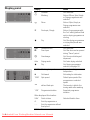
– the symbol @ flashes if a programme setting is
inadvertently changed,
– should the appliance be switched off and on while
a programme is running, the programme will
continue at the point at which it was interrupted,
– when the programme ends, the duration time is
showed as 0:01, the loading door cannot be
opened, deactivate the childproof lock, the door
can be opened while the display shows -0-.
Activating the childproof
lock
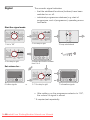
Example of Easy-Care 40 °C
programme:
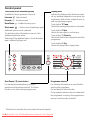
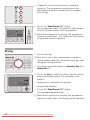
Set the programme selector to the required
programme and, if required, select other settings.
■ Load the laundry and close the loading door.
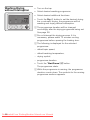
■ Touch the Start/Pause A button. The programme
starts.
² Release the Start/Pause A button.
■
■
■
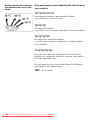
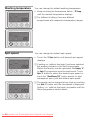
Touch the 5 button and hold down (for approx. 5
seconds) until the @ symbol is displayed.
Release the 5 button, the childproof lock is
activated, the symbol is permanently on.
5sec.
Deactivating the childproof
lock
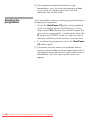
The childproof lock should be deactivated before
making programme changes or ending programmes
at selected programme.
When a different programme has been selected,the
@ symbol will continue to flash and the childproof lock
can be deactivated.But the running programme will be
terminated and return to ready state.
■
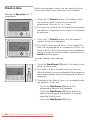
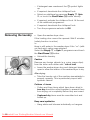
Touch the 5 button and hold down (for approx. 5
seconds) until the @ symbol goes out.
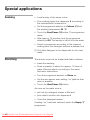
² If there is a power failure, the childproof lock
remains on.
34
Downloaded
From WashingMachine-Manual.com Manuals