1
Personalizing Features
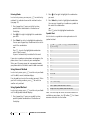
Using Speech Commands
You can place calls and perform other tasks by speaking commands to your phone.
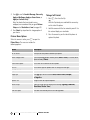
1. Press and release the voice button on the right side of the phone.
Your phone displays and speaks Say a command, followed by a list of speech commands.
2. Say 1 of the commands listed in the table below.
Your phone performs the corresponding action.
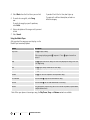
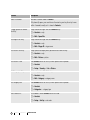
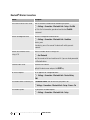
The following are speech commands and the actions they perform:
Speech Command
Description
Call
place a call
Send Picture name
send a multimedia message to the Contacts entry whose name you speak
Send Text name
send a text message to a Contacts entry whose name you speak
Lookup name
look up a Contacts entry by speaking the entry’s name
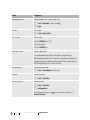
Go To app
use a speech shortcut to access the phone app (application) you specify:
Voicemail, Camera, Redial, Received Calls
Check item
check the item you specify:
• Status—network coverage, signal strength, and battery life
• Signal—network signal strength
• Network—network your phone is currently using
• Battery—battery charge level
• My Phone Number—view your phone number
PAGE 54
PERSONALIZING FEATURES
PHONE FEATURES