1
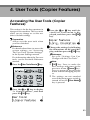
User Tools (Copier Features)
Settings You Can Change with the User
Tools
Reference
For details about how to access the user tools, see p.53 “Accessing the User
Tools (Copier Features)”.
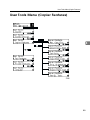
Copier Features
4
Menu
Description
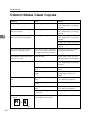
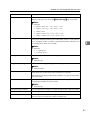
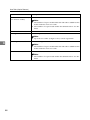
1. Maximum Copy Quantity (1. Max. Copy Q'ty)
The maximum copy quantity can be set between 1 and 99.
Note
❒ Default: 99
2. Adjust Original Mode
You can adjust the finish quality level of copies depending on the
type of the original. You can choose these mode after selecting “1.
Text” or “2. Photo”.
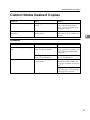
• Text Mode 1
For normal text originals
• Text Mode 2
For newspapers, originals through which the rear side is moderately visible with light text
• Photo Mode 1
For text/photo images which contain mainly photo areas
• Photo Mode 2
For text/photo images which contain mainly text areas
• Special Mode 1
For originals with colored text and lines
• Special Mode 2
For photo images
• Special Mode 3
For normal text originals (when preserving the background)
Note
❒ Default:
• 1. Text: Text Mode 1
• 2. Photo: Photo Mode 1
56