1
Model 5330/5340 Endpoint Quick Reference Guide
This guide provides information for frequently used features. For more information about these and other features,
refer to the user guide. For voice mail information, refer to the voice mail user guide for your system.
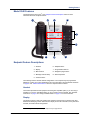
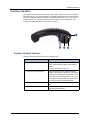
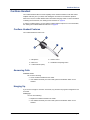
Feature Buttons
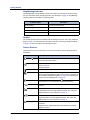
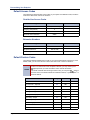
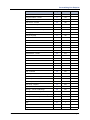
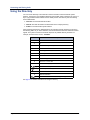
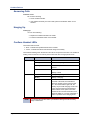
Commonly Used Feature Codes
Most of the following feature codes work when your
endpoint is idle. However, if you are on an active call or
if the endpoint is off-hook, you may need to press
(Special) to activate the feature before you enter the
feature code.
Contact your system administrator for more information
about system features.
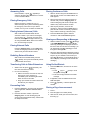
If you make a mistake when entering numbers or
characters, you can press
(Hold) to move the
cursor to the left and delete the characters entered, or
you can press * to cancel the feature.
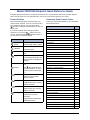
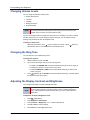
Button
Action
(Up)
Provides volume control.
(Down)
Scrolls through feature options.
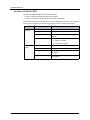
Feature
Code
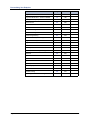
ACD Agent – Log In/Out
328
Automatic IC Call Access – On/Off
361
Automatic Trunk Call Access – On/Off
360
Background Music – On/Off
313
Call Forward – All Calls
355
Call Logging
333
Conference
5
Default Station
394
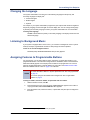
Activates Handsfree Mode.
Directory
307
Activates features.
Display Time And Date
300
(Mute)
Mutes the microphone during a
call.
Do-Not-Disturb – On/Off
372
Handsfree – On/Off
319
(Applications)
Activates the Application menu
to view system information and
adjust Contrast and Brightness
settings.
Headset – On/Off
317
Hold – Individual
336
Hold – System
335
Hunt Group – Remove/Replace
324
Message – Cancel Left Message
366
Message – Delete Message
368
Message – Leave Message
367
(Speaker)
Activates features while on a
call.
(Special)
(Redial)
(Hold)
The
(Special) button does
not cancel features. To cancel
features, press the Star button
(*).
Calls the last external number
dialed. You cannot redial
internal numbers.
Places the current call on hold.
Left/Backspace when entering
dialpad characters.
(Transfer)
(Message)
Message – View Messages Menu
365
Microphone Mute – On/Off
314
Page Receive – On/Off
325
Program Buttons
397
Program Station Password
392
Programmable Buttons – Default
395
Transfers the current call.
Queue (Callback) Request
Right/Forward when entering
dialpad characters.
Record-A-Call
Connects to voice mailbox and
notifies when you have
messages.
Ring Tone Selection
398
Station Speed Dial
382
Station Speed Dial – Programming
383
Switch Keymap
399
System Forward – On/Off
354
System Speed Dial
381
View Button Assignments
396
Toggles between Alpha Mode
and Numeric Mode.
Mitel® Model 5330/5340 User Guide – Issue 2, October 2008
Reverse Transfer (Call Pick-Up)
6
385
4