1
A52 Fox en, A31008-H6250-A1-1-7619 (4. July 2003, 15:54)
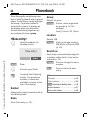
Setup
52
§Menu§KSetupKNetwork
KSelect a function.
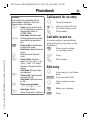
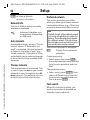
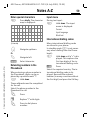
Network info
The list of GSM networks currently
available is displayed.
²
Indicates forbidden service providers (depending
on SIM card).
Auto network
© Siemens AG 2002, I:\Mobil\A52_Fox\en\A52_Setup.fm
Activate/deactivate, see also "Choose
network" above. If "Automatic network" is activated, the next network
is dialled in the order of your "preferred networks". Otherwise a different network can be selected manually from the list of the available GSM
networks.
Choose network
The network search is restarted. This
is useful if you are not on your home
network or want to register on a different network. The network info list
is rebuilt when Auto network is set.
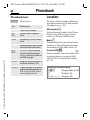
Preferred network
The service providers you prefer
when you leave your home network
can be entered here (e.g. if there are
several networks that differ in price).
Note
If the field strength of the preferred network
is not strong enough when you switch the
phone on, the mobile phone may register
with a different network. This can change
when the telephone is next switched on or if
you manually select another network.
Your service provider is displayed:
§List§
Display list of preferred
networks.
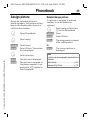
Create new entry:
• Select empty line, press §Entry§,
then select another entry from the
list of service providers and confirm.
Change/delete entry:
• Select entry, press §Change§, then
select a different entry from the
list of service providers and confirm it or press §Delete§.
Fast search
When this function is active, network reconnection is speeded up
(standby time is reduced).