1
www.videodigitalsecurity.com
5.3. Event Notification
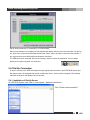
Event notification allows VDS Net users to receive notification from DiViS DVR System when any event
occurs, such as motion and/or sensor detection. In order to activate, following settings are required at
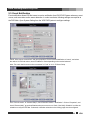
the DVR Main. Open System Setting from the VDS DVR System to configure settings.
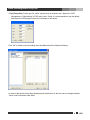
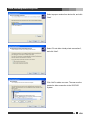
Check “Allow remote connections” and open properties. Check “Remote Notification of events”, and select
the method. In IP/Code column, enter IP address or Code depending on the method selected.
Note: The code shall be same as the one entered in “Code” at 4.1.3. IP Server Setup
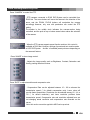
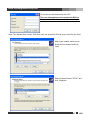
From “Color & motion” of “Camera Setup”, check “Detective motion – Notification”. Click on “Properties”, and
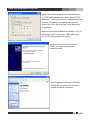
check “Remote Notify” to send notifications when an event occurs. Check “Use Notify Schedule” to utilize the
schedule to notify the VDS Net. If selected, notification schesule on the folloing page must be configured.
23
VDS