1
E220MV / E260MV
Locking and Unlocking Channels
Blocking
When a channel is locked, it will be inaccessible. Locking a channel is a good way
to prevent children from viewing inappropriate material.
A channel may sometimes broadcast programs that are meant for children, and
at other times broadcast programs that are meant for mature audiences. You may
not want to block the channel completely using a channel lock, but you may wish
to block certain programs from being viewed.
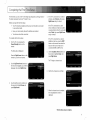
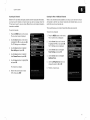
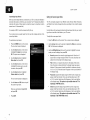
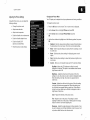
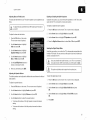
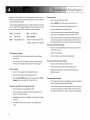
To lock or unlock a channel:
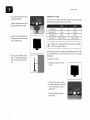
1.
From the Parental Controls menu,
highlight Channel Locks and press
OK. The Channel Locks menu is
3.
4.
by Rating
For a list of content ratings and their definitions, visit
www.tvg uidelines.org.
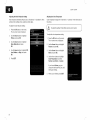
Highlight the channel you want to lock
or unlock and press OK.
When a channel is locked, the Lock
icon appears locked. The channel
is not accessible unless the parental
passcode is entered.
Content
When this is the case, you can use the TV's Rating Block feature to block content
based on its rating.
displayed.
2.
and Unblocking
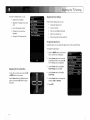
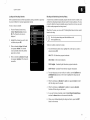
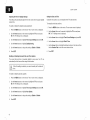
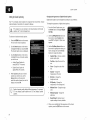
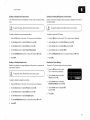
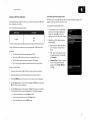
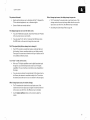
To block or unblock content by its rating:
1.
From the Parental Controls menu, highlight the content type you want to
adjust and press OK:
USA - TV - USA television program broadcasts.
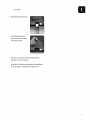
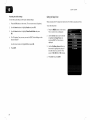
When a channel is unlocked, the Lock
icon appears unlocked. The channel is
accessible.
USA
- Movie
- USA movie
broadcasts.
CAN - English - Canadian English television program broadcasts.
CAN - French - Canadian French television program broadcasts.
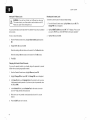
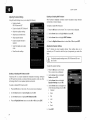
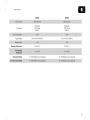
2.
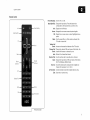
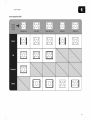
For each rating type you want to block or unblock, use the Up/Down and
Left/Right Arrow buttons on the remote to highlight the rating type and
press OK.
3.
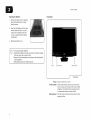
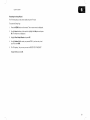
When the rating type is blocked, the Lock icon appears locked.
with this rating cannot be viewed.
4.
When the rating type is unblocked, the Lock icon appears unlocked.
Content with this rating can be viewed.
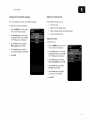
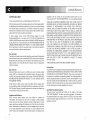
5.
If you want to block all unrated content, highlight Block Unrated
and use the Arrow buttons on the remote to select On.
6.
When you are finished adjusting the rating level blocks, press the EXIT
button on the remote.
Content
Shows
13