1
Section 3: Operation
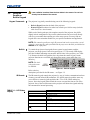
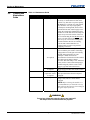
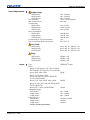
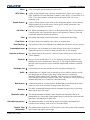
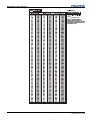
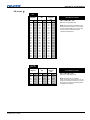
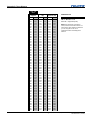
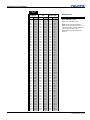
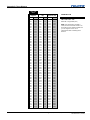
DMX Channel
Function
Base
Shutter
Base + 1
Slider Lock
Base + 2
Base + 3
Input *
Channel *
Base + 4
Lens – Vertical * †
Base + 5
Lens – Horizontal * †
Base + 6
Lens – Focus * †
Base + 7
Lens – Zoom * †
Base + 8
Power *
Base + 9
None
Value
0 – 64
65 – 192
193 – 255
0 – 254
255
1–8
1-99
0
1 – 254
255
0
1 – 254
255
0
1 – 254
255
0
1 – 254
255
0
1 – 254
255
Open
No Action
Closed
Locked
Unlocked *
Input #
Channel #
Lens Down
Stop
Lens Up
Lens Right
Stop
Lens Left
Negative Focus
Stop
Positive Focus
Zoom Out
Stop
Zoom In
Power Off
No Action
Power On
* Functions are only active when the Slider Lock is set to Unlocked
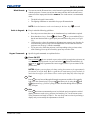
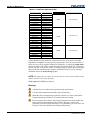
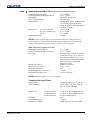
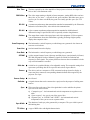
NOTE: It is important to ensure the channels DO NOT overlap another device.
Example:
Good
Proj1_Base = 0
Proj2_Base = 10
Proj3_Base = 20
Bad
Proj1_Base = 5
Proj2_Base = 9
Proj3_Base = 11
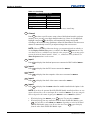
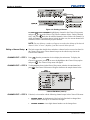
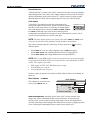
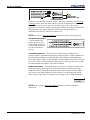
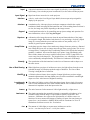
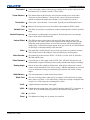
ARTNET DEVICE NAME: This option is used to name each device; some ArtNet servers
support querying for devices. Press Enter and use the arrow keys to enter a name.
NOTE: Refer to section 3.4 Navigating the Menus, Edit numerical Values, for text
entry description.
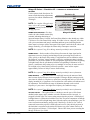
ARTNET DEVICE DESCRIPTION:
More information that is returned when a “device
query” has been done.
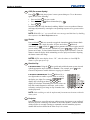
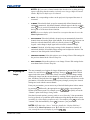
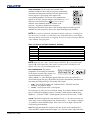
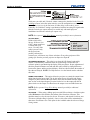
Broadcast Key
Enter a checkmark if you want keypad commands sent to one projector to be relayed
to all projectors in a serial network. Note that the Proj key will temporarily “override”
the effect of a broadcast setting and allow you to control a specific projector when
necessary. Disable the setting for all but one (any) projector in a network.
Backlight
Toggle to turn the built-in keypad backlighting on and off.
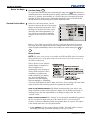
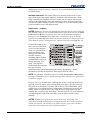
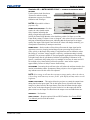
Front IR / Back IR
As needed for your application, set to “any” so that the front and/or rear IR sensor
locations on the projector respond to the IR keypad. Set to “off” to disable.
To disable both IR sensors, you cannot use the IR remote keypad to select the second
OFF setting. This safeguard prevents accidentally disabling an IR keypad while you
3-44
Mirage S+/HD, Matrix S+/HD, Christie HD/DS+/DW, DLV User Manual
020-100001-05 Rev. 1 (12-2008)