1
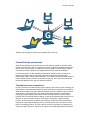
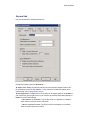
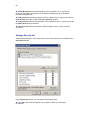
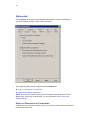
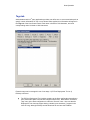
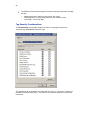
72 Change Permissions determines whether a PC-Duo Master user or group can modify permissions on the Settings Security tab. Take Ownership determines whether a PC-Duo Master user or group can take ownership. View Gateway Configurations determines whether a PC-Duo Master user or group can read the settings on the Gateways tab. Modify Gateway Configurations determines whether a PC-Duo Master user or group can modify the settings on the Gateways tab. Shared secret password authentication If the Host security is set to Windows Authentication but the Host is not in the same domain as a known PC-Duo Gateway (i.e. a Gateway listed on the Gateways tab), Windows Authentication will fail (the Host cannot authenticate PC-Duo Gateway account credentials if domain controller with Active Directory is not accessible). To get around this problem without requiring any manual configuration management on the Host machine, the PC-Duo Host and PC-Duo Gateway are programmed to automatically establish a 16-byte secret password between each other called a „shared secret password‟. This secret is established behind the scenes when the Host and the known PC-Duo Gateway first communicate with each other, and is unique to each PCDuo Gateway ExpressXY Pro Host pair. NOTE: During this initial connection, the Host implicitly trusts the PC-Duo Gateway because it is on the known Gateways list. For stronger authentication, use SSL to confirm the identity of the PC-Duo Gateway. On all subsequent connection attempts when the Host and PC-Duo Gateway are not in the same domain, the shared secret password will be presented and accepted for authentication (because it is known only to the Host and PC-Duo Gateway). No configuration change is required and the Host security remains set at Windows Authentication for all other requests. This authentication method is ideal for the following situations: Host not installed before domain „RemoteControlGateway‟ account was created: Previously, this account had to be added manually to the Host security settings (or some other Gateway account had to be created and added to the Host security settings). As long as the PC-Duo Gateway is on the known list of PC-Duo Gateways on the Host‟s Gateways tab, the Host will automatically add that Gateway‟s PC-Duo Master user account to its security settings list with full access rights. With this autoconfiguration feature, there is no longer any need to manually add the default Gateway user account or to create and configure a new Gateway user account on the Host. PC-Duo Gateway requests a connection and Host security is set to Simple Password: Previously, the Host did not ask for a password from the PC-Duo Gateway. Now, the PCDuo Gateway will be asked to share a secret password with the Host, and will be required to present it to the Host for a connection request, even with Host security set to Simple Password. End-to-end authentication When a Master connects to a Gateway and requests services from a Host, the Gateway connects to (and authenticates to) the Host on the Master‟s behalf (using the Gateway account). However, for maximum security, there are certain services (such as file