1
CONTROLS AND INDICATORS
Front Panel
5
2
4
CHAN
1
VOLUME
TX
HI LO
SCAN M E M
1
MC1010
DUAL
16
0
SCAN
STEP
MEM
LITE
H/L
2
3
SQUELCH
6
3
Rear Panel
LCD Panel
7
13 14 15 16
12
9
TX HI LO
SCAN MEM
10
11
8
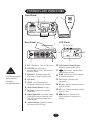
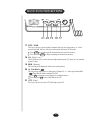
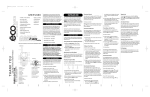
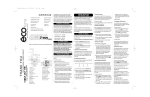
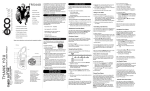
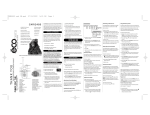
1 PTT - Microphone - ‘Push To Talk’ button. 10 LCD Numerical Channel Display Indicates Channel Number in use.
2 VOLUME (On/Off/Volume) 11
(Dual Watch) - Indicates Dual
Turns the MC 1010 On or Off and varies
NOTE
LCD Indicators appear
when selected by
pressing the
corresponding button.
the audio volume.
3 SQUELCH - Eliminates background
noise when no signal is being received.
4 LCD Panel
Watch has been selected.
12 SCAN - Indicates that you are scanning
the channels in memory.
13 TX (Transmit) - Indicates when
transmitting.
5 CHAN - Used to manually select
the desired Communication Channel
14 HI (High) - Indicates transmitted output
power is 25 Watts.
6 ‘Multi Function Buttons’ see page 5.
7 DC Power - Connect to the supplied
15 LO (Low) - Indicates transmitted output
8 Remote Speaker Jack - An external, 4 Ohm,
16 MEM (Memory) - Indicates if the
power is 1 Watt.
Power Cord.
displayed channel is in memory for
scanning.
4 Watt speaker may be connected to this
jack. The connecting wire must have a
miniature plug.
9 Antenna Connector - Connect the antenna
here using a type PL259 plug.
4