1
DATA TRANSFER
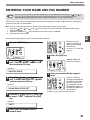
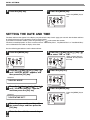
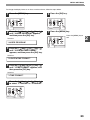
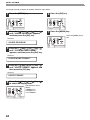
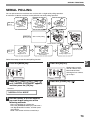
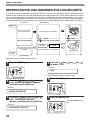
If there is a problem with the machine, you can use the Data Transfer function to have received faxes read into
memory and then sent to a different fax machine for printing.
This function is used when you cannot print received faxes, for example when the machine runs out of toner, or a
misfeed occurs.
To use this function, the fax number of the transfer destination machine must be programmed.
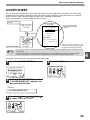
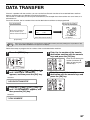
Your fax machine
Receiving fax machine
beep
Enter the fax number of
the fax machine your
want to transfer the data to.
FW. RX DATA
1=YES
2=NO
Select data transfer mode
Transferred faxes
are printed
[Preparation]
Transfer is only possible when a received fax is being held in memory because printing was not possible. In this
case, "0:RX DATA TRANSFER" will appear in the display.
Note
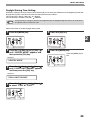
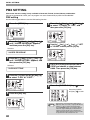
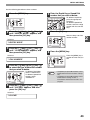
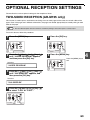
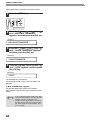
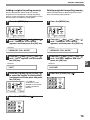
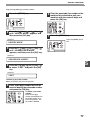
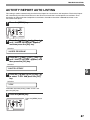
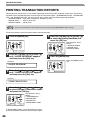
Follow these steps to program the fax number of the transfer destination machine:
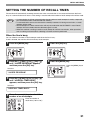
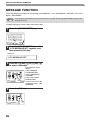
1
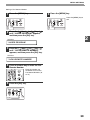
Press the [MENU] key.
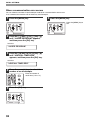
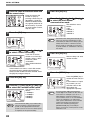
4
Enter the transferring fax
number (maximum 40
digits) by pressing the
numeric keys.
1,2,3,
1,2,3,
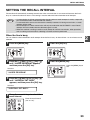
2
Press the [ ] key ( ) or [ ] key ( )
until "0:RX DATA TRANSFER"
appears, and then press the [OK] key.
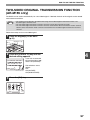
Selection
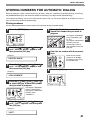
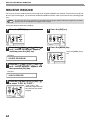
Enter the fax number of the transfer
destination machine with the numeric
keys and press the [OK] key.
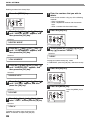
5
Enter the name of the transfer
destination with the numeric keys and
press the [OK] key.
"0:RX DATA TRANSFER"
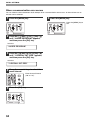
3
Press the [ ] key ( ) or [ ] key ( )
until "2:FAX NUMBER" appears, and
then press the [OK] key.
Selection
"2:FAX NUMBER"
67
5