1
SC-9540.book
16 ページ
2009年4月24日 金曜日 午後1時42分
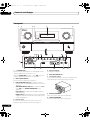
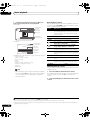
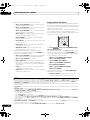
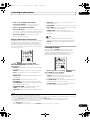
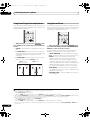
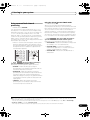
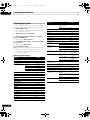
Controls and displays
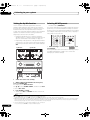
02
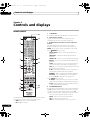
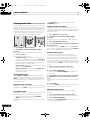
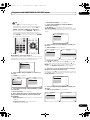
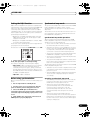
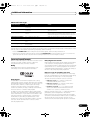
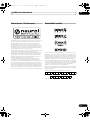
5 MULTI-ZONE
Lights when the MULTI-ZONE feature is active (page 85).
DSD PCM – Light during DSD (Direct Stream Digital) to
PCM conversion with SACDs.
PCM – Lights during playback of PCM signals.
17 Scroll indicators
Light when there are more selectable items when making
the various settings.
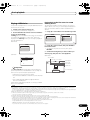
7 FULL BAND
Lights when the Full Band Phase Control is switched on
(page 64).
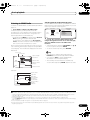
18 Speaker indicators
Lights to indicate the current speaker system, A and/or B
(page 84).
8
19 SLEEP
Lights when the receiver is in sleep mode (page 86).
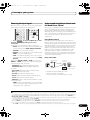
6
Listening mode indicators
AUTO SURROUND – Lights when the Auto Surround
feature is switched on (page 57).
ALC – Lights when the ALC (Auto level control) mode
is selected (page 60).
STREAM DIRECT – Lights when Direct/Pure Direct is
selected (page 60).
ADV.SURROUND – Lights when one of the
Advanced Surround modes has been selected
(page 59).
STEREO – Lights when stereo listening is switched
on (page 59).
STANDARD – Lights when one of the Standard
Surround modes is switched on (page 57).
THX – Lights when one of the Home THX modes is
selected (page 58).
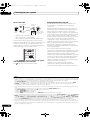
9
(PHASE CONTROL)
Lights when the Phase Control or Full Band Phase
Control is switched on (page 63).
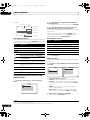
10 Analog signal indicators
Light to indicate reducing the level of an analog signal
(page 86).
11 UP MIX
Lights when the Up Mix is switched on (page 62).
12 Tuner indicators
TUNED – Lights when a broadcast is being received.
STEREO – Lights when a stereo FM broadcast is being
received in auto stereo mode.
MONO – Lights when the mono mode is set using
MPX.
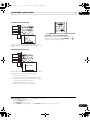
13 SOUND
Lights when any of the Midnight, Loudness or tone
controls feature is selected (page 82).
Lights when Dialog Enhancement is switched on.
14
Lights when the sound is muted (page 13).
15 Master volume level
Shows the overall volume level.
“---” indicates the minimum level, and “+12dB” indicates
the maximum level.
16
en
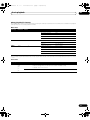
16 Input function indicators
Light to indicate the input function you have selected.
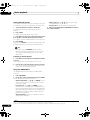
20 Matrix decoding format indicators
2PRO LOGIC IIx – This lights to indicate 2 Pro
Logic II / 2 Pro Logic IIx decoding (page 57).
Neo:6 – When one of the Neo:6 modes of the receiver
is on, this lights to indicate Neo:6 processing (page 57).
21 MSTR
Lights during playback of DTS-HD Master Audio signal.
22 Character display
Displays various system information.
23 Remote control mode indicator
Lights to indicate the receiver’s remote control mode
setting. (Not displayed when set to 1.)