1
2.4
Central Processing Unit (CPU)
2.4.1
Overview
The motherboard comes with a 940-pin AM2 socket designed for the AMD
Athlon™ 64 X2/Athlon™ 64/Athlon™ FX/Sempron™ processor.
The AM2 socket has a different pinout from the 940-pin socket designed
for the AMD Opteron™ processor. Make sure you use a CPU is designed
for the AM2 socket. The CPU fits in only one correct orientation. DO NOT
force the CPU into the socket to prevent bending the connectors on the
socket and damaging the CPU!
2.3.1
Installing the CPU
To install a CPU:
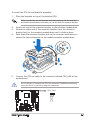
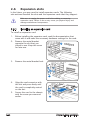
1.
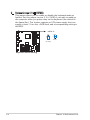
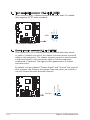
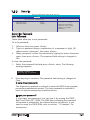
Locate the CPU socket on the motherboard.
R
CPU AM2 Socket 940
2.
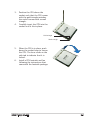
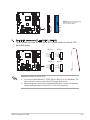
Unlock the socket by pressing
the lever sideways, then lift it up
to a 90º- 100º angle.
Socket lever
Make sure that the socket lever is lifted up to 90º-100º angle; otherwise,
the CPU will not fit in completely.
2-
Chapter 2: Basic installation