1
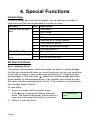
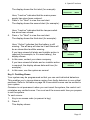
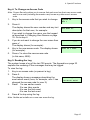
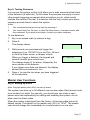
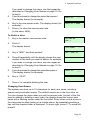
4. Special Functions Key 9: Testing Detectors You can set the system so that it will allow you to walk around and test each of the detectors (a walk test). Do this when the premises are empty to avoid other people triggering movement detectors before you do, which would confuse the results of the test. If a detector fails the test, contact your alarm company and ask them to check the system. Notes: 1. 2. You can abandon the test at any time by pressing . You cannot test Fire, 24-hour, or Hold Up Alarm zones, or tamper circuits with this command. If you wish to test them, contact your alarm company. To test detectors: 1. Key in an access code (or present a tag). 2. Press 9. This display shows: 3. 4. Walk around your premises and trigger the detectors in turn. DO NOT try to test Fire, 24-hour, or Hold Up Alarm zones, or tamper circuits. When you trigger a detector, the keypad and internal sounder give a short tone. The display shows 'A' for alarm, followed by the zone number of the detector. If you trigger more than one detector, the display shows the zone numbers in turn. Press to stop the test when you have triggered all the detectors. Walk Test A: Zone 02 Master User Functions Key 4: Setting up Users Note: Only the master user (U01) can set up users. The system can store up to 50 different user access codes. Each access code must contain four digits. For security, you should give one code to each person who has responsibility for setting and unsetting the system: do not allow users to share codes. When the system is delivered from the factory, all access codes are set to default values. The default for the master user (U01) is "1234". The master user should change this immediately to a code known to no one else. Page 17