1
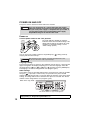
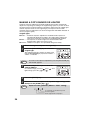
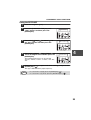
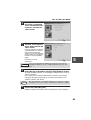
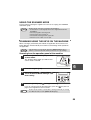
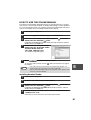
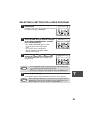
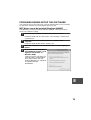
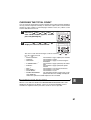
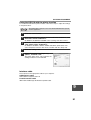
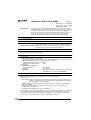
SELECTING A SETTING FOR A USER PROGRAM
1
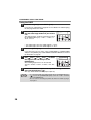
Press the [MENU] key and then press the
[ENTER] key.
MAIN MENU
1:USER PROGRAM
In printer mode, the user programs are accessed
by simply pressing the [MENU] key.
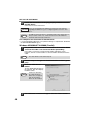
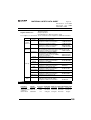
2
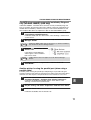
Press the [ ] key ( ) or [ ] key ( ) to
select the item that you wish to configure
in the USER PROGRAM items, and then
press the [ENTER] key.
USER PROGRAM
2:PREHEAT MODE
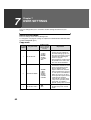
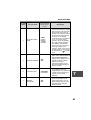
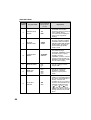
• See "USER PROGRAM" (p.62 to p.66)
for the program name and program
code.
• You can also select a program by
directly entering the program number
with the numeric keys.
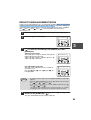
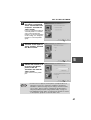
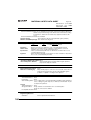
3
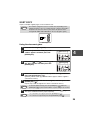
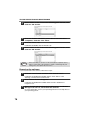
Press the [ ] key ( ) or [ ] key ( ) to
change the setting of the selected item.
PREHEAT MODE
1:1 MIN
See "USER PROGRAM" (p.62 to p.66) for the
program code.
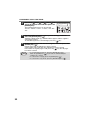
Note
4
• If you mistakenly select the wrong item, press the [CLEAR] key
( ) and repeat the procedure from step 2.
• To cancel a setting for a user program, press the [MENU] key.
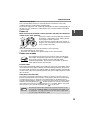
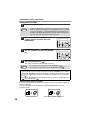
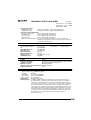
Press the [ENTER] key.
7
Your selection appears briefly and then the previous screen appears.
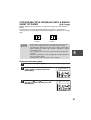
Note
When "AE LEVEL ADJUST" is selected in the user programs and the
[ENTER] key is pressed, the automatic exposure adjustment screen
appears. Adjust the exposure and press the [ENTER] key.
67