1
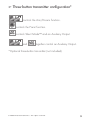
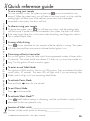
✂ Quick reference guide To arm using your remote You can activate, or arm, the system by pressing on your transmitter for one second. When the system arms, you will hear a short siren sound, or chirp, and the parking lights will flash once. If the vehicle’s power door locks have been connected to the system, the doors will lock. Cut along the dotted line and fold to keep in purse or wallet for a quick and easy reference. ������� To disarm using your remote To disarm the system, press . You will hear two chirps, and the parking lights will flash twice. If power locks are connected to the system, the doors will unlock. If the siren chirps either four or five times when disarming, see Diagnostics section. This is called Tamper Alert. ������� Arming while driving Press on your transmitter for two seconds while the vehicle is running. The system will chirp once and then once more to indicate that the ignition is on. Disarming without a transmitter ������� Turn on the ignition. Press the Valet switch the programmed number of times within 15 seconds. The system should now disarm. If it does not, you may have waited too long. Turn the ignition off and on and try again. To enter or exit Valet Mode Turn ignition to RUN position, then turn to OFF position. Press and release the Valet switch within 10 seconds. The status LED will light solid if you are entering Valet Mode, and it will go out if you are exiting Valet Mode. To activate Panic Mode Press and hold down for one second. To exit Panic Mode Press on the transmitter. To activate Silent Mode™ ✂ ������� Press briefly before arming or disarming, and the confirmation chirp(s) will be eliminated for that one operation only. Location of Valet switch_______________________________ Number of Valet switch pulses for disarming_____________ © 2008 Directed Electronics - All rights reserved. 35