1
Contents
Chapter 1: Introduction ...................................................................................................... 2
Product Description and Features ............................................................................... 2
What’s In Your Modem Package? ................................................................................ 3
Chapter 2: Installation ....................................................................................................... 6
Introduction ................................................................................................................. 6
What You Will Need ..................................................................................................... 6
Safety Warnings .......................................................................................................... 6
Connecting the Modem to Your System ...................................................................... 7
Connections for the MT5600ZDX .................................................................... 7
A Note About Power Connection, Surge Protectors, and Lightning ................ 8
Power-On Test ................................................................................................. 8
Using Your Modem .......................................................................................... 8
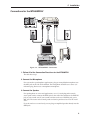
Connections for the MT5600ZDXV ................................................................. 9
2. Connect the Microphone ............................................................................. 9
3. Connect the Speaker ................................................................................... 9
Installing the Modem Driver ...................................................................................... 10
Modem Driver Installation for Windows 95/98/Me/2000/Xp ........................... 10
Modem Driver Installation for Windows NT .................................................. 10
Loading Data Communications Software .................................................................. 11
Removing an Old Modem Driver ............................................................................... 11
Connecting to the Internet ......................................................................................... 12
Dial-Up Networking ................................................................................................... 12
Sending a Fax ........................................................................................................... 13
About the LED Indicators .......................................................................................... 13
Chapter 3: Advanced Options ....................................................................................... 15
Introduction ............................................................................................................... 16
Configuring Your Communications Software ............................................................. 16
Configuring Your Modem ........................................................................................... 17
Chapter 4: AT Commands ............................................................................................... 18
Introduction ............................................................................................................... 19
Chapter 5: Troubleshooting ............................................................................................. 20
Introduction ............................................................................................................... 21
None of the Indicators Light ...................................................................................... 21
The Modem Does Not Respond to Commands ........................................................ 22
The Modem Dials But Cannot Connect..................................................................... 23
The Modem Disconnects While Online ..................................................................... 24
The Modem Cannot Connect When Answering ........................................................ 25
File Transfer Is Slower Than It Should Be ................................................................. 25
Data Is Being Lost ..................................................................................................... 26
There Are Garbage Characters on the Monitor ........................................................ 26
The Modem Doesn’t Work with Caller ID .................................................................. 26
Fax and Data Software Can’t Run at the Same Time ............................................... 27
Appendix A: Regulatory Compliance .............................................................................. 29
FCC Part 15 .............................................................................................................. 29
FCC Part 68 Telecom ................................................................................................ 30