1
AXIS Q7920 Chassis
Installation Guide
This installation Guide provides instructions for installing AXIS Q7920 Chassis on your network.
1. Make sure the package contents, tools and other materials necessary for the installation
are in order. See page 7 .
2. Study the hardware overview. See page 8 .
3. Install the hardware. See page 10.
Package Contents
•
•
•
•
•
•
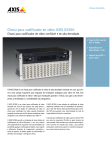
Video encoder chassis
AXIS Q7920
Cover plates
1 1–port front panel cover
6 2–port front panel covers
2 AC power cords
Europe
UK
US, Canada and Japan
Australia
Switzerland
Denmark
South Korea
Argentina
Terminal connectors
28 14–pin terminal connectors
14 2–pin terminal connectors
Printed materials
AXIS Q7920 Chassis Installation Guide (this document)
Included accessories
4 feets
7
ENGLISH
Installation Steps