1
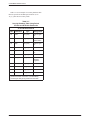
3810Plus Installation
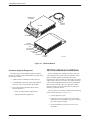
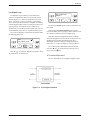
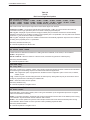
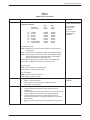
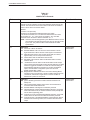
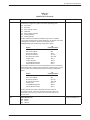
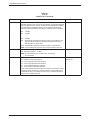
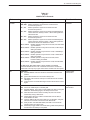
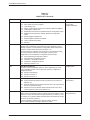
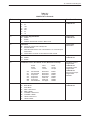
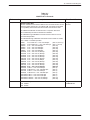
• An 6-pin modular keyed jack for dial (PSTN) lines.
1. Make sure the modem’s rear panel power switch is
Off.
• A 4-pin modular jack for network management
system (NMS) connection.
2. Connect the DB-25-P (male) connector on the
cable to the DB-25-S (female) connector labeled
DTE 1 (Figure 2-2) on the modem’s rear panel.
Use a small screwdriver to tighten the cable to the
modem.
• A 25-pin DB-25-S receptacle for DTE interface.
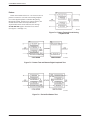
Connecting 3810Plus Modems with Supplied
Cables
3. Connect the DB-25-P connector on the cable to
the DB-25-S connector on the DTE. Use a small
screwdriver to tighten the cable to the DTE.
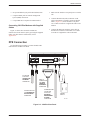
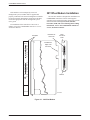
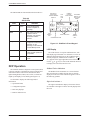
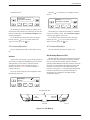
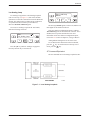
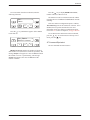
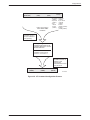
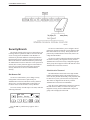
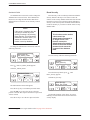
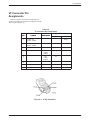
Figure 2-2 shows how 3810Plus modems are
connected to certain TELCO jack types using the supplied
cables. For other TELCO connections, refer to
Appendix D.
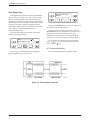
DTE Connection
Use the following procedure to connect the RS-232D
cable from the modem to the DTE:
DIAL
LEASED
LEASED
(3810Plus)
(3820Plus)
8-POSITION
PLUG FOR
LEASED-LINE
NETWORK
OPERATION
DTE 1
NMS
PWR
ON
OFF
DB-25-P
CONNECTOR
FOR DATA
TERMINAL
EQUIPMENT
OPERATION
6-POSITION PLUG
FOR PERMISSIVE
DIAL NETWORK
OPERATION
SUB-MINIATURE
4-POSITION
PLUG FOR
NETWORK
MANAGEMENT
SYSTEM
OPERATION
POWER
SUPPLY
495-14677
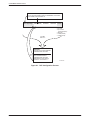
Figure 2-2. 3810Plus Rear Panel
3980-A2-GB30-40
October 1998
2-3