1
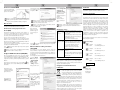
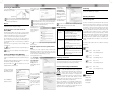
Technical data Children WLAN standards* IEEE 802.11n (150Mbit/s), IEEE 802.11g (54 Mbit/s), IEEE 802.11b (11 Mbit/s) Connection USB 2.0/1.1*1 Input voltage 5V Power consumption 200 mA Security/ encryption 64/128-bit WEP encryption WPA/WPA2 and WPA-PSK/WPA2 PSK encryption Wi-Fi Protected Setup (WPS) Frequency range 2,4GHz Frequency Band QPSK / BPSK / 16-QAM / 64-QAM / Modulation Method OFDM Data transfer rate*2 up to 150 Mbit/s (uplink/downlink) LED indicator green LED Antenna internal Supported operating Windows® 7/ Vista / XP, MAC systems: System requirements Dimensions Computer with at least a 1 GHz compatible Pentium processor 1 free USB 2.0 port CD-ROM or DVD drive for installing the software 19.6 x 15.2 x 8.6 mm Weight 2.2 g *1 The USB WLAN stick is backwards compatible with USB 1.1 ports. However it is not possible to achieve the full transfer speed with this connection. *2 The standard transfer rates – 150 Mbit/s, 54 Mbit/s and 11Mbit/s – are the theoretically possible data rates. The actual data throughput is less. Introduction Thank you for purchasing the SilverCrest SWS 150 A1 USB WLAN stick. This USB WLAN stick is a cost-effective way to extend your PC or notebook. The stick allows you to connect your PC or notebook to your wireless network. Access your data easily without cables and surf the Internet if there is Internet access available. Intended use This is an information technology device. It enables connection to wireless networks. It may only be used for private and not industrial or commercial purposes. Furthermore, the device may not be used in tropical climates. Only connection cables and external devices that are designed for this product in terms of safety, electromagnetic compatibility and shielding quality may be used in conjunction with the device. This device meets all relevant norms and standards in conjunction with CE conformity. In the event of any modification to the device that was not approved by the manufacturer, compliance with these standards is no longer guaranteed. The manufacturer does not accept any liability for any resulting damage or faults in such cases. If you are not using the device within the Federal Republic of Germany, you must observe the regulations and laws in the country of use. Supplied items SilverCrest SWS 150 A1 USB WLAN stick CD-ROM with software User manual Safety instructions This symbol indicates important information for safe operation of the device and the safety of the user. This symbol indicates other important information on the topic. Before using this device for the first time please read the following instructions carefully and take note of the safety warnings, even if you are familiar with the use of electronic devices. Please keep this manual safe for future reference. If you sell the device or pass it on, always include this manual. Electrical devices do not belong in children's hands! Never allow children to use electrical devices unsupervised. Children may not recognise potential risks. Small parts can be fatal if swallowed. Always keep plastic packaging away from children as it poses a suffocation risk. Batteries can be fatal if swallowed. Keep batteries away from children. If a battery is swallowed, seek medical help immediately. Radio interface Do not use the device on aircraft, in hospitals, operating rooms or in the vicinity of medical electronic systems. The transmitted radio waves can impair the functionality of sensitive devices. Keep the device at least 20cm away from any pacemakers, since the proper functioning of the pacemaker can be impaired by radio waves. The transmitted radio waves can cause interference in hearing aids. Do not place the device in the vicinity of flammable gases or in an explosion-hazard environment (e.g. paint shop) when the radio components are switched on since the transmitted radio waves can cause an explosion or a fire. The range of the radio waves is dependent on conditions in the surrounding environment. In case of data traffic via a wireless connection, it is also possible for unauthorised third parties to receive data. Targa GmbH is not responsible for radio or television interference caused by unauthorised changes to this device. In addition, Targa assumes no responsibility for the replacement or exchange of connecting lines and devices not indicated by Targa GmbH. Only the user himself is responsible for the elimination of interference caused by such unauthorised changes and for the replacement or exchange of the devices. The device is not designed for use in environments with a high temperature or humidity (e.g. bathrooms) or in extremely dusty conditions. Operating temperatures and operating air humidity: 5 °C to 40 °C, max. 85 % rel. air humidity. no fire sources (e.g. burning candles) are placed on or near the device; no foreign objects penetrate the device; the device is not subjected to any extreme temperature fluctuations, as this may result in moisture caused by condensation and therefore a short circuit; the device is never subjected to excessive shocks and vibrations; To install the Windows driver click on "Windows" next to the image with three USB WLAN sticks. Select the required language and click on "Next". Storage when not in use If the device will not be used for a long period of time remove the USB WLAN stick from the USB port of your computer. Ensure that the storage temperature remains between -20 °C and 60 °C. The humidity should not exceed 90% rel. air humidity. Overview 1. 2. no direct sunlight or bright artificial light reaches the device; the device is not in the immediate vicinity of magnetic fields (e.g. speakers); Select "USB 802.11N Adapter". Operating environment Ensure that no direct heat sources (e.g. heating) can affect the device; any contact with splashed and dripping water and corrosive liquids is avoided and the device is not operated in the vicinity of water. In particular the device should never be submerged in liquid (do not place any items filled with liquid, e.g. vases or drinks near the device); Insert the CD-ROM supplied into the CD-ROM drive of your computer and start "setup.exe". WPS button LED*³ *³ The LED flashes constantly as soon as the USB WLAN stick is recognised by the operating system. If data is being transferred via WLAN, the LED will flash faster. To start the installation click on "Next". Prior to use Installing the software Important: Connect the USB WLAN stick to your computer after the software has been installed. If the USB WLAN stick is already connected the software may not install completely or correctly. The supplied software must be installed to be able to use the USB WLAN stick. The following installation screen shots correspond to the Windows® 7 operating system. With the Windows® XP / Windows Vista®/ MAC operating systems the displays may be slightly different but the content will be identical. After the driver has been installed the computer has to be restarted. Click on "Finish" to restart the computer.