1
Setting SYSLOG Parameters
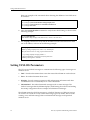
Use the following procedure to specify the SYSLOG server and the types of messages you
want the CLI to log on the server.
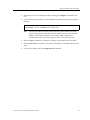
1.
Ensure that you are in Enable mode by entering the enable command in the CLI.
2.
Use the following command to verify that the XP-2000 can reach the SYSLOG server
by pinging the server:
ping <IP-addr>
3.
Ensure that you are in Configure mode by entering the configure command in the
CLI.
4.
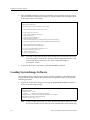
If you have not already done so, use the interface add ip command to set the IP
address and netmask for the en0 Ethernet interface, as shown in the following
example:
ssr-1(config)# interface add ip en0 address-netmask 10.50.11.22/16
Note:
5.
The en0 interface is automatically created by the system and is reserved for
the XP-2000’s management port.
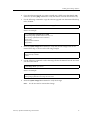
Use the following commands to “add” the SYSLOG server to the XP-2000, set the
message level, and set the SYSLOG facility:
system set syslog server <hostname-or-IP-addr>
system set syslog level fatal|error|warning|info
system set syslog facility <facility-type>
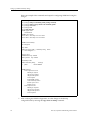
Here is an example:
ssr-1# config
ssr-1(config)# system set syslog server 10.50.11.12
ssr-1(config)# system set syslog level info
ssr-1(config)# system set syslog facility local0
Enterasys Xpedition 2000 Getting Started Guide
55