1
com communications, the music volume automatically decreases. The music
Public Address Function
volume increases gradually back to the original level after communications
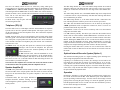
To access PA function, press the Mode and SPR buttons simultaneously. The
COM1 and COM2 RCV LEDs will blink to indicate the audio panel is in PA
mode. The copilot can continue to use the selected com radio while the pilot
will now be heard over the
speaker.
To exit PA mode, push Mode
and SPR again.
have been completed.
CREW: Pilot and copilot are connected on one intercom channel and have exclusive access to the aircraft radios. They may also listen to Entertainment 1.
Passengers can continue to communicate with themselves without interrupting
the Crew and may listen to Entertainment 2.
Entertainment Input and muting control
Intercom Operation
The PMA8000 has provisions for two entertainment devices. Entertainment #1
is heard by the pilot and copilot (crew) , and Entertainment 2 is heard by the
passengers. The ICS pushbutton has no effect on these music inputs, allowing
independent entertainment from the mode of the intercom. The intercom volume control does not affect the music level.
While in the ISO (Isolate) mode,
the copilot will hear Entertainment
#1 while the four passengers will
hear Entertainment #2. The Entertainment #1 will mute when either
the copilot or pilot speaks, and Entertainment #2 mutes when the passengers
speak. With our Soft Mute™ , the music will return gradually to the original
listening level when the intercom or radio conversation ceases. While in ISO
mode, the Pilot will not mute the music if he presses the PTT switch to transmit or if he speaks while on the phone.
The entertainment inputs automatically mute when there is radio traffic or intercom conversation. In many cases, the muting is not desired, so mute inhibit,
or “Karaoke Mode” is available. This is accomplished for the crew by pressing
the “Mode” pushbutton. Thee unit can be wired so that AUX will put the music
2 music into Karaoke mode for the passengers. An external switch located by
the passengers can also be installed in lieu of the AUX button function.
No adjustment of the IntelliVox® squelch control is necessary. There is no
field adjustment. Through three individual signal processors, the ambient noise
appearing in all six microphones is constantly being sampled. Non-voice signals are blocked. When someone speaks, only their microphone circuit opens,
placing their voice on the intercom.
The system is designed to block continuous tones, therefore people humming
or whistling in monotone may be blocked after a few moments.
For consistent performance, any headset microphone must be placed
within ¼-inch of your lips, preferably against them. (ref: RTCA/DO-214,
1.3.1.1 (a)). It is important to have the microphone element parallel to
your mouth, and not twisted inside the cover.
It is also a good idea to keep the microphone out of a direct wind path.
Moving your head through a vent air stream may cause the IntelliVox®
to open momentarily. This is normal.
The IntelliVox® is designed to work with normal aircraft cabin noise levels (70 dB and above). It loves airplane noise! Therefore, it may not recognize speech and clip syllables in a quiet cabin, such as in the hangar,
or without the engine running. This is normal.
Marker Beacon Operation (10)
Intercom Volume Control (7)
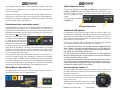
The Marker Beacon Receiver uses visual and audio indicators to alert you
when the aircraft passes over a 75 MHz transmitter.
The small volume control knob adjusts the loudness of the intercom for the
pilot and copilot. It has no effect on selected radio levels, music input levels or
passengers' volume level.
The larger, outer volume control knob controls intercom volume or the passengers. It has no effect on
radio or music levels.
IntelliVox® VOX-Squelch
Adjust the radios and intercom volume for a comfortable listening level. Most general aviation headsets
8
202-890-0000
PMA8000-Series Pilot Guide
PMA8000-Series Pilot Guide
202-890-0000
5