1
1-Getting Started
Chapter 1- Getting Started
Thank you for purchasing The Micronet MaxNAS R8 storage solution. With speed, high
capacity, ease of use, and support for numerous applications, MaxNAS R8 is the ideal solution
for all of your data storage needs.
Please take advantage of the information contained within this manual to ensure easy setup
and configuration. If at any time you require technical assistance, Micronet’s Help Desk is
available at 310-320-0772 or email us at [email protected]
1. Features and Benefits
MaxNAS R8 is a versatile and powerful storage solution, allowing it to be utilized in several
different roles:
•
•
•
•
As
As
As
As
a
a
a
a
shared storage device for multiple PCs, Macs, and UNIX/Linux workstations
central, fault tolerant data server for a workgroup or network
central backup station
central hub for print services, media streaming, and unattended downloading
Benefits:
•Easy-to-use for non-MIS personnel
•SATA (Serial ATA) disk channel interface
•Networked Storage on Gigabit Ethernet
•Easy to use Graphical User Interface
Networking Features:
•2x 10/100/1000 auto-sensing Ethernet ports
•Ethernet link aggregation with failover and
load balancing
•iSCSI services concurrent with NAS
Data Reliability Features:
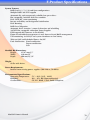
•RAID Level 0, 1, 5, 6, Span
•Multiple LUN support
•RAID Auto Rebuild
•Network Backup
•Hot Swap/Hot Spare disk support
•Disk Roaming
Network Services:
•Windows Client Support with Active
Directory integration
•UNIX/Linux Client Support
•Apple OS X Client Support
•FTP, Webdisk, Secure Webdisk
•DLNA streaming server
• Attach and share USB and eSATA devices
2. System Requirements and Compatibility
The MaxNAS R8 is designed for universal compatibility. It features SMB/CIFS, NFS, FTP, iSCSI,
USB direct attachment, as well as Webdisk/Secure Webdisk http-based connectivity for host
access. This manual will address Windows XP and newer, and Macintosh OS X 10.4 and
newer hosts only but the concepts and connectivity features are available to other operating
environments as well.
MaxNAS Owner’s Manual
7