1
Presenting from a USB Reader
This feature allows you to browse the image and document files stored on a USB flash
drive connected to the projector. It can eliminate the need for a computer source.
Supported file formats:
•
•
•
JPEG(JPG)
BMP
•
•
PNG
GIF
•
TIFF
A square box will display on the filename for unidentified characters.
•
Thai filename is not supported.
•
Files in GIF, TIFF, PNG and BMP formats can be displayed for the file size smaller than WXGA (1280 x
800) only.
•
If a folder consists of more than 200 files, only the first 200 files can be displayed.
1.
2.
3.
4.
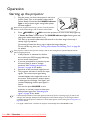
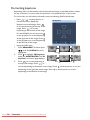
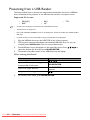
Plug the USB flash drive into the USB TYPE-A jack of the projector.
The projector automatically displays the detected USB flash drive. Or you can
manually select USB Reader from the source selection bar.
Found USB disc icon(s) will appear on the lower-left corner. Press / / / to
select the desired disc drive and press MODE/ENTER.
Thumbnails of the files stored on the USB flash drive will display.
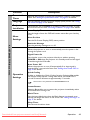
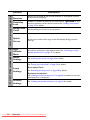
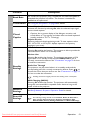
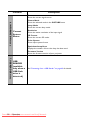
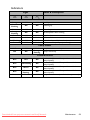
When viewing thumbnails
To
scroll through thumbnails
open the folder or view an image/
document file in full screen
return to an upper directory
change to a different page
5.
40
Press
/
/ /
MODE/ENTER
MODE/ENTER when the Back icon is
selected
/
To exit full screen mode, press MODE/ENTER.
Operation
Downloaded From projector-manual.com BenQ Manuals