1
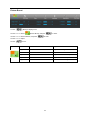
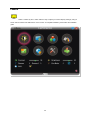
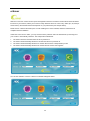
Color Setup
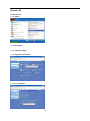
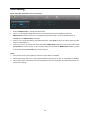
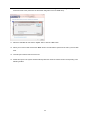
1 Press
(Menu) to display menu.
2 Press < or > to select
(Color Setup), and press
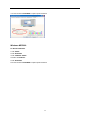
3 Press < or > to select submenu, and press
to enter.
to enter.
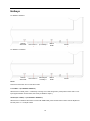
4 Press < or > to adjust.
5 Press
to exit.
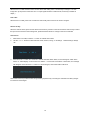
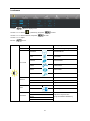
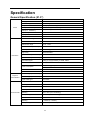
Color setup.
Warm
Recall Warm Color Temperature from EEPROM.
Normal
Recall Normal Color Temperature from EEPROM.
Cool
Recall Cool Color Temperature from EEPROM.
sRGB
Recall SRGB Color Temperature from EEPROM.
Red
Red Gain from Digital-register.
Green
Green Gain Digital-register.
Blue
Blue Gain from Digital-register.
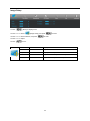
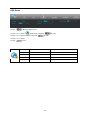
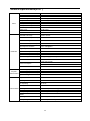
Full Enhance
on or off
Disable or Enable Full Enhance Mode.
Nature Skin
on or off
Disable or Enable Nature Skin Mode.
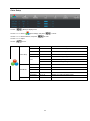
Green Field
on or off
Disable or Enable Green Field Mode.
Sky-blue
on or off
Disable or Enable Sky-blue Mode.
AutoDetect
on or off
Disable or Enable AutoDetect Mode.
on or off
Disable or Enable Demo.
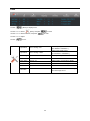
User
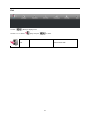
DCB Mode
DCB Demo
23