1
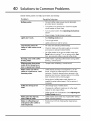
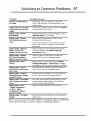
Solutions
to Common
Problems
Problem
Possible Solution
Amount of coffee made is
too small.
•
Normal size of a cup of espresso is about one
ounce. Push espresso or double espresso button
multiple times.
Coffee maker will not make
°
Put pre-ground coffee in ground coffee chute before
the power switch is turned on.
Display reads: "Please
Wait Heating"
•
Appliance still heating up. Wait until display reads
"Machine Ready" (3-5 minutes).
Display reads: "Drawer
Full" (buttons also don't
work).
°
Empty used coffee grounds bin. See Routine
Cleaning Instructions section.
°
Drawer was emptied with power switch off. Leave
power switch on when emptying the used coffee
grounds bin.
Display reads: "Machine
Ready - Drawer Out"
(buttons also don't work).
•
Check to make sure used coffee grounds drawer
is properly installed. See Routine Cleaning
Instructions section
Display reads: "System
Off- Front Panel Open"
(buttons also don't work).
•
Check to make sure front panel is closed and
locked. Call for service if message repeats.
Display reads: "Clean
Group"
•
System needs a routine cleaning. See Routine
Cleaning Instructions.
"Clean Group" message
will disappear after the routine cleaning is complete.
Display reads: "Xxxxxx
Group Error" (buttons also
don't work).
•
Operation problem detected.Open and close front
panel. Call for service if message repeats.
coffee drinks from ground
coffee.
Display reads: "Timeout
Filling Up Broiler" (buttons
also don't work).
Operation problem detected. Turn power switch off,
then on. Call for service if message repeats.
Display reads: "Flow Meter
Error" (buttons also don't
work).
•
Pour water in tank (Model E24CM75GSS) or check
to make sure the water supply is connected and
turned on Model (E24CM76GSS).
Display reads: "Error
- Coffee Temperature"
or "Error - Steam
•
Operation problem detected.Call
•
Reduce the amount of coffee you put in the ground
coffee chute.
for service.
Temperature" (buttons
also don't work).
Display reads: "Too Much
Coffee".
NOTE: If you have used the Coffee Maker Programming
control panel settings, consult the guide for additional
Guide to change the
solutions.
41