1
Contents
How to read this manual
In this manual, names of channels and buttons indicated on the product, names of menus in the software, etc., are indicated within square
brackets ([ ]). (e.g. [MASTER] channel, [ON/OFF], [File] menu)
Before start
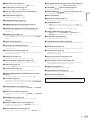
Features........................................................................................................ 3
Connections
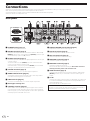
Rear panel.................................................................................................... 4
Connecting input terminals........................................................................ 5
Connecting output terminals..................................................................... 5
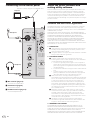
Connecting to the control panel................................................................. 6
About the driver software and setting utility software.............................. 6
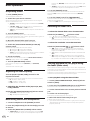
Operation
Basic Operation......................................................................................... 12
Advanced Operations................................................................................ 14
Types of effects
BOOST COLOR FX/SOUND COLOR FX effect types.............................. 16
Types of BEAT EFFECT............................................................................... 16
List of MIDI Messages
Changing the settings
About the auto standby function.............................................................. 21
About the talk over function..................................................................... 21
Setting preferences................................................................................... 21
Additional information
Troubleshooting......................................................................................... 22
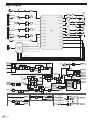
Block Diagram........................................................................................... 24
About trademarks and registered trademarks....................................... 25
2
En