1
Oven - use
Using the oven
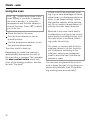
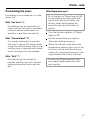
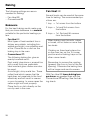
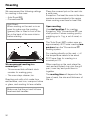
The "@" symbol must show in the
timer display if you wish to operate
the oven manually, i.e. using the
temperature and function selectors
without the timer. Press "i" to allow
you to do this.
Place the food in the oven.
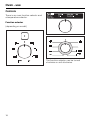
Turn the oven selector to the required function.
Use the temperature selector to set
the required temperature.
The oven starts to heat up.
Depending on model the heating is
automatically interrupted as soon as
the oven door is opened. This operates
the door contact switch which switches off the heating systems, and the
fan with "Fan heat".
20
If food is left in the oven after cooking, e.g. to take advantage of the residual heat, turn the temperature selector to the lowest setting. Leave
the function selector at the position
set. Do not switch the appliance off
until the food has been removed.
Moisture in the oven could lead to
condensation forming on the control
panel and surrounding kitchen furniture and drops of moisture collecting under the worktop.
On ovens or cookers with a built-in
catalyser failure to do this could result in deposits remaining in the
catalyser, causing an unpleasant
smell to arise the next time the appliance is used.
You can also programme the oven to
end or delay the start of a cooking processe automatically, (see "Programming cooking time automatically").